Blender 5.2 LTS - Showcase Reel
By Blender ·
Playing loads YouTube. YouTube will receive your IP address and device information.
Adobe alternatives for 2026 by app: GIMP, Affinity, Inkscape, DaVinci Resolve, darktable, Scribus and more, with prices, licences and links to every guide.
•4 min read•Graphic Design & Diagramming
Verdict:There is no single Adobe Creative Cloud alternative, so match each Adobe app you use to one tool: GIMP, Photopea or Affinity for Photoshop, Inkscape for Illustrator, DaVinci Resolve for Premiere Pro, darktable for Lightroom and Scribus for InDesign. Check your client file formats first.
| Tool | Price | Platforms | Best for | Tested |
|---|---|---|---|---|
| GIMP | Free; no paid tier | Windows, macOS, Linux | Photoshop users who retouch and composite photos | Docs only |
| Affinity | Free for individuals; optional AI tools need a Canva premium plan | Windows, macOS | Photoshop, Illustrator and InDesign users who want one free professional-style app | Docs only |
| Inkscape | Free and open-source software (GPL) | Windows, macOS, Linux | Illustrator users who draw logos, icons and vector art | Docs only |
| DaVinci Resolve | Free version; paid Studio edition | Windows, macOS, Linux | Premiere Pro users who edit and grade video | Docs only |
| darktable | Free and open source (GPLv3) | Windows, macOS, Linux | Lightroom users who develop RAW photos | Docs only |
| Scribus | Free and open source | Windows, macOS, Linux | InDesign users who lay out print documents | Docs only |
| Blender | Free for any purpose, including commercial work (GNU GPL) | Windows, macOS, Linux | After Effects users who need 3D, compositing and motion work | Docs only |
Independent comparison. Paid placements are labelled separately; editorial links earn no affiliate commissions. Learn more.
Images from the linked documentation. Versions and features may differ from current plans.
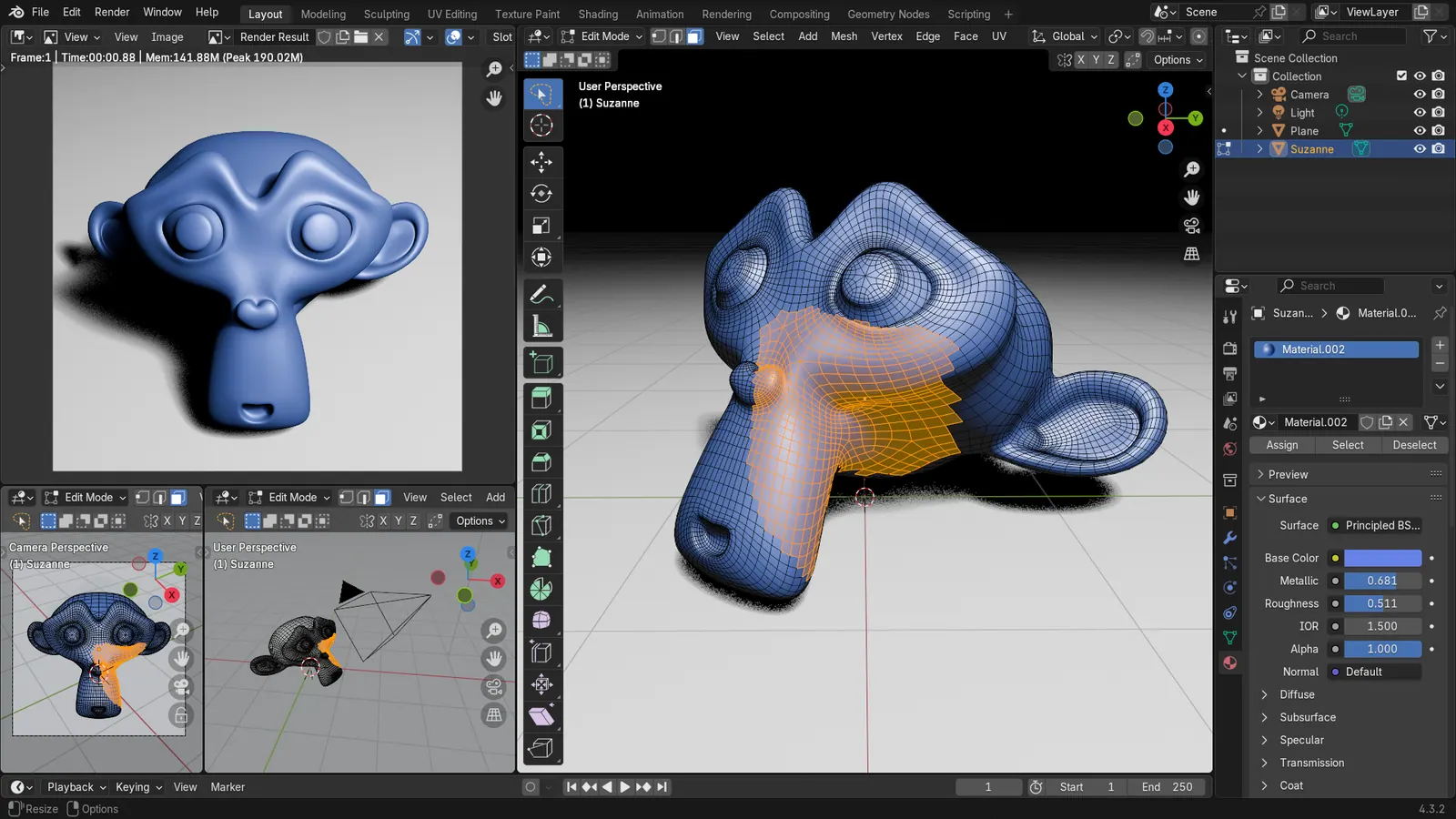
Blender 4.3.2 screenshot
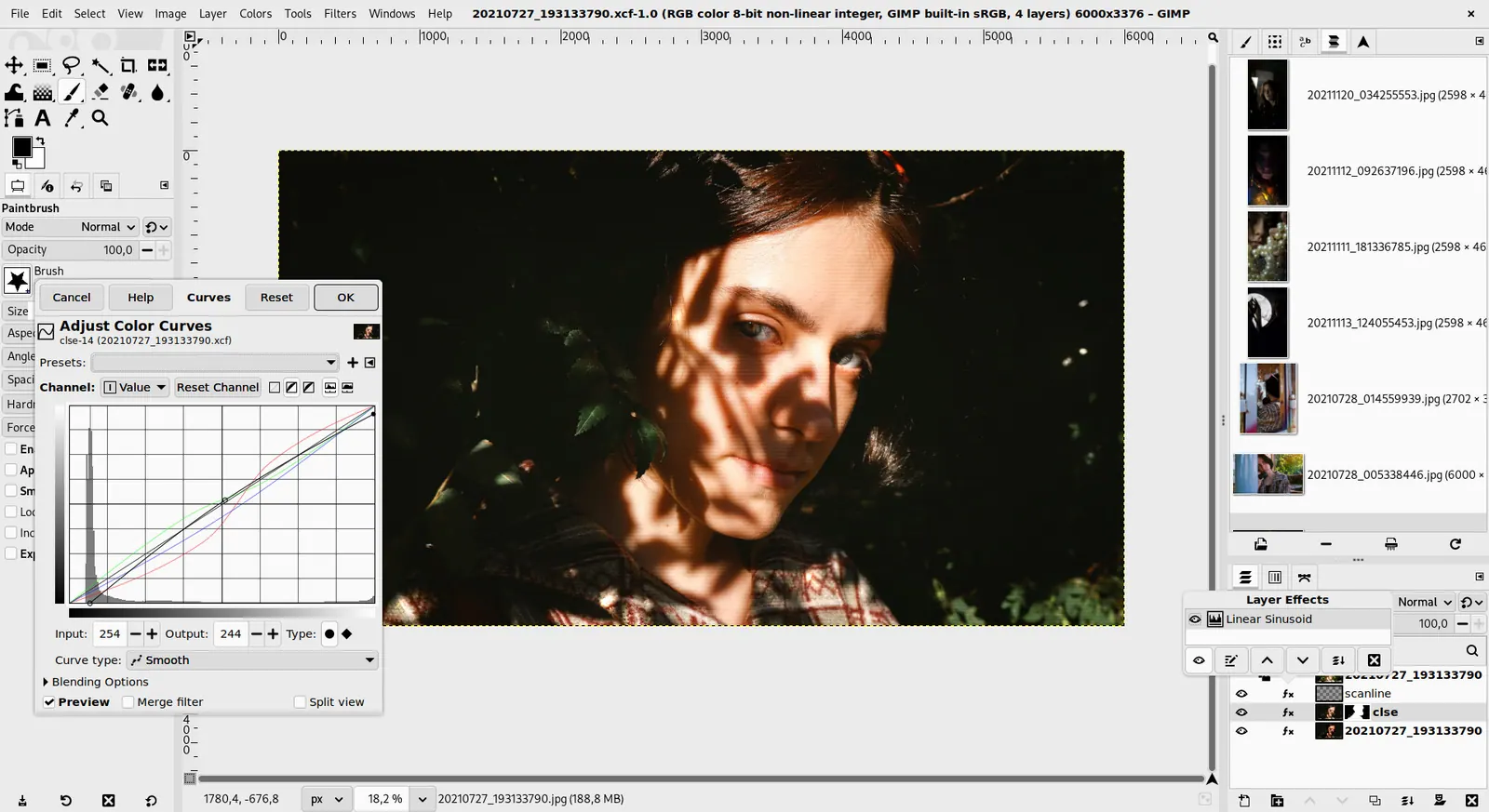
GIMP 3.0 — non-destructive filter workflow
GIMP team / gimp.org · Source · CC BY-SA 4.0
By Blender ·
Playing loads YouTube. YouTube will receive your IP address and device information.
Most people do not need a replacement for all of Adobe Creative Cloud, only for the one or two apps they open. For Photoshop use GIMP, Photopea or Affinity, for Illustrator use Inkscape, for Premiere Pro use DaVinci Resolve, for Lightroom use darktable, and for InDesign use Scribus. All are free or have a free version, so check your file formats first.
According to Adobe's plans page, Photoshop and most single apps cost $22.99 per month on an annual plan billed monthly, the Photography plan costs $19.99, Lightroom costs $11.99, and Acrobat Pro costs $19.99. Creative Cloud Pro is $69.99 per month regularly, with a "Save 50%" offer of $34.99 for the first 3 months for new subscribers only. Students and teachers pay $19.99 per month for the first year, then $39.99.
A Korean report from October 2026 says renewal prices are rising in nine countries including Korea, Brazil and India, which Adobe ties to currency changes, and that some users saw unchanged prices. Treat that as local to those markets. Our Adobe Black Friday guide lists what Adobe's pages show before the sale season.
Four criteria decide most cases: which app you really use, whether your clients send native files such as PSD or AI, whether you need a free, open-source or one-time-purchase licence, and how mature the tool is. A freelancer quoted in the Korean report moved video editing to DaVinci Resolve but kept Photoshop, which is a common outcome.
GIMP is free on Windows, macOS and Linux with no paid tier. Photopea runs in your browser and says it fully supports opening and saving PSD files. Affinity's site says it is free for individuals on Mac and Windows, and only optional AI tools need a Canva premium plan.
Read Photoshop alternatives, Photoshop alternative in browser and Lightroom vs Photoshop for detail.
darktable is free and open source under GPLv3, and RawTherapee is free software under GPLv3, both for Windows, macOS and Linux.
Guides: Lightroom alternatives, best Lightroom alternative, free Lightroom alternative, Lightroom alternative one-time purchase and Lightroom vs darktable and Lightroom vs Capture One.
Inkscape is free and open-source software licensed under the GPL, and suits logos, icons and vector art. Penpot suits interface design, and its pricing page lists a Professional plan at $0 that it describes as free and fully featured. See Illustrator alternatives and open-source graphic design software.
Blackmagic Design's page says the free version of DaVinci Resolve handles 8-bit video up to Ultra HD at 60 fps and runs on Mac, Windows and Linux. Kdenlive is a free and open-source editor. For motion work, Blender's license page says Blender is free for any purpose, including commercial work.
Premiere Pro guides: Premiere Pro vs Final Cut Pro, Premiere Pro alternatives, free Premiere Pro alternative, Premiere Pro alternative for low-end PC, migrate Premiere Pro to DaVinci Resolve and Premiere Pro vs DaVinci Resolve. After Effects guides: After Effects vs Premiere Pro, After Effects alternatives, free After Effects alternative and After Effects alternatives for motion graphics.
Scribus is free and open-source desktop publishing software, and its SourceForge listing shows it for Windows, macOS and Linux (Scribus's own site blocked our fetch). Our InDesign alternatives guide covers the options.
PDFgear's site says its PDF tools are completely free and need no sign-up. Stirling PDF's pricing page lists a free plan at $0 for web, desktop and self-hosted use with 60+ PDF tools. Guides: Adobe Acrobat alternatives, Acrobat alternative with no subscription and Adobe Sign alternatives.
For Audition, Audacity says it will always remain free, and its download page lists GPL-3.0. Other Adobe apps have their own guides: Adobe Firefly alternatives, Canva vs Adobe Express and Substance Painter alternatives.
ArtCraft publishes open-source apps modelled on Adobe's. PhotoCraft's README calls it an early alpha that is not yet a Photoshop replacement for daily professional work. Hacker News commenters reported mixed results, and Tedium described the apps as fast but rough. Our ArtCraft review goes through its state and licences.
Keep paying Adobe for the single app where a client requires native files or where you rely on its generative tools, and drop the rest. A single-app plan at $22.99 per month costs less than Creative Cloud Pro at $69.99. Affinity is free for individuals, so a paid Affinity licence is not needed for the features its site describes.
| Adobe app | Free pick | Licence or price | Platforms |
|---|---|---|---|
| Photoshop | GIMP, Photopea, Affinity | Free | Desktop and browser |
| Illustrator | Inkscape | GPL | Windows, macOS, Linux |
| Premiere Pro | DaVinci Resolve, Kdenlive | Free version, open source | Windows, macOS, Linux |
| After Effects | Blender | GNU GPL | Windows, macOS, Linux |
| Lightroom | darktable, RawTherapee | GPLv3 | Windows, macOS, Linux |
| InDesign | Scribus | Free and open source | Windows, macOS, Linux |
| Acrobat | PDFgear, Stirling PDF | Free plans | Desktop, web |
| Audition | Audacity | GPL-3.0 | Windows, macOS, Linux |
No tool was tested, so file fidelity with Adobe formats, speed and stability are not compared. Prices are US figures from the dates shown, and Adobe's prices differ by country. Adobe's own statement about renewal changes in other countries was not found. Audition, Animate, Dreamweaver and Substance alternatives are only linked, not compared here.
There is no single replacement, so choose per app. GIMP, Photopea or Affinity cover Photoshop, Inkscape covers Illustrator, DaVinci Resolve's free version covers Premiere Pro, darktable covers Lightroom and Scribus covers InDesign. Keep the Adobe app only for the work that needs its native files.
It depends on the app. GIMP and Inkscape are open source for images and vectors, darktable and RawTherapee for RAW photos, Kdenlive for video, Blender for 3D and motion, and Scribus for layout. The ArtCraft project also publishes open-source apps modelled on Adobe's, but its own README calls PhotoCraft an early alpha.
Free options include GIMP, Photopea in the browser, Inkscape, DaVinci Resolve's free version, darktable and Scribus. Affinity's site says it is free for individuals on Mac and Windows, and only its optional AI tools need a Canva premium plan. None promises full compatibility with Adobe files.
Adobe's US plans page lists Photoshop and most single apps at $22.99 per month on an annual plan billed monthly, the Photography plan at $19.99, Lightroom at $11.99 and Acrobat Pro at $19.99. Creative Cloud Pro is $69.99 regularly, with a first-3-months 50% offer for new subscribers.
A Korean outlet reported in October 2026 that Creative Cloud renewal prices were rising in nine countries including Korea, Brazil and India, with Adobe citing currency changes. Some users renewed unchanged. Price is one motive in the ArtCraft coverage as well. Adobe's US prices are listed on its plans page.
Photopea says it fully supports opening and saving PSD files in the browser. For PDFs, PDFgear's site says its tools are completely free and need no sign-up, and Stirling PDF's pricing page lists a free plan with 60+ PDF tools. Test your own files before cancelling Adobe.
Kevin Fan is a SaaS founder. He runs Free Instead Of, which tracks free and open-source alternatives to paid software and checks each price and free-plan limit against the vendor's own pages.
Adobe's Creative Cloud plans page and Photoshop page were read on 2026-10-28. The official pages or repositories for GIMP, Photopea, Affinity, Inkscape, darktable, RawTherapee, DaVinci Resolve, Kdenlive, Blender, Scribus, Audacity, Penpot, PDFgear and Stirling PDF were read in the days before. A Korean report on Adobe renewal prices, a Hacker News thread, a Tedium article and two older roundups were read for context. Reddit was not used. No tool was installed or tested.