Flex and Grid layouts in Penpot in under 5 minutes
By Penpot ·
Playing loads YouTube. YouTube will receive your IP address and device information.
Best free Graphic Design Software compared: Canva, GIMP, Inkscape, Krita and 4 more, with free-plan limits, platforms and prices from official pages checked October 23, 2026.
•4 min read•Graphic Design & Diagramming
| Tool | Price | Platforms | Best for | Tested |
|---|---|---|---|---|
| Canva | Free (Free plan available; see the pricing page for its current limits) | Web, Windows, macOS, iOS, Android | Social posts and simple print | Docs only |
| GIMP | Free (Free; source tarballs offered, donation link only, no paid tier. Store packages are third-party and not from the GIMP team) | Linux, macOS, Windows | Photo editing and composites | Docs only |
| Inkscape | Free (Free software under GPLv3; the site asks for donations and lists no paid tier) | Linux, macOS, Windows | Logos and scalable artwork | Docs only |
| Krita | Free (Free and open source; optional donations, no paid tier) | Windows, macOS, Linux, Android | Illustration and concept art | Docs only |
| Scribus | Free (Free and open source; no paid tier) | Windows, macOS, Linux | Print layout and PDFs | Docs only |
| Penpot | Free (Professional plan at $0: up to 8 team members plus unlimited viewers, 10GB storage, 7 days of version history); paid from $7 per per editor/month (Unlimited), capped at $175/month; 14-day free trial | Web | Interface design in a team | Docs only |
| Figma | Free (Starter at $0: limited access to Figma products, unlimited drafts, 150 AI credits a day (500 a month)); paid from $16 per per full seat/month (Professional); annual rate not shown in the extracted text | Web, macOS, Windows | UI design and collaboration | Docs only |
| Affinity by Canva | Free (Core app free with no feature limits per press coverage of the October 2025 launch; generative AI features need a paid Canva plan) | Windows, macOS | Pro-style desktop design | Docs only |
Independent comparison. Paid placements are labelled separately; editorial links earn no affiliate commissions. Learn more.
Images from the linked documentation. Versions and features may differ from current plans.
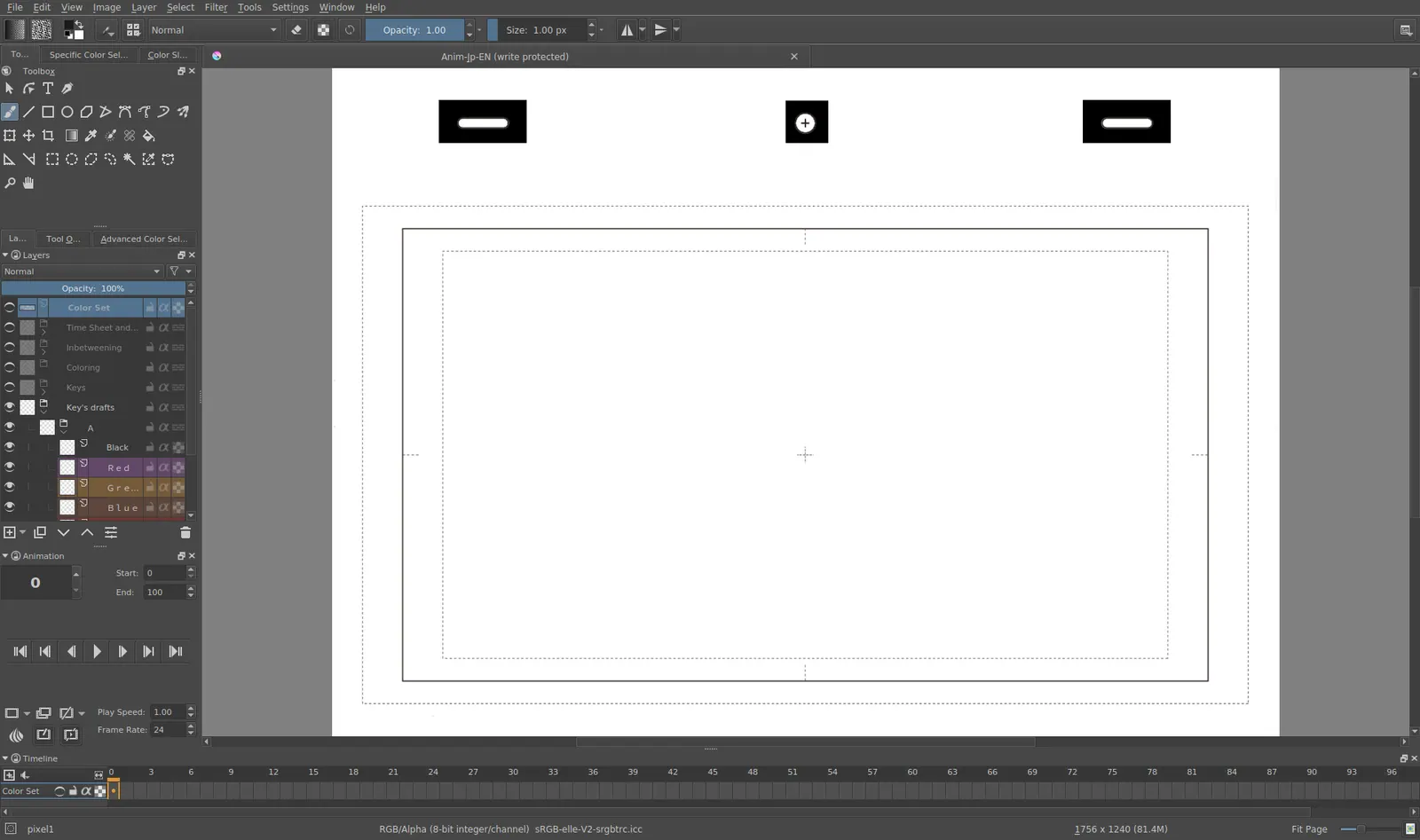
Krita 4.0 animation interface
Tyson Tan · Source · CC BY-SA 4.0
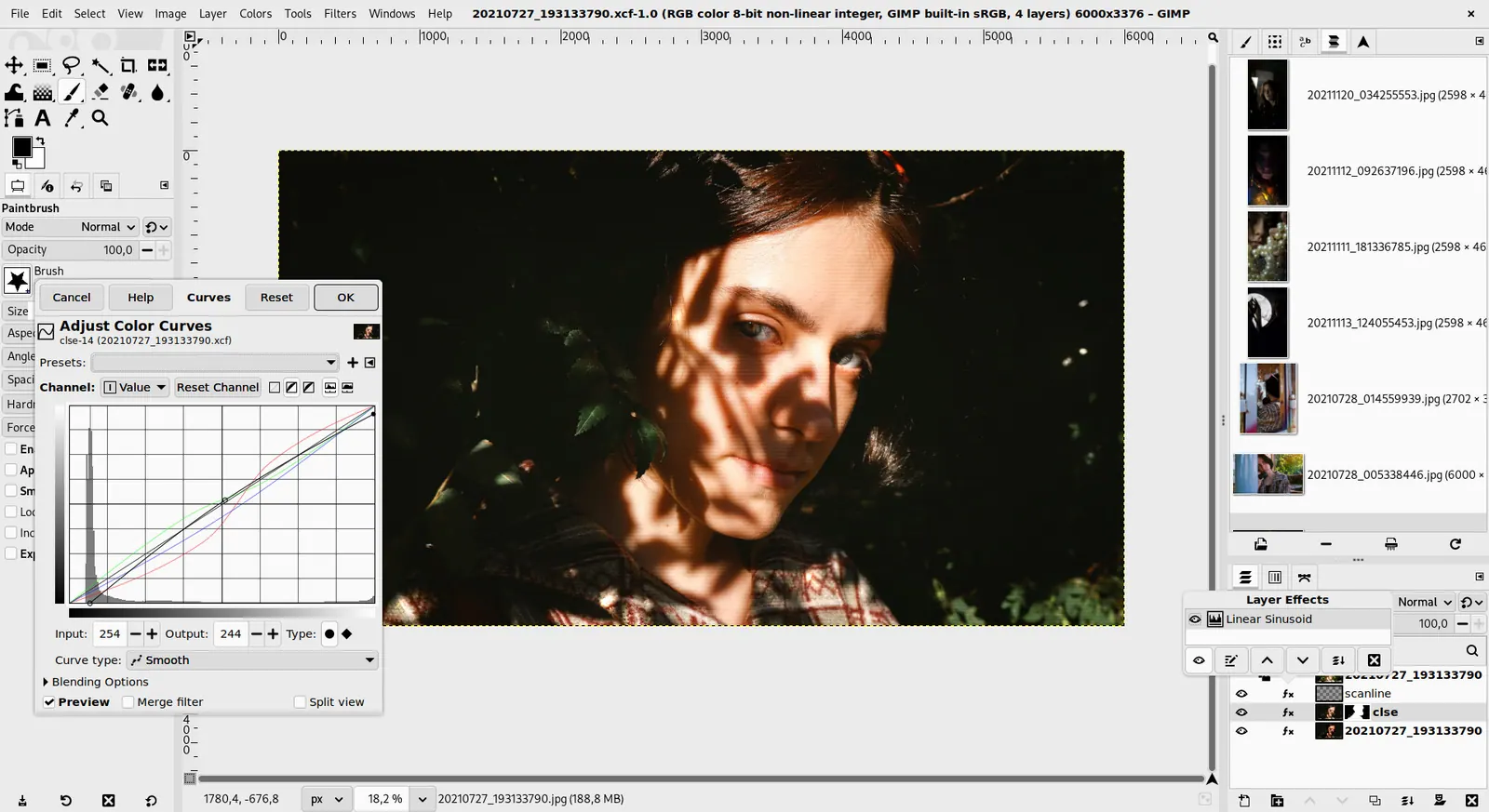
GIMP 3.0 — non-destructive filter workflow
GIMP team / gimp.org · Source · CC BY-SA 4.0
By Penpot ·
Playing loads YouTube. YouTube will receive your IP address and device information.
Free graphic design software falls into two camps, and picking the wrong camp is the usual mistake. Template-driven web apps such as Canva give you a finished flyer or social post in minutes, but you work inside their editor and their free plan. Desktop programs such as GIMP, Inkscape and Krita give you full control of pixels, vectors or paint, with no subscription at all, but they expect you to learn them. Decide first what you actually produce. If it is social posts, slides and simple print files, start with a template tool. If it is logos and icons that must scale, you want a vector editor. If it is photo retouching or illustration, you want a raster or painting program. Print layout for brochures and magazines is its own category, and Scribus is the free answer there. Interface design and prototyping sit with Penpot and Figma. The trade-off to weigh is speed against ownership: template apps are faster on day one but keep your files in their cloud, while the open-source programs keep everything local and cost nothing, at the price of a steeper first week. Eight tools follow, with the free limit or license for each.
The quickest route to a finished design from a template. A free plan exists; check the pricing page for what is locked before you build your brand around it.
Price: Free (Free plan available; see the pricing page for its current limits) (Canva pricing, checked 2026-10-22).
Platforms and license: Web, Windows, macOS, iOS, Android. Proprietary.
Best for: Social posts and simple print.
Compare: Canva alternatives
Free raster editor for photo retouching and composites with no paid tier. Expect a learning curve compared with template apps, and the interface is not like Photoshop.
Price: Free (Free; source tarballs offered, donation link only, no paid tier. Store packages are third-party and not from the GIMP team) (GIMP pricing, checked 2026-10-22).
Platforms and license: Linux, macOS, Windows. Open source (license not named on gimp.org/downloads) (open source).
Best for: Photo editing and composites.
Worth knowing: Raster image editor for photo retouching and compositing.
Free vector editor under GPLv3 for logos, icons and scalable artwork. It handles SVG natively, and the site lists no paid tier, only donations.
Price: Free (Free software under GPLv3; the site asks for donations and lists no paid tier) (Inkscape pricing, checked 2026-10-22).
Platforms and license: Linux, macOS, Windows. GPL-3.0 (open source).
Project activity: 4.1k GitHub stars · No commits since Mar 3, 2022
Best for: Logos and scalable artwork.
Worth knowing: SVG vector editor. The site links to the GPLv3 guide; the GPLv3 license name is taken from that link.
Free and open-source painting program with a large brush engine, available on Windows, macOS, Linux and Android. Built for illustration, not for page layout.
Price: Free (Free and open source; optional donations, no paid tier) (Krita pricing, checked 2026-10-22).
Platforms and license: Windows, macOS, Linux, Android. GPL (open source).
Best for: Illustration and concept art.
Free open-source desktop publishing for brochures, magazines and print-ready PDFs. Slower to learn than a template app, but it controls print details those apps skip.
Price: Free (Free and open source; no paid tier) (Scribus pricing, checked 2026-10-23).
Platforms and license: Windows, macOS, Linux. GPL (v2 or later per package listings) (open source).
Project activity: 644 GitHub stars · last commit Oct 22, 2026
Best for: Print layout and PDFs.
Open-source design and prototyping tool. The Professional plan is $0 for up to 8 team members with unlimited viewers; paid plans start at $7 and add storage and history.
Price: Free (Professional plan at $0: up to 8 team members plus unlimited viewers, 10GB storage, 7 days of version history); paid from $7 per per editor/month (Unlimited), capped at $175/month; 14-day free trial (Penpot pricing, checked 2026-10-23).
Platforms and license: Web. MPL-2.0 (open source).
Project activity: 61.8k GitHub stars · latest release 2.18.5 (Oct 26, 2026) · last commit Oct 27, 2026
Best for: Interface design in a team.
Starter plan is $0 with unlimited drafts and limited access to its products; the paid step starts at $16. Strong for UI work and collaboration, less for print.
Price: Free (Starter at $0: limited access to Figma products, unlimited drafts, 150 AI credits a day (500 a month)); paid from $16 per per full seat/month (Professional); annual rate not shown in the extracted text (Figma pricing, checked 2026-10-23).
Platforms and license: Web, macOS, Windows. Proprietary.
Best for: UI design and collaboration.
Compare: Figma alternatives
The core Affinity app is free with no feature limits according to press coverage of its October 2025 launch. Verify the current terms on the vendor site before relying on it.
Price: Free (Core app free with no feature limits per press coverage of the October 2025 launch; generative AI features need a paid Canva plan) (Affinity by Canva pricing, checked 2026-10-23).
Platforms and license: Windows, macOS. Proprietary.
Best for: Pro-style desktop design.
Docs-only for Canva, GIMP, Inkscape, Krita, Scribus, Penpot, Figma, Affinity by Canva: we did not install or run them, so feature claims come from vendor pages. Vendor prices and free limits change; confirm on the linked pricing page before you commit.
Kevin Fan is a SaaS founder. He runs Free Instead Of, which tracks free and open-source alternatives to paid software and checks each price and free-plan limit against the vendor's own pages.
Based on official pricing, license and product pages checked between 2026-10-22 and 2026-10-23: Canva, GIMP, Inkscape, Krita, Scribus, Penpot, Figma, Affinity by Canva. Prices, free limits and licenses are the figures shown on those pages on those dates. No tool on this page was installed or run. No accounts were created.