LibreOffice 25.8: New features
By LibreOffice - The Document Foundation ·
Playing loads YouTube. YouTube will receive your IP address and device information.
Best free PDF Editors compared: PDFgear, Sejda, PDF24 Tools, iLovePDF and 3 more, with free-plan limits, platforms and prices from official pages checked October 23, 2026.
•5 min read•Office, Docs & Presentations
| Tool | Price | Platforms | Best for | Tested |
|---|---|---|---|---|
| PDFgear | Free (Page says completely free with no sign-up; it states no usage limits, watermark or paid plan) | Windows, macOS, iOS, Android, Web browser | Real text editing at no cost | Docs only |
| Sejda | Free (Free web service: 3 tasks per hour, documents up to 200 pages and 50 MB (tool pages quote 50 or 100 MB); no signup); paid from $63 per user/year (Desktop+Web annual); Web Week Pass is a one-time US$5 for 7 days | Windows, Web browser | Small edits to a single document | Docs only |
| PDF24 Tools | Free (Online PDF tools described on the page as 100% free; no paid plan or usage limit stated) | Web browser, Windows | Page-level changes | Docs only |
| iLovePDF | Free (Basic free plan: limited tools; batch limits per task such as 25 merges and 2 compressions; 100 MB merge file size; no AI credits; web only); paid from $5 per Premium, per month billed annually (US$60 per year; US$9 billed monthly) | Web browser | Light additions to a PDF | Docs only |
| Stirling PDF | Free (Free plan at $0 with no card: web, desktop and self-hosted use, 60+ PDF tools and 1,000 monthly credits); paid from $99 per month (Team, 100 users) | Web browser, Desktop app, Self-hosted (Docker) | Redacting and page work on private files | Docs only |
| LibreOffice | Free (download and use at no cost per its site) | Windows, macOS, Linux | Open-source fallback for simple files | Docs only |
| Adobe Acrobat Reader | Free (Free to download; view, comment, and Fill & Sign. Editing PDF text or images needs a paid Acrobat plan, and free signature requests are capped) | Windows, macOS, iOS, Android | Commenting and signing only | Docs only |
Independent comparison. Paid placements are labelled separately; editorial links earn no affiliate commissions. Learn more.
Images from the linked documentation. Versions and features may differ from current plans.
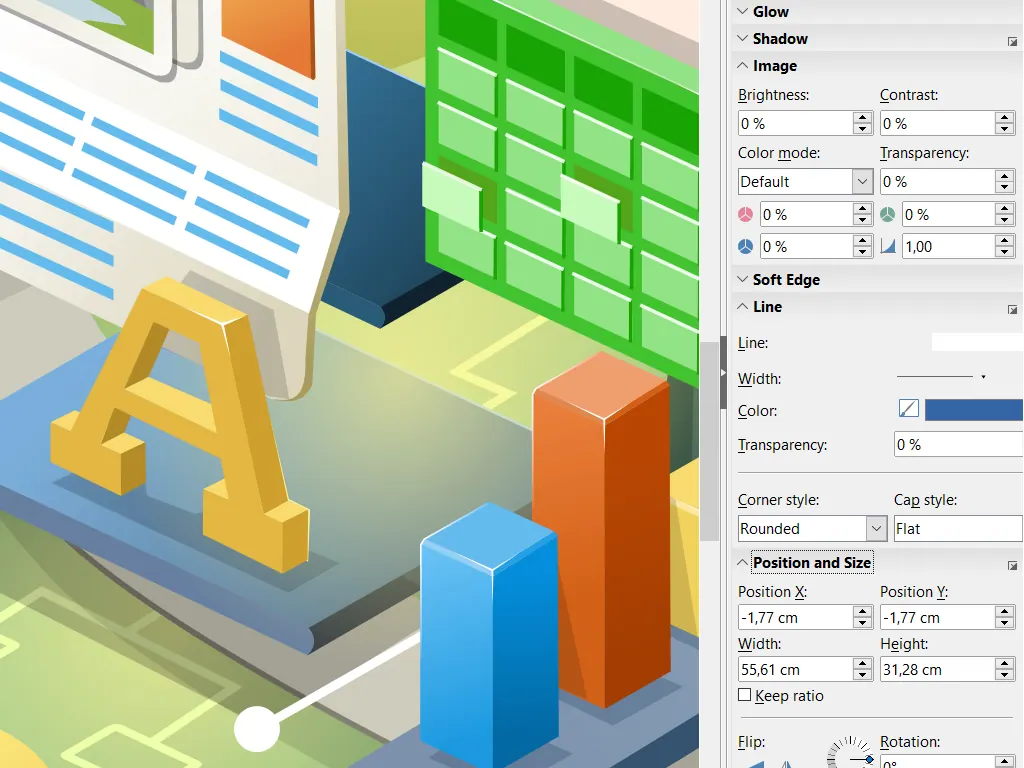
LibreOffice Draw — official interface example
The Document Foundation · Source · CC BY-SA 3.0
By LibreOffice - The Document Foundation ·
Playing loads YouTube. YouTube will receive your IP address and device information.
Editing text inside a PDF is a different problem from filling a form or adding a comment, and free tools split along that line. Most free readers, including Adobe Acrobat Reader and Foxit, let you highlight, comment and sign but not rewrite a paragraph; real text editing is what Acrobat sells a subscription for. Among free tools, PDFgear is the one that edits existing text and images on Windows and Mac without a stated limit. Sejda's web editor works well for small changes but allows only 3 tasks per hour and files up to 50 MB. PDF24, iLovePDF and Stirling PDF are strongest at page-level work such as reordering, rotating, redacting and signing. LibreOffice Draw is the open-source fallback that opens a PDF as editable objects, though fonts that are not installed on your machine change the layout. When a PDF came from Word, the least painful edit is often to fix the Word file and export it again. Whichever tool you use, save a copy before editing, and for sensitive files prefer desktop software to a web upload. This list covers seven editors with free options and notes the limits of each.
| Need | Pick | Why |
|---|---|---|
| free pdf editor without watermark | PDFgear | PDFgear's page says it is completely free with no sign-up and states no usage limits, watermark or paid plan. It lists editing, annotating, OCR in 30+ languages, merging and signing. |
| free pdf editor open source | Stirling PDF | Stirling PDF is MIT-licensed, with some directories under separate licenses. Its free plan covers web, desktop and self-hosted use, with 60+ PDF tools and 1,000 monthly credits. |
| free pdf editor online no sign up | Sejda | Sejda's free web service needs no signup and allows 3 tasks per hour on documents up to 200 pages and 50 MB, though its tool pages quote 50 or 100 MB. |
| free pdf editor with signature | Adobe Acrobat Reader | Adobe Acrobat Reader is free to download for Windows, macOS, iOS and Android and covers viewing, commenting and Fill & Sign. Editing PDF text or images needs a paid Acrobat plan, and free signature requests are capped. |
| free pdf editor for linux | LibreOffice | LibreOffice is the one pick here whose platform list names Linux, alongside Windows and macOS. It is MPL-2.0 open source, free to download and use, and its suite includes Draw, Writer and Calc. |
| free pdf editor online no subscription | PDF24 Tools | PDF24 describes its online tools as 100% free, with no paid plan or usage limit stated. It also lists a free PDF Creator download, and its platforms are the web and Windows. |
Edits existing text, images, shapes and form fields in a free desktop app for Windows and Mac, plus annotation, OCR and conversion. No watermark or limit is stated on the page.
Price: Free (Page says completely free with no sign-up; it states no usage limits, watermark or paid plan) (PDFgear pricing, checked 2026-10-23).
Platforms and license: Windows, macOS, iOS, Android, Web browser. Proprietary freeware.
Best for: Real text editing at no cost.
Free web editor with 3 tasks per hour, documents up to 200 pages and 50 MB, no signup. Good for a quick fix; paid desktop plan costs $63 a year.
Price: Free (Free web service: 3 tasks per hour, documents up to 200 pages and 50 MB (tool pages quote 50 or 100 MB); no signup); paid from $63 per user/year (Desktop+Web annual); Web Week Pass is a one-time US$5 for 7 days (Sejda pricing, checked 2026-10-23).
Platforms and license: Windows, Web browser. Proprietary SaaS.
Best for: Small edits to a single document.
Free tools plus a desktop app for rearranging, merging, compressing and annotating pages, with no usage limit stated. Weaker at editing text in place.
Price: Free (Online PDF tools described on the page as 100% free; no paid plan or usage limit stated) (PDF24 Tools pricing, checked 2026-10-23).
Platforms and license: Web browser, Windows. Proprietary freeware.
Best for: Page-level changes.
Free Basic plan includes an editor for adding text, images and shapes, though per-task batch limits apply. Premium is $5 a month billed annually.
Price: Free (Basic free plan: limited tools; batch limits per task such as 25 merges and 2 compressions; 100 MB merge file size; no AI credits; web only); paid from $5 per Premium, per month billed annually (US$60 per year; US$9 billed monthly) (iLovePDF pricing, checked 2026-10-23).
Platforms and license: Web browser. Proprietary SaaS.
Best for: Light additions to a PDF.
Open-source, self-hostable toolkit that edits, redacts, signs and reorders pages; Free plan has 1,000 monthly credits. Best when files must stay on your own server.
Price: Free (Free plan at $0 with no card: web, desktop and self-hosted use, 60+ PDF tools and 1,000 monthly credits); paid from $99 per month (Team, 100 users) (Stirling PDF pricing, checked 2026-10-23).
Platforms and license: Web browser, Desktop app, Self-hosted (Docker). MIT, with some directories under separate licenses (open source).
Project activity: 95.2k GitHub stars · latest release v3.2.2 (Oct 24, 2026) · last commit Oct 27, 2026
Best for: Redacting and page work on private files.
Worth knowing: LICENSE file says MIT except app/proprietary and other directories with their own licenses. Repository README lists edit, merge, split, sign, redact, convert, OCR and compress.
Draw opens PDFs as editable objects at no cost under MPL-2.0. Missing fonts shift the layout, so it suits simple documents.
Price: Free (download and use at no cost per its site) (LibreOffice pricing, checked 2026-10-22).
Platforms and license: Windows, macOS, Linux. MPL-2.0 (open source).
Best for: Open-source fallback for simple files.
Worth knowing: Desktop suite of Writer, Calc, Impress, Draw, Base and Math; it has no built-in cloud storage or email.
Free for viewing, commenting and Fill & Sign, but Adobe says it cannot change text or images. Choose it when you only need to annotate or sign.
Price: Free (Free to download; view, comment, and Fill & Sign. Editing PDF text or images needs a paid Acrobat plan, and free signature requests are capped) (Adobe Acrobat Reader pricing, checked 2026-10-23).
Platforms and license: Windows, macOS, iOS, Android. Proprietary freeware.
Best for: Commenting and signing only.
Docs-only for PDFgear, Sejda, PDF24 Tools, iLovePDF, Stirling PDF, LibreOffice, Adobe Acrobat Reader: we did not install or run them, so feature claims come from vendor pages. Vendor prices and free limits change; confirm on the linked pricing page before you commit.
PDFgear's page says it is completely free with no sign-up and states no usage limits, watermark or paid plan. PDF24 describes its online tools as 100% free with no paid plan stated. Adobe Acrobat Reader is free to download, but editing PDF text needs a paid Acrobat plan.
Sejda's free web service needs no signup but allows 3 tasks per hour. PDFgear's page says it is free with no sign-up and lists no usage limits. Stirling PDF's free plan is $0 with no card, across web, desktop and self-hosted use.
Stirling PDF is MIT-licensed, with some directories under separate licenses, and runs on the web, desktop or self-hosted. LibreOffice is MPL-2.0 open source and free to download. The other five picks on this page are proprietary.
Kevin Fan is a SaaS founder. He runs Free Instead Of, which tracks free and open-source alternatives to paid software and checks each price and free-plan limit against the vendor's own pages.
Based on official pricing, license and product pages checked between 2026-10-22 and 2026-10-23: PDFgear, Sejda, PDF24 Tools, iLovePDF, Stirling PDF, LibreOffice, Adobe Acrobat Reader. Prices, free limits and licenses are the figures shown on those pages on those dates. No tool on this page was installed or run. No accounts were created.