Adobe Black Friday 2026: Free Alternatives to Check First
No Adobe Black Friday deal is published yet. See the offers on Adobe's pages today and free alternatives for Photoshop, Illustrator, Premiere and more.
•4 min read•Photo Editing & AI Images
Verdict:Black Friday is November 27, 2026, and Adobe's own pages show no Black Friday offer yet, only a standing 50% intro price for new Creative Cloud Pro subscribers. Before you buy, check whether GIMP, Photopea, Inkscape, DaVinci Resolve, darktable or Affinity already covers the one Adobe app you use.
Quick comparison
| Tool | Price | Platforms | Best for | Tested |
|---|---|---|---|---|
| GIMP | Free; no paid tier | Windows, macOS, Linux | Photoshop users who retouch and composite photos and want a free desktop editor | Docs only |
| Photopea | Free in the browser | Web | Opening and saving PSD files without installing anything | Docs only |
| Affinity | Free for individuals; optional AI tools need a Canva premium plan | Windows, macOS | Users who want a free professional-style editor and are willing to learn a new interface | Docs only |
| Inkscape | Free and open-source software (GPL) | Windows, macOS, Linux | Illustrator users who draw logos, icons and vector graphics | Docs only |
| DaVinci Resolve | Free version; paid Studio edition | Windows, macOS, Linux | Premiere Pro users who edit and grade video up to Ultra HD at 60 fps | Docs only |
| darktable | Free and open source (GPLv3) | Windows, macOS, Linux | Lightroom users who develop RAW photos | Docs only |
| Scribus | Free and open source | Windows, macOS, Linux | InDesign users who lay out print documents | Docs only |
Independent comparison. Paid placements are labelled separately; editorial links earn no affiliate commissions. Learn more.
See the tools in action
Images from the linked documentation. Versions and features may differ from current plans.
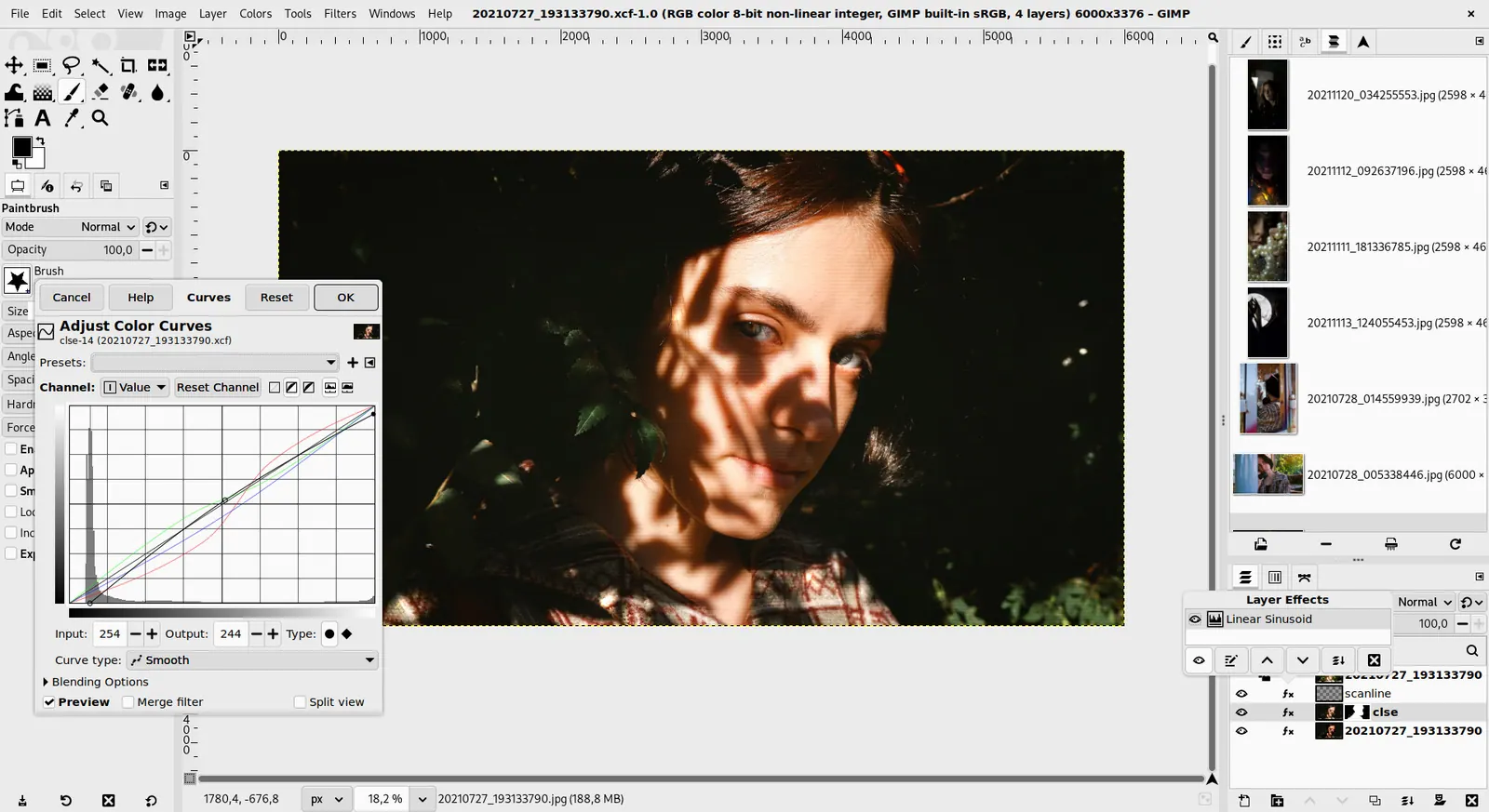
GIMP 3.0 — non-destructive filter workflow
GIMP team / gimp.org · Source · CC BY-SA 4.0
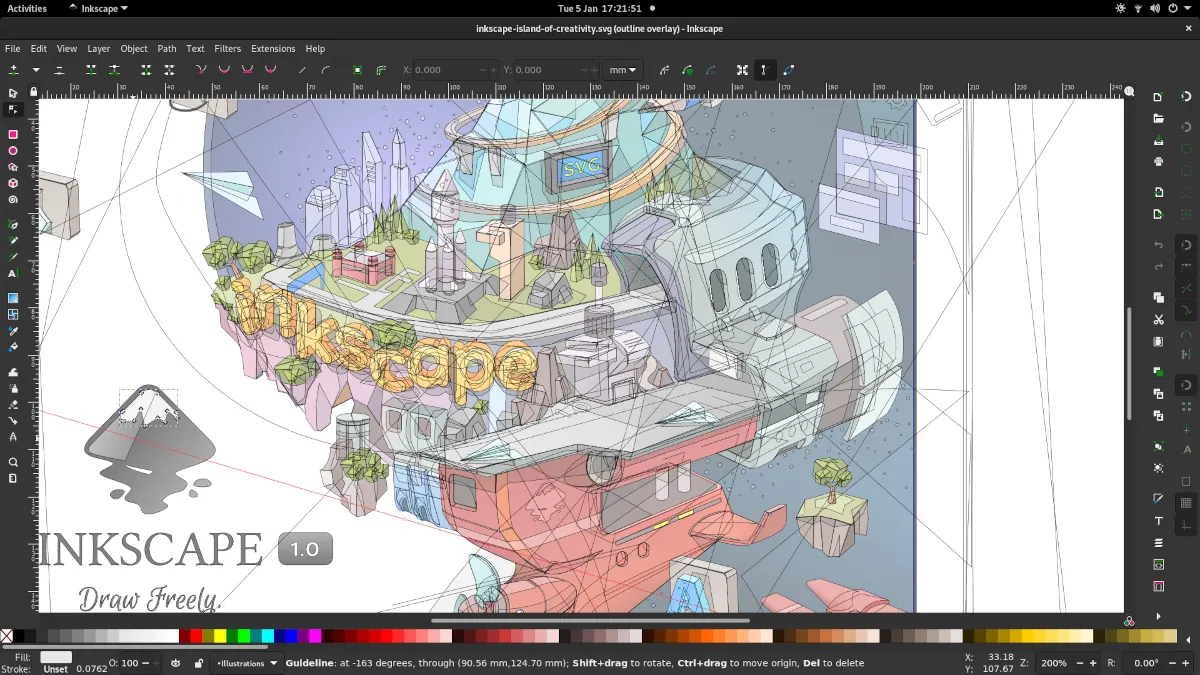
Inkscape 1.1 — outline overlay preview
Moini · Source · CC BY-SA 4.0
Good fit if
- You are weighing an Adobe Creative Cloud purchase or renewal around Black Friday or Cyber Monday
- You use one or two Adobe apps and wonder if a free tool would do
- You want to know what is on Adobe's pages today, not rumoured deals
Not ideal if
- You want a list of confirmed Adobe discount codes, because none are published on the pages read
- You need Adobe-only features such as its generative tools or exact file fidelity with agencies
- You are an existing subscriber looking for a loyalty offer, since Adobe's offers read here are for new subscribers
Black Friday is November 27, 2026, and Adobe's own pages show no Black Friday offer yet. What they show today is a standing promotion: Creative Cloud Pro at $34.99 per month for the first 3 months, then $69.99, for new subscribers only. If you use one Adobe app, a free alternative such as GIMP, Photopea, Inkscape, DaVinci Resolve or darktable may make the sale unnecessary.
What Adobe's pages show today
According to Adobe's plans page, individual prices are Photoshop and most other single apps at $22.99 per month on an annual plan billed monthly, the Photography plan (Photoshop and Lightroom) at $19.99, Lightroom at $11.99, and Creative Cloud Pro at $69.99 regularly. The promotion reads "Save 50%": $34.99 per month for the first 3 months, then $69.99, for new subscribers only. The Photoshop page shows the same offer.
Students and teachers see $19.99 per month for the first year, then $39.99. The plans page also says you can cancel within 14 days for a full refund. Adobe's cancellation terms for annual plans billed monthly were not readable for this guide, so read them before you sign up.
Some articles list expected Black Friday discounts. One of them, JustCreative's guide, says itself that Adobe has not announced 2026 sale dates and that its "up to 50%" figure is a prediction based on past years. This page does not repeat predictions.
What to check before buying
Four questions matter more than the headline discount:
- Is the offer for new subscribers only, as Adobe's current one is?
- What does the plan cost after the intro period ends?
- Which one app do you really use?
- Can a free tool open and save the files your clients send?
The rest of this page answers the last two, app by app. For black friday software deals in general, the free tools below have no price to discount, so there is nothing to wait for.
Photoshop: GIMP, Photopea and Affinity
GIMP's download page offers it free for Windows, macOS and Linux with no paid tier.
Photopea is a free online editor that runs in your browser. Its site says it fully supports opening and saving PSD files and that files stay on your device, which makes it the fastest way to test whether a free tool handles your documents.
Affinity's site says it is free for individuals on Mac and Windows, with only optional AI tools needing a Canva premium plan. See our full Photoshop alternatives guide for detail.
Illustrator: Inkscape
Inkscape is free and open-source software licensed under the GPL. It suits logos, icons and illustrations built on vector paths. Our Illustrator alternatives page covers Penpot and others for interface work.
Who should keep Illustrator: anyone who exchanges AI files with print vendors every day.
Premiere Pro: DaVinci Resolve and Kdenlive
Blackmagic Design's page says the free version of DaVinci Resolve works with 8-bit formats up to Ultra HD (3840 x 2160) at 60 fps and includes multi-user collaboration and HDR grading. Studio adds 10-bit support up to 120 fps, resolutions beyond 4K and the DaVinci AI Neural Engine. It runs on Mac, Windows and Linux.
Kdenlive is a free and open-source editor built on the MLT framework. See Premiere Pro alternatives for how they compare.
Lightroom: darktable and RawTherapee
darktable is free and open source under GPLv3, and RawTherapee is free software under GPLv3. Both develop RAW files on Windows, macOS and Linux. Our Lightroom alternatives page explains how they differ.
InDesign: Scribus
Scribus is free and open-source desktop publishing software. Its SourceForge listing shows it for Windows, macOS and Linux and describes print-ready output, CMYK and spot colors, and PDF creation. Scribus's own site blocked our fetch, so that listing is the source here.
When a paid tool is the better answer
Paying Adobe is reasonable when a client demands native Adobe files, when you rely on its generative tools, or when your team already works in it. In that case, the current new-subscriber price is the one verified offer, and the cost to plan around is the $69.99 per month after the first 3 months. If you only need one app, compare its single-app price of $22.99 per month rather than the full Creative Cloud bundle.
Comparison
| Adobe app | Free pick | Price | Platforms |
|---|---|---|---|
| Photoshop | GIMP, Photopea, Affinity | Free | Desktop and browser |
| Illustrator | Inkscape | Free (GPL) | Windows, macOS, Linux |
| Premiere Pro | DaVinci Resolve, Kdenlive | Free version | Windows, macOS, Linux |
| Lightroom | darktable, RawTherapee | Free (GPLv3) | Windows, macOS, Linux |
| InDesign | Scribus | Free | Windows, macOS, Linux |
How to choose
- You use one app occasionally. Try the free pick first and skip the sale.
- You are a new subscriber who needs Adobe for client work. Use the standing offer, and note the renewal price.
- You are an existing subscriber. The offers read here are for new subscribers, so ask Adobe about your own plan.
Looking for every option? See the full Photoshop alternatives and Lightroom alternatives guides.
Limits of this review
Adobe may publish Black Friday offers later, so check its plans page on the day. Cancellation and early termination terms were not readable and are not described. No free tool was tested, and none matches Adobe on every feature. Prices apply to the US and change.
FAQ
Is there an Adobe Black Friday sale in 2026?
Adobe's plans and Photoshop pages read on October 28, 2026 show no Black Friday offer. They show a standing promotion: Creative Cloud Pro at $34.99 per month for the first 3 months, then $69.99, for new subscribers only. Black Friday is November 27, so check Adobe's plans page that day.
What are good black friday software deals if I do not want to pay Adobe?
The cheapest are tools with no price to discount. GIMP, Inkscape, darktable, RawTherapee, Scribus and Kdenlive are free and open source, and Photopea runs free in a browser. Affinity is free for individuals, and DaVinci Resolve has a free version, so there is little to wait for.
Are there cyber monday software deals on Adobe apps?
Adobe's pages read for this guide list none for Cyber Monday, which falls on November 30, 2026. Check Adobe's own plans page for any offer posted later. Third-party sites that list predicted discounts are guessing, so confirm terms, eligibility and the renewal price on adobe.com.
What does Adobe cost today without a sale?
Adobe's plans page lists Photoshop at $22.99 per month on an annual plan billed monthly, the Photography plan at $19.99 and Lightroom at $11.99. Creative Cloud Pro is $69.99 per month regularly. Students and teachers pay $19.99 per month for the first year, then $39.99.
Do Adobe's intro offers apply to existing subscribers?
On the pages read, the 50% Creative Cloud Pro offer is marked for new subscribers only. After the first 3 months the price returns to $69.99 per month. Adobe's plans page also says you can cancel within 14 days for a full refund. Read the cancellation terms before signing up.
Can a free app open Photoshop PSD files?
Photopea says it fully supports opening and saving PSD files in the browser, and the files stay on your device. Because it costs nothing, you can test your own layered files there before you cancel or renew Adobe, and compare the result with what your clients expect.
Related guides
More in Photo Editing & AI Images
All Photo Editing & AI Images alternatives →Sources
Kevin Fan
Kevin Fan is a SaaS founder. He runs Free Instead Of, which tracks free and open-source alternatives to paid software and checks each price and free-plan limit against the vendor's own pages.
Methodology
Adobe's Creative Cloud plans page and Photoshop page were read on 2026-10-28, along with the official pages for Photopea, Affinity, DaVinci Resolve, and the project sites listed under sources for GIMP, Inkscape, darktable, RawTherapee, Scribus and Kdenlive. Two Adobe deal articles were read for the questions readers ask. Adobe's help pages on cancellation fees returned errors, so those terms are not quoted. No tool was installed or tested and no deal was predicted.