RoboForm Alternatives 2026: 5 Options, 4 Free
RoboForm alternatives: Bitwarden, KeePassXC, Proton Pass, 1Password and 1 more. Prices and licenses checked October 28, 2026.
•3 min read•Passwords, Privacy & Identity
Verdict:Leave RoboForm if you need more than one device on the free plan, or if you want password storage that lives on your own disk. RoboForm's free plan covers a single device, and Premium is listed at $2.49 a month billed annually. For a free multi-device option, Proton Pass gives unlimited devices with 2 vaults, and Bitwarden's Premium at $1.65 a month is the lowest listed paid tier among these. If you want no vendor at all, KeePassXC keeps an encrypted file under your control, at the cost of managing backups and any sync yourself. LastPass Free fits one device type only, so it solves the cost problem but not the device problem. The main trade-off is convenience: hosted apps sync across devices for you, while the local file route asks you to keep your own backups. Check which device count you need before choosing, because the free tiers differ mostly on that point.
Quick comparison
| Tool | Price | Platforms | Best for | Tested |
|---|---|---|---|---|
| Bitwarden | Free (Basic password management; free sharing with one other user (no numeric limits stated)); paid from $1.65 per month, Premium plan billed annually at $19.80 | Web | Lowest paid price in this list | Docs only |
| KeePassXC | Free (Free and open source; no paid plan) | Windows, macOS, Linux | Offline files you control | Docs only |
| Proton Pass | Free (Proton Free: unlimited logins, notes and devices, 2 vaults, 10 hide-my-email aliases, sharing with 2 others); paid from $2.99 per month, billed yearly (Pass Plus, $35.88 per year) | Android, iOS, Windows, macOS, Linux, Web, Browser extensions | Several devices on a free tier | Docs only |
| 1Password | Paid from $3.99 per month, billed yearly (Individual, regular price; $2.99 first-year promo for new customers; Families $5.99 regular) | macOS, Windows, iOS, Android, Linux, Browser, CLI | Paid-only, trial first | Docs only |
| LastPass | Free (Free plan limited to one device type (desktop or mobile), sharing of one password with one person, no emergency access, self-service support) | Browser extension, Mobile apps, Desktop apps | One device, desktop or mobile | Docs only |
Independent comparison. Paid placements are labelled separately; editorial links earn no affiliate commissions. Learn more.
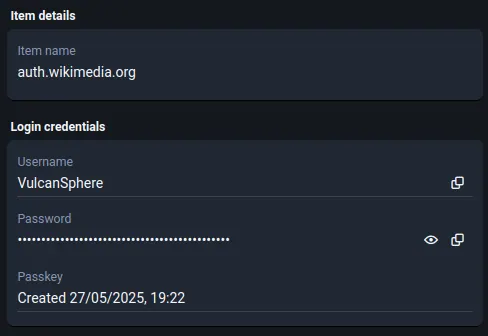
See the tools in action
Images from the linked documentation. Versions and features may differ from current plans.
Good fit if
- You only need password management on one device for free (LastPass is the pick)
- You want an offline encrypted file on your own disk (KeePassXC is the pick)
- You want a free tier and a paid plan under $2.49 a month (Bitwarden is the pick)
Not ideal if
- You rely on RoboForm features or integrations that these tools do not replicate
RoboForm today: Free (Free plan at $0: unlimited passwords on a single device); paid from $2.49 per month, billed annually (Premium; renews at $29.88 a year) (RoboForm pricing, checked 2026-10-23).
Why people look for RoboForm alternatives
RoboForm's free plan stores unlimited passwords but on a single device, so syncing across phone and computer means paying. Premium is advertised at $2.49 per month billed annually and renews at $29.88 per year, which is the figure to budget for after the first term. Family is $3.98 per month billed annually, renews at $47.75 per year and covers 5 Premium accounts. Business is a single paid plan with its own pricing page.
Bitwarden
Compared with RoboForm: RoboForm's free plan covers passwords on a single device, and Bitwarden's free plan covers basic password management with sharing for one other user. Premium is $1.65 a month billed at $19.80 a year, against RoboForm Premium at $2.49 a month billed annually.
Price: Free (Basic password management; free sharing with one other user (no numeric limits stated)); paid from $1.65 per month, Premium plan billed annually at $19.80 (Bitwarden pricing, checked 2026-10-28).
Platforms and license: Web. Not named on the pricing page checked.
Best for: Lowest paid price in this list.
KeePassXC
Compared with RoboForm: A free GPLv3 app with an encrypted local file, so there is no subscription, no vendor account and no cloud. You give up hosted sync and must back up the file yourself.
Price: Free (Free and open source; no paid plan) (KeePassXC pricing, checked 2026-10-22).
Platforms and license: Windows, macOS, Linux. GPLv3 (open source).
Project activity: 29.5k GitHub stars · latest release 2.8.0 (Oct 21, 2026) · last commit Oct 26, 2026
Best for: Offline files you control.
Proton Pass
Compared with RoboForm: Its free plan has 2 vaults, unlimited devices and sharing with up to two others. RoboForm's free plan is capped at one device, so Proton Pass suits people with two or more devices. You give up the vault count, which is two on free.
Price: Free (Proton Free: unlimited logins, notes and devices, 2 vaults, 10 hide-my-email aliases, sharing with 2 others); paid from $2.99 per month, billed yearly (Pass Plus, $35.88 per year) (Proton Pass pricing, checked 2026-10-23).
Platforms and license: Android, iOS, Windows, macOS, Linux, Web, Browser extensions. Proprietary.
Best for: Several devices on a free tier.
1Password
Compared with RoboForm: No free plan, just a 14-day trial, so it is a paid-only choice. RoboForm Premium is listed at $2.49 a month billed annually, below 1Password Individual's $2.99 promotional price. Pick 1Password only if its features matter more to you.
Price: Paid from $3.99 per month, billed yearly (Individual, regular price; $2.99 first-year promo for new customers; Families $5.99 regular) (1Password pricing, checked 2026-10-23).
Platforms and license: macOS, Windows, iOS, Android, Linux, Browser, CLI. Proprietary.
Best for: Paid-only, trial first.
LastPass
Compared with RoboForm: Its free plan covers one device type, desktop or mobile, with unlimited password storage and autofill. RoboForm's free plan covers one device, so LastPass Free trades device choice for free autofill. You give up using both desktop and mobile on the free plan.
Price: Free (Free plan limited to one device type (desktop or mobile), sharing of one password with one person, no emergency access, self-service support) (LastPass pricing, checked 2026-10-23).
Platforms and license: Browser extension, Mobile apps, Desktop apps. Proprietary.
Best for: One device, desktop or mobile.
Which one to pick
- You only need password management on one device for free: LastPass
- You want an offline encrypted file on your own disk: KeePassXC
- You want a free tier and a paid plan under $2.49 a month: Bitwarden
Limits of this review
Docs-only for Bitwarden, KeePassXC, Proton Pass, 1Password, LastPass: we did not install or run them, so feature claims come from vendor pages and we did not test import from RoboForm. Vendor prices and free limits change; confirm on the linked pricing page before you buy or migrate.
Related guides
More in Passwords, Privacy & Identity
All Passwords, Privacy & Identity alternatives →Sources
Kevin Fan
Kevin Fan is a SaaS founder. He runs Free Instead Of, which tracks free and open-source alternatives to paid software and checks each price and free-plan limit against the vendor's own pages.
Methodology
Based on official pricing and product pages checked between 2026-10-22 and 2026-10-28: RoboForm, Bitwarden, KeePassXC, Proton Pass, 1Password, LastPass. Prices, free limits and licenses are the figures shown on those pages on those dates. No tool on this page was installed or run. No accounts were created.