Best Free Password Generators 2026: 6 Options Compared
Best free Password Generators compared: Bitwarden, KeePassXC, KeePass, Proton Pass and 2 more, with free-plan limits, platforms and prices from official pages checked October 28, 2026.
•3 min read•Passwords, Privacy & Identity
Try one now
Quick comparison
| Tool | Price | Platforms | Best for | Tested |
|---|---|---|---|---|
| Bitwarden | Free (Basic password management; free sharing with one other user (no numeric limits stated)); paid from $1.65 per month, Premium plan billed annually at $19.80 | Web | A free cloud vault with sync | Docs only |
| KeePassXC | Free (Free and open source; no paid plan) | Windows, macOS, Linux | Offline, no-account password storage | Docs only |
| KeePass | Free (Free) | Windows | Windows users who like local files | Docs only |
| Proton Pass | Free (Proton Free: unlimited logins, notes and devices, 2 vaults, 10 hide-my-email aliases, sharing with 2 others); paid from $2.99 per month, billed yearly (Pass Plus, $35.88 per year) | Android, iOS, Windows, macOS, Linux, Web, Browser extensions | Privacy-focused users who want email aliases | Docs only |
| LastPass | Free (Free plan limited to one device type (desktop or mobile), sharing of one password with one person, no emergency access, self-service support) | Browser extension, Mobile apps, Desktop apps | Single-device users who want autofill | Docs only |
| RoboForm | Free (Free plan at $0: unlimited passwords on a single device); paid from $2.49 per month, billed annually (Premium; renews at $29.88 a year) | Browser extension, Mobile apps, Desktop apps | One-device users on a tight budget | Docs only |
Independent comparison. Paid placements are labelled separately; editorial links earn no affiliate commissions. Learn more.
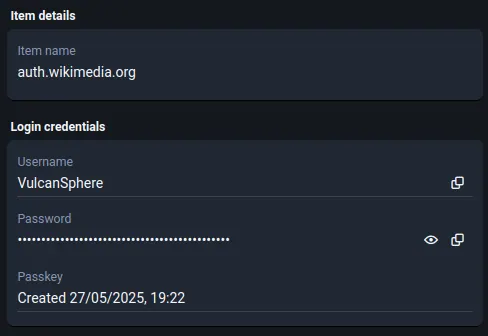
See the tools in action
Images from the linked documentation. Versions and features may differ from current plans.
Good fit if
- You want one vault synced across phone and laptop for free (Bitwarden is the pick)
- You will not store passwords with any cloud service (KeePassXC is the pick)
- You also want hidden email addresses for signups (Proton Pass is the pick)
- You only use one computer (RoboForm is the pick)
Not ideal if
- You need paid-tier features, uptime guarantees or support that these free plans leave out
A password generator is only half the job: the other half is where the generated password goes afterward. A web page that creates a random string and then forgets it is fine for a one-off, but if you generate a unique password for every account, as you should, you need a place to store them, and that is why the best free generators are built into password managers. Bitwarden, Proton Pass, LastPass and RoboForm generate passwords in the login form and save them straight into your vault. KeePassXC and KeePass do the same entirely offline, with the vault stored as a file you control, which suits people who do not want an account with a cloud service. The trade-off is sync: the hosted managers follow you across phone and laptop automatically, while the file-based ones need you to set up Dropbox, a network share or similar. Free tiers can also restrict you to one device type, so check that before you move your passwords. Whatever you choose, pick a long password of at least sixteen characters, avoid reusing it, and keep your master password somewhere safe. The six tools below all have a free tier or free licence and include a generator.
Bitwarden
Open to everyone on a free plan with basic password management and a built-in generator that fills passwords as you sign up. Free sharing is limited to one other user.
Price: Free (Basic password management; free sharing with one other user (no numeric limits stated)); paid from $1.65 per month, Premium plan billed annually at $19.80 (Bitwarden pricing, checked 2026-10-28).
Platforms and license: Web. Not named on the pricing page checked.
Best for: A free cloud vault with sync.
Compare: Bitwarden alternatives
KeePassXC
GPLv3 desktop manager with a generator for passwords and passphrases, fully offline. You manage sync yourself by putting the database file in a folder you trust.
Price: Free (Free and open source; no paid plan) (KeePassXC pricing, checked 2026-10-22).
Platforms and license: Windows, macOS, Linux. GPLv3 (open source).
Project activity: 29.5k GitHub stars · latest release 2.8.0 (Oct 21, 2026) · last commit Oct 26, 2026
Best for: Offline, no-account password storage.
KeePass
The original open-source KeePass is free and includes a generator, with your vault in a local file. The interface is dated and Windows is the main platform.
Price: Free (Free) (KeePass pricing, checked 2026-10-23).
Platforms and license: Windows. Open source, OSI certified (license name not given on vendor page) (open source).
Best for: Windows users who like local files.
Compare: KeePass alternatives
Proton Pass
Proton Free covers unlimited logins, notes and devices, 2 vaults and 10 hide-my-email aliases, with a generator in the extension. Pass Plus is $2.99 a month billed yearly.
Price: Free (Proton Free: unlimited logins, notes and devices, 2 vaults, 10 hide-my-email aliases, sharing with 2 others); paid from $2.99 per month, billed yearly (Pass Plus, $35.88 per year) (Proton Pass pricing, checked 2026-10-23).
Platforms and license: Android, iOS, Windows, macOS, Linux, Web, Browser extensions. Proprietary.
Best for: Privacy-focused users who want email aliases.
LastPass
The free plan works on one device type, desktop or mobile, with limited sharing, so you must choose where to use it. Its generator fills passwords straight into forms.
Price: Free (Free plan limited to one device type (desktop or mobile), sharing of one password with one person, no emergency access, self-service support) (LastPass pricing, checked 2026-10-23).
Platforms and license: Browser extension, Mobile apps, Desktop apps. Proprietary.
Best for: Single-device users who want autofill.
Compare: LastPass alternatives
RoboForm
The free plan at $0 keeps unlimited passwords on a single device, with a generator in the form filler. Syncing across devices needs Premium at $2.49 a month billed yearly.
Price: Free (Free plan at $0: unlimited passwords on a single device); paid from $2.49 per month, billed annually (Premium; renews at $29.88 a year) (RoboForm pricing, checked 2026-10-23).
Platforms and license: Browser extension, Mobile apps, Desktop apps. Proprietary.
Best for: One-device users on a tight budget.
Compare: RoboForm alternatives
Which one to pick
- You want one vault synced across phone and laptop for free: Bitwarden
- You will not store passwords with any cloud service: KeePassXC
- You also want hidden email addresses for signups: Proton Pass
- You only use one computer: RoboForm
Limits of this review
Docs-only for Bitwarden, KeePassXC, KeePass, Proton Pass, LastPass, RoboForm: we did not install or run them, so feature claims come from vendor pages. Vendor prices and free limits change; confirm on the linked pricing page before you commit.
Related guides
More in Passwords, Privacy & Identity
All Passwords, Privacy & Identity alternatives →Sources
Kevin Fan
Kevin Fan is a SaaS founder. He runs Free Instead Of, which tracks free and open-source alternatives to paid software and checks each price and free-plan limit against the vendor's own pages.
Methodology
Based on official pricing, license and product pages checked between 2026-10-22 and 2026-10-28: Bitwarden, KeePassXC, KeePass, Proton Pass, LastPass, RoboForm. Prices, free limits and licenses are the figures shown on those pages on those dates. No tool on this page was installed or run. No accounts were created.