1Password Alternatives: Free Vaults, Self-Hosting and Imports
Compare Bitwarden, Vaultwarden, Passbolt and KeePassXC by hosting effort, sharing and import limits. Includes a safer 1Password migration checklist.
•4 min read•Passwords, Privacy & Identity
Verdict:Bitwarden is the starting point for a hosted free personal vault. Vaultwarden fits someone willing to operate an unofficial Bitwarden-compatible server; Passbolt Community fits a team evaluating shared credentials; KeePassXC fits desktop users who want an encrypted database file. The important migration check is whether logins, custom fields, attachments and passkeys survive through the supported transfer route.
Quick comparison
| Tool | Price | Platforms | Best for | Tested |
|---|---|---|---|---|
| Bitwarden | Free basic vault; Premium $19.80/year | — | Hosted personal password management | Docs only |
| Vaultwarden | Free AGPL-3.0 software; hosting and operations extra | — | An unofficial compatible server you operate | Docs only |
| Passbolt | Community free; Pro $4.90/user/month annually, minimum ten users | — | Teams sharing credentials | Docs only |
| KeePassXC | Free GPLv3 desktop software | — | An encrypted local database with user-managed sync | Docs only |
Independent comparison. Paid placements are labelled separately; editorial links earn no affiliate commissions. Learn more.
See the tools in action
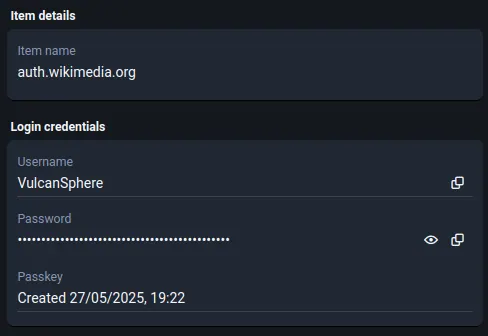
Images from the linked documentation. Versions and features may differ from current plans.
Good fit if
- Individuals seeking a continuing free password vault
- Operators comparing hosted, self-hosted and local-file models
- Teams planning a checked migration from 1Password
Not ideal if
- Readers seeking a security audit or a guarantee against breaches
- Teams without an operator expecting self-hosting to remove maintenance
A 1Password alternative should fit how you recover access, share credentials and keep devices in sync. Price matters, but a cheaper vault is a poor replacement if a family member cannot use it or a team loses important item fields during import.
For a hosted free personal vault, start with Bitwarden. For self-hosting, compare Vaultwarden and Passbolt Community with the operating work included. For a desktop database you control, look at KeePassXC. None of these recommendations is a security certification; this is a comparison of published features and migration documentation checked October 26, 2026.
Compare 1Password alternatives by who holds the operating work
1Password's personal pricing lists regular annual-billing rates of $3.99 per month for Individual and $5.99 for Families, alongside introductory offers and a 14-day trial. Compare the regular renewal cost with the destination's annual total rather than treating a first-year promotion as permanent.
| Option | Storage and operation | Documented price | Who should evaluate it? |
|---|---|---|---|
| Bitwarden hosted | Provider-operated service | Free basic vault; Premium $19.80/year | An individual who wants managed sync |
| Vaultwarden | A server you operate | Free AGPL-3.0 software; infrastructure extra | An operator comfortable with updates and recovery |
| Passbolt Community | Self-hosted team service | Free; unlimited users on Community | A team evaluating shared credentials |
| KeePassXC | Encrypted desktop database file | Free GPLv3 software | A desktop user who can manage file sync and backups |
Sources: Bitwarden, Vaultwarden, Passbolt and KeePassXC. For a paid Passbolt comparison, Pro is listed at $4.90 per user per month on annual billing with a ten-user minimum. A small team's minimum bill is therefore different from buying one seat.
Hosted Bitwarden: start with the free workflow you actually need
Bitwarden's Free plan includes basic password management with unlimited passwords and devices. Premium is a separate annual purchase. Begin by checking the features your household uses: device access, sharing arrangements, emergency recovery and attachment handling. Do not buy a paid plan solely because an old comparison says the free vault has a small device cap.
For an organisation, personal vault pricing is not a substitute for team pricing or policy controls. Assign ownership of shared credentials and offboarding before importing them into somebody's individual account. A low personal subscription price does not answer how a departing employee loses access.
Vaultwarden and Passbolt: self-hosting changes the responsibility
Vaultwarden's own repository identifies it as an unofficial Bitwarden-compatible implementation, not the official Bitwarden server. That distinction affects where you seek support and how you check client compatibility. Its documentation calls for HTTPS for web-vault use and discusses backups. Include storage, certificates, updates, monitoring and a restore procedure in your comparison.
Passbolt Community offers free self-hosted sharing for teams. Evaluate the shared-credential workflow with the people who will maintain it, then compare paid features only if you need them. A successful installation does not demonstrate that recovery after a lost device or failed host will work.
Before choosing either server, identify who will apply updates and how a second authorised person will recover service if the main operator is unavailable. Keep that recovery process outside the server whose failure it is meant to address. Avoid making undocumented claims that a small server or open-source license is automatically safer than a managed service.
KeePassXC: a database file instead of a hosted account
KeePassXC runs on Windows, macOS and Linux and stores credentials in an encrypted database file. You decide where that file lives and how copies move between machines. This can fit a desktop-first workflow, but file conflicts, backups and access to the encryption credentials become your responsibility.
There is no password-vault server to administer in this model. The desktop software still needs updates, and a synchronised file still needs a recovery plan. Test opening a backup before relying on it. If you need several people editing shared credentials across many devices, evaluate that workflow explicitly rather than assuming a shared folder behaves like a team vault.
The KeePass alternatives guide compares other database-file workflows. If recovery also depends on a separate authenticator, review the free 2FA app comparison as a distinct migration task.
Move from 1Password without assuming every item transfers
Read both ends of the transfer documentation: 1Password export and Bitwarden's 1Password import guide. Export format and destination support matter more than the number of items reported after import.
- Choose a supported format. 1Password desktop can export 1PUX or CSV. CSV includes Login and Password items but leaves out information including custom fields. Do not use it as an all-content backup.
- Treat exports as unencrypted secrets. Use a trusted local device and protected storage. Do not email the file or leave it in an ordinary cloud-sharing folder.
- Validate representative items. Check a login, a custom-field item, a secure note, a shared item and an attachment. Bitwarden documents separate attachment uploads; repeating an import can create duplicates.
- Handle passkeys separately. 1Password's desktop export does not export passkeys. Its current mobile transfer documentation describes a different supported route; confirm device and destination compatibility before relying on it.
- Test everyday access and recovery. Check browser fill, another device, sharing and recovery arrangements while the original vault is still available. Remove the unencrypted export after the verified transfer and required checks are complete.
Do not cancel the source account immediately after a matching item count. A count can match while attachments, fields or passkeys are missing. Keep a written acceptance list, then retire the old setup only after that list passes.
Choose the maintenance burden you can sustain
Among these 1Password alternatives, hosted Bitwarden has the clearest starting point for someone whose main requirement is a free personal vault. Choose Vaultwarden or Passbolt when operating the service is a deliberate responsibility. Choose KeePassXC when a local database fits the way you work. The deciding test is whether access, sharing and recovery still work after the move.
Limits of this review
Official documentation checked October 26, 2026. No password manager was installed or security-tested. Annual prices are labelled. Software being open source does not establish a security outcome.
FAQ
Which 1Password alternative has a continuing free plan?
Bitwarden offers a free basic vault. KeePassXC and Vaultwarden are free software with different operating models: KeePassXC uses a database file, while Vaultwarden needs a server. Passbolt Community is another free self-hosted option oriented toward sharing.
Does a 1Password CSV export include everything?
No. Its CSV export is limited to Login and Password items and omits information such as custom fields. Desktop exports do not export passkeys. Check 1Password and the destination documentation for the appropriate transfer route.
Is Vaultwarden the official Bitwarden server?
No. Vaultwarden describes itself as an unofficial Bitwarden-compatible server and is not affiliated with Bitwarden. Review compatibility and support boundaries before choosing it.
Related guides
More in Passwords, Privacy & Identity
All Passwords, Privacy & Identity alternatives →Sources
Kevin Fan
Kevin Fan is a SaaS founder. He runs Free Instead Of, which tracks free and open-source alternatives to paid software and checks prices and plan limits against vendor documentation.
Methodology
Official documentation checked October 26, 2026. No password manager was installed or security-tested. Annual prices are labelled. Software being open source does not establish a security outcome.