Let's Animate - Krita: Rocket Mechanic (10 days)
By Ed Tadeo ·
Playing loads YouTube. YouTube will receive your IP address and device information.
Best free Drawing Apps compared: Krita, MyPaint, GIMP, Inkscape and 3 more, with free-plan limits, platforms and prices from official pages checked October 23, 2026.
•3 min read•Graphic Design & Diagramming
| Tool | Price | Platforms | Best for | Tested |
|---|---|---|---|---|
| Krita | Free (Free and open source; optional donations, no paid tier) | Windows, macOS, Linux, Android | Digital painting and illustration | Docs only |
| MyPaint | Free (Free to download; the page lists no price and offers a donate option) | Linux, macOS, Windows | Sketching with a tablet | Docs only |
| GIMP | Free (Free; source tarballs offered, donation link only, no paid tier. Store packages are third-party and not from the GIMP team) | Linux, macOS, Windows | Mixed photo and drawing work | Docs only |
| Inkscape | Free (Free software under GPLv3; the site asks for donations and lists no paid tier) | Linux, macOS, Windows | Logos and clean line art | Docs only |
| Photopea | Free (Free in the browser; the homepage says premium features are free and mentions no paid plan or ad-free option) | Web | Drawing on any computer | Docs only |
| MediBang Paint | Free (Download is free; cloud features exist; a premium service adds exclusive brushes and materials with no price shown) | Windows, macOS, iOS, Android | Illustration across devices | Docs only |
| tldraw | Free (Free whiteboard web app with instant collaboration; no paid plan or limits shown on the homepage) | Web | Quick doodles and diagrams | Docs only |
Independent comparison. Paid placements are labelled separately; editorial links earn no affiliate commissions. Learn more.
Images from the linked documentation. Versions and features may differ from current plans.
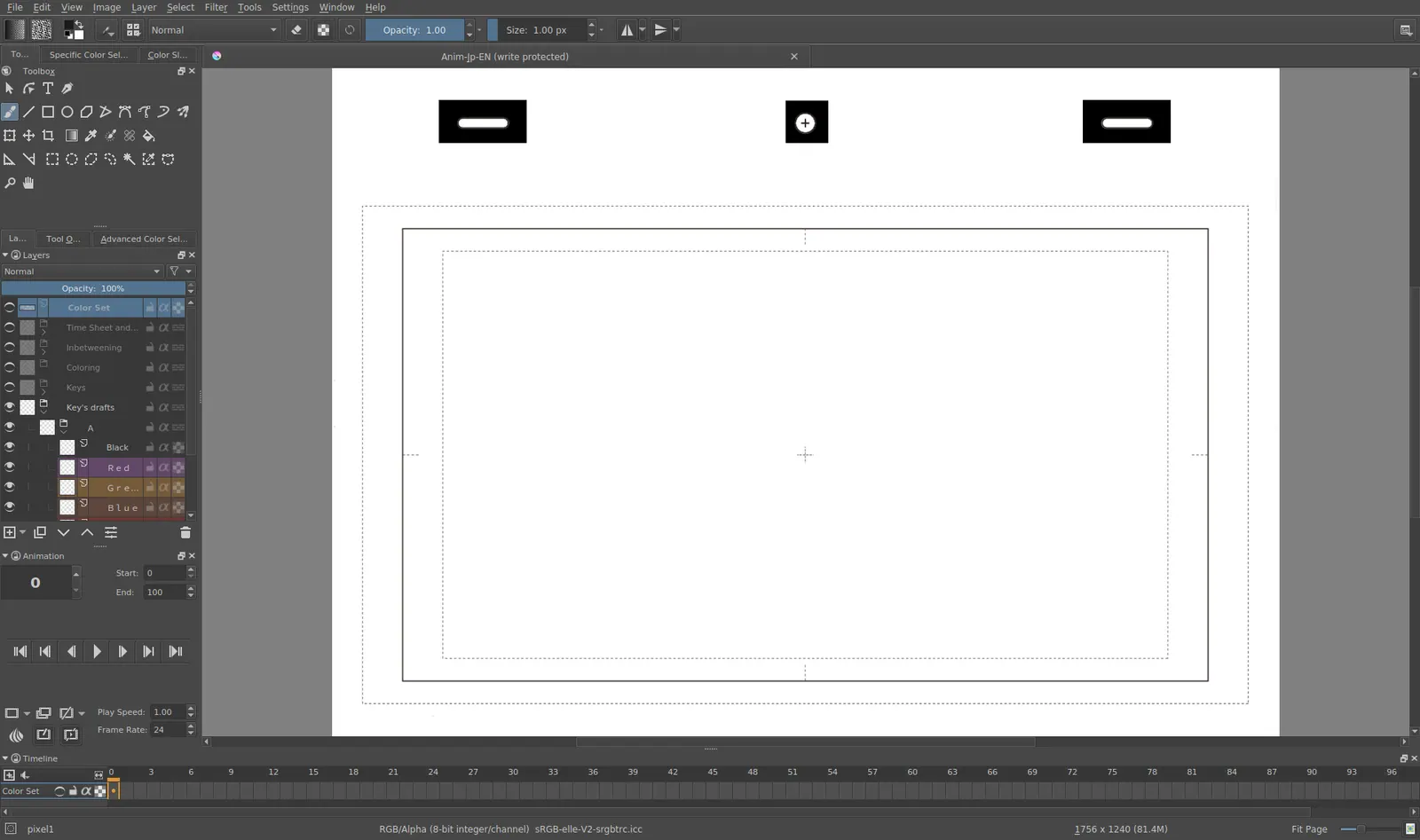
Krita 4.0 animation interface
Tyson Tan · Source · CC BY-SA 4.0
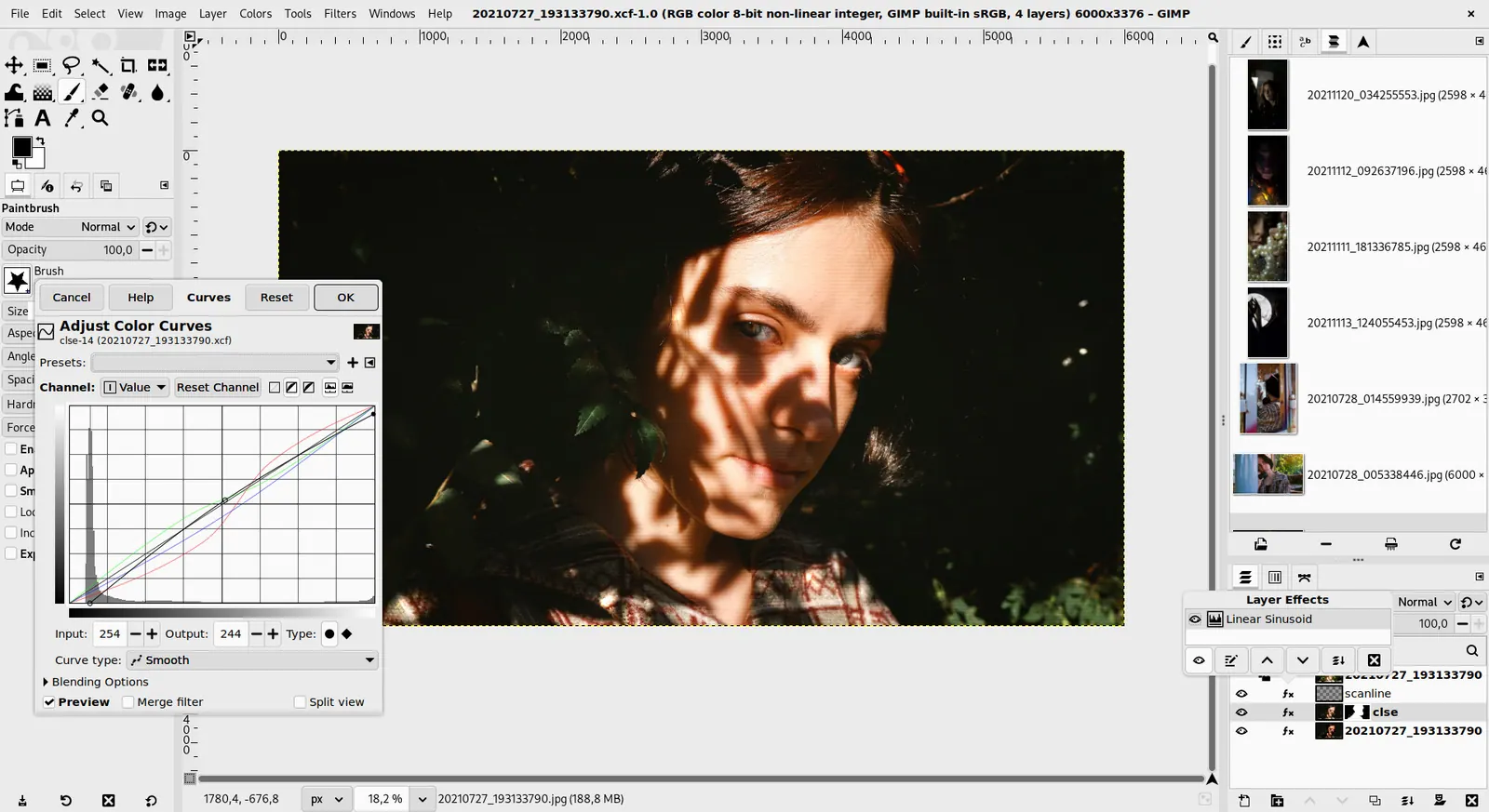
GIMP 3.0 — non-destructive filter workflow
GIMP team / gimp.org · Source · CC BY-SA 4.0
By Ed Tadeo ·
Playing loads YouTube. YouTube will receive your IP address and device information.
The best free drawing app depends on whether you sketch, paint or draw clean vector shapes. Krita is the most complete free choice for digital painting, with brushes, layers and animation support, and it runs on Windows, macOS, Linux and Android. MyPaint is lighter and brush-focused, a good match for sketching on a tablet. GIMP is a raster editor closer to photo work but still draws, and Inkscape draws in vectors so your artwork scales without blur. Photopea runs in the browser and opens PSD files, handy on a borrowed computer. tldraw is a free whiteboard for rough diagrams and doodles rather than finished art. MediBang Paint is a free download for Windows, Mac, iPad, iPhone and Android and suits manga and illustration. The trade-off is power against approachability: Krita and GIMP have long tool lists that overwhelm a first-time user, while simpler browser apps limit brushes and canvas size. If you use a pen tablet, try a painting program first and check pressure sensitivity in the settings. Save your work in the program's native format before exporting a flat image, because layers cannot be recovered from a PNG.
Free and open-source painting program for Windows, macOS, Linux and Android; no paid tier. Deep brush and layer tools, plus animation.
Price: Free (Free and open source; optional donations, no paid tier) (Krita pricing, checked 2026-10-22).
Platforms and license: Windows, macOS, Linux, Android. GPL (open source).
Best for: Digital painting and illustration.
Lightweight painting program for Linux, macOS and Windows, free with a donate option. Brush-focused and simple.
Price: Free (Free to download; the page lists no price and offers a donate option) (MyPaint pricing, checked 2026-10-23).
Platforms and license: Linux, macOS, Windows. GPL-2.0 (open source).
Project activity: 3k GitHub stars · latest release v2.0.1 (May 29, 2020) · last commit Oct 20, 2026
Best for: Sketching with a tablet.
Free open-source raster editor for Linux, macOS and Windows with no paid tier. Draws, but the interface leans toward photo editing.
Price: Free (Free; source tarballs offered, donation link only, no paid tier. Store packages are third-party and not from the GIMP team) (GIMP pricing, checked 2026-10-22).
Platforms and license: Linux, macOS, Windows. Open source (license not named on gimp.org/downloads) (open source).
Best for: Mixed photo and drawing work.
Worth knowing: Raster image editor for photo retouching and compositing.
Free GPLv3 vector editor for Linux, macOS and Windows. Scalable lines and shapes; not a natural-media painter.
Price: Free (Free software under GPLv3; the site asks for donations and lists no paid tier) (Inkscape pricing, checked 2026-10-22).
Platforms and license: Linux, macOS, Windows. GPL-3.0 (open source).
Project activity: 4.1k GitHub stars · No commits since Mar 3, 2022
Best for: Logos and clean line art.
Worth knowing: SVG vector editor. The site links to the GPLv3 guide; the GPLv3 license name is taken from that link.
Free in the browser, no paid plan on its homepage; reads PSD files. Works without installing anything.
Price: Free (Free in the browser; the homepage says premium features are free and mentions no paid plan or ad-free option) (Photopea pricing, checked 2026-10-23).
Platforms and license: Web. Proprietary.
Best for: Drawing on any computer.
Worth knowing: Browser-based editor that reads PSD files. Runs with no download.
Compare: Photopea alternatives
Free download for Windows, Mac, iPad, iPhone and Android, marketed for digital painting and manga. A premium service exists with no price shown.
Price: Free (Download is free; cloud features exist; a premium service adds exclusive brushes and materials with no price shown) (MediBang Paint pricing, checked 2026-10-23).
Platforms and license: Windows, macOS, iOS, Android. Proprietary.
Best for: Illustration across devices.
Free whiteboard web app; the homepage shows no paid plan or limits. Good for doodles and rough sketches, not finished artwork.
Price: Free (Free whiteboard web app with instant collaboration; no paid plan or limits shown on the homepage) (tldraw pricing, checked 2026-10-23).
Platforms and license: Web. Source-available SDK (development use only without a license key); tldraw.com is a free web app.
Best for: Quick doodles and diagrams.
Worth knowing: Free web whiteboard. The homepage did not state a license for the app or the SDK.
Docs-only for Krita, MyPaint, GIMP, Inkscape, Photopea, MediBang Paint, tldraw: we did not install or run them, so feature claims come from vendor pages. Vendor prices and free limits change; confirm on the linked pricing page before you commit.
Kevin Fan is a SaaS founder. He runs Free Instead Of, which tracks free and open-source alternatives to paid software and checks each price and free-plan limit against the vendor's own pages.
Based on official pricing, license and product pages checked between 2026-10-22 and 2026-10-23: Krita, MyPaint, GIMP, Inkscape, Photopea, MediBang Paint, tldraw. Prices, free limits and licenses are the figures shown on those pages on those dates. No tool on this page was installed or run. No accounts were created.