Let's Animate - Krita: Rocket Mechanic (10 days)
By Ed Tadeo ·
Playing loads YouTube. YouTube will receive your IP address and device information.
Aseprite alternatives: LibreSprite, Pixelorama, Piskel, Krita and 1 more. Prices and licenses checked October 25, 2026.
•3 min read•Graphic Design & Diagramming
Verdict:Leave Aseprite if you do not want to pay for a pixel editor or need a version that builds from source on Linux without fuss. Its buy page showed no price in our fetch; a review quotes a $19.99 one-time purchase, and the home page links a trial. The source is under a EULA that allows personal builds but not redistribution, per community posts. LibreSprite is the nearest free substitute, forked from the last GPLv2 Aseprite code, and covers layers, frames, onion skinning and tiled drawing. Expect fewer newer features. Pixelorama is the better-maintained free pick if you use Godot, with MIT licensing and tilemap layers. Piskel runs in a browser and is great for small sprites, though it appears inactive. Krita gives you pixel brushes plus full painting and animation, at the price of a heavier interface. GIMP only suits static assets. The trade-off is workflow depth: Aseprite's timeline, tags and export presets are what game artists pay for, and the free tools cover most but not all of it. At a one-time price near twenty dollars, paying is easy to justify if you animate regularly. If you only sketch a few icons, start with Pixelorama or LibreSprite.
| Tool | Price | Platforms | Best for | Tested |
|---|---|---|---|---|
| LibreSprite | Free (Free and open source) | Windows, macOS, Linux | The closest free clone | Docs only |
| Pixelorama | Free (Free and open source; paid copies on Steam and itch.io are the same software and support the developers) | Windows, macOS, Linux | Free pixel art with tilemaps | Docs only |
| Piskel | Free (Free browser editor; offline builds exist) | Web | Quick sprites in a browser | Docs only |
| Krita | Free (Free and open source; optional donations, no paid tier) | Windows, macOS, Linux, Android | Pixel art mixed with painting | Docs only |
| GIMP | Free (Free; source tarballs offered, donation link only, no paid tier. Store packages are third-party and not from the GIMP team) | Linux, macOS, Windows | Static pixel assets | Docs only |
| Pyxel Edit | Free (Free version is unsupported beta 0.2.22c without many paid features such as animation, with an outdated UI) | Windows, macOS | Pixel art | Docs only |
Independent comparison. Paid placements are labelled separately; editorial links earn no affiliate commissions. Learn more.
Images from the linked documentation. Versions and features may differ from current plans.
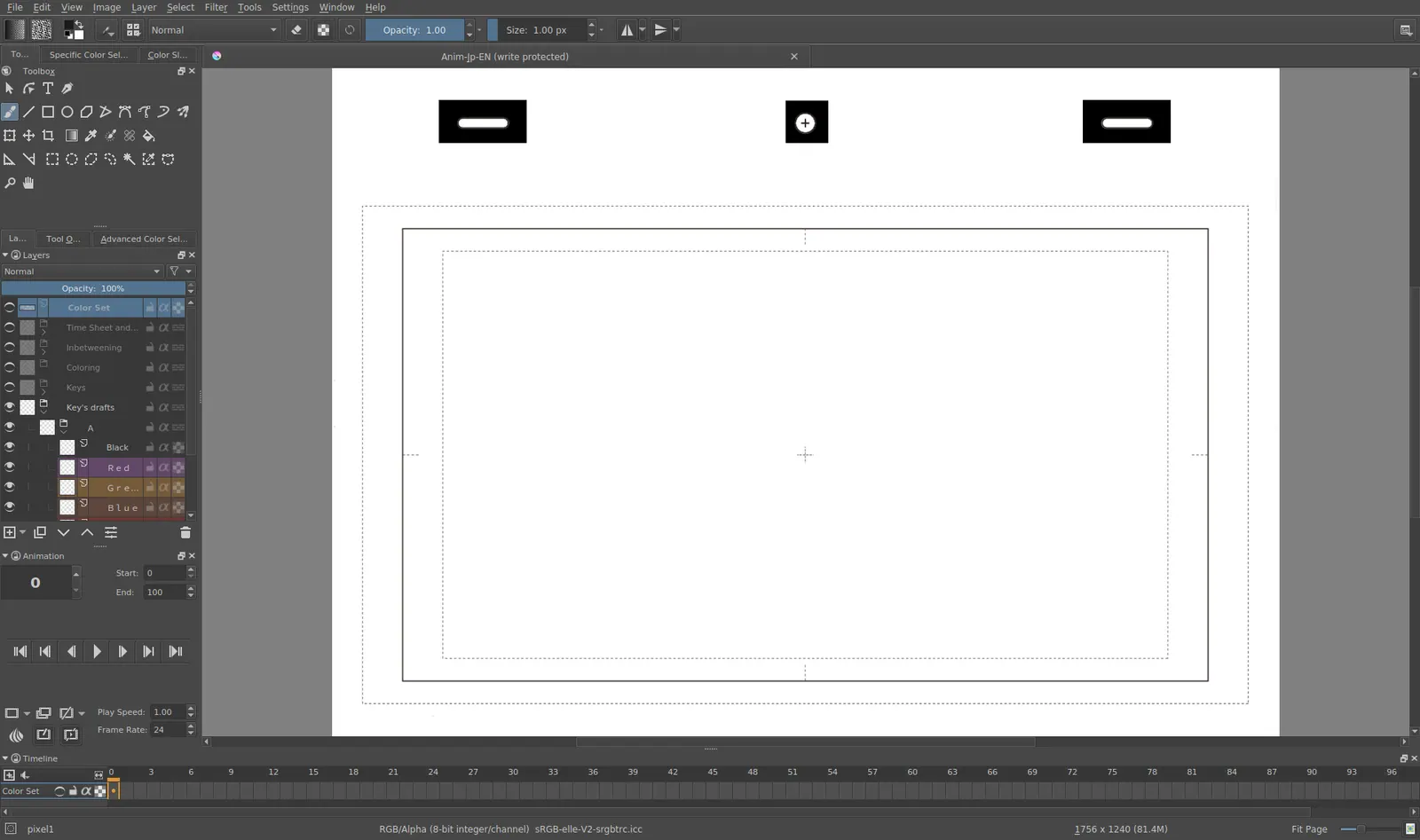
Krita 4.0 animation interface
Tyson Tan · Source · CC BY-SA 4.0
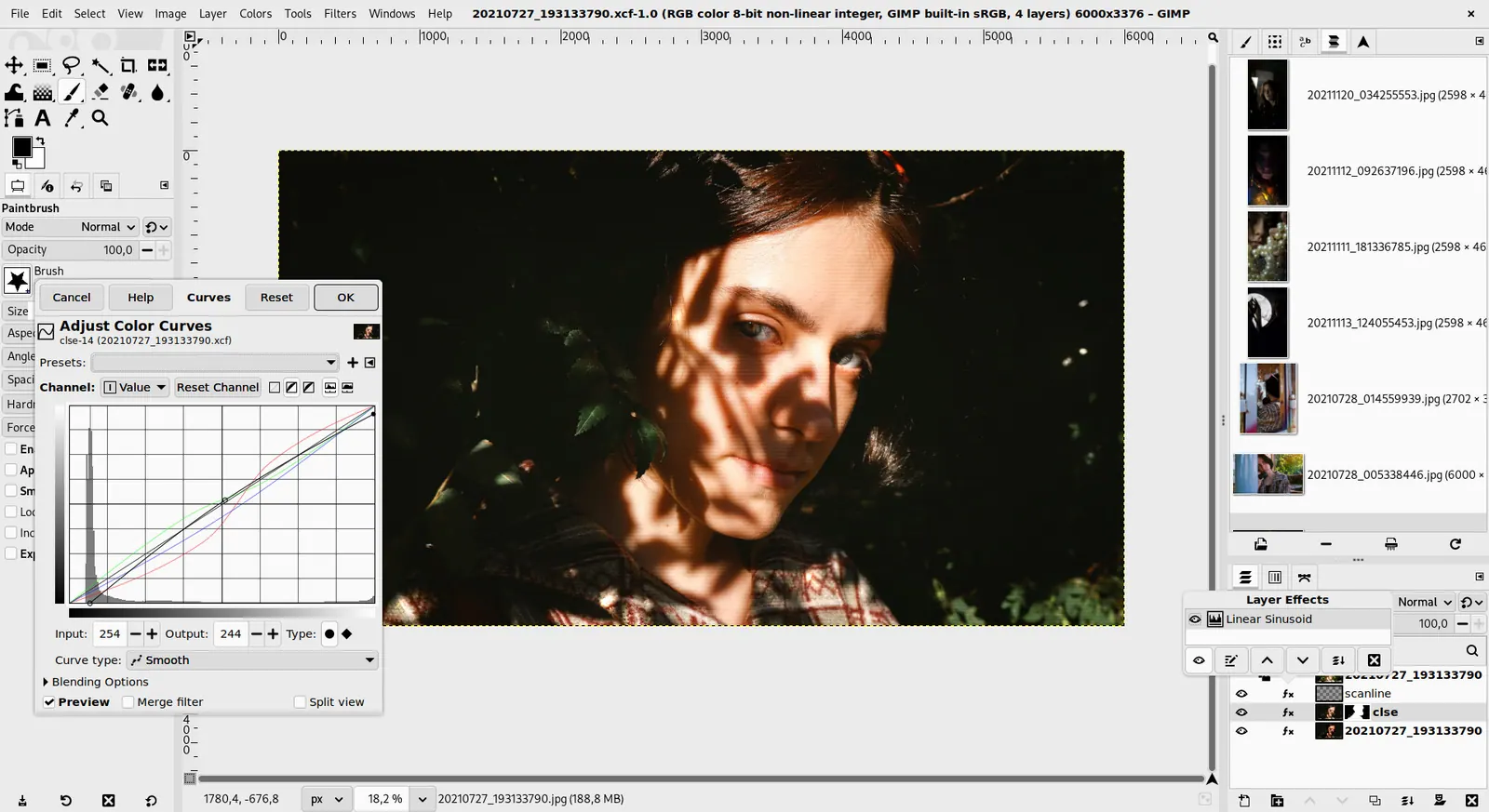
GIMP 3.0 — non-destructive filter workflow
GIMP team / gimp.org · Source · CC BY-SA 4.0
By Ed Tadeo ·
Playing loads YouTube. YouTube will receive your IP address and device information.
Aseprite today: See pricing page (Aseprite pricing, checked 2026-10-23).
Aseprite is paid software: its FAQ says $19.99 is the minimum pledge for the ready-to-run .exe and .dmg builds of the 1.x series. Source code is available, but since August 2016 it is released under a custom EULA instead of the GPL, so you may compile it for personal use but not redistribute builds. Business use needs one licence per developer, and the FAQ mentions no free trial.
Compared with Aseprite: Free, GPL-2.0 fork of the last GPLv2 Aseprite code. It has animation, onion skinning and tiled drawing, but a comparison says it lacks Aseprite's polish and newer features.
Price: Free (Free and open source) (LibreSprite pricing, checked 2026-10-23).
Platforms and license: Windows, macOS, Linux. GPL-2.0 (open source).
Project activity: 0 GitHub stars · last commit Oct 9, 2026
Best for: The closest free clone.
Compared with Aseprite: Free and open source (MIT), built on Godot. It supports animation, palettes and tilemap layers, but its interface differs from Aseprite and its tools are not identical.
Price: Free (Free and open source; paid copies on Steam and itch.io are the same software and support the developers) (Pixelorama pricing, checked 2026-10-23).
Platforms and license: Windows, macOS, Linux. MIT (open source).
Project activity: 10.9k GitHub stars · latest release v1.2.3 (Sep 15, 2026) · last commit Oct 27, 2026
Best for: Free pixel art with tilemaps.
Compared with Aseprite: Free, Apache-licensed browser editor with offline builds. Simpler than Aseprite and no mobile support, and the repository looked inactive since 2023, but it needs no install.
Price: Free (Free browser editor; offline builds exist) (Piskel pricing, checked 2026-10-23).
Platforms and license: Web. Apache-2.0 (open source).
Project activity: 12.9k GitHub stars · latest release v0.15.0 (Nov 25, 2018) · last commit Oct 27, 2026
Best for: Quick sprites in a browser.
Worth knowing: README says no mobile support. Repository activity appeared stale (last push seen 2023-11-05).
Compared with Aseprite: Free painting program with animation. It is not a dedicated pixel tool and its animation timeline is heavier than Aseprite's, but it handles pixel brushes and bigger illustration work.
Price: Free (Free and open source; optional donations, no paid tier) (Krita pricing, checked 2026-10-22).
Platforms and license: Windows, macOS, Linux, Android. GPL (open source).
Best for: Pixel art mixed with painting.
Compared with Aseprite: Free image editor that can do pixel art at small canvases with a pencil tool and grid. It has no sprite timeline or animation workflow like Aseprite, so it suits static assets only.
Price: Free (Free; source tarballs offered, donation link only, no paid tier. Store packages are third-party and not from the GIMP team) (GIMP pricing, checked 2026-10-22).
Platforms and license: Linux, macOS, Windows. Open source (license not named on gimp.org/downloads) (open source).
Best for: Static pixel assets.
Worth knowing: Raster image editor for photo retouching and compositing.
Compared with Aseprite: A paid editor built around tilesets, levels and animation: editing one tile updates all its copies, and tilemaps export as XML, JSON or text. A free beta without animation exists; the page shows no paid price.
Price: Free (Free version is unsupported beta 0.2.22c without many paid features such as animation, with an outdated UI) (Pyxel Edit pricing, checked 2026-10-25).
Docs-only for LibreSprite, Pixelorama, Piskel, Krita, GIMP: we did not install or run them, so feature claims come from vendor pages and we did not test import from Aseprite. Vendor prices and free limits change; confirm on the linked pricing page before you buy or migrate.
Kevin Fan is a SaaS founder. He runs Free Instead Of, which tracks free and open-source alternatives to paid software and checks each price and free-plan limit against the vendor's own pages.
Based on official pricing and product pages checked between 2026-10-22 and 2026-10-25: Aseprite, LibreSprite, Pixelorama, Piskel, Krita, GIMP, Pyxel Edit. Prices, free limits and licenses are the figures shown on those pages on those dates. No tool on this page was installed or run. No accounts were created.