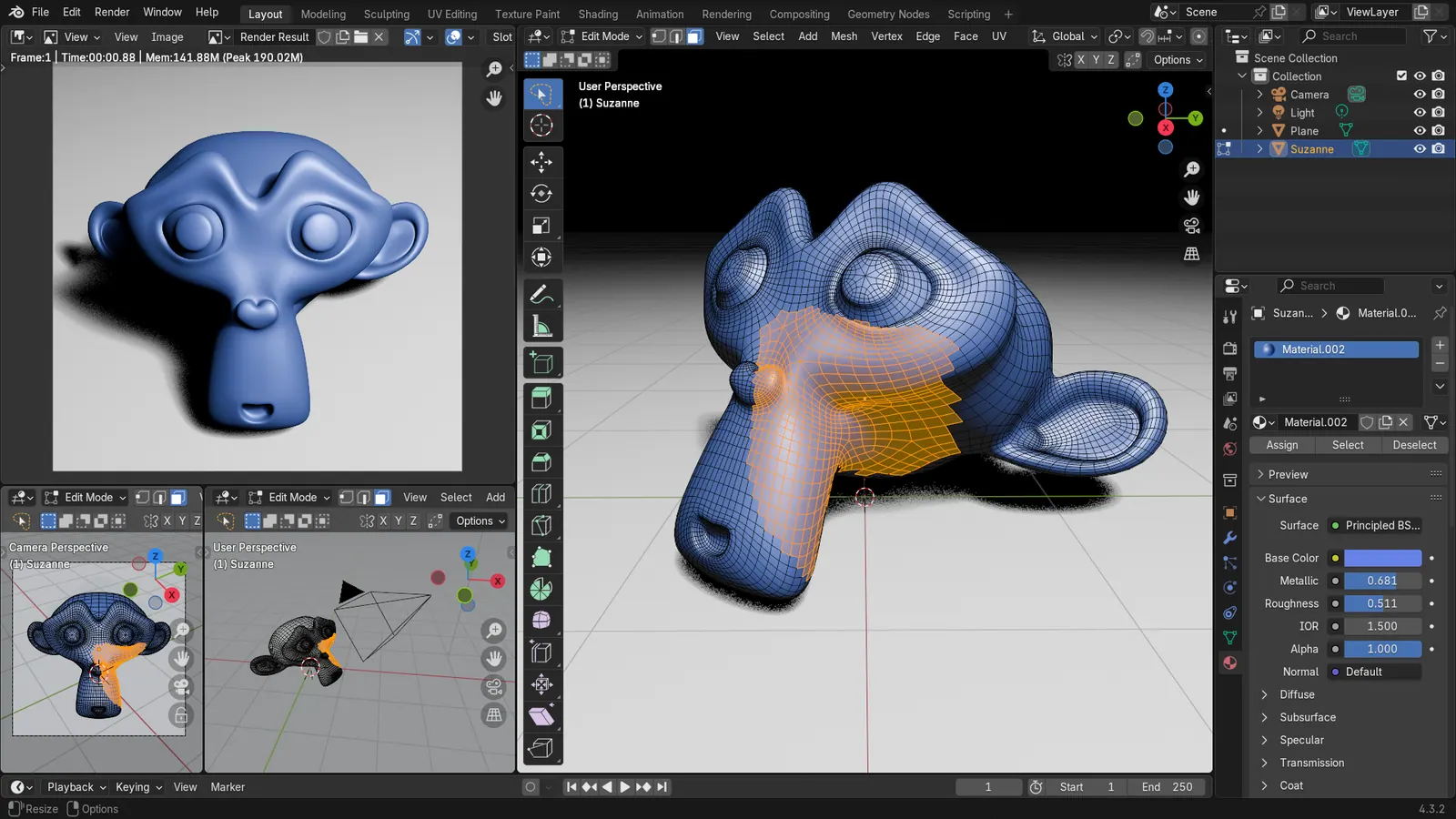
Blender 5.2 LTS - Showcase Reel
By Blender ·
Playing loads YouTube. YouTube will receive your IP address and device information.
Blender alternatives: Wings 3D, Houdini, 3DCoat, Cinema 4D and 1 more. Prices and licenses checked October 23, 2026.
•2 min read•3D & CAD
Verdict:Blender is free, GPL-licensed and runs on Windows, macOS and Linux, so no one leaves it for cost. People leave because a pipeline demands another tool, or because the all-in-one interface feels crowded for a narrow job. Wings 3D is the free pick for pure polygon modeling: small, quick and BSD-licensed, but it has no rendering or animation. Houdini Apprentice is free for non-commercial work and suits procedural effects, though render limits apply and the learning curve is steep. 3DCoat is a paid, focused option for sculpting and texturing, at 379 EUR one-time on its buy page. Cinema 4D is the paid pick for motion graphics, and Maya for studio character pipelines where an employer already runs Autodesk. Check each pricing page for current subscription prices before comparing. The trade-off is breadth versus cost: Blender gives modeling, sculpting, animation, rendering and video editing in one free download, and every alternative here covers a slice or costs money. If a studio requires Maya or Houdini files, learn those. Otherwise keep Blender and add a specialist like 3DCoat only if sculpting is your main job.
| Tool | Price | Platforms | Best for | Tested |
|---|---|---|---|---|
| Wings 3D | Free (Free and open source) | Windows, macOS, Linux | Simple polygon modeling | Docs only |
| Houdini | Free (Houdini Apprentice is free for non-commercial use, with watermarked renders and a resolution cap per older articles) | Windows, macOS, Linux | Procedural effects and simulation | Docs only |
| 3DCoat | Paid from EUR 379 per one-time, Individual node-locked 3DCoat 2026 (VAT excluded) | Windows, macOS, Linux | Sculpting and texturing | Docs only |
| Cinema 4D | See pricing page | Windows, macOS | Motion graphics work | Docs only |
| Autodesk Maya | See pricing page | Windows, macOS, Linux | Studio character animation pipelines | Docs only |
| ZBrush | See pricing page | Windows, macOS | CAD | Docs only |
Independent comparison. Paid placements are labelled separately; editorial links earn no affiliate commissions. Learn more.
Images from the linked documentation. Versions and features may differ from current plans.
By Blender ·
Playing loads YouTube. YouTube will receive your IP address and device information.
Blender today: Free (Free for any purpose, including commercial work) (Blender pricing, checked 2026-10-22).
Blender costs nothing, so people leave it over fit rather than price. The official requirements list a minimum of 8 GB of RAM and a GPU with 2 GB of VRAM supporting OpenGL 4.3 and Vulkan 1.3, with 32 GB of RAM and 8 GB of VRAM recommended, which rules out many older laptops. On Mac it needs Apple Silicon and macOS 13 or later, so Intel Macs are excluded.
Compared with Blender: Free, BSD-licensed subdivision modeler that runs on Windows, Linux and macOS. It is only a modeler, so you lose Blender's sculpting, rendering and animation, but it is quick to learn for polygon work.
Price: Free (Free and open source) (Wings 3D pricing, checked 2026-10-23).
Platforms and license: Windows, macOS, Linux. BSD (open source).
Project activity: 671 GitHub stars · last commit Oct 27, 2026
Best for: Simple polygon modeling.
Compared with Blender: SideFX offers Houdini Apprentice free for non-commercial use, with render limits per older articles. It is procedural and far from Blender's workflow, with a steep learning curve, but strong for effects.
Price: Free (Houdini Apprentice is free for non-commercial use, with watermarked renders and a resolution cap per older articles) (Houdini pricing, checked 2026-10-23).
Platforms and license: Windows, macOS, Linux. Proprietary.
Best for: Procedural effects and simulation.
Compared with Blender: Paid sculpting and texturing app, listed at 379 EUR one-time on its buy page. It has a narrower scope than Blender but a focused toolset for digital sculpting.
Price: Paid from EUR 379 per one-time, Individual node-locked 3DCoat 2026 (VAT excluded) (3DCoat pricing, checked 2026-10-22).
Platforms and license: Windows, macOS, Linux. Proprietary.
Best for: Sculpting and texturing.
Compared with Blender: Maxon's paid motion-graphics 3D app with a trial. Prices conflicted across sources. It is easier for motion design than Blender, but costs money and lacks Blender's free built-in video and sculpt tools.
Price: See pricing page (Cinema 4D pricing, checked 2026-10-23).
Platforms and license: Windows, macOS. Proprietary.
Best for: Motion graphics work.
Compared with Blender: Autodesk's paid animation suite, free only for students and teachers in qualifying institutions. It is the studio standard for character rigging, but price figures conflicted across sources and Blender is free.
Price: See pricing page (Autodesk Maya pricing, checked 2026-10-23).
Platforms and license: Windows, macOS, Linux. Proprietary.
Best for: Studio character animation pipelines.
Compared with Blender: Maxon's sculpting-first application with no free plan. You gain a dedicated workflow for high-detail characters and creatures, but you give up Blender's all-in-one modeling, animation and rendering, and you start paying for a subscription.
Price: See pricing page (ZBrush pricing, checked 2026-10-23).
Docs-only for Wings 3D, Houdini, 3DCoat, Cinema 4D, Autodesk Maya: we did not install or run them, so feature claims come from vendor pages and we did not test import from Blender. Vendor prices and free limits change; confirm on the linked pricing page before you buy or migrate.
Kevin Fan is a SaaS founder. He runs Free Instead Of, which tracks free and open-source alternatives to paid software and checks each price and free-plan limit against the vendor's own pages.
Based on official pricing and product pages checked between 2026-10-22 and 2026-10-23: Blender, Wings 3D, Houdini, 3DCoat, Cinema 4D, Autodesk Maya, ZBrush. Prices, free limits and licenses are the figures shown on those pages on those dates. No tool on this page was installed or run. No accounts were created.