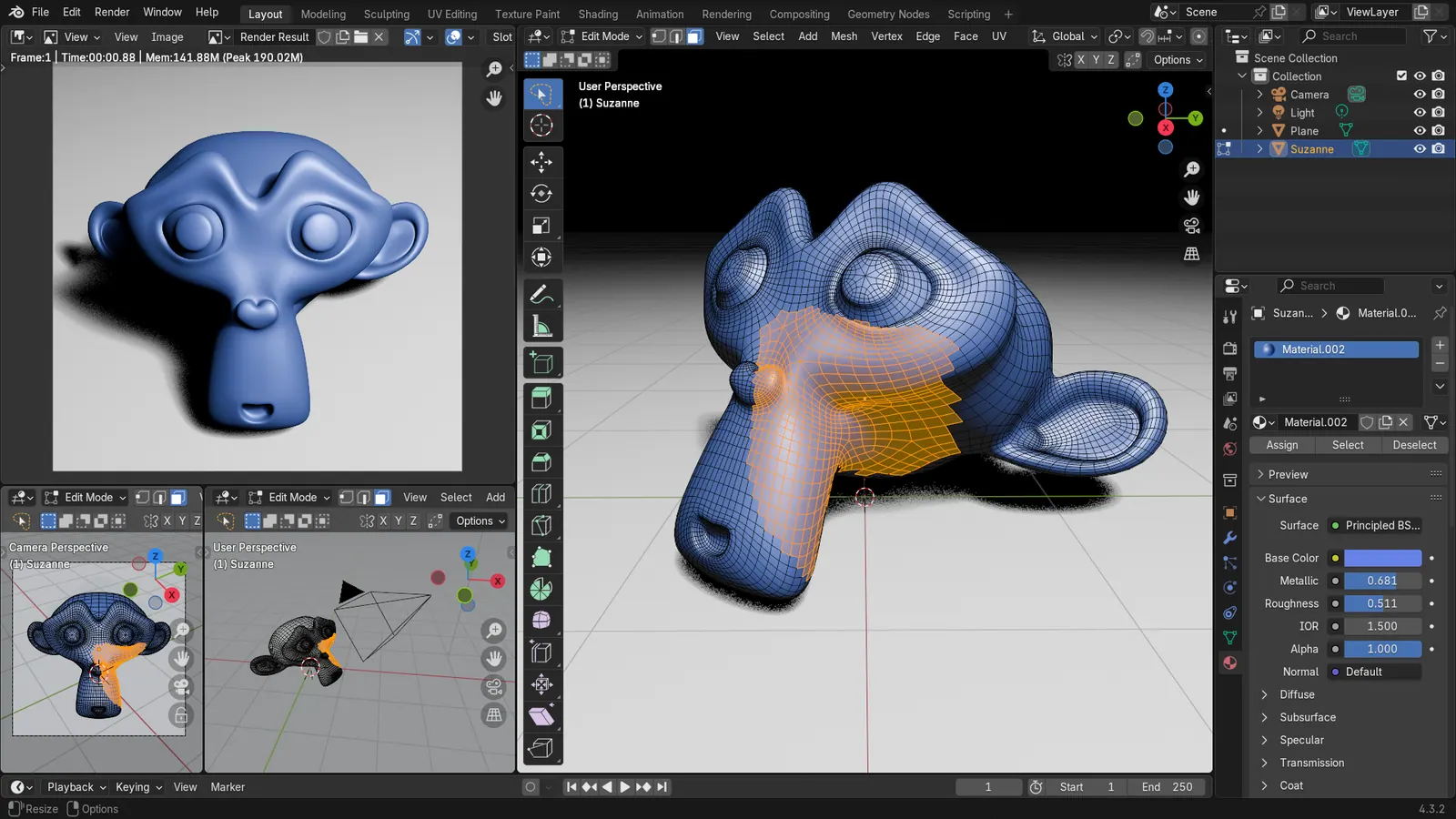
Blender 5.2 LTS - Showcase Reel
By Blender ·
Playing loads YouTube. YouTube will receive your IP address and device information.
Tinkercad alternatives: FreeCAD, OpenSCAD, Blender, Onshape and 1 more. Prices and licenses checked October 23, 2026.
•2 min read•3D & CAD
Verdict:Leave Tinkercad when you hit its limits: no real dimensioned sketches, no parametric history, and models built from stacked primitives. Tinkercad itself is free and runs in the browser, so nobody leaves because of price. OpenSCAD is the neatest swap for people who like exact numbers: write a few lines of code and the part updates, which beats dragging shapes when you need ten identical brackets. FreeCAD is the closest free desktop step up, with sketches and constraints, and it has the learning curve to match. Onshape gives you professional parametric CAD in the browser, though its free tier is aimed at non-commercial use and public documents. SolveSpace is small and fast for constraint-based parts without FreeCAD's size. Blender is the pick for organic shapes and rendering rather than engineering. The trade-off is time: Tinkercad takes ten minutes to learn, and every alternative here takes days. Kids and classrooms are better off staying. If you print functional parts, such as brackets and enclosures, and need to change dimensions later, move to OpenSCAD or FreeCAD. If you want the web experience with more power, try Onshape.
| Tool | Price | Platforms | Best for | Tested |
|---|---|---|---|---|
| FreeCAD | Free (Free, no sign-up) | Windows, macOS, Linux | Parametric parts for 3D printing | Docs only |
| OpenSCAD | Free (Free software; no paid tier) | Windows, macOS, Linux | Exact, code-driven designs | Docs only |
| Blender | Free (Free for any purpose, including commercial work) | Windows, macOS, Linux | Sculpted and artistic models | Docs only |
| Onshape | Free (Free plan for non-commercial use; all documents are public); paid from $1500 per user/year, Standard, billed annually | Web | Learning professional-style CAD in a browser | Docs only |
| SolveSpace | Free (Free and open source) | Windows, macOS, Linux | Light constraint-based modeling | Docs only |
| SketchUp | Paid from $10.75 per user/month, billed annually (Go plan) | Windows, macOS, Web | 3D modeling | Docs only |
Independent comparison. Paid placements are labelled separately; editorial links earn no affiliate commissions. Learn more.
Images from the linked documentation. Versions and features may differ from current plans.
By Blender ·
Playing loads YouTube. YouTube will receive your IP address and device information.
Tinkercad today: Free (Free, browser-based 3D design) (Tinkercad pricing, checked 2026-10-23).
Compared with Tinkercad: Free, open-source parametric modeler on desktop. Steeper than Tinkercad's drag-and-drop shapes, but you get constraint-based sketches and real engineering parts instead of a primitives toolbox.
Price: Free (Free, no sign-up) (FreeCAD pricing, checked 2026-10-22).
Platforms and license: Windows, macOS, Linux. LGPL-2.1 (open source).
Project activity: 34.9k GitHub stars · latest release 1.1.4 (Sep 28, 2026) · last commit Oct 27, 2026
Best for: Parametric parts for 3D printing.
Worth knowing: Mainly parametric 3D; 2D drafting is not its strength.
Compared with Tinkercad: Free, GPL-licensed and script-based: you write code and it generates the solid. It has no drag-and-drop like Tinkercad, but dimensions are exact and designs are easy to tweak by changing a number.
Price: Free (Free software; no paid tier) (OpenSCAD pricing, checked 2026-10-23).
Platforms and license: Windows, macOS, Linux. GPL-2.0 (open source).
Project activity: 10.5k GitHub stars · latest release openscad-2021.01 (Feb 7, 2021) · last commit Oct 27, 2026
Best for: Exact, code-driven designs.
Worth knowing: Script-based solid modeler: you describe parts in code, there is no drag-to-sketch interface. License from an archived copy of openscad.org; other listings say GPL-2.0-or-later.
Compared with Tinkercad: Free, GPL-licensed and much more capable for organic shapes and rendering. It is not a CAD tool and has a much steeper learning curve than Tinkercad, so printable dimensions need extra care.
Price: Free (Free for any purpose, including commercial work) (Blender pricing, checked 2026-10-22).
Platforms and license: Windows, macOS, Linux. GPL-3.0-or-later (open source).
Best for: Sculpted and artistic models.
Worth knowing: Texture painting and baking are built in, with node-based shading; no layer stack with smart materials like Painter.
Compared with Tinkercad: Browser-based parametric CAD with a free tier for non-commercial use. It is much more powerful than Tinkercad, though the free plan makes your documents public, which Tinkercad does not require.
Price: Free (Free plan for non-commercial use; all documents are public); paid from $1500 per user/year, Standard, billed annually (Onshape pricing, checked 2026-10-22).
Platforms and license: Web. Proprietary.
Best for: Learning professional-style CAD in a browser.
Worth knowing: Cloud 3D parametric CAD, not a DWG drafting tool.
Compared with Tinkercad: Small, free, GPLv3 parametric CAD that is lighter than FreeCAD. It has fewer features than Tinkercad's ecosystem of classroom tools, but it is a good step to constraint-based sketching.
Price: Free (Free and open source) (SolveSpace pricing, checked 2026-10-23).
Platforms and license: Windows, macOS, Linux. GPL-3.0-or-later (open source).
Project activity: 4.2k GitHub stars · latest release v3.3 (Oct 21, 2026) · last commit Oct 27, 2026
Best for: Light constraint-based modeling.
Compared with Tinkercad: SketchUp Go is $10.75 per user a month billed annually; only SketchUp for Schools is free, with an education account. It models in a more professional, desktop-style workflow than Tinkercad's browser tool.
Price: Paid from $10.75 per user/month, billed annually (Go plan) (SketchUp pricing, checked 2026-10-23).
Docs-only for FreeCAD, OpenSCAD, Blender, Onshape, SolveSpace: we did not install or run them, so feature claims come from vendor pages and we did not test import from Tinkercad. Vendor prices and free limits change; confirm on the linked pricing page before you buy or migrate.
Kevin Fan is a SaaS founder. He runs Free Instead Of, which tracks free and open-source alternatives to paid software and checks each price and free-plan limit against the vendor's own pages.
Based on official pricing and product pages checked between 2026-10-22 and 2026-10-23: Tinkercad, FreeCAD, OpenSCAD, Blender, Onshape, SolveSpace, SketchUp. Prices, free limits and licenses are the figures shown on those pages on those dates. No tool on this page was installed or run. No accounts were created.