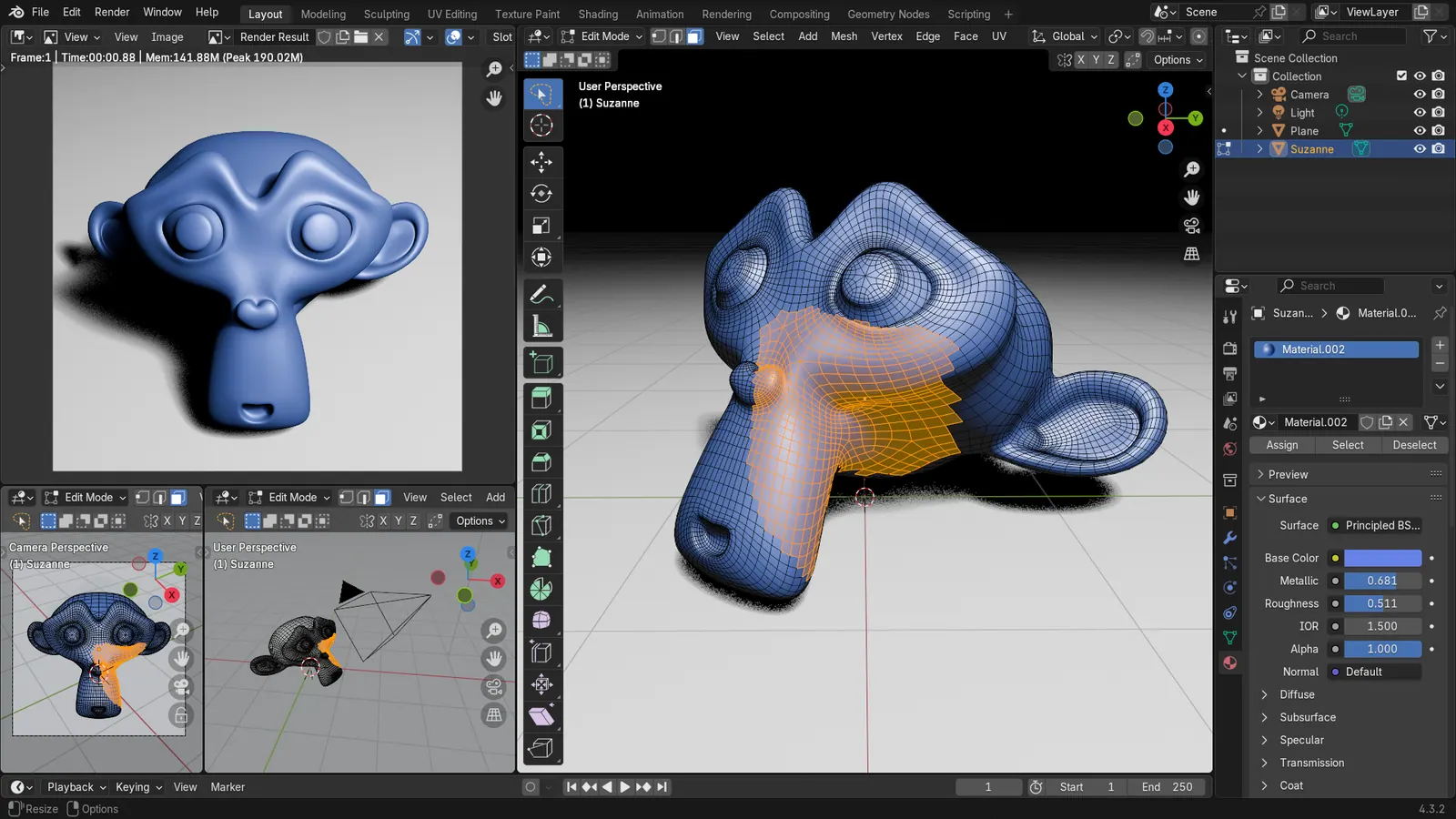
Blender 5.2 LTS - Showcase Reel
By Blender ·
Playing loads YouTube. YouTube will receive your IP address and device information.
Spline alternatives: Blender, Tinkercad, Wings 3D, SketchUp and 1 more. Prices and licenses checked October 23, 2026.
•3 min read•3D & CAD
Verdict:Spline's free plan has limited personal files and puts a watermark on web exports, with no AI credits, and the page gives no numeric file limit. The cheapest paid tier we found is Hobby at $12 per seat a month billed yearly, or $15 billed monthly. That matters if you only want to put one 3D scene on a landing page. Leave Spline if you need unlimited files, no watermark, or an offline tool. Blender is the answer for serious work: it is free under GPL-3.0 and covers modelling, animation and rendering, though it will not give you Spline's quick browser-based interactive scenes and its learning curve is steep. Tinkercad is the gentlest free option for simple shapes, and Wings 3D is a small BSD-licensed modeller for meshes. SketchUp costs $10.75 a user a month on its Go plan and is closer to architecture. Framer is a different kind of swap: it is a site builder with a free plan, and it replaces Spline only if the 3D was decoration. The trade-off is that no free tool here reproduces Spline's interactive scene embed in a browser tab. You either accept a watermark and a plan limit, or you export from a modeller and build the web side yourself. Stay on Spline for a single scene and a quick launch.
| Tool | Price | Platforms | Best for | Tested |
|---|---|---|---|---|
| Blender | Free (Free for any purpose, including commercial work) | Windows, macOS, Linux | Full 3D work with no watermark | Docs only |
| Tinkercad | Free (Free, browser-based 3D design) | Web | Beginners and simple 3D models | Docs only |
| Wings 3D | Free (Free and open source) | Windows, macOS, Linux | Lightweight free mesh modelling | Docs only |
| SketchUp | Paid from $10.75 per user/month, billed annually (Go plan) | Windows, macOS, Web | Architecture and product models | Docs only |
| Framer | Free (Free plan at $0: 500 AI credits to try, 1 GB bandwidth, a free Framer domain, 10 CMS collections, 1,000 pages, up to three editors; custom domains need a paid plan); paid from $10 per per month, billed monthly or yearly (Basic) | Web | Marketing sites with animation instead of 3D | Docs only |
| Cinema 4D | See pricing page | Windows, macOS | 3D animation and VFX | Docs only |
Independent comparison. Paid placements are labelled separately; editorial links earn no affiliate commissions. Learn more.
Images from the linked documentation. Versions and features may differ from current plans.
By Blender ·
Playing loads YouTube. YouTube will receive your IP address and device information.
Spline today: Free (Free plan with limited personal files and watermarked web exports, no AI credits; the page gives no numeric file limit); paid from $12 per seat/month, Hobby, billed yearly ($15 billed monthly) (Spline pricing, checked 2026-10-23).
Spline's free plan puts a watermark on web exports and leaves out AI features, multi-scene files and app or video exports. Hobby ($12 per seat monthly on yearly billing, $15 monthly) removes the watermark. Video export, Apple and Android exports, code export, USDZ and STL export and unlimited scenes per file require Pro at $25 per seat on yearly billing ($30 monthly). AI credits do not roll over, and extra ones cost $5 per month per 1,000. SSO and version history are Enterprise only.
Compared with Spline: Free GPL-3.0 suite for modelling, animation and rendering, with no watermark. It has a much steeper learning curve than Spline and no built-in web embed, but nothing is capped.
Price: Free (Free for any purpose, including commercial work) (Blender pricing, checked 2026-10-22).
Platforms and license: Windows, macOS, Linux. GPL-3.0-or-later (open source).
Best for: Full 3D work with no watermark.
Worth knowing: Texture painting and baking are built in, with node-based shading; no layer stack with smart materials like Painter.
Compared with Spline: Free browser-based 3D design that is easy to learn. It is built for simple models and 3D printing rather than the interactive web scenes Spline targets.
Price: Free (Free, browser-based 3D design) (Tinkercad pricing, checked 2026-10-23).
Platforms and license: Web. Proprietary.
Best for: Beginners and simple 3D models.
Compared with Spline: Free BSD-licensed subdivision modeller. You give up Spline's real-time web scenes and collaboration, and get a lightweight tool for modelling meshes on your own machine.
Price: Free (Free and open source) (Wings 3D pricing, checked 2026-10-23).
Platforms and license: Windows, macOS, Linux. BSD (open source).
Project activity: 671 GitHub stars · last commit Oct 27, 2026
Best for: Lightweight free mesh modelling.
Compared with Spline: SketchUp Go is $10.75 a user a month billed annually, and only the Schools version is free. It suits architecture and product shapes better than Spline's interactive web scenes.
Price: Paid from $10.75 per user/month, billed annually (Go plan) (SketchUp pricing, checked 2026-10-23).
Platforms and license: Windows, macOS, Web. Proprietary.
Best for: Architecture and product models.
Compared with Spline: Free plan with a Framer domain, 1 GB bandwidth and up to three editors. It builds the website itself, so you give up native 3D editing and gain layout, CMS and publishing.
Price: Free (Free plan at $0: 500 AI credits to try, 1 GB bandwidth, a free Framer domain, 10 CMS collections, 1,000 pages, up to three editors; custom domains need a paid plan); paid from $10 per per month, billed monthly or yearly (Basic) (Framer pricing, checked 2026-10-23).
Platforms and license: Web. Proprietary.
Best for: Marketing sites with animation instead of 3D.
Compared with Spline: Maxon's Cinema 4D is a paid 3D application with no price on its product page, so compare the cost with Spline Pro at $25 per seat on yearly billing before switching. It has no free plan.
Price: See pricing page (Cinema 4D pricing, checked 2026-10-23).
Docs-only for Blender, Tinkercad, Wings 3D, SketchUp, Framer: we did not install or run them, so feature claims come from vendor pages and we did not test import from Spline. Vendor prices and free limits change; confirm on the linked pricing page before you buy or migrate.
Kevin Fan is a SaaS founder. He runs Free Instead Of, which tracks free and open-source alternatives to paid software and checks each price and free-plan limit against the vendor's own pages.
Based on official pricing and product pages checked between 2026-10-22 and 2026-10-23: Spline, Blender, Tinkercad, Wings 3D, SketchUp, Framer, Cinema 4D. Prices, free limits and licenses are the figures shown on those pages on those dates. No tool on this page was installed or run. No accounts were created.