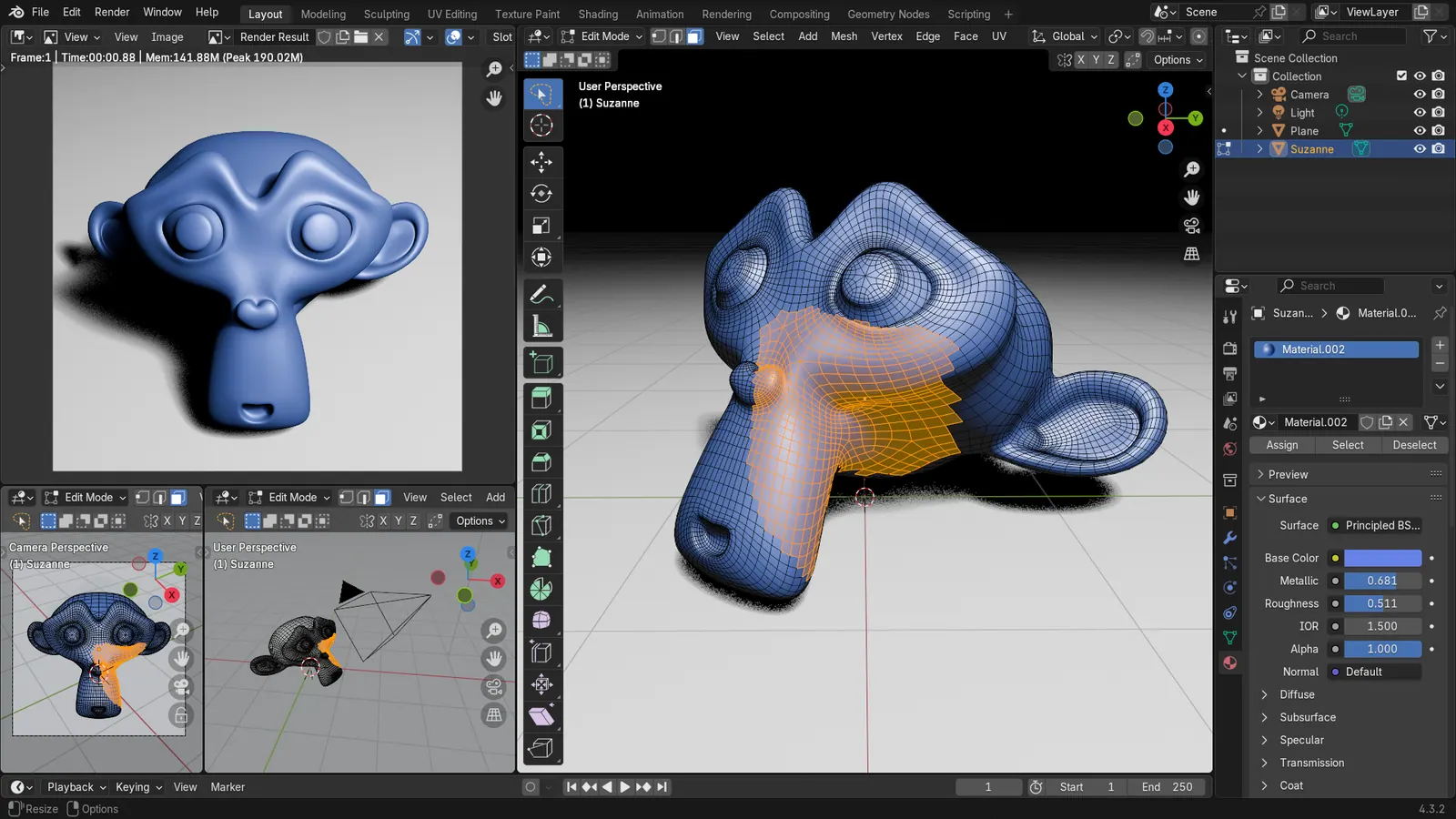
Blender 5.2 LTS - Showcase Reel
By Blender ·
Playing loads YouTube. YouTube will receive your IP address and device information.
Blender has no iPad app and its port is on hold. Native alternatives Nomad Sculpt, Shapr3D, Valence 3D and ZBrush compared on price and export.
•4 min read•3D & CAD
Verdict:Blender has no iPad version. Pick Nomad Sculpt for sculpting, Valence 3D for polygon modeling, Shapr3D for precise CAD-style parts, or ZBrush for iPad if you already use ZBrush; none lists rigging or animation.
| Tool | Price | Platforms | Best for | Tested |
|---|---|---|---|---|
| Nomad Sculpt | $19.99 one-time on the App Store; Quad Remesher add-on $15.99 | iPadOS, iOS, Android, Windows, macOS | Sculpting and painting characters and organic shapes with Apple Pencil | Docs only |
| Shapr3D | Free Basic (2 projects); Pro $299 per editor per year | iPadOS, macOS, Windows, visionOS | Precise CAD-style parts and hard-surface design | Docs only |
| Valence 3D | $19.99 one-time on the App Store | iPadOS, iOS, visionOS | Polygon and subdivision modeling with boolean and modifier tools | Docs only |
| ZBrush for iPad | Free base app (28 brushes, no 3D export); paid subscription for the full set | iPadOS | Digital sculptors who already know the ZBrush workflow | Docs only |
Independent comparison. Paid placements are labelled separately; editorial links earn no affiliate commissions. Learn more.
Images from the linked documentation. Versions and features may differ from current plans.
By Blender ·
Playing loads YouTube. YouTube will receive your IP address and device information.
Blender has no iPad app. According to 9to5Mac, the iPad version announced in July 2025 is on hold. For native 3D on the tablet, Nomad Sculpt covers sculpting, Valence 3D covers polygon modeling, Shapr3D covers precise CAD-style parts, and ZBrush for iPad suits sculptors already in that workflow. None of them lists rigging or animation, so plan to finish those steps on a desktop.
On the first point, 9to5Mac's February 2026 report says Blender's team stated the project is "on hold until further notice" and that Android tablets come first. Blender's roadmap can change, so check its project tracker before you plan around it.
Nomad Sculpt is a sculpting and painting app for iPad, iPhone and Android, with desktop versions for Windows and macOS.
According to its App Store listing, it costs $19.99 with an optional $15.99 Quad Remesher add-on, requires iPadOS 16.0 or later, and lists brushes, vertex painting, multiresolution sculpting, voxel remeshing, decimation, automatic UV unwrapping and PBR rendering. Exports include glTF, OBJ, STL and PLY.
The Nomad site describes the apps as one-time purchases.
Who should not pick it: anyone who wants polygon box modeling or hard-surface precision. The listing describes sculpting and painting tools, so use Valence 3D or Shapr3D for those jobs.
Valence 3D is a polygon and subdivision modeling app. Its App Store listing shows a $19.99 one-time purchase covering iPhone and iPad, and requires iPadOS 18.0 or later.
The listing names 25 primitives, a knife tool, extrude, inset, bevel, bridge and boolean operations, plus non-destructive mirror and subdivision modifiers. It offers path tracing and exports OBJ, STL, USD, USDZ, GLTF and GLB. Several of these formats are what you would use to carry a model into desktop Blender.
Prices differ by storefront, so check the App Store for your region.
Who should not pick it: sculptors. It is a modeler, not a brush-based sculpting app.
Shapr3D is a CAD-style modeler for precise parts and hard surfaces. According to its pricing page, the free Basic plan allows 2 projects, 3 generative renders per day and exports limited to low-resolution STL and 3MF. It imports XT, STEP, IGES, DWG and STL files.
Pro costs $299 per editor seat per year, excluding VAT. Students and teachers at accredited institutions can get it free for a renewable one-year license.
Basic runs on macOS, iPadOS, Windows and visionOS, and the download needs iPadOS 17 or later. The STEP and IGES imports point to engineering and product work rather than character art.
Who should not pick it: character artists. It has no sculpting brushes.
ZBrush for iPad brings Maxon's sculpting tools to the tablet. Maxon's free-versus-subscription page says the free plan has 28 brushes and full Sculptris Pro, but no 3D export, and limits DynaMesh and ZRemesher.
The subscription removes those limits, adds 210+ additional brushes and enables GoZ transfer between desktop ZBrush and the iPad app. CG Channel's December 2025 report says ZBrush for iPad requires iPadOS 17 or later on an A12 Bionic iPad or newer. Check Maxon's site for the current subscription price.
Who should not pick it: beginners who want a one-time purchase. The free app cannot export 3D models, so the full feature set needs the subscription.
| Nomad Sculpt | Valence 3D | Shapr3D | ZBrush for iPad | |
|---|---|---|---|---|
| Job | Sculpt and paint | Polygon modeling | CAD-style parts | Pro sculpting |
| Price | $19.99 one-time | $19.99 one-time | Free; Pro $299/year | Free; paid subscription for full set |
| Free tier | No | No | Yes, 2 projects | Yes, no 3D export |
| Export | glTF, OBJ, STL, PLY | OBJ, STL, USD, USDZ, GLTF, GLB | Low-res STL/3MF on free | Subscription needed |
| Rigging or animation | Not listed | Not listed | Not listed | Not listed |
No app was installed or tested. Sidecar and remote-desktop ways of running real Blender were not evaluated. Forger, Polydust and other iPad apps were not researched. App Store prices vary by region.
No. 9to5Mac reported on February 27, 2026 that Blender's iPad version is on hold until further notice, with the team focusing on Android tablets first. Until it returns, use a native iPad modeling app or run Blender on a desktop. The iPad version was announced in July 2025 as an iPad Pro project.
Nomad Sculpt. Its App Store listing is $19.99 with an optional $15.99 Quad Remesher add-on, and it lists sculpting brushes, vertex painting, multiresolution sculpting and automatic UV unwrapping. ZBrush for iPad is the other choice if you already know ZBrush, with a free tier and a subscription for the full feature set.
Two have free tiers. Shapr3D Basic is free with 2 projects and low-resolution STL and 3MF export only. ZBrush for iPad is free with 28 brushes but, according to Maxon's help page, does not support 3D model export. Neither is a full free replacement.
Yes. Shapr3D's free Basic plan limits export to low-resolution STL and 3MF, so printing-quality exports need a paid plan. Valence 3D and Nomad Sculpt both list STL export on their App Store pages. Shapr3D Pro is $299 per editor seat per year, excluding VAT, per its pricing page.
None covered here lists rigging or animation on its official or App Store page. Valence 3D lists polygon modeling and path-traced rendering, and Nomad Sculpt lists sculpting and painting. Plan to finish rigging and animation in desktop Blender, moving models over with OBJ or glTF files, which both Valence 3D and Nomad Sculpt list as export formats.
Shapr3D's pricing page says it is free for students, teachers and faculty at accredited educational institutions. The license lasts one year and can be renewed when it expires. Requests go through a form in the app, and Shapr3D support says it will process them within 2 business days. Everyone else pays $299 per editor seat per year for Pro.
Kevin Fan is a SaaS founder. He runs Free Instead Of, which tracks free and open-source alternatives to paid software and checks each price and free-plan limit against the vendor's own pages.
Read on 2026-10-26: the App Store listings for Nomad Sculpt and Valence 3D, the Nomad Sculpt site, Shapr3D's pricing page, and Maxon's free-versus-subscription page for ZBrush for iPad. Blender's iPad status comes from 9to5Mac's February 2026 report and ZBrush's iPad requirements from CG Channel's December 2025 report. Other comparison articles and community summaries were used for context; Reddit itself was not accessible. No app was installed or tested.