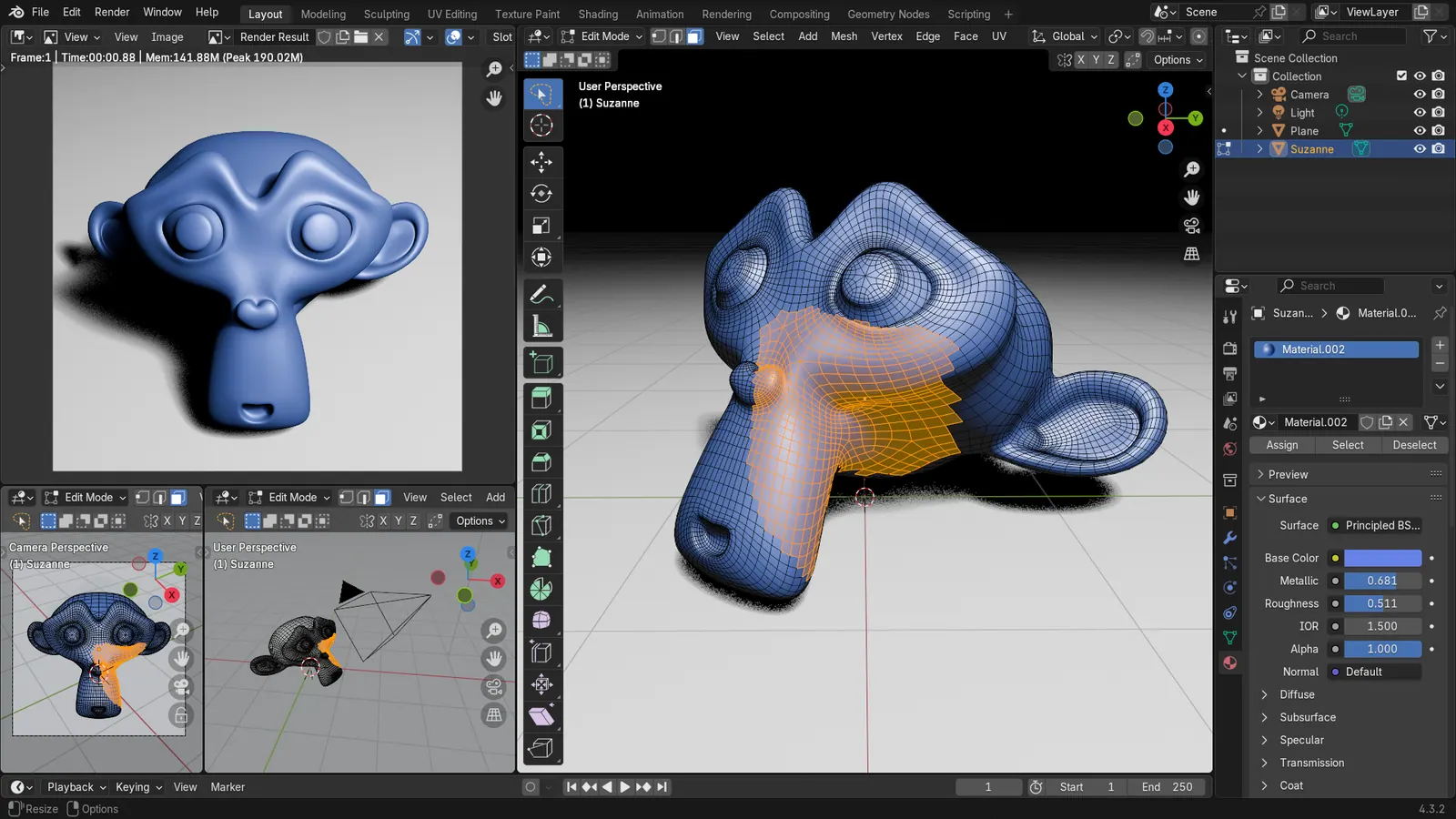
Blender 5.2 LTS - Showcase Reel
By Blender ·
Playing loads YouTube. YouTube will receive your IP address and device information.
Best free 3D Printing Software compared: UltiMaker Cura, PrusaSlicer, OrcaSlicer, Bambu Studio and 4 more, with free-plan limits, platforms and prices from official pages checked October 24, 2026.
•4 min read•3D & CAD
| Tool | Price | Platforms | Best for | Tested |
|---|---|---|---|---|
| UltiMaker Cura | Free (Free and open source under LGPL-3.0) | Desktop | Printers from many brands | Docs only |
| PrusaSlicer | Free (Free, open source, no account required, per the PrusaSlicer page) | Windows, macOS, Linux | Prusa printers and tuning | Docs only |
| OrcaSlicer | Free (Free, open-source slicer for FDM printers, per orcaslicer.com) | Desktop | Calibrating and tuning FDM prints | Docs only |
| Bambu Studio | Free (Free; licensed AGPL-3.0 per the project README) | Windows, macOS, Linux | Bambu Lab printers | Docs only |
| Tinkercad | Free (Free, browser-based 3D design) | Web | First models for beginners | Docs only |
| FreeCAD | Free (Free, no sign-up) | Windows, macOS, Linux | Functional printed parts | Docs only |
| OpenSCAD | Free (Free software; no paid tier) | Windows, macOS, Linux | Parametric parts written as code | Docs only |
| Blender | Free (Free for any purpose, including commercial work) | Windows, macOS, Linux | Figurines and organic shapes | Docs only |
Independent comparison. Paid placements are labelled separately; editorial links earn no affiliate commissions. Learn more.
Images from the linked documentation. Versions and features may differ from current plans.
By Blender ·
Playing loads YouTube. YouTube will receive your IP address and device information.
A 3D print starts in two places: a model, and a slicer that turns it into instructions for the printer. Free software covers both. For the model, Tinkercad builds simple shapes in a browser, FreeCAD and OpenSCAD make dimensioned parts, and Blender handles organic shapes and repairs. For slicing, Cura, PrusaSlicer, OrcaSlicer and Bambu Studio are all free and open source, and the differences come down to printer support rather than price. Bambu Studio is the natural choice for Bambu Lab printers, PrusaSlicer for Prusa machines, and Cura or OrcaSlicer for almost everything else. Do not download all four. Pick the slicer your printer maker documents, because its profiles are the ones that have been tested on your hardware. Pick a modeling tool by the kind of part you design: Tinkercad for a first print, FreeCAD when dimensions matter, OpenSCAD if you like writing code. The trade-off to know is that the easiest modeling tool, Tinkercad, runs only in the browser and stores designs in an Autodesk account, while FreeCAD and OpenSCAD keep everything local at the cost of a steeper start. Fusion is listed for hobbyists, but its free license is limited to non-commercial use under a small income cap, so it does not suit a print business.
LGPL-3.0 slicer from UltiMaker with a free download. Widely used across printer brands; the vendor site blocked our fetch, so we confirmed the license from the source repository.
Price: Free (Free and open source under LGPL-3.0) (UltiMaker Cura pricing, checked 2026-10-24).
Platforms and license: Desktop. LGPL-3.0 (open source).
Project activity: 7.1k GitHub stars · latest release 5.13.0 (May 28, 2026) · last commit Oct 27, 2026
Best for: Printers from many brands.
Free, open-source AGPL-3.0 slicer with no account required. Offers Simple, Advanced and Expert modes in one app, and Prusa printers are best supported.
Price: Free (Free, open source, no account required, per the PrusaSlicer page) (PrusaSlicer pricing, checked 2026-10-24).
Platforms and license: Windows, macOS, Linux. AGPL-3.0 (open source).
Project activity: 9.4k GitHub stars · latest release version_2.9.6 (Jun 25, 2026) · last commit Sep 21, 2026
Best for: Prusa printers and tuning.
Free open-source slicer for FDM printers with built-in calibration tools and per-feature control. Aimed at people who tune prints, so it shows more settings than beginners need.
Price: Free (Free, open-source slicer for FDM printers, per orcaslicer.com) (OrcaSlicer pricing, checked 2026-10-24).
Platforms and license: Desktop. AGPL-3.0 (open source).
Project activity: 16.2k GitHub stars · latest release v2.4.2 (Jul 7, 2026) · last commit Oct 28, 2026
Best for: Calibrating and tuning FDM prints.
AGPL-3.0 slicer from Bambu Lab, based on PrusaSlicer, with prebuilt Windows, macOS and Linux releases. Designed around Bambu printers.
Price: Free (Free; licensed AGPL-3.0 per the project README) (Bambu Studio pricing, checked 2026-10-24).
Platforms and license: Windows, macOS, Linux. AGPL-3.0 (open source).
Project activity: 5.2k GitHub stars · latest release v02.08.02.61 (Aug 21, 2026) · last commit Oct 13, 2026
Best for: Bambu Lab printers.
Free browser-based 3D design from Autodesk, the quickest route to a first printable model. Too limited for detailed engineering parts.
Price: Free (Free, browser-based 3D design) (Tinkercad pricing, checked 2026-10-23).
Platforms and license: Web. Proprietary.
Best for: First models for beginners.
Compare: Tinkercad alternatives
Free, LGPL-2.1 parametric modeler with no sign-up. Dimensioned sketches make printable mechanical parts predictable; expect a learning curve.
Price: Free (Free, no sign-up) (FreeCAD pricing, checked 2026-10-22).
Platforms and license: Windows, macOS, Linux. LGPL-2.1 (open source).
Project activity: 34.9k GitHub stars · latest release 1.1.4 (Sep 28, 2026) · last commit Oct 27, 2026
Best for: Functional printed parts.
Worth knowing: Mainly parametric 3D; 2D drafting is not its strength.
GPL-2.0 script-based solid modeler. Change one variable and the whole part resizes, but there is no drag-to-sketch interface.
Price: Free (Free software; no paid tier) (OpenSCAD pricing, checked 2026-10-23).
Platforms and license: Windows, macOS, Linux. GPL-2.0 (open source).
Project activity: 10.5k GitHub stars · latest release openscad-2021.01 (Feb 7, 2021) · last commit Oct 27, 2026
Best for: Parametric parts written as code.
Worth knowing: Script-based solid modeler: you describe parts in code, there is no drag-to-sketch interface. License from an archived copy of openscad.org; other listings say GPL-2.0-or-later.
Free for any purpose including commercial work. Good for organic shapes and mesh edits; heavy for simple geometry.
Price: Free (Free for any purpose, including commercial work) (Blender pricing, checked 2026-10-22).
Platforms and license: Windows, macOS, Linux. GPL-3.0-or-later (open source).
Best for: Figurines and organic shapes.
Worth knowing: Texture painting and baking are built in, with node-based shading; no layer stack with smart materials like Painter.
Compare: Blender alternatives
Docs-only for UltiMaker Cura, PrusaSlicer, OrcaSlicer, Bambu Studio, Tinkercad, FreeCAD, OpenSCAD, Blender: we did not install or run them, so feature claims come from vendor pages. Vendor prices and free limits change; confirm on the linked pricing page before you commit.
Kevin Fan is a SaaS founder. He runs Free Instead Of, which tracks free and open-source alternatives to paid software and checks each price and free-plan limit against the vendor's own pages.
Based on official pricing, license and product pages checked between 2026-10-22 and 2026-10-24: UltiMaker Cura, PrusaSlicer, OrcaSlicer, Bambu Studio, Tinkercad, FreeCAD, OpenSCAD, Blender. Prices, free limits and licenses are the figures shown on those pages on those dates. No tool on this page was installed or run. No accounts were created.