Flex and Grid layouts in Penpot in under 5 minutes
By Penpot ·
Playing loads YouTube. YouTube will receive your IP address and device information.
Sketch alternatives: Figma, Penpot, Lunacy, Inkscape and 1 more. Prices and licenses checked October 23, 2026.
•3 min read•Graphic Design & Diagramming
Verdict:Leave Sketch if your team includes Windows users or your clients expect to open files in a browser. The Sketch pricing page lists Standard at $12 per editor a month billed yearly, or a $120 Mac license with a year of updates, and it is Mac-only. Figma is the default move: it opens in a browser, has a free plan, and paid editor seats start at $16 on its page. Penpot is the open-source route, with hosted and self-hosted options and a price from $7 on its page, and it is the one to pick if license control matters. Lunacy is useful when you mostly need to read or edit existing .sketch files on Windows or Linux, and it is free, though built-in Icons8 assets need a credit unless you pay. Inkscape only replaces the drawing part of Sketch, not the UI-design workflow. Canva suits marketing graphics, not interface work. The trade-off is plugin and file history: years of Sketch libraries and plugins may not move over cleanly, and migration takes real hours. If you work alone on a Mac and are happy, there is little reason to leave. If you need cross-platform editing or are cutting seats, Figma or Penpot is where to start.
| Tool | Price | Platforms | Best for | Tested |
|---|---|---|---|---|
| Figma | Free (Starter at $0: limited access to Figma products, unlimited drafts, 150 AI credits a day (500 a month)); paid from $16 per per full seat/month (Professional); annual rate not shown in the extracted text | Web, macOS, Windows | Teams that are not all on Mac | Docs only |
| Penpot | Free (Professional plan at $0: up to 8 team members plus unlimited viewers, 10GB storage, 7 days of version history); paid from $7 per per editor/month (Unlimited), capped at $175/month; 14-day free trial | Web | Open-source design with self-hosting | Docs only |
| Lunacy | Free (Free for personal and commercial use per Icons8 docs; built-in Icons8 assets need a link back or a paid subscription; cloud documents need a subscription) | Windows, macOS, Linux | Opening .sketch files off a Mac | Docs only |
| Inkscape | Free (Free software under GPLv3; the site asks for donations and lists no paid tier) | Linux, macOS, Windows | Vector illustration and icons | Docs only |
| Canva | Free (Free plan available; see the pricing page for its current limits) | Web, Windows, macOS, iOS, Android | Marketing graphics rather than UI design | Docs only |
Independent comparison. Paid placements are labelled separately; editorial links earn no affiliate commissions. Learn more.
Images from the linked documentation. Versions and features may differ from current plans.
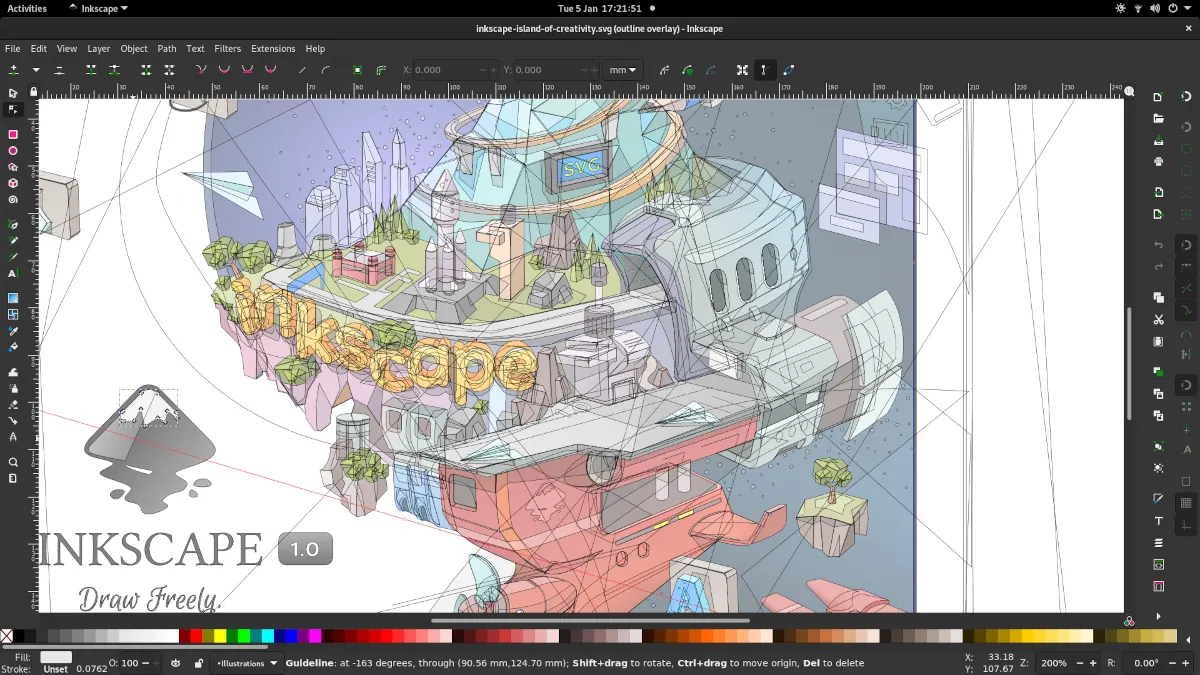
Inkscape 1.1 — outline overlay preview
Moini · Source · CC BY-SA 4.0
By Penpot ·
Playing loads YouTube. YouTube will receive your IP address and device information.
Sketch today: Paid from $12 per per editor/month, billed yearly (Standard); Mac-only license is $120 one-time with one year of updates (Sketch pricing, checked 2026-10-23).
Sketch charges per editor: Standard is $12 per editor per month billed yearly, and SSO and permission groups only arrive with Professional at $24. The one-time Mac-only license costs $120 per seat but includes one year of updates, and it leaves out collaboration, online document sharing and iOS previewing, so teams that share files end up on a subscription. Every plan starts from a 30-day trial rather than a free tier; free access covers unlimited viewers and an education plan.
Compared with Sketch: Runs in a browser and on Windows and macOS, so teammates on any OS can open files, which Sketch cannot do since it is Mac-only. Paid editor seats start at $16 on its page; the free plan has file and project limits.
Price: Free (Starter at $0: limited access to Figma products, unlimited drafts, 150 AI credits a day (500 a month)); paid from $16 per per full seat/month (Professional); annual rate not shown in the extracted text (Figma pricing, checked 2026-10-23).
Platforms and license: Web, macOS, Windows. Proprietary.
Best for: Teams that are not all on Mac.
Compared with Sketch: Open-source design tool with a hosted plan and a self-hosted option, so you can avoid per-seat pricing. It lacks Sketch's mature plugin library and native macOS feel, but works in any browser.
Price: Free (Professional plan at $0: up to 8 team members plus unlimited viewers, 10GB storage, 7 days of version history); paid from $7 per per editor/month (Unlimited), capped at $175/month; 14-day free trial (Penpot pricing, checked 2026-10-23).
Platforms and license: Web. MPL-2.0 (open source).
Project activity: 61.8k GitHub stars · latest release 2.18.5 (Oct 26, 2026) · last commit Oct 27, 2026
Best for: Open-source design with self-hosting.
Compared with Sketch: Free for personal and commercial use per Icons8 docs, and it opens Sketch files on Windows, macOS and Linux. Built-in Icons8 assets need a link back unless you pay, and the collaboration features are thinner than Sketch's.
Price: Free (Free for personal and commercial use per Icons8 docs; built-in Icons8 assets need a link back or a paid subscription; cloud documents need a subscription) (Lunacy pricing, checked 2026-10-23).
Platforms and license: Windows, macOS, Linux. Proprietary.
Best for: Opening .sketch files off a Mac.
Compared with Sketch: Free, open-source vector editor for icons and illustrations. It has no prototyping, components or shared libraries like Sketch, so it replaces only the drawing side, but costs nothing.
Price: Free (Free software under GPLv3; the site asks for donations and lists no paid tier) (Inkscape pricing, checked 2026-10-22).
Platforms and license: Linux, macOS, Windows. GPL-3.0 (open source).
Project activity: 4.1k GitHub stars · No commits since Mar 3, 2022
Best for: Vector illustration and icons.
Worth knowing: SVG vector editor. The site links to the GPLv3 guide; the GPLv3 license name is taken from that link.
Compared with Sketch: Free plan for quick graphics from templates. Not a UI design tool: no component system or developer handoff like Sketch, but fine for banners, decks and social images.
Price: Free (Free plan available; see the pricing page for its current limits) (Canva pricing, checked 2026-10-22).
Platforms and license: Web, Windows, macOS, iOS, Android. Proprietary.
Best for: Marketing graphics rather than UI design.
Docs-only for Figma, Penpot, Lunacy, Inkscape, Canva: we did not install or run them, so feature claims come from vendor pages and we did not test import from Sketch. Vendor prices and free limits change; confirm on the linked pricing page before you buy or migrate.
Kevin Fan is a SaaS founder. He runs Free Instead Of, which tracks free and open-source alternatives to paid software and checks each price and free-plan limit against the vendor's own pages.
Based on official pricing and product pages checked between 2026-10-22 and 2026-10-23: Sketch, Figma, Penpot, Lunacy, Inkscape, Canva. Prices, free limits and licenses are the figures shown on those pages on those dates. No tool on this page was installed or run. No accounts were created.