Blender 5.2 LTS - Showcase Reel
By Blender ·
Playing loads YouTube. YouTube will receive your IP address and device information.
Best open-source Video Editors compared: Kdenlive, Shotcut, OpenShot, Flowblade and 2 more, with licenses, platforms and prices from official pages checked October 23, 2026.
•3 min read•Video Editing & AI Video

| Tool | Price | Platforms | Best for | Tested |
|---|---|---|---|---|
| Kdenlive | Free | Linux, Windows, macOS | A conventional multitrack timeline | Docs only |
| Shotcut | Free | Desktop | Filter-heavy edits on modest hardware | Docs only |
| OpenShot | Free | Windows, macOS, Linux | Beginners | Docs only |
| Flowblade | Free | Linux | Linux-only workflows | Docs only |
| Avidemux | Free | Windows, macOS, Linux | Quick trims and re-encodes | Docs only |
| Blender | Free (Free for any purpose, including commercial work) | Windows, macOS, Linux | Mixing 3D work with cuts | Docs only |
Independent comparison. Paid placements are labelled separately; editorial links earn no affiliate commissions. Learn more.
Images from the linked documentation. Versions and features may differ from current plans.
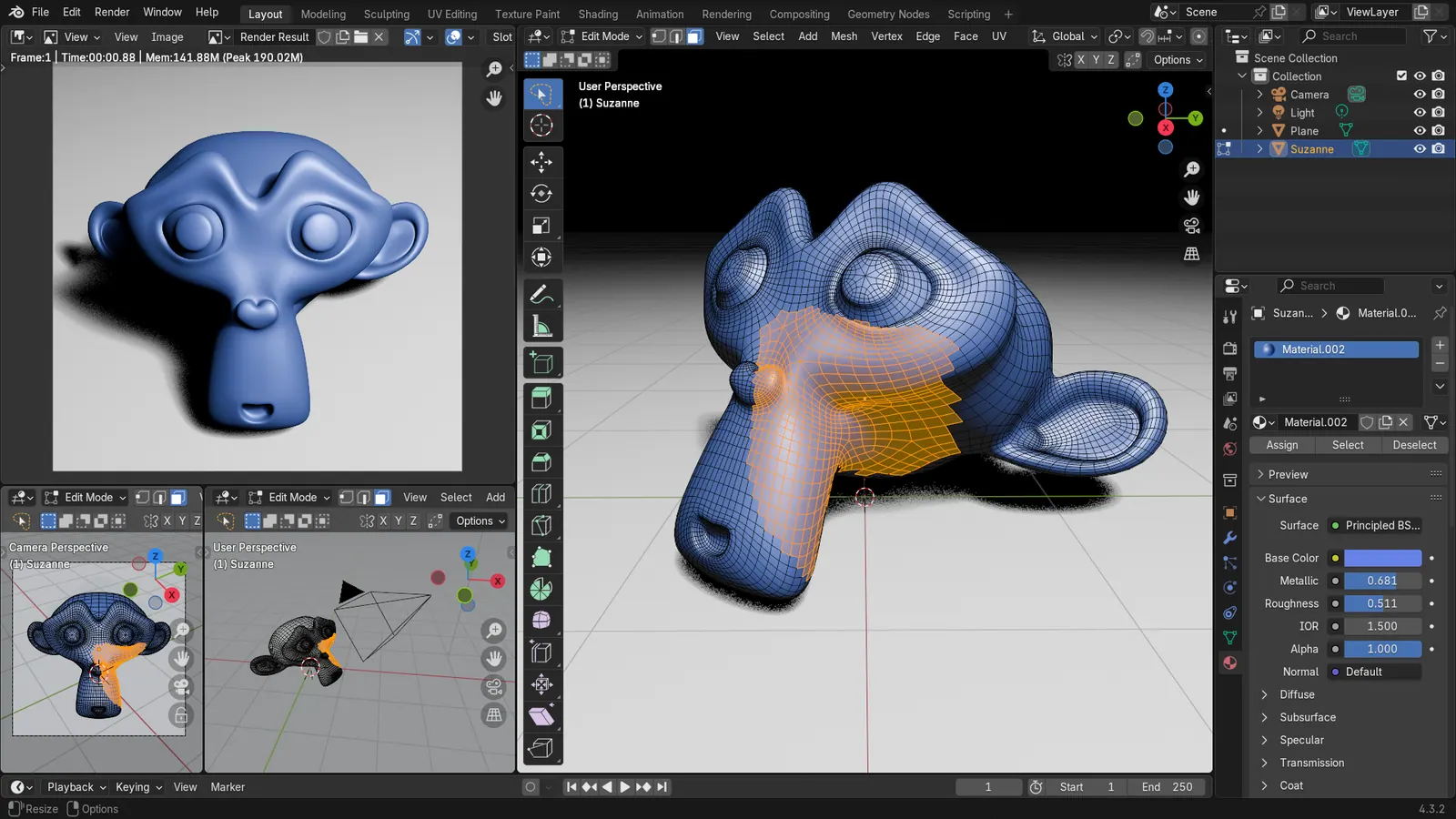
Blender 4.3.2 screenshot
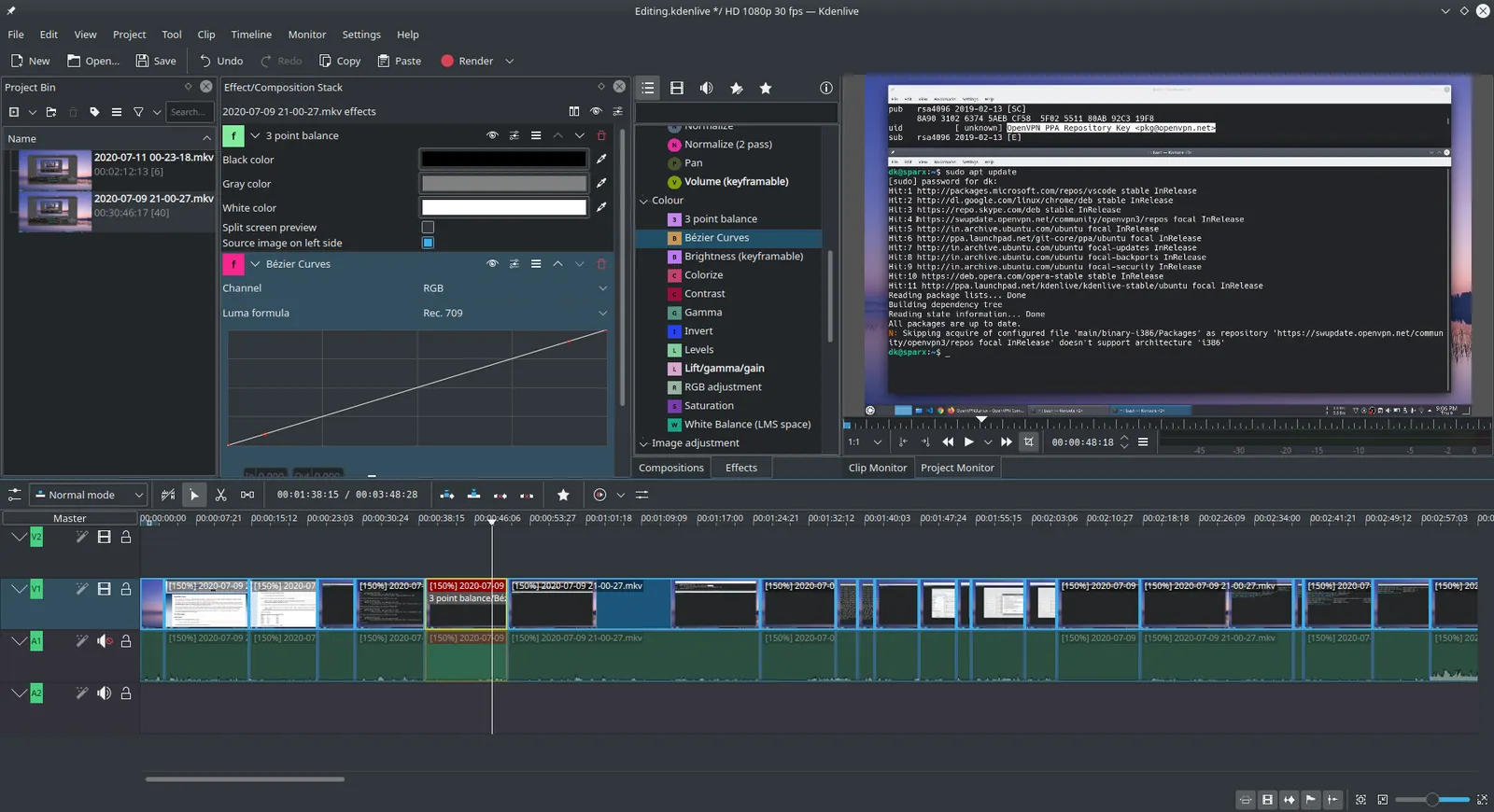
Kdenlive 20.04.1
Ddeepeshkumar · Source · CC BY-SA 4.0
By Blender ·
Playing loads YouTube. YouTube will receive your IP address and device information.
An open-source video editor gives you a timeline, cuts, titles and export without a watermark, and the differences between them are mostly about operating system and temperament. Kdenlive and Shotcut are the two most capable general editors: Kdenlive leans toward a conventional multitrack layout, while Shotcut is built around filters and works well on modest computers. OpenShot pitches itself as simple, free and without subscriptions or project limits, which makes it the usual first stop for beginners. Flowblade is a multitrack editor for Linux only. Avidemux is closer to a tool for quick cuts and re-encodes than a full editor. Blender includes a video sequencer alongside its 3D tools, which is clunky for plain editing but handy if you already use it for animation. Expect to trade polish for price: free editors tend to have rougher effects libraries, fewer built-in templates and thinner help than paid suites, and crash recovery varies by program. Test with your own footage before committing a long project, in particular the codec your camera or phone produces. Every program below is licensed under the GPL, so you can use it for client work and personal videos alike without paying anything or crediting the vendor.
GPL-3.0 multitrack editor from the KDE community, for Windows, Linux and macOS. The repository describes it as a free and open-source editor built on the MLT framework.
Price: Free (Kdenlive pricing, checked 2026-10-23).
Platforms and license: Linux, Windows, macOS. GPL-3.0 (open source) (license source).
Project activity: 6k GitHub stars · last commit Oct 27, 2026
Best for: A conventional multitrack timeline.
GPL-3.0 cross-platform editor described by its site as free and open source with no paid version. Strong on filters; the operating systems were not checked on the site.
Price: Free (Shotcut pricing, checked 2026-10-23).
Platforms and license: Desktop. GPL-3.0 (open source) (license source).
Project activity: 15.5k GitHub stars · latest release v26.9.27 (Sep 28, 2026) · last commit Oct 27, 2026
Best for: Filter-heavy edits on modest hardware.
GPL-3.0-or-later editor for Windows, macOS and Linux. Its site states no subscriptions, watermarks or project limits, making it a gentle starting point.
Price: Free (OpenShot pricing, checked 2026-10-23).
Platforms and license: Windows, macOS, Linux. GPL-3.0-or-later (open source) (license source).
Project activity: 6.7k GitHub stars · latest release v4.0.1 (Sep 27, 2026) · last commit Oct 27, 2026
Best for: Beginners.
Worth knowing: Stated on its site as free and open source with no subscriptions, watermarks or project limits; no paid version mentioned.
GPL-3.0 multitrack non-linear editor for Linux only. Choose it if you work on a Linux desktop and want something purpose-built for it.
Price: Free (Flowblade pricing, checked 2026-10-23).
Platforms and license: Linux. GPL-3.0 (open source) (license source).
Project activity: 3.1k GitHub stars · latest release v2.24.2 (May 29, 2026) · last commit Oct 20, 2026
Best for: Linux-only workflows.
GPL-2.0 simple cross-platform editor for Windows, macOS and Linux. Better for cuts and re-encoding than layered edits.
Price: Free (Avidemux pricing, checked 2026-10-23).
Platforms and license: Windows, macOS, Linux. GPL-2.0 (open source) (license source).
Project activity: 984 GitHub stars · latest release 2.8.1 (Sep 21, 2022) · last commit Oct 26, 2026
Best for: Quick trims and re-encodes.
GPL-3.0-or-later 3D suite free for any purpose including commercial work, with a built-in video sequencer. Awkward as a plain editor but useful if you animate in it.
Price: Free (Free for any purpose, including commercial work) (Blender pricing, checked 2026-10-22).
Platforms and license: Windows, macOS, Linux. GPL-3.0-or-later (open source) (license source).
Best for: Mixing 3D work with cuts.
Worth knowing: Texture painting and baking are built in, with node-based shading; no layer stack with smart materials like Painter.
Compare: Blender alternatives
Docs-only for Kdenlive, Shotcut, OpenShot, Flowblade, Avidemux, Blender: we did not install or run them, so feature claims come from vendor pages. Vendor prices and free limits change; confirm on the linked pricing page before you commit.
Kevin Fan is a SaaS founder. He runs Free Instead Of, which tracks free and open-source alternatives to paid software and checks each price and free-plan limit against the vendor's own pages.
Based on official pricing, license and product pages checked between 2026-10-22 and 2026-10-23: Kdenlive, Shotcut, OpenShot, Flowblade, Avidemux, Blender. Prices, free limits and licenses are the figures shown on those pages on those dates. No tool on this page was installed or run. No accounts were created.