invideo AI Alternatives 2026: 6 Free Options
invideo AI alternatives: Clipchamp, CapCut, Kapwing, HeyGen and 2 more. Prices and licenses checked October 24, 2026.
•3 min read•Video Editing & AI Video

Verdict:Leave invideo if you are paying for monthly AI credits to assemble videos that a normal editor could cut. The invideo pricing page lists Starter at $10 per seat a month on annual billing ($20 monthly) with 400 credits, Plus at $30 and Max at $75, and it says unused credits do not roll over. We saw no free plan. Clipchamp is the easiest free swap: it exports up to 1080p without a watermark, but you cut the video yourself. CapCut and Kapwing both have free plans and paid tiers near $16 to $20, and suit short clips built from templates. HeyGen is the pick when the video is a presenter talking to camera, with a free plan of 3 watermarked one-minute videos a month. Kdenlive and Shotcut are free and open source and remove credits altogether, at the cost of learning a timeline editor. The trade-off is effort. Invideo's value is that a prompt becomes a draft; none of these free tools writes the script and finds the footage for you in the same way. If your volume is low, a free editor is cheaper in cash. If you produce many drafts each week, the credit bill may still be cheaper than your time.
Quick comparison
| Tool | Price | Platforms | Best for | Tested |
|---|---|---|---|---|
| Clipchamp | Free (Free: export up to 1080p with no watermark; premium stock assets, premium filters and effects, and brand kit not included) | Web, Windows | Free browser editing without a watermark | Docs only |
| CapCut | Free (Free plan includes free templates and basic editing tools; the page gives no numeric limits); paid from $19.99 per month (Pro, monthly; $179.99 billed yearly) | Desktop, Mobile, Web | Template-driven short videos | Docs only |
| Kapwing | Free (Free: 10 credits, watermarked exports, 720p, up to 4 minutes per video, 30 minutes of export a month, 2 GB uploads, 5 GB storage kept for 3 days); paid from $16 per month (Pro, 1,000 credits; the page has a monthly/annual toggle with 33% off annual but does not state which the $16 is) | Web | Browser editing with a free tier | Docs only |
| HeyGen | Free (3 videos a month, watermarked, up to 1 minute each, one custom video avatar, 500+ ready-made presenters); paid from $24 per month, Creator plan billed annually ($29 billed monthly) | Web | Avatar presenter videos | Docs only |
| Kdenlive | Free | Linux, Windows, macOS | Full manual editing, no subscription | Docs only |
| Shotcut | Free | Desktop | Simple offline editing | Docs only |
| Descript | Free (60 media minutes a month, 720p export with a watermark, 100 one-time AI credits); paid from $16 per person/month, billed annually (Hobbyist; $24 billed monthly) | Web, Windows, macOS | Video and audio editing | Docs only |
Independent comparison. Paid placements are labelled separately; editorial links earn no affiliate commissions. Learn more.
See the tools in action
Images from the linked documentation. Versions and features may differ from current plans.
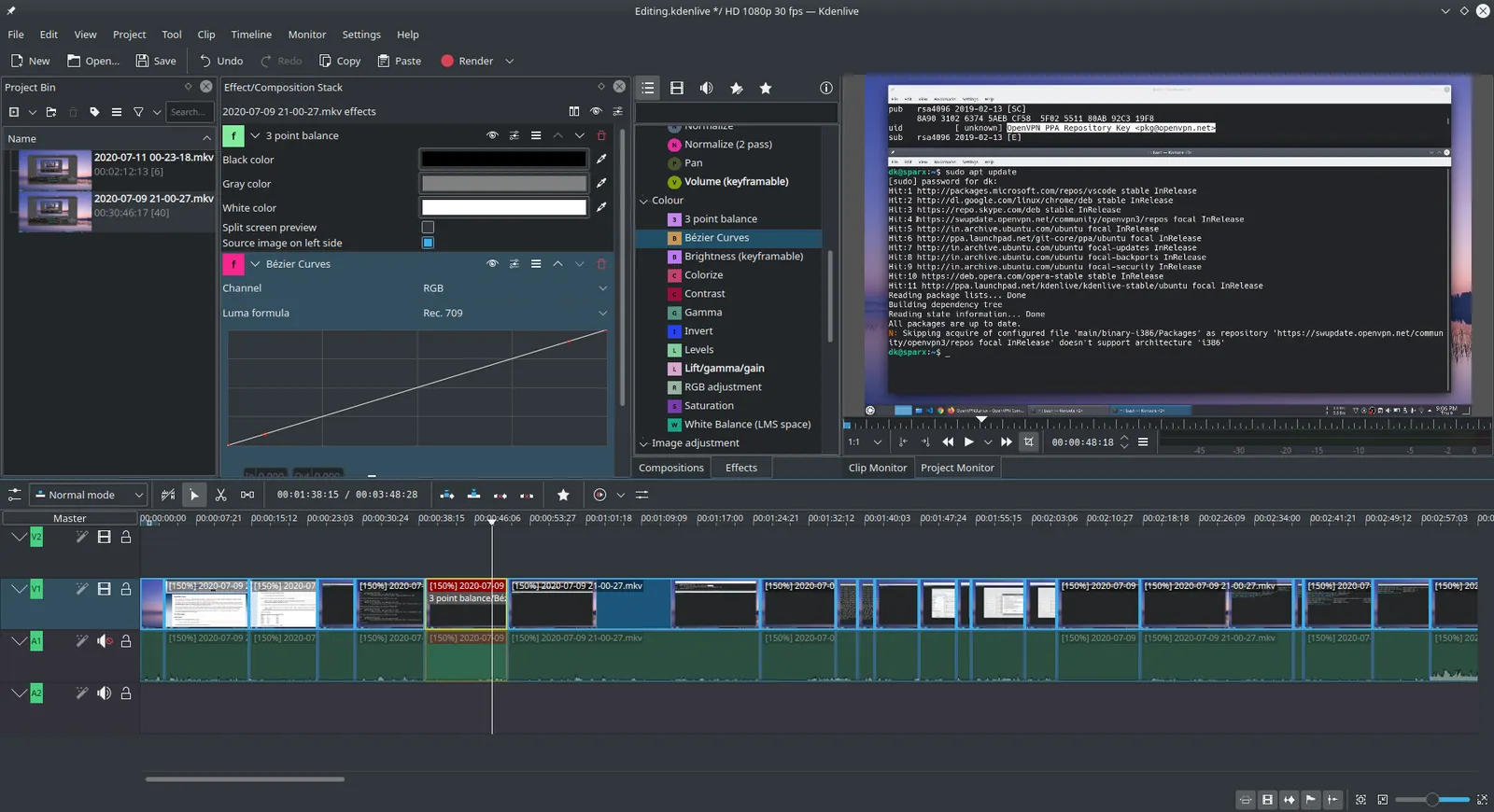
Kdenlive 20.04.1
Ddeepeshkumar · Source · CC BY-SA 4.0
Good fit if
- You want a free editor with no watermark (Clipchamp is the pick)
- You make short clips from templates (CapCut is the pick)
- The video is a presenter on camera (HeyGen is the pick)
- You want no subscription and full control (Kdenlive is the pick)
- You edit in the browser and want a free tier (Kapwing is the pick)
Not ideal if
- You rely on invideo AI features or integrations that these tools do not replicate
invideo AI today: Paid from $10 per seat/month, billed annually (Starter, 400 credits; $20 billed monthly) (invideo AI pricing, checked 2026-10-22).
Why people look for invideo AI alternatives
InVideo's pricing page lists only paid plans. Starter is $10 per seat per month billed annually ($20 monthly) with 400 credits and up to 5 seats; Plus is $30 and Max $75. Credits fund video creation and generative models, such as about 56 credits per 5 seconds of Seedance 2.5 720p video. Unused credits do not roll over, and the page says credit costs can change at any time without notice.
Clipchamp
Compared with invideo AI: Free export up to 1080p with no watermark. You edit on a timeline rather than prompting an AI to produce the video, and premium stock needs Microsoft 365, but the basic editor costs nothing.
Price: Free (Free: export up to 1080p with no watermark; premium stock assets, premium filters and effects, and brand kit not included) (Clipchamp pricing, checked 2026-10-23).
Platforms and license: Web, Windows. Proprietary.
Best for: Free browser editing without a watermark.
CapCut
Compared with invideo AI: Free plan with templates and basic editing tools; Pro is $19.99 a month. You do the cutting yourself, where invideo's plans meter AI work in credits that do not roll over.
Price: Free (Free plan includes free templates and basic editing tools; the page gives no numeric limits); paid from $19.99 per month (Pro, monthly; $179.99 billed yearly) (CapCut pricing, checked 2026-10-22).
Platforms and license: Desktop, Mobile, Web. Proprietary.
Best for: Template-driven short videos.
Kapwing
Compared with invideo AI: Free plan with watermarked 720p exports up to 4 minutes; Pro is $16. Closer to a browser editor than invideo's prompt-to-video, with credits instead of invideo's larger seat plans.
Price: Free (Free: 10 credits, watermarked exports, 720p, up to 4 minutes per video, 30 minutes of export a month, 2 GB uploads, 5 GB storage kept for 3 days); paid from $16 per month (Pro, 1,000 credits; the page has a monthly/annual toggle with 33% off annual but does not state which the $16 is) (Kapwing pricing, checked 2026-10-24).
Platforms and license: Web. Proprietary.
Best for: Browser editing with a free tier.
HeyGen
Compared with invideo AI: Free plan gives 3 watermarked videos a month up to 1 minute each, with 500+ presenters. It targets avatar videos, so you give up invideo's stock-footage assembly for a talking presenter.
Price: Free (3 videos a month, watermarked, up to 1 minute each, one custom video avatar, 500+ ready-made presenters); paid from $24 per month, Creator plan billed annually ($29 billed monthly) (HeyGen pricing, checked 2026-10-23).
Platforms and license: Web. Proprietary.
Best for: Avatar presenter videos.
Kdenlive
Compared with invideo AI: Free GPL-3.0 desktop editor with no credits or seats. No AI generation like invideo, so you supply footage and learn a timeline, but there is no monthly bill.
Price: Free (Kdenlive pricing, checked 2026-10-23).
Platforms and license: Linux, Windows, macOS. GPL-3.0 (open source).
Project activity: 6k GitHub stars · last commit Oct 27, 2026
Best for: Full manual editing, no subscription.
Shotcut
Compared with invideo AI: Free, open-source GPL-3.0 editor for desktop. It will not generate scenes from a prompt as invideo does; it edits what you give it with no credit limits.
Price: Free (Shotcut pricing, checked 2026-10-23).
Platforms and license: Desktop. GPL-3.0 (open source).
Project activity: 15.5k GitHub stars · latest release v26.9.27 (Sep 28, 2026) · last commit Oct 27, 2026
Best for: Simple offline editing.
Other popular options (paid)
Descript
Compared with invideo AI: Free plan gives 60 media minutes a month with 720p export and a watermark. Hobbyist is $16 per month billed annually ($24 monthly), above InVideo Starter's $10 annual price.
Price: Free (60 media minutes a month, 720p export with a watermark, 100 one-time AI credits); paid from $16 per person/month, billed annually (Hobbyist; $24 billed monthly) (Descript pricing, checked 2026-10-22).
Which one to pick
Limits of this review
Docs-only for Clipchamp, CapCut, Kapwing, HeyGen, Kdenlive, Shotcut: we did not install or run them, so feature claims come from vendor pages and we did not test import from invideo AI. Vendor prices and free limits change; confirm on the linked pricing page before you buy or migrate.
Related guides
More in Video Editing & AI Video
All Video Editing & AI Video alternatives →Sources
Kevin Fan
Kevin Fan is a SaaS founder. He runs Free Instead Of, which tracks free and open-source alternatives to paid software and checks each price and free-plan limit against the vendor's own pages.
Methodology
Based on official pricing and product pages checked between 2026-10-22 and 2026-10-24: invideo AI, Clipchamp, CapCut, Kapwing, HeyGen, Kdenlive, Shotcut, Descript. Prices, free limits and licenses are the figures shown on those pages on those dates. No tool on this page was installed or run. No accounts were created.