LibreOffice 25.8: New features
By LibreOffice - The Document Foundation ·
Playing loads YouTube. YouTube will receive your IP address and device information.
Google Docs alternatives: ONLYOFFICE, LibreOffice, Nextcloud, Docmost and 2 more. Prices and licenses checked October 23, 2026.
•4 min read•Office, Docs & Presentations
Verdict:Google Docs is free for anyone with a Google account, and most people only leave it when they need their files on a server they own or when they want a desktop editor that works offline. Google's Docs page notes that some features, such as joining a Meet call from a document, need a Workspace plan. Leave Docs when you want full control over where your documents are stored. LibreOffice is free to download and use, with Writer for documents, but it has no cloud storage, so it replaces only the desktop side of Docs. Nextcloud runs your own document server under AGPL-3.0, and the paid Enterprise Standard is EUR 71.29 per user a year at 100 users. ONLYOFFICE offers a startup cloud plan with up to three admins, and Business is $20 per admin a month, so the cost depends on how many people run the workspace. Docmost is open source under AGPL-3.0 and fits team documentation, at $6 per seat a month with a 10-seat minimum. Stay with Google Docs if your work is simple and you already live in Gmail and Drive.
| Tool | Price | Platforms | Best for | Tested |
|---|---|---|---|---|
| ONLYOFFICE | Free (Startup cloud plan with up to 3 admins, unlimited users and guests, 12 rooms and 2 GB of storage); paid from $20 per admin/month (Business cloud plan; only admins are paid) | Web, Self-hosted, Windows, macOS, Linux, iOS, Android | Teams that want Office-style editing | Docs only |
| LibreOffice | Free (download and use at no cost per its site) | Windows, macOS, Linux | Offline writing on your own machine | Docs only |
| Nextcloud | Free (Community server is free to self-host and the Nextcloud-branded desktop and mobile apps are free); paid from EUR 71.29 per user/year (Enterprise Standard at 100 users, 100-user minimum) | Web, Self-hosted, Desktop app, Mobile app | Self-hosted document storage | Docs only |
| Docmost | Free (open-source Community edition); paid from $6 per seat/month, billed annually, 10-seat minimum (Business) | Web, Self-hosted | Team wikis and docs | Docs only |
| AFFiNE | Free (local workspaces; Cloud Basic has 10 GB of storage, up to 3 members and 10 MB files); paid from $6.75 per month (Pro; the page does not name the billing term) | Web, Windows, macOS, Linux, Self-hosted | Small teams mixing pages and boards | Docs only |
| AppFlowy | Free (Personal plan with 1 workspace owner, 100 MB of storage, 7 MB uploads and 7-day version history); paid from $12 per member/month, billed annually ($16 billed monthly, Pro) | Windows, macOS, Linux, iOS, Android, Self-hosted | Open-source docs for one person | Docs only |
| Microsoft 365 | Free (Word, Excel and PowerPoint for the web with a Microsoft account, 5 GB of OneDrive, files must be saved in OneDrive); paid from $7 per user/month, paid yearly (Business Basic; $8.40 billed monthly) | Web, iOS, Android | Office suite | Docs only |
| Notion | Free (unlimited pages and blocks for individuals but limited for workspaces of 2 or more members, 5 MB per file, 10 guests, 7-day page history); paid from $10 per member/month (Plus; check the pricing page for the billing term) | Web, Windows, macOS, iOS, Android | Knowledge base | Docs only |
Independent comparison. Paid placements are labelled separately; editorial links earn no affiliate commissions. Learn more.
Images from the linked documentation. Versions and features may differ from current plans.
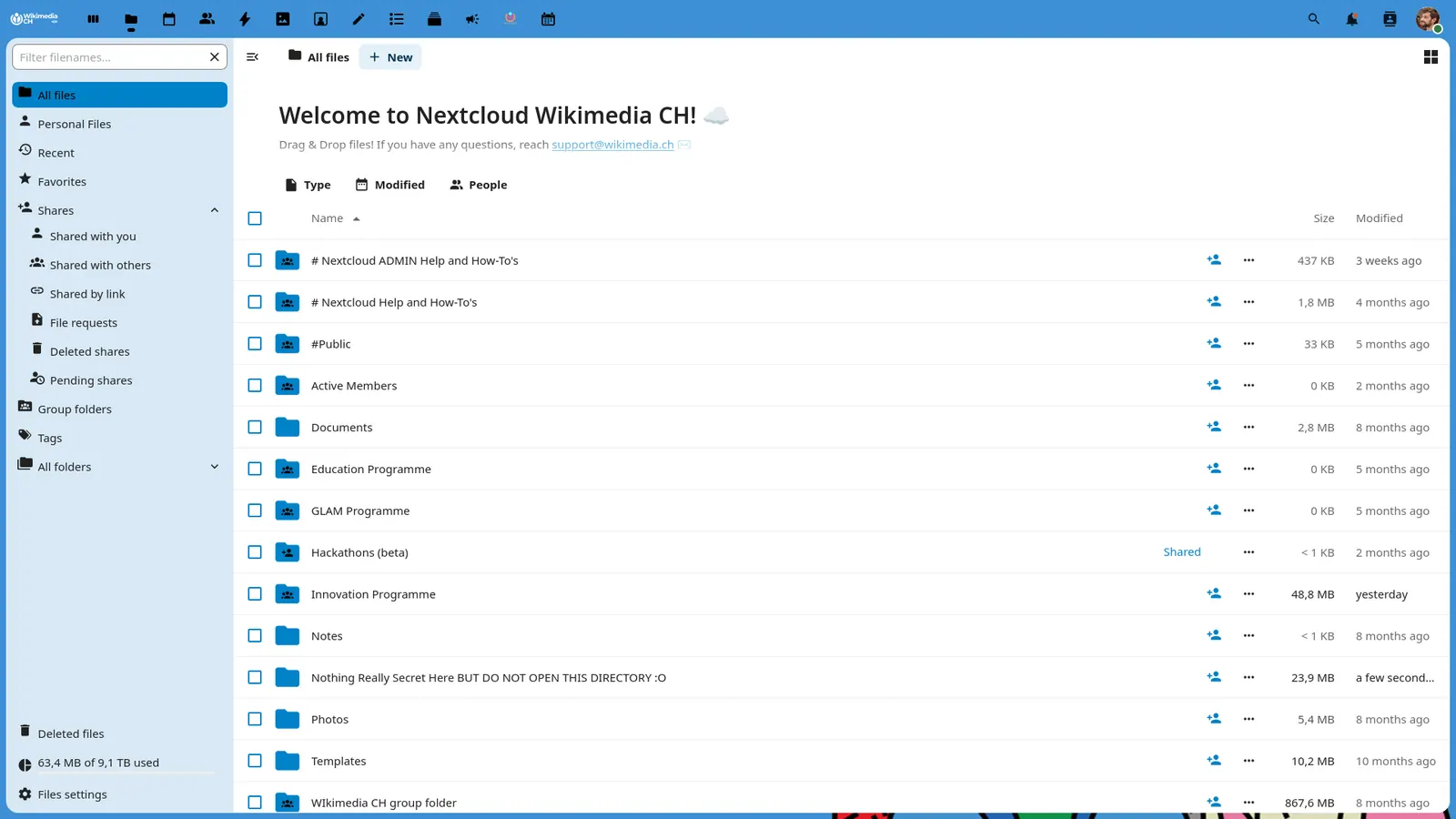
Nextcloud 30.0.13 - Files - Wikimedia CH
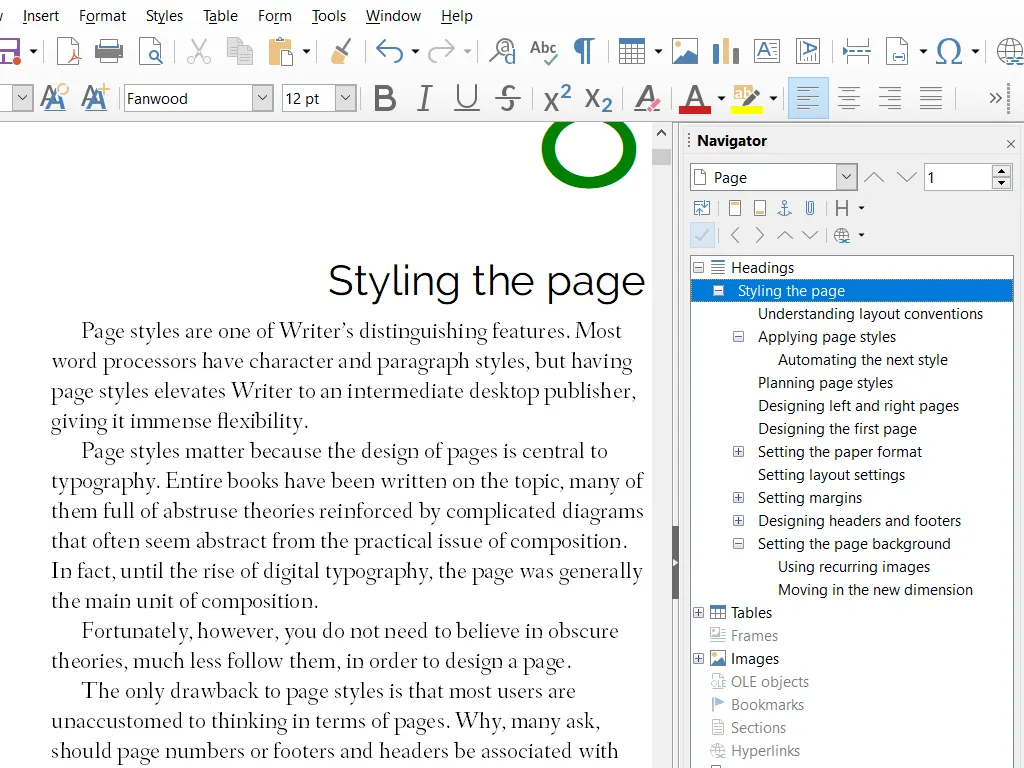
LibreOffice Writer — official interface example
The Document Foundation · Source · CC BY-SA 3.0
By LibreOffice - The Document Foundation ·
Playing loads YouTube. YouTube will receive your IP address and device information.
Google Docs today: Free (Free for anyone with a Google Account; storage comes from the Google account quota) (Google Docs pricing, checked 2026-10-23).
Every Google account includes up to 15 GB of free storage, and extra space is sold from 100 GB at $1.99 a month. Workspace plans start at $7 per user per month on monthly billing. Offline editing is not built in: Google's help page requires Chrome or Microsoft Edge, no private browsing, and the Google Docs Offline extension. Documents also live on Google's servers, which is the main reason people who want files on their own machine or server look elsewhere.
Compared with Google Docs: The startup cloud plan allows up to 3 admins with unlimited users and guests, 12 rooms and 2 GB. Google Docs is free for anyone with an account, so ONLYOFFICE only wins if you need its document server or the Business plan at $20 per admin a month.
Price: Free (Startup cloud plan with up to 3 admins, unlimited users and guests, 12 rooms and 2 GB of storage); paid from $20 per admin/month (Business cloud plan; only admins are paid) (ONLYOFFICE pricing, checked 2026-10-22).
Platforms and license: Web, Self-hosted, Windows, macOS, Linux, iOS, Android. AGPL-3.0 (Docs server) (open source).
Project activity: 7.1k GitHub stars · latest release v10.0.0 (Oct 12, 2026) · last commit Oct 26, 2026
Best for: Teams that want Office-style editing.
Compared with Google Docs: Free to download and use at no cost, with Writer as the word processor. It has no built-in cloud storage or email, so it replaces Docs on your desktop, not the sharing that Docs provides.
Price: Free (download and use at no cost per its site) (LibreOffice pricing, checked 2026-10-22).
Platforms and license: Windows, macOS, Linux. MPL-2.0 (open source).
Best for: Offline writing on your own machine.
Worth knowing: Desktop suite of Writer, Calc, Impress, Draw, Base and Math; it has no built-in cloud storage or email.
Compared with Google Docs: The community server is free to self-host under AGPL-3.0, so your documents stay on your own server. Google Docs needs no server, but Nextcloud's paid Enterprise Standard is EUR 71.29 per user a year at 100 users.
Price: Free (Community server is free to self-host and the Nextcloud-branded desktop and mobile apps are free); paid from EUR 71.29 per user/year (Enterprise Standard at 100 users, 100-user minimum) (Nextcloud pricing, checked 2026-10-22).
Platforms and license: Web, Self-hosted, Desktop app, Mobile app. AGPL-3.0 (open source).
Project activity: 37.3k GitHub stars · latest release v33.0.10 (Oct 15, 2026) · last commit Oct 27, 2026
Best for: Self-hosted document storage.
Compared with Google Docs: The community edition is open source under AGPL-3.0, and Business is $6 per seat a month billed annually with a 10-seat minimum. Docmost is a wiki-style editor, so it suits shared documentation more than letters and single files.
Price: Free (open-source Community edition); paid from $6 per seat/month, billed annually, 10-seat minimum (Business) (Docmost pricing, checked 2026-10-22).
Platforms and license: Web, Self-hosted. AGPL-3.0 (core; enterprise features under a separate license) (open source).
Project activity: 22.1k GitHub stars · latest release v0.97.0 (Oct 25, 2026) · last commit Oct 27, 2026
Best for: Team wikis and docs.
Worth knowing: Some features live in an enterprise directory under a separate Docmost Enterprise license.
Compared with Google Docs: Local workspaces are free and Cloud Basic includes 10 GB and up to 3 members. Pro starts at $6.75 a month, so AFFiNE is cheaper than a Google Workspace seat for small groups, though it is not a Docs clone.
Price: Free (local workspaces; Cloud Basic has 10 GB of storage, up to 3 members and 10 MB files); paid from $6.75 per month (Pro; the page does not name the billing term) (AFFiNE pricing, checked 2026-10-22).
Platforms and license: Web, Windows, macOS, Linux, Self-hosted. MIT (open source).
Project activity: 73.9k GitHub stars · latest release v0.27.4 (Aug 18, 2026) · last commit Oct 27, 2026
Best for: Small teams mixing pages and boards.
Compared with Google Docs: The personal plan is free with 100 MB storage, 7 MB uploads and 7-day history. Pro is $12 per member a month billed annually, which is more than Docs costs for a single user with a Google account.
Price: Free (Personal plan with 1 workspace owner, 100 MB of storage, 7 MB uploads and 7-day version history); paid from $12 per member/month, billed annually ($16 billed monthly, Pro) (AppFlowy pricing, checked 2026-10-22).
Platforms and license: Windows, macOS, Linux, iOS, Android, Self-hosted. AGPL-3.0 (open source).
Project activity: 77.8k GitHub stars · latest release 0.14.11 (Oct 26, 2026) · last commit Oct 27, 2026
Best for: Open-source docs for one person.
Compared with Google Docs: Business Basic is $7 per user a month billed yearly ($8.40 monthly) and gives Word for the web plus business email, not the desktop apps. Free Word for the web needs OneDrive, which includes 5 GB on a free account.
Price: Free (Word, Excel and PowerPoint for the web with a Microsoft account, 5 GB of OneDrive, files must be saved in OneDrive); paid from $7 per user/month, paid yearly (Business Basic; $8.40 billed monthly) (Microsoft 365 pricing, checked 2026-10-22).
Compared with Google Docs: Plus is $10 per member a month. Individuals get unlimited pages and blocks free, but workspaces with two or more members are limited, files cap at 5 MB, and page history on the free plan is 7 days.
Price: Free (unlimited pages and blocks for individuals but limited for workspaces of 2 or more members, 5 MB per file, 10 guests, 7-day page history); paid from $10 per member/month (Plus; check the pricing page for the billing term) (Notion pricing, checked 2026-10-22).
Docs-only for ONLYOFFICE, LibreOffice, Nextcloud, Docmost, AFFiNE, AppFlowy: we did not install or run them, so feature claims come from vendor pages and we did not test import from Google Docs. Vendor prices and free limits change; confirm on the linked pricing page before you buy or migrate.
Kevin Fan is a SaaS founder. He runs Free Instead Of, which tracks free and open-source alternatives to paid software and checks each price and free-plan limit against the vendor's own pages.
Based on official pricing and product pages checked between 2026-10-22 and 2026-10-23: Google Docs, ONLYOFFICE, LibreOffice, Nextcloud, Docmost, AFFiNE, AppFlowy, Microsoft 365, Notion. Prices, free limits and licenses are the figures shown on those pages on those dates. No tool on this page was installed or run. No accounts were created.