LibreOffice 25.8: New features
By LibreOffice - The Document Foundation ·
Playing loads YouTube. YouTube will receive your IP address and device information.
Google Workspace alternatives: Microsoft 365, Proton, Nextcloud, ONLYOFFICE and 1 more. Prices and licenses checked October 25, 2026.
•4 min read•Office, Docs & Presentations

Verdict:Google Workspace has no free plan: Business Starter lists at $7 per user per month with 30 GB pooled storage, and the page offers a 14-day trial. So an alternative has to beat a modest bill, which makes the choice about control more than money. Microsoft 365 Business Basic costs the same $7 per user paid yearly, so move there only if your clients and files already live in Office formats. Proton is the pick when email privacy matters most and the team is small; its free plan is 1 GB of Mail and up to 5 GB of Drive, which is a long way below Workspace storage. If you want to own the data, Nextcloud's community server is free under AGPL-3.0, but the real cost is the server and an admin, and paid support starts at 100 users. ONLYOFFICE is unusual because Business is billed per admin at $20 a month, with unlimited users and guests, so it can undercut per-seat suites when many people only view and comment. LibreOffice replaces nothing but the documents, which is enough for a freelancer and not enough for a company that needs shared calendars and mail. A sensible test is to list the five Workspace features you used last month and check each candidate against that list before you cancel.
| Tool | Price | Platforms | Best for | Tested |
|---|---|---|---|---|
| Microsoft 365 | Free (Word, Excel and PowerPoint for the web with a Microsoft account, 5 GB of OneDrive, files must be saved in OneDrive); paid from $7 per user/month, paid yearly (Business Basic; $8.40 billed monthly) | Web, iOS, Android | Teams that want a hosted suite with email and the Office file formats | Docs only |
| Proton | Free (Free plan with 1 GB of Mail, up to 5 GB of Drive, 1 encrypted email address and 3 personal calendars); paid from $3.99 per month, billed annually (Mail Plus) | Web, iOS, Android | Individuals and tiny teams that put email privacy first | Docs only |
| Nextcloud | Free (Community server is free to self-host and the Nextcloud-branded desktop and mobile apps are free); paid from EUR 71.29 per user/year (Enterprise Standard at 100 users, 100-user minimum) | Web, Self-hosted, Desktop app, Mobile app | Organizations with an admin who can run a server | Docs only |
| ONLYOFFICE | Free (Startup cloud plan with up to 3 admins, unlimited users and guests, 12 rooms and 2 GB of storage); paid from $20 per admin/month (Business cloud plan; only admins are paid) | Web, Self-hosted, Windows, macOS, Linux, iOS, Android | Teams that mainly need shared documents and want to pay only for admins | Docs only |
| LibreOffice | Free (download and use at no cost per its site) | Windows, macOS, Linux | People who need word processing and spreadsheets offline at no cost | Docs only |
| Zoho Workplace | Free (Mail Free: up to 5 users on one domain, 5 GB mail storage per user, no IMAP/POP/ActiveSync) | Web browser | Office Suite | Docs only |
Independent comparison. Paid placements are labelled separately; editorial links earn no affiliate commissions. Learn more.
Images from the linked documentation. Versions and features may differ from current plans.
By LibreOffice - The Document Foundation ·
Playing loads YouTube. YouTube will receive your IP address and device information.
Google Workspace today: Paid from $7 per user/month (Business Starter, excludes tax) (Google Workspace pricing, checked 2026-10-22).
Business Starter is $7 per user per month at the listed price (excluding tax) with 30 GB of pooled storage per user and Meet calls of up to 100 participants, and Meet recording is not included. Recording arrives on Standard at $14, with 2 TB per user, and Plus is $22 with 5 TB and 500 participants. All three plans can be bought for a maximum of 300 users; beyond that the page points to Enterprise.
Compared with Google Workspace: The nearest like-for-like swap for a business: Business Basic is $7 per user per month paid yearly, the same list price as Workspace Starter. It gives web and mobile Office apps plus business email. A free Microsoft account gets Word, Excel and PowerPoint for the web with 5 GB.
Price: Free (Word, Excel and PowerPoint for the web with a Microsoft account, 5 GB of OneDrive, files must be saved in OneDrive); paid from $7 per user/month, paid yearly (Business Basic; $8.40 billed monthly) (Microsoft 365 pricing, checked 2026-10-22).
Platforms and license: Web, iOS, Android. Proprietary.
Best for: Teams that want a hosted suite with email and the Office file formats.
Worth knowing: Business Basic gives web and mobile versions of the Office apps plus business email, not the desktop apps.
Compared with Google Workspace: Proton replaces the Gmail and Drive part for privacy-minded users. The free plan gives 1 GB of Mail, up to 5 GB of Drive and 3 calendars, far below Workspace Starter's 30 GB pooled per user. The pricing page lists mail, drive and calendar, so check whether you need shared document editing.
Price: Free (Free plan with 1 GB of Mail, up to 5 GB of Drive, 1 encrypted email address and 3 personal calendars); paid from $3.99 per month, billed annually (Mail Plus) (Proton pricing, checked 2026-10-22).
Platforms and license: Web, iOS, Android. Proprietary hosted service.
Best for: Individuals and tiny teams that put email privacy first.
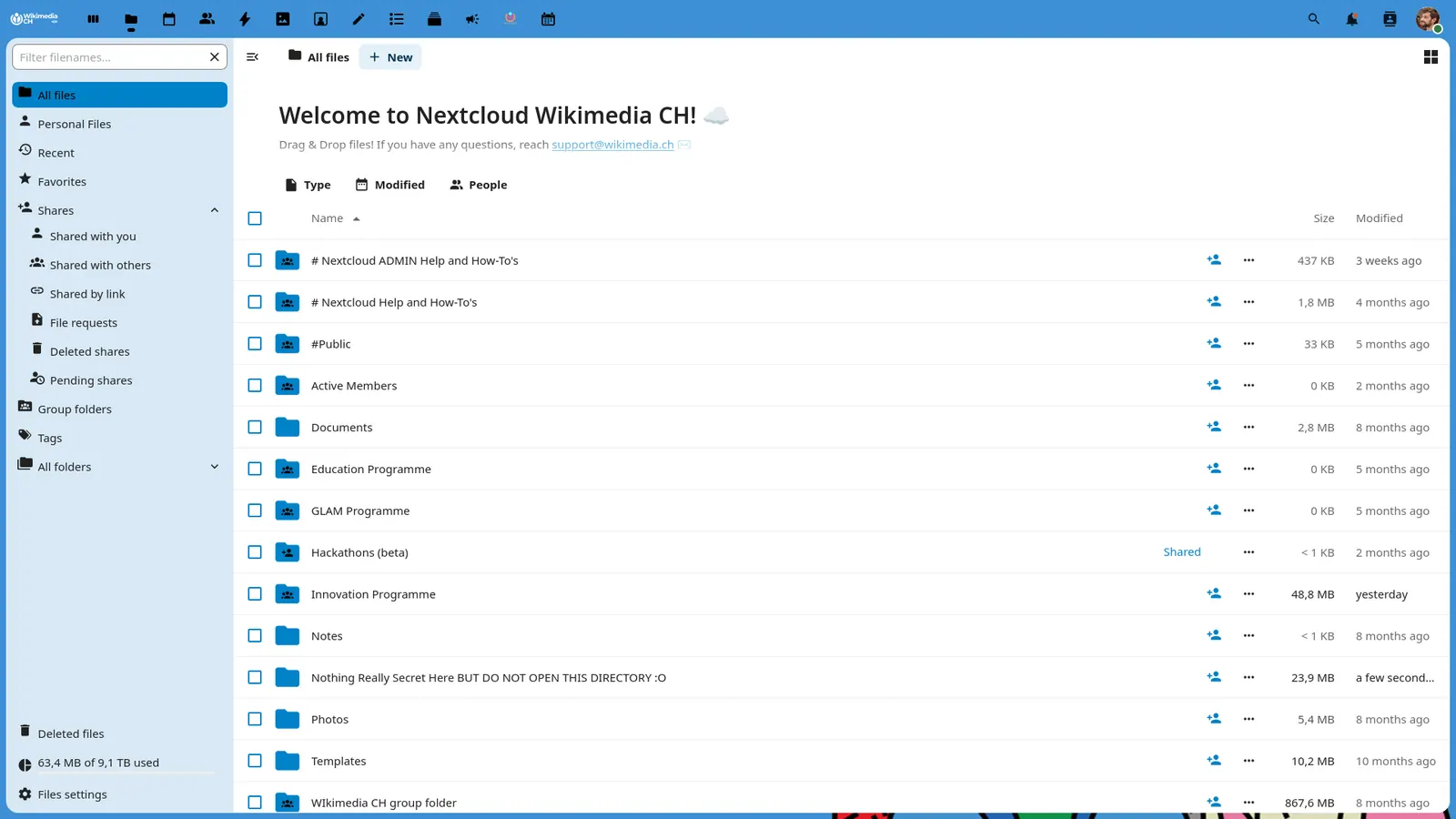
Compared with Google Workspace: Nextcloud is the self-hosted route: the community server is AGPL-3.0 with free desktop and mobile apps, so you swap per-user fees for your own server and time. Enterprise support starts at 71.29 EUR per user per year with a 100-user minimum.
Price: Free (Community server is free to self-host and the Nextcloud-branded desktop and mobile apps are free); paid from EUR 71.29 per user/year (Enterprise Standard at 100 users, 100-user minimum) (Nextcloud pricing, checked 2026-10-22).
Platforms and license: Web, Self-hosted, Desktop app, Mobile app. AGPL-3.0 (open source).
Project activity: 37.3k GitHub stars · latest release v33.0.10 (Oct 15, 2026) · last commit Oct 27, 2026
Best for: Organizations with an admin who can run a server.
Compared with Google Workspace: ONLYOFFICE replaces Docs, Sheets and Slides collaboration, not email. Its free Startup cloud plan covers 3 admins with unlimited users and guests, 12 rooms and 2 GB. Business charges $20 per admin per month rather than per user, which changes the math for large mostly-reading teams.
Price: Free (Startup cloud plan with up to 3 admins, unlimited users and guests, 12 rooms and 2 GB of storage); paid from $20 per admin/month (Business cloud plan; only admins are paid) (ONLYOFFICE pricing, checked 2026-10-22).
Platforms and license: Web, Self-hosted, Windows, macOS, Linux, iOS, Android. AGPL-3.0 (Docs server) (open source).
Project activity: 7.1k GitHub stars · latest release v10.0.0 (Oct 12, 2026) · last commit Oct 26, 2026
Best for: Teams that mainly need shared documents and want to pay only for admins.
Compared with Google Workspace: LibreOffice is a free MPL-2.0 desktop suite, so it replaces the office apps only. Its page lists six apps (Writer, Calc, Impress, Draw, Base, Math) and no email or shared drive. Choose it when each person works on their own files.
Price: Free (download and use at no cost per its site) (LibreOffice pricing, checked 2026-10-22).
Platforms and license: Windows, macOS, Linux. MPL-2.0 (open source).
Best for: People who need word processing and spreadsheets offline at no cost.
Worth knowing: Desktop suite of Writer, Calc, Impress, Draw, Base and Math; it has no built-in cloud storage or email.
Compared with Google Workspace: Workplace Standard lists 30 GB of mail per user plus team file storage from 100 GB for 3 to 10 users. A separate email-only Mail Free plan covers up to 5 users, whereas Google lists no free plan.
Price: Free (Mail Free: up to 5 users on one domain, 5 GB mail storage per user, no IMAP/POP/ActiveSync) (Zoho Workplace pricing, checked 2026-10-25).
Docs-only for Microsoft 365, Proton, Nextcloud, ONLYOFFICE, LibreOffice: we did not install or run them, so feature claims come from vendor pages and we did not test import from Google Workspace. Vendor prices and free limits change; confirm on the linked pricing page before you buy or migrate.
Kevin Fan is a SaaS founder. He runs Free Instead Of, which tracks free and open-source alternatives to paid software and checks each price and free-plan limit against the vendor's own pages.
Based on official pricing and product pages checked between 2026-10-22 and 2026-10-25: Google Workspace, Microsoft 365, Proton, Nextcloud, ONLYOFFICE, LibreOffice, Zoho Workplace. Prices, free limits and licenses are the figures shown on those pages on those dates. No tool on this page was installed or run. No accounts were created.