Best Free Audio Editors 2026: 6 Options Compared
Best free Audio Editors compared: Audacity, Tenacity, ocenaudio, Ardour and 2 more, with free-plan limits, platforms and prices from official pages checked October 23, 2026.
•3 min read•Audio & Music
Quick comparison
| Tool | Price | Platforms | Best for | Tested |
|---|---|---|---|---|
| Audacity | Free (Free and open source; the site says it will always remain free and lists no paid version) | Windows, macOS, Linux | The default all-round choice | Docs only |
| Tenacity | Free (Open-source community project; no price stated) | Windows, macOS, Linux, BSD | Audacity users who want a community fork | Docs only |
| ocenaudio | Free (The download page says to download it for free; no paid tier shown) | Windows, macOS, Linux | Quick cleanup of single files | Docs only |
| Ardour | Free (Source code is free to build; pre-built versions are paid, and the download page shows no price) | Linux, macOS, Windows | Multitrack editing for people who can build or pay | Docs only |
| BandLab | Free (Free: 16 Studio tracks, 10 FX chain effects, 3 SplitterAI splits a day, ads shown); paid from $99 per year, Pro (first year; page says $149 after the first year). Max $199 first year | Web, iOS, Android | Editing in a browser or on a phone | Docs only |
| Descript | Free (60 media minutes a month, 720p export with a watermark, 100 one-time AI credits); paid from $16 per person/month, billed annually (Hobbyist; $24 billed monthly) | Web, Windows, macOS | Podcasts and interviews edited as text | Docs only |
Independent comparison. Paid placements are labelled separately; editorial links earn no affiliate commissions. Learn more.
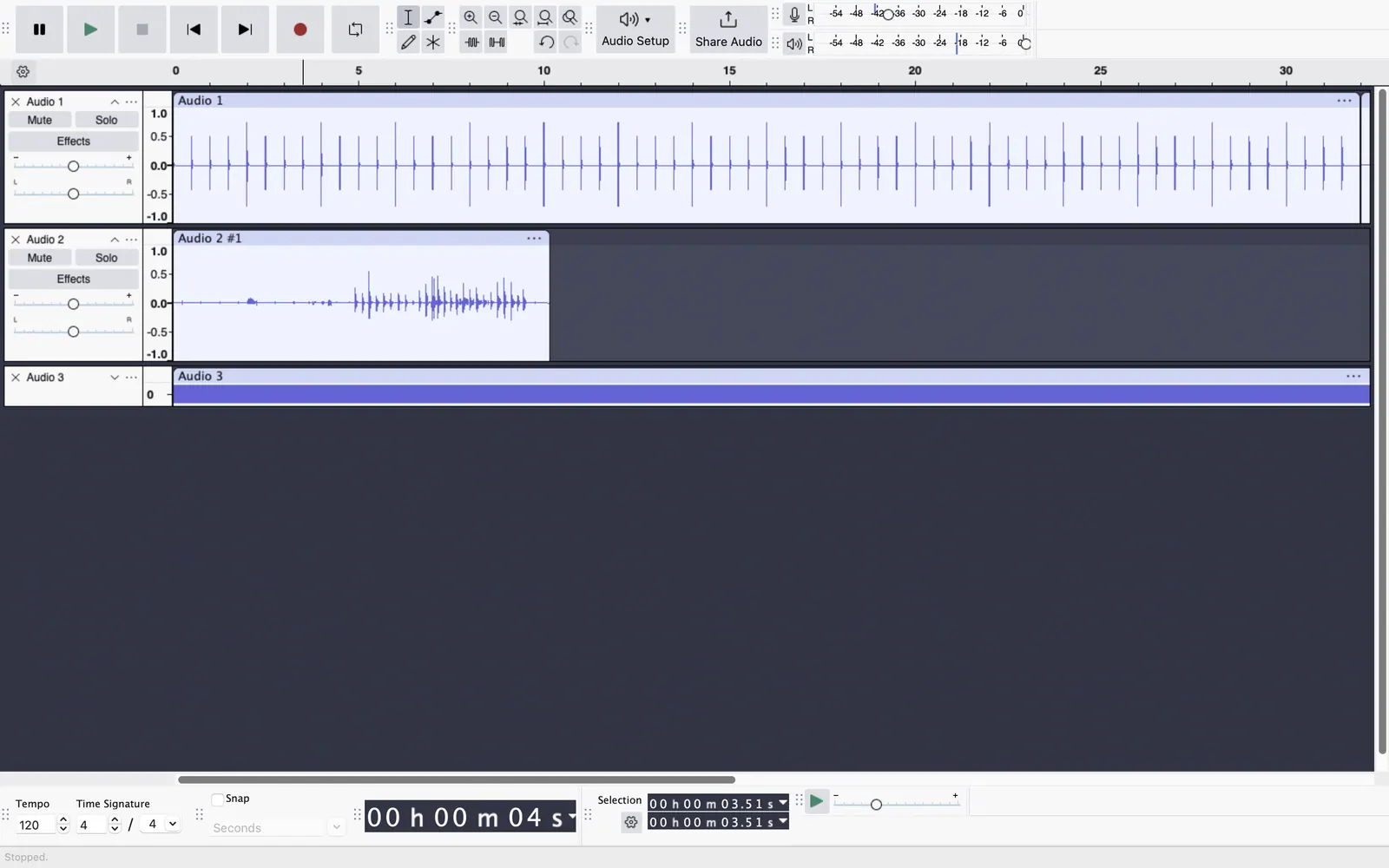
See the tools in action
Images from the linked documentation. Versions and features may differ from current plans.
Good fit if
- I want to trim and clean one recording quickly (ocenaudio is the pick)
- I need a free editor with the most tutorials (Audacity is the pick)
- I want to layer many tracks (Ardour is the pick)
- I want to edit speech like a document (Descript is the pick)
Not ideal if
- You need paid-tier features, uptime guarantees or support that these free plans leave out
Most people looking for a free audio editor want to trim a recording, remove noise, join clips or export an MP3, and for that a handful of desktop programs do everything without a watermark or time limit. Audacity is the default: GPL-3.0, free for Windows, macOS and Linux, with a huge amount of tutorials, but its interface is dated and edits are destructive unless you plan for it. Tenacity is a community fork with a similar feel. Ocenaudio is lighter, with real-time effect previews, and is the easiest to learn if you only edit one file at a time. Ardour is a full multitrack workstation whose source is free, though pre-built versions are sold on the project's download page. In the browser, BandLab gives a free multitrack editor with 16 tracks, supported by ads. Descript works differently, letting you edit audio by editing the transcript, but its free plan is capped at 60 media minutes a month and video exports are watermarked. Pick by task: Ocenaudio or Audacity for cleanup, a DAW for layered projects, and Descript for spoken word you would rather edit as text. Whatever you choose, keep a copy of the original file before you apply noise reduction, because overdone filtering is the most common way to ruin a recording.
Audacity
GPL-3.0, no price and no paid version according to the site. The most documented editor, with multitrack editing and many effects, though the interface feels old.
Price: Free (Free and open source; the site says it will always remain free and lists no paid version) (Audacity pricing, checked 2026-10-22).
Platforms and license: Windows, macOS, Linux. GPL-3.0 (open source).
Project activity: 18.9k GitHub stars · latest release Audacity-4.0.1 (Sep 30, 2026) · last commit Oct 27, 2026
Best for: The default all-round choice.
Worth knowing: Desktop multitrack audio editor. Audio.com cloud service and MuseHub plugins are mentioned on the site without prices.
Compare: Audacity alternatives
Tenacity
Open-source Audacity fork developed by volunteers, with no stated price. The application licence is not named on its site, so check before redistributing it.
Price: Free (Open-source community project; no price stated) (Tenacity pricing, checked 2026-10-22).
Platforms and license: Windows, macOS, Linux, BSD. Open source (license not named on tenacityaudio.org) (open source).
Best for: Audacity users who want a community fork.
ocenaudio
Free to download for Windows, macOS and Linux, and quick to learn. Edits one file at a time with live effect previews, and is not designed for multitrack projects. Source licence is not stated.
Price: Free (The download page says to download it for free; no paid tier shown) (ocenaudio pricing, checked 2026-10-22).
Platforms and license: Windows, macOS, Linux. Not stated on the pages checked.
Best for: Quick cleanup of single files.
Ardour
GPL-licensed multitrack workstation whose source code is free to build; prebuilt installers are paid. A professional tool with a steeper learning curve than the others.
Price: Free (Source code is free to build; pre-built versions are paid, and the download page shows no price) (Ardour pricing, checked 2026-10-23).
Platforms and license: Linux, macOS, Windows. GPL-2.0 (open source).
Project activity: 5.4k GitHub stars · last commit Oct 27, 2026
Best for: Multitrack editing for people who can build or pay.
BandLab
Browser multitrack editor on the free plan: 16 studio tracks, 10 FX chain effects and 3 AI stem splits a day, with ads. Also works on iOS and Android.
Price: Free (Free: 16 Studio tracks, 10 FX chain effects, 3 SplitterAI splits a day, ads shown); paid from $99 per year, Pro (first year; page says $149 after the first year). Max $199 first year (BandLab pricing, checked 2026-10-22).
Platforms and license: Web, iOS, Android. Proprietary.
Best for: Editing in a browser or on a phone.
Descript
Edit spoken audio by editing a transcript. Free plan has 60 media minutes a month and watermarked 720p video export, so it suits occasional projects.
Price: Free (60 media minutes a month, 720p export with a watermark, 100 one-time AI credits); paid from $16 per person/month, billed annually (Hobbyist; $24 billed monthly) (Descript pricing, checked 2026-10-22).
Platforms and license: Web, Windows, macOS. Proprietary.
Best for: Podcasts and interviews edited as text.
Compare: Descript alternatives
Which one to pick
- I want to trim and clean one recording quickly: ocenaudio
- I need a free editor with the most tutorials: Audacity
- I want to layer many tracks: Ardour
- I want to edit speech like a document: Descript
Limits of this review
Docs-only for Audacity, Tenacity, ocenaudio, Ardour, BandLab, Descript: we did not install or run them, so feature claims come from vendor pages. Vendor prices and free limits change; confirm on the linked pricing page before you commit.
Related guides
More in Audio & Music
All Audio & Music alternatives →Sources
Kevin Fan
Kevin Fan is a SaaS founder. He runs Free Instead Of, which tracks free and open-source alternatives to paid software and checks each price and free-plan limit against the vendor's own pages.
Methodology
Based on official pricing, license and product pages checked between 2026-10-22 and 2026-10-23: Audacity, Tenacity, ocenaudio, Ardour, BandLab, Descript. Prices, free limits and licenses are the figures shown on those pages on those dates. No tool on this page was installed or run. No accounts were created.