Best Free Audio Recorders 2026: 6 Options Compared
Best free Audio Recorders compared: Audacity, Tenacity, ocenaudio, OBS Studio and 2 more, with free-plan limits, platforms and prices from official pages checked October 22, 2026.
•3 min read•Audio & Music
Quick comparison
| Tool | Price | Platforms | Best for | Tested |
|---|---|---|---|---|
| Audacity | Free (Free and open source; the site says it will always remain free and lists no paid version) | Windows, macOS, Linux | Reliable long recordings | Docs only |
| Tenacity | Free (Open-source community project; no price stated) | Windows, macOS, Linux, BSD | An Audacity alternative | Docs only |
| ocenaudio | Free (The download page says to download it for free; no paid tier shown) | Windows, macOS, Linux | Quick single-track recordings | Docs only |
| OBS Studio | Free (open source, with no paid tier listed on its site) | Windows, macOS, Linux | Recording calls and system audio | Docs only |
| Cleanfeed | Free (Lite plan with unlimited recording time, 2 guests, mono remote audio and 1 local audio source); paid from $12 per month (Pro for individuals; $36 a month for businesses) | Web | Remote interviews in a browser | Docs only |
| BandLab | Free (Free: 16 Studio tracks, 10 FX chain effects, 3 SplitterAI splits a day, ads shown); paid from $99 per year, Pro (first year; page says $149 after the first year). Max $199 first year | Web, iOS, Android | Music ideas on a phone | Docs only |
Independent comparison. Paid placements are labelled separately; editorial links earn no affiliate commissions. Learn more.
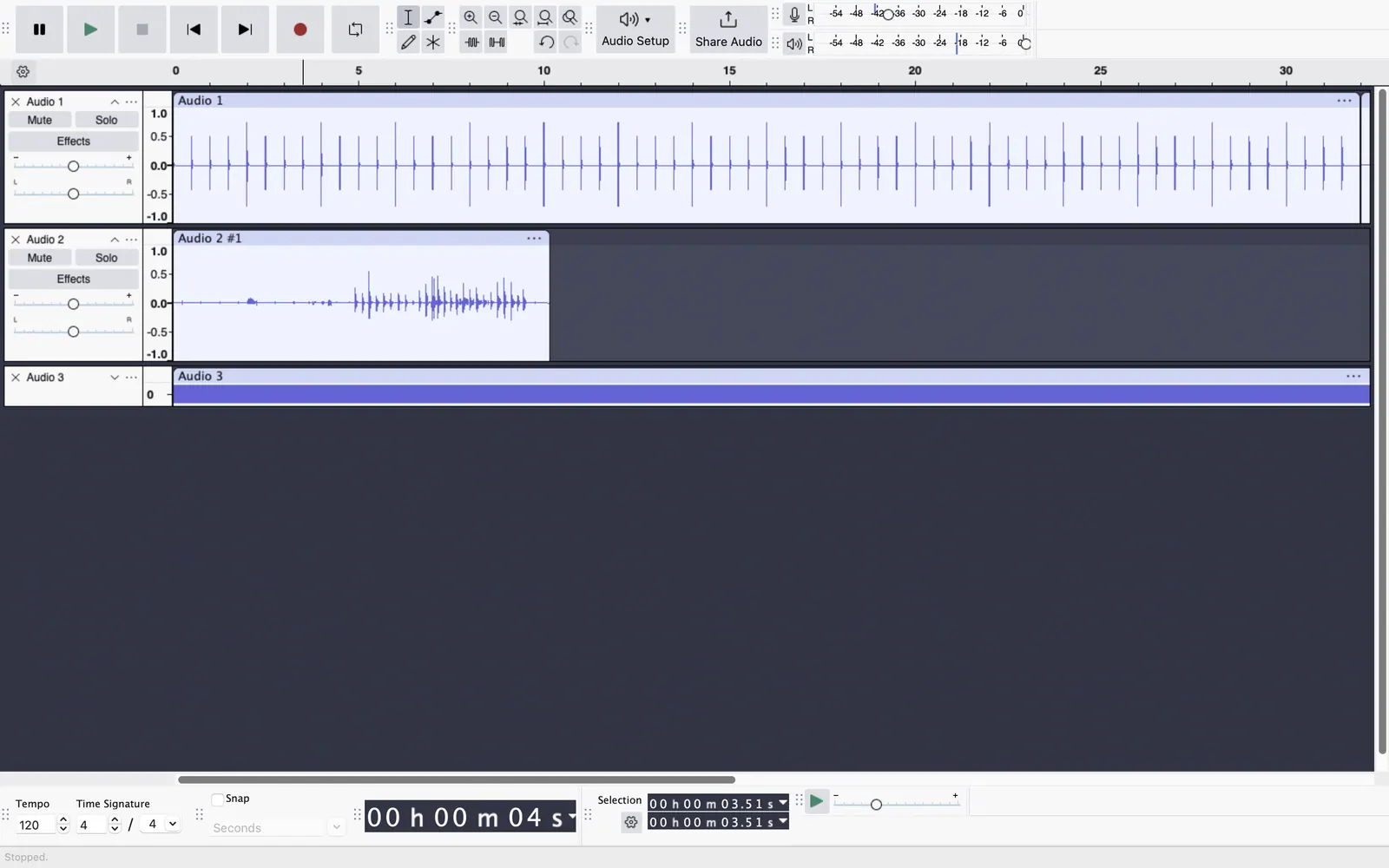
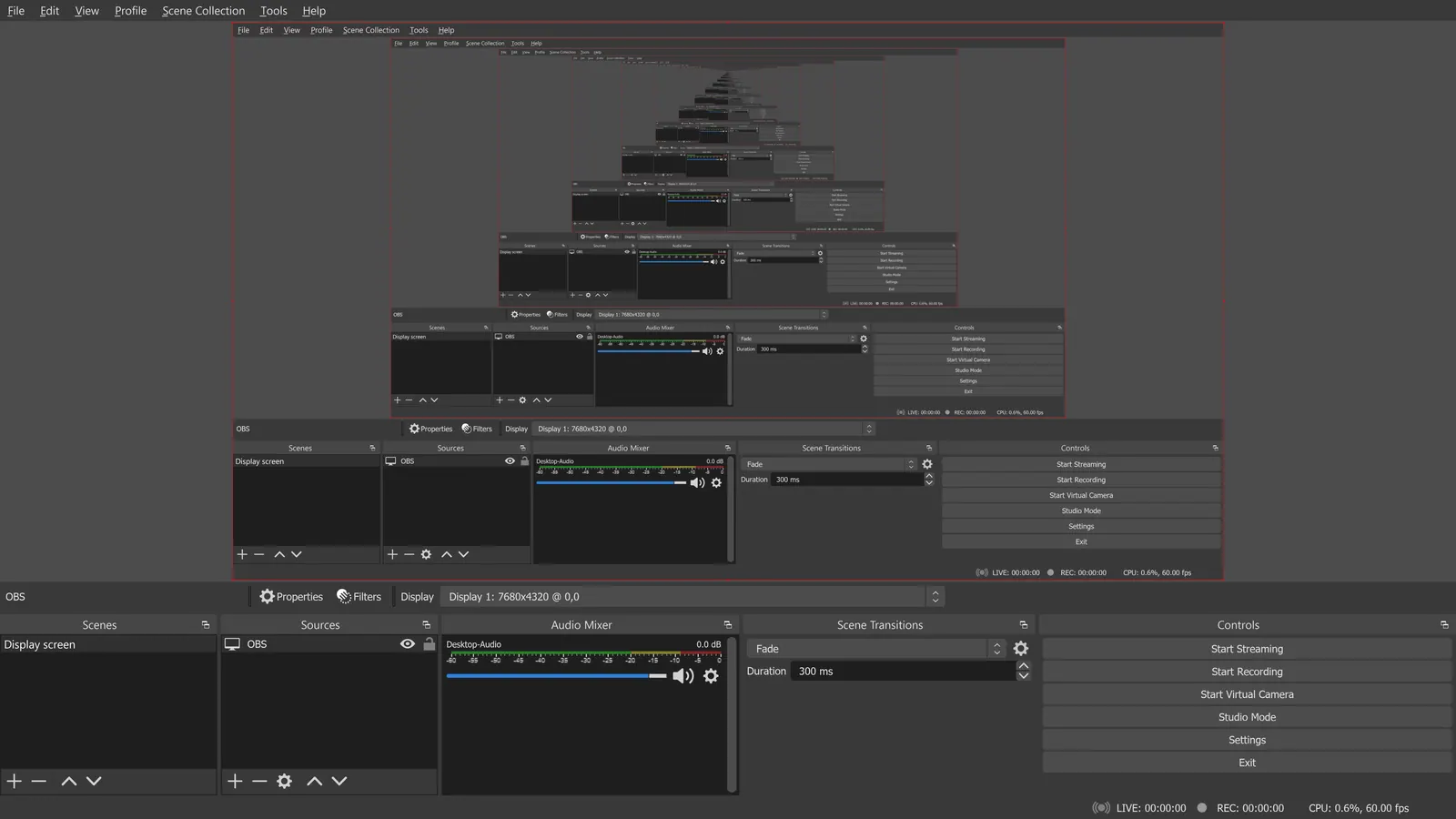
See the tools in action
Images from the linked documentation. Versions and features may differ from current plans.
Good fit if
- I need to record a remote guest in a browser (Cleanfeed is the pick)
- I want to record a Zoom call or desktop audio (OBS Studio is the pick)
- I want to record and edit afterwards on my computer (Audacity is the pick)
- I want to capture a song idea on my phone (BandLab is the pick)
Not ideal if
- You need paid-tier features, uptime guarantees or support that these free plans leave out
A free audio recorder has to do one job well: capture a clean signal without cutting off after five minutes. Desktop programs are the safest bet for long sessions. Audacity and Tenacity record from any input your computer sees, including a USB microphone, and let you edit afterwards. Ocenaudio is a lighter option if you only record and tidy a single track. OBS Studio, usually known for streaming, can record audio only and capture application sound along with your microphone, which helps when you want to record a call or a game. For recording in a browser, Cleanfeed's free Lite plan allows unlimited recording time with two guests and one local audio source, which is handy for remote interviews, while BandLab records multitrack on the web and phones, with the free plan capping you at 16 tracks and showing ads. The usual traps are input selection and levels: record a test, keep peaks below the red zone and use headphones to avoid echo. If you will record other people, tell them. Also check where files are stored, because browser tools can keep recordings on their servers until you download them, which may matter for confidential interviews.
Audacity
Records from any input device and edits afterwards, GPL-3.0 and free with no paid version. Setup of inputs can confuse beginners.
Price: Free (Free and open source; the site says it will always remain free and lists no paid version) (Audacity pricing, checked 2026-10-22).
Platforms and license: Windows, macOS, Linux. GPL-3.0 (open source).
Project activity: 18.9k GitHub stars · latest release Audacity-4.0.1 (Sep 30, 2026) · last commit Oct 27, 2026
Best for: Reliable long recordings.
Worth knowing: Desktop multitrack audio editor. Audio.com cloud service and MuseHub plugins are mentioned on the site without prices.
Compare: Audacity alternatives
Tenacity
Community fork of Audacity with the same record-then-edit approach. Open source, though the licence is not named on its site.
Price: Free (Open-source community project; no price stated) (Tenacity pricing, checked 2026-10-22).
Platforms and license: Windows, macOS, Linux, BSD. Open source (license not named on tenacityaudio.org) (open source).
Best for: An Audacity alternative.
ocenaudio
Simple recorder-editor for Windows, macOS and Linux, free to download with no paid tier shown. Not suited to multitrack sessions.
Price: Free (The download page says to download it for free; no paid tier shown) (ocenaudio pricing, checked 2026-10-22).
Platforms and license: Windows, macOS, Linux. Not stated on the pages checked.
Best for: Quick single-track recordings.
OBS Studio
GPL-2.0-or-later and free. Can record audio from several sources at once, such as a microphone and desktop sound, but its interface is built for video.
Price: Free (open source, with no paid tier listed on its site) (OBS Studio pricing, checked 2026-10-22).
Platforms and license: Windows, macOS, Linux. GPL-2.0-or-later (open source).
Project activity: 78.4k GitHub stars · latest release 33.0.0 (Oct 23, 2026) · last commit Oct 27, 2026
Best for: Recording calls and system audio.
Worth knowing: OBS records on your machine; it has no remote guest recording.
Compare: OBS Studio alternatives
Cleanfeed
Browser tool whose Lite plan has unlimited recording time, 2 guests, mono remote audio and 1 local audio source. Good for remote interviews, but not full-quality multi-guest studio use.
Price: Free (Lite plan with unlimited recording time, 2 guests, mono remote audio and 1 local audio source); paid from $12 per month (Pro for individuals; $36 a month for businesses) (Cleanfeed pricing, checked 2026-10-22).
Platforms and license: Web. Proprietary.
Best for: Remote interviews in a browser.
Worth knowing: Lite and Pro list audio features only; video appears on the Cinema plan.
BandLab
Free browser and mobile recorder with 16 studio tracks, ads and an account requirement. Suits song ideas and layered recordings more than spoken word.
Price: Free (Free: 16 Studio tracks, 10 FX chain effects, 3 SplitterAI splits a day, ads shown); paid from $99 per year, Pro (first year; page says $149 after the first year). Max $199 first year (BandLab pricing, checked 2026-10-22).
Platforms and license: Web, iOS, Android. Proprietary.
Best for: Music ideas on a phone.
Which one to pick
- I need to record a remote guest in a browser: Cleanfeed
- I want to record a Zoom call or desktop audio: OBS Studio
- I want to record and edit afterwards on my computer: Audacity
- I want to capture a song idea on my phone: BandLab
Limits of this review
Docs-only for Audacity, Tenacity, ocenaudio, OBS Studio, Cleanfeed, BandLab: we did not install or run them, so feature claims come from vendor pages. Vendor prices and free limits change; confirm on the linked pricing page before you commit.
Related guides
More in Audio & Music
All Audio & Music alternatives →Sources
Kevin Fan
Kevin Fan is a SaaS founder. He runs Free Instead Of, which tracks free and open-source alternatives to paid software and checks each price and free-plan limit against the vendor's own pages.
Methodology
Based on official pricing, license and product pages checked 2026-10-22: Audacity, Tenacity, ocenaudio, OBS Studio, Cleanfeed, BandLab. Prices, free limits and licenses are the figures shown on those pages on those dates. No tool on this page was installed or run. No accounts were created.