Let's Animate - Krita: Rocket Mechanic (10 days)
By Ed Tadeo ·
Playing loads YouTube. YouTube will receive your IP address and device information.
Affinity Photo alternatives: GIMP, Krita, Photopea, darktable and 1 more. Prices and licenses checked October 25, 2026.
•3 min read•Photo Editing & AI Images
Verdict:Affinity is already free for individuals on Mac and Windows, per affinity.studio, so the reason to look elsewhere is not price. Leave it when you work on Linux, want an editor that stays free of any Canva account, or only need one narrow job done. An iPad version is listed as coming soon, and its AI tools need a Canva premium plan. The free options cover different parts of the work. GIMP is free and open source on Linux, macOS and Windows, and it does what Affinity Photo does for retouching and compositing, but it is slower to learn. Krita is GPL licensed and free, and it wins for painting and illustration, not photo retouching. For quick edits from any machine, Photopea runs in the browser and reads PSD files, though it depends on a connection. darktable and RawTherapee are the raw route: both are GPLv3 and free, and both handle RAW development well, but neither gives you Affinity's layered compositing. The concrete trade-off is polish against platform reach. The open tools run on Linux and trade a steeper learning curve or a browser dependency for independence from a single vendor. If your job is layered retouching for clients, test GIMP on your own files for a week before you cancel anything.
| Tool | Price | Platforms | Best for | Tested |
|---|---|---|---|---|
| GIMP | Free (Free; source tarballs offered, donation link only, no paid tier. Store packages are third-party and not from the GIMP team) | Linux, macOS, Windows | Free editing with no subscription | Docs only |
| Krita | Free (Free and open source; optional donations, no paid tier) | Windows, macOS, Linux, Android | Painting and illustration | Docs only |
| Photopea | Free (Free in the browser; the homepage says premium features are free and mentions no paid plan or ad-free option) | Web | Quick edits from any computer | Docs only |
| darktable | Free (Free and open source under GPLv3; no paid tier on the site) | Linux, macOS, Windows | Raw development and cataloguing | Docs only |
| RawTherapee | Free (Free of charge and free software under GPLv3; no paid tier) | Linux, macOS, Windows | Detailed raw conversion | Docs only |
| Adobe Photoshop | Paid from $22.99 per month, annual plan billed monthly (Photoshop single app) | Windows, macOS, iPad, Web | Image editing | Docs only |
| Pixelmator Pro | Paid from $49.99 per one-time, Mac only, App Store (subscription via Apple Creator Studio is $12.99/month or $129/year) | macOS, iPadOS | Image editor | Docs only |
Independent comparison. Paid placements are labelled separately; editorial links earn no affiliate commissions. Learn more.
Images from the linked documentation. Versions and features may differ from current plans.
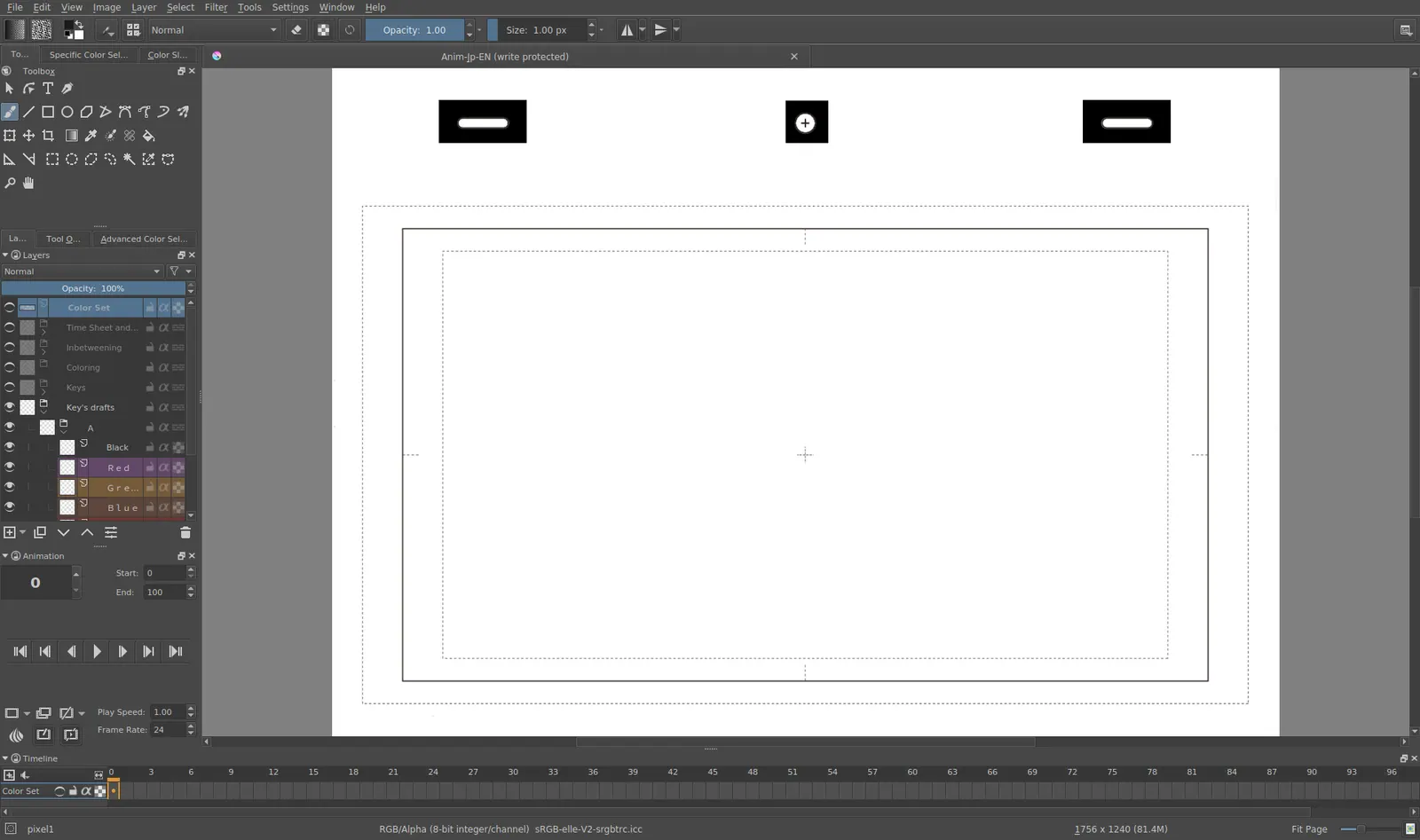
Krita 4.0 animation interface
Tyson Tan · Source · CC BY-SA 4.0
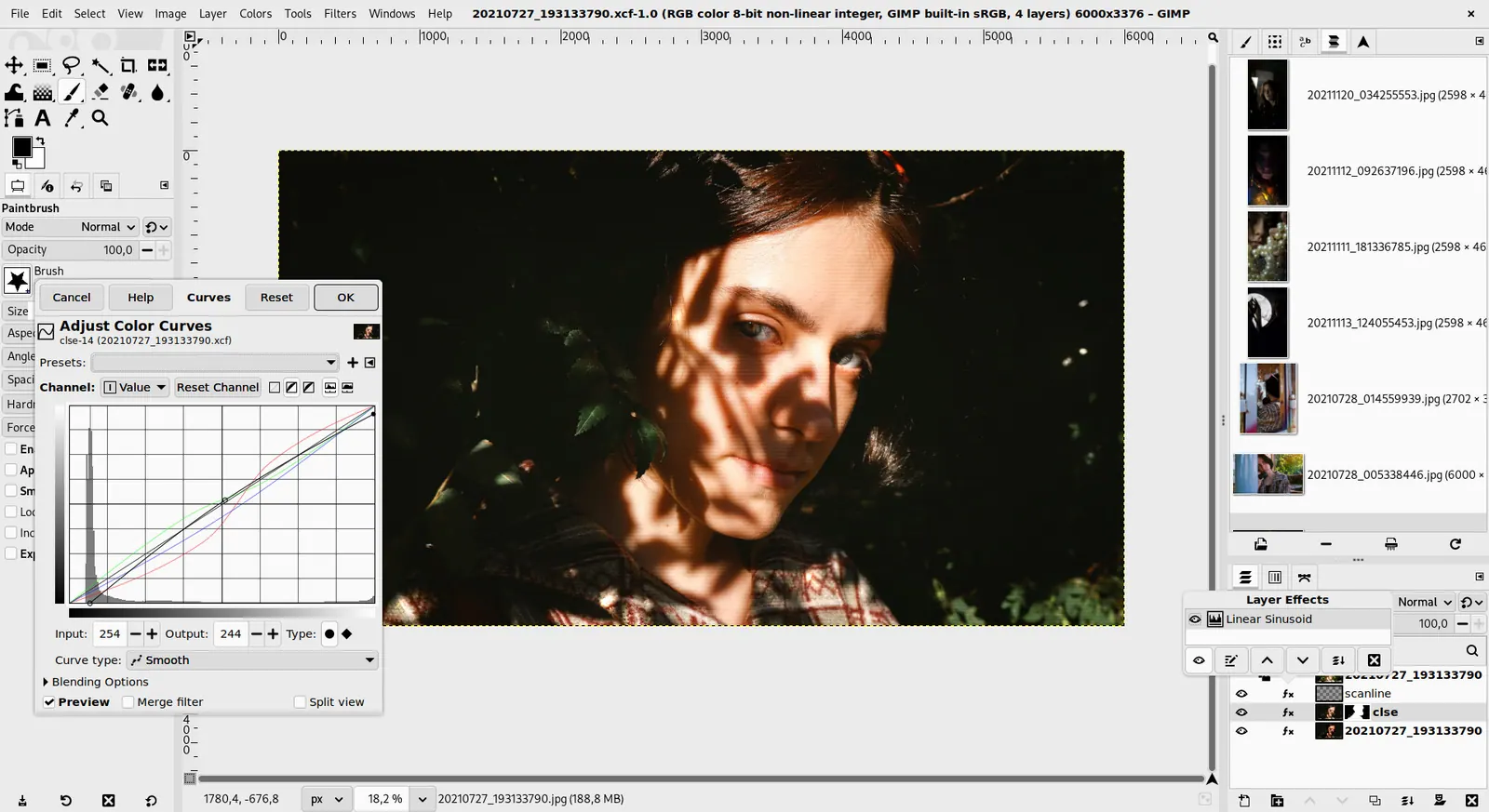
GIMP 3.0 — non-destructive filter workflow
GIMP team / gimp.org · Source · CC BY-SA 4.0
By Ed Tadeo ·
Playing loads YouTube. YouTube will receive your IP address and device information.
Affinity Photo today: Free (Free for individuals per affinity.studio; an iPad version is listed as coming soon; optional AI tools need a Canva premium plan) (Affinity Photo pricing, checked 2026-10-23).
affinity.studio now presents Affinity as one app combining vector design, pixel editing and page layout, free for individuals. Its optional AI tools need a Canva premium plan, organizations that need SSO are sent to Canva Enterprise or Education, and an iPad version is listed as coming soon. It gives no details on the older standalone Affinity Photo versions.
Compared with Affinity Photo: Free and open source editor on Linux, macOS and Windows, with no paid tier. You get no Affinity-style non-destructive layers, and its interface takes longer to learn.
Price: Free (Free; source tarballs offered, donation link only, no paid tier. Store packages are third-party and not from the GIMP team) (GIMP pricing, checked 2026-10-22).
Platforms and license: Linux, macOS, Windows. Open source (license not named on gimp.org/downloads) (open source).
Best for: Free editing with no subscription.
Worth knowing: Raster image editor for photo retouching and compositing.
Compared with Affinity Photo: Free and GPL licensed painting program, with no paid tier and optional donations. It excels at brushes and digital painting, but it is weaker than Affinity Photo for retouching photos.
Price: Free (Free and open source; optional donations, no paid tier) (Krita pricing, checked 2026-10-22).
Platforms and license: Windows, macOS, Linux, Android. GPL (open source).
Best for: Painting and illustration.
Compared with Affinity Photo: Free browser editor that reads PSD files and needs no download. Affinity Photo is a desktop app; Photopea runs in the browser and depends on a connection.
Price: Free (Free in the browser; the homepage says premium features are free and mentions no paid plan or ad-free option) (Photopea pricing, checked 2026-10-23).
Platforms and license: Web. Proprietary.
Best for: Quick edits from any computer.
Worth knowing: Browser-based editor that reads PSD files. Runs with no download.
Compared with Affinity Photo: Free GPLv3 photo workflow app with a raw development pipeline. It handles RAW files and cataloguing but is not a layer-based compositor like Affinity Photo.
Price: Free (Free and open source under GPLv3; no paid tier on the site) (darktable pricing, checked 2026-10-22).
Platforms and license: Linux, macOS, Windows. GPL-3.0 (open source).
Project activity: 13.3k GitHub stars · latest release release-5.6.2 (Oct 4, 2026) · last commit Oct 27, 2026
Best for: Raw development and cataloguing.
Worth knowing: Photo workflow with a library and culling views, closest to PhotoMechanic's ingest and sort role. Platforms are from the install and download links; the homepage did not list them explicitly.
Compared with Affinity Photo: Free GPLv3 raw converter with detailed development controls. Affinity Photo covers compositing too; RawTherapee only processes raw files, so pair it with an editor if you need layers.
Price: Free (Free of charge and free software under GPLv3; no paid tier) (RawTherapee pricing, checked 2026-10-23).
Platforms and license: Linux, macOS, Windows. GPL-3.0 (open source).
Project activity: 4.3k GitHub stars · latest release 5.13 (Jul 26, 2026) · last commit Oct 20, 2026
Best for: Detailed raw conversion.
Worth knowing: Raw converter with detailed development controls.
Compared with Affinity Photo: Single-app plan is $22.99 per month on an annual plan billed monthly, with a free trial of unstated length. A paid subscription, unlike Affinity's free tier for individuals.
Price: Paid from $22.99 per month, annual plan billed monthly (Photoshop single app) (Adobe Photoshop pricing, checked 2026-10-23).
Compared with Affinity Photo: Included in Apple Creator Studio at $12.99 a month ($129 a year), or $49.99 one-time on Mac. Supports over 750 RAW formats; Mac needs macOS 26 and there is no Windows version.
Price: Paid from $49.99 per one-time, Mac only, App Store (subscription via Apple Creator Studio is $12.99/month or $129/year) (Pixelmator Pro pricing, checked 2026-10-25).
Docs-only for GIMP, Krita, Photopea, darktable, RawTherapee: we did not install or run them, so feature claims come from vendor pages and we did not test import from Affinity Photo. Vendor prices and free limits change; confirm on the linked pricing page before you buy or migrate.
Kevin Fan is a SaaS founder. He runs Free Instead Of, which tracks free and open-source alternatives to paid software and checks each price and free-plan limit against the vendor's own pages.
Based on official pricing and product pages checked between 2026-10-22 and 2026-10-25: Affinity Photo, GIMP, Krita, Photopea, darktable, RawTherapee, Adobe Photoshop, Pixelmator Pro. Prices, free limits and licenses are the figures shown on those pages on those dates. No tool on this page was installed or run. No accounts were created.