Snagit Alternatives 2026: 5 Free Options
Snagit alternatives: Screenity, Cap, Zight, Loom and 1 more. Prices and licenses checked October 25, 2026.
•3 min read•Screen Recording & Streaming
Verdict:Leave Snagit when you only need to capture a region and mark it up. TechSmith's store lists Snagit at $39 per user per year and mentions a 14-day money-back guarantee but no free trial. Free options split by task. For recordings, Screenity and Cap both record without a paywall: Screenity is a GPL-3.0 browser extension with a paid editor at $10 a month, and Cap records locally with no time limit and offers shareable links of up to 5 minutes. OBS Studio is the strongest free recorder under GPL-2.0-or-later, but it captures video only and has no screenshot or annotation tools, so you will still need another app for still images. Zight is the closest like-for-like replacement, combining screenshots and short recordings, but its free Share plan allows only 5 video requests a month and 5-minute clips at up to 720p. Loom suits team video messages, with its free Starter plan capped at 25 recordings per person. The trade-off is that none of the free picks matches Snagit's still-image markup. If you mostly annotate screenshots, Snagit's paid editor is still the simplest choice. Leave if your captures are short recordings. Stay if you rely on image markup every day.
Quick comparison
| Tool | Price | Platforms | Best for | Tested |
|---|---|---|---|---|
| Screenity | Free (the Chrome extension, which its FAQ says stays free); paid from $10 per month (paid editor, with up to 1 hour per recording; $120 billed yearly) | Chrome | Free browser screen recordings | Docs only |
| Cap | Free (local recordings with no time limit; shareable cloud links up to 5 minutes); paid from $8.16 per user/month, billed annually ($12 billed monthly, Cap Pro) | macOS, Windows, Self-hosted | Free recording with shareable links | Docs only |
| Zight | Free (Share plan with 5 video requests a month, 5-minute recordings, up to 720p, 1 GB of storage and 1 user); paid from $9.95 per user/month, billed annually (Create) | Web, Desktop app | Screenshots and short recordings | Docs only |
| Loom | Free (Starter plan for up to 10 users with up to 25 recordings per person and a 5-minute screen recording limit); paid from $18 per user/month (Business, at the page's default view) | Web, Desktop app, Mobile app | Quick video messages for teams | Docs only |
| OBS Studio | Free (open source, with no paid tier listed on its site) | Windows, macOS, Linux | Free high-quality screen recording | Docs only |
| PicPick | Free (Free for personal, non-commercial use only; manual updates, no technical support); paid from $30 per user/year (Professional, limited-time price next to a struck-through $36) | Desktop app | Screen capture | Docs only |
| Ashampoo Snap | Paid from $12.99 per from price for Snap Pro 26 (license type not stated) | Windows | Screen capture | Docs only |
Independent comparison. Paid placements are labelled separately; editorial links earn no affiliate commissions. Learn more.
See the tools in action
Images from the linked documentation. Versions and features may differ from current plans.
Good fit if
- You record your screen in a browser for free (Screenity is the pick)
- You want free local recordings and share links (Cap is the pick)
- You capture screenshots and short clips in one tool (Zight is the pick)
- You need the best free recorder and do not need image markup (OBS Studio is the pick)
Not ideal if
- You rely on Snagit features or integrations that these tools do not replicate
Snagit today: Paid from $39 per user/year (Snagit Individual, billed yearly) (Snagit pricing, checked 2026-10-23).
Why people look for Snagit alternatives
Snagit is sold only as a subscription: Snagit Individual is $39 per user per year billed yearly, and no one-time purchase is listed. Personal subscriptions are non-transferable, and moving a licence between people requires a business subscription. TechSmith lists a 14-day money-back guarantee and no free trial, and you get the latest versions only for the length of the subscription.
Screenity
Compared with Snagit: Free browser-based screen and webcam recorder under GPL-3.0, with a paid editor at $10 a month. Compared with Snagit it covers recording well but lacks Snagit's full image editor and capture library.
Price: Free (the Chrome extension, which its FAQ says stays free); paid from $10 per month (paid editor, with up to 1 hour per recording; $120 billed yearly) (Screenity pricing, checked 2026-10-22).
Platforms and license: Chrome. GPL-3.0 (open source).
Project activity: 18.8k GitHub stars · latest release v4.7.2 (Oct 25, 2026) · last commit Oct 25, 2026
Best for: Free browser screen recordings.
Cap
Compared with Snagit: Free local recordings with no time limit, and shareable cloud links up to 5 minutes, under AGPL-3.0. Against Snagit you get a free recorder with a link-sharing flow, but not Snagit's annotation tools for still images.
Price: Free (local recordings with no time limit; shareable cloud links up to 5 minutes); paid from $8.16 per user/month, billed annually ($12 billed monthly, Cap Pro) (Cap pricing, checked 2026-10-22).
Platforms and license: macOS, Windows, Self-hosted. AGPL-3.0 (open source).
Project activity: 23.9k GitHub stars · latest release cap-v0.6.1 (Oct 20, 2026) · last commit Oct 27, 2026
Best for: Free recording with shareable links.
Zight
Compared with Snagit: Free Share plan with 5 video requests a month, 5-minute recordings at up to 720p and 1 GB storage. Compared with Snagit it covers screenshots and short recordings, but the free tier is tight for daily use.
Price: Free (Share plan with 5 video requests a month, 5-minute recordings, up to 720p, 1 GB of storage and 1 user); paid from $9.95 per user/month, billed annually (Create) (Zight pricing, checked 2026-10-22).
Platforms and license: Web, Desktop app. Proprietary.
Best for: Screenshots and short recordings.
Loom
Compared with Snagit: Free Starter plan for up to 10 users, with 25 recordings per person and a 5-minute screen recording limit. It replaces Snagit only for video messages, not for image capture and markup, and paid Business starts at $18 per user a month.
Price: Free (Starter plan for up to 10 users with up to 25 recordings per person and a 5-minute screen recording limit); paid from $18 per user/month (Business, at the page's default view) (Loom pricing, checked 2026-10-22).
Platforms and license: Web, Desktop app, Mobile app. Proprietary.
Best for: Quick video messages for teams.
OBS Studio
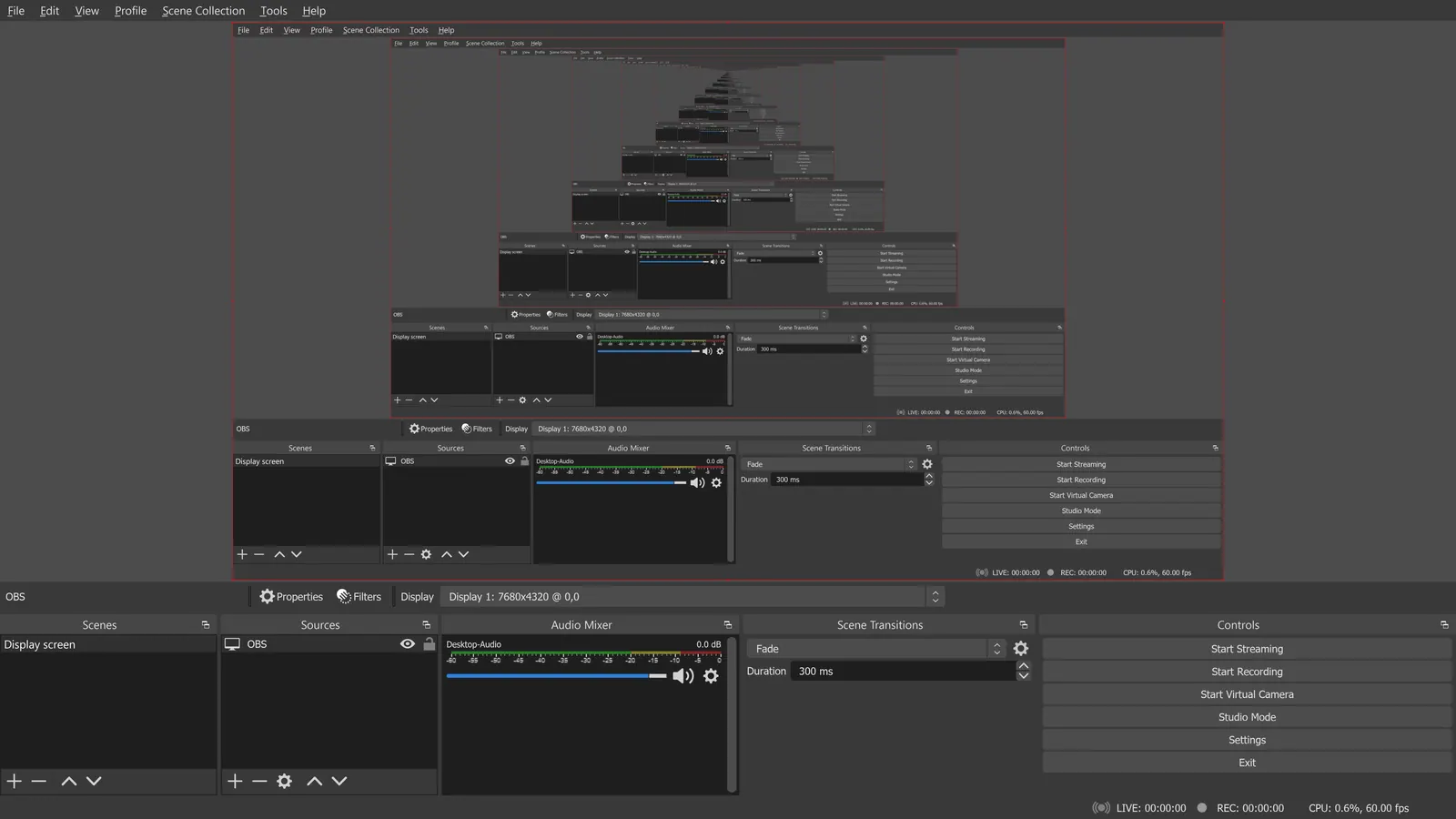
Compared with Snagit: Free, GPL-licensed recorder and streamer with no paid tier. It records video at high quality, but it has no screenshot or annotation tools, so it replaces only the recording half of Snagit.
Price: Free (open source, with no paid tier listed on its site) (OBS Studio pricing, checked 2026-10-22).
Platforms and license: Windows, macOS, Linux. GPL-2.0-or-later (open source).
Project activity: 78.4k GitHub stars · latest release 33.0.0 (Oct 23, 2026) · last commit Oct 27, 2026
Best for: Free high-quality screen recording.
Worth knowing: OBS records on your machine; it has no remote guest recording.
Other popular options (paid)
PicPick
Compared with Snagit: Free for personal, non-commercial use; business use needs a Pro license, listed at $30 per year (struck-through $36) or lifetime, valid for two computers per user. Snagit is $39 per user per year.
Price: Free (Free for personal, non-commercial use only; manual updates, no technical support); paid from $30 per user/year (Professional, limited-time price next to a struck-through $36) (PicPick pricing, checked 2026-10-25).
Ashampoo Snap
Compared with Snagit: Snap Pro 26 is a Windows screenshot and screen recording tool listed from $12.99 with a 30-day free trial. Unlike Snagit it has no Mac version, and it adds text recognition in over 180 languages.
Price: Paid from $12.99 per from price for Snap Pro 26 (license type not stated) (Ashampoo Snap pricing, checked 2026-10-25).
Which one to pick
- You record your screen in a browser for free: Screenity
- You want free local recordings and share links: Cap
- You capture screenshots and short clips in one tool: Zight
- You need the best free recorder and do not need image markup: OBS Studio
Limits of this review
Docs-only for Screenity, Cap, Zight, Loom, OBS Studio: we did not install or run them, so feature claims come from vendor pages and we did not test import from Snagit. Vendor prices and free limits change; confirm on the linked pricing page before you buy or migrate.
More in Screen Recording & Streaming
All Screen Recording & Streaming alternatives →Sources
Kevin Fan
Kevin Fan is a SaaS founder. He runs Free Instead Of, which tracks free and open-source alternatives to paid software and checks each price and free-plan limit against the vendor's own pages.
Methodology
Based on official pricing and product pages checked between 2026-10-22 and 2026-10-25: Snagit, Screenity, Cap, Zight, Loom, OBS Studio, PicPick, Ashampoo Snap. Prices, free limits and licenses are the figures shown on those pages on those dates. No tool on this page was installed or run. No accounts were created.