OBS Studio Alternatives 2026: 5 Free Options
OBS Studio alternatives: Streamlabs, Meld Studio, PRISM Live Studio, StreamYard and 1 more. Prices and licenses checked October 25, 2026.
•3 min read•Screen Recording & Streaming
Verdict:OBS Studio is free, open source and has no paid tier, so there is little to save by leaving. People move off it because setup is fiddly: scenes, sources and audio routing all start empty. Streamlabs Desktop is the obvious step if you want alerts and themes included, and it is free, GPL-3.0 and built on the same base, with the Ultra plan at $27 a month. Check Streamlabs's pricing page for the current figure. Meld Studio is a newer free app with a more guided layout, free cloud multistreaming and no watermarks according to its FAQ, on Windows and macOS. PRISM Live Studio is also free to start and adds effects and multistreaming. If you mainly host interviews, StreamYard runs in the browser and its free plan keeps a logo and limits you to six on-screen participants. Restream gives you a hosted studio and two channels free. The trade-off is flexibility. OBS has the largest plugin community and records locally with no remote guest recording, so anything more guided or hosted gives up some control. Stay with OBS if you can invest an afternoon setting it up. Move if you want a faster start or hosted guests.
Quick comparison
| Tool | Price | Platforms | Best for | Tested |
|---|---|---|---|---|
| Streamlabs | Free (Streamlabs Desktop is free and open source); paid from $15.75 per month (Ultra, listed as 'starts at') | Windows, macOS | Easier setup with built-in widgets | Docs only |
| Meld Studio | Free (Described on its FAQ as free with no watermarks, time limits or hidden fees; cloud multistreaming (Meld Multi) also free) | Windows, macOS | Guided streaming setup on Windows or Mac | Docs only |
| PRISM Live Studio | Free (Free live streaming and recording software) | Windows, macOS | Free app with effects and multistream | Docs only |
| StreamYard | Free (StreamYard logo on streams, 2 hours of local recordings a month and 6 on-screen participants); paid from $14.99 per month, billed yearly (Essential; $18.99 billed monthly) | Web | Guest interviews in the browser | Docs only |
| Restream | Free (stream to 2 channels at once, 6 on-screen participants in Restream Studio, Restream branding); paid from $19 per month, billed monthly (Standard) | Web | Sending one stream to several sites | Docs only |
| XSplit Broadcaster | Free (Free: streaming up to 720p without watermark, 4 scenes, personal use only; higher resolution and frame rates carry a watermark); paid from $59.99 per year (Premium yearly; $14.99 monthly, $119.99 lifetime) | Windows | Video | Docs only |
Independent comparison. Paid placements are labelled separately; editorial links earn no affiliate commissions. Learn more.
See the tools in action
Images from the linked documentation. Versions and features may differ from current plans.
Good fit if
- You want built-in alerts and easier setup (Streamlabs is the pick)
- You want a free guided app with multistreaming (Meld Studio is the pick)
- You interview guests remotely (StreamYard is the pick)
- You want to send one stream to several platforms (Restream is the pick)
- You want a free app with effects to try (PRISM Live Studio is the pick)
Not ideal if
- You rely on OBS Studio features or integrations that these tools do not replicate
OBS Studio today: Free (open source, with no paid tier listed on its site) (OBS Studio pricing, checked 2026-10-22).
Why people look for OBS Studio alternatives
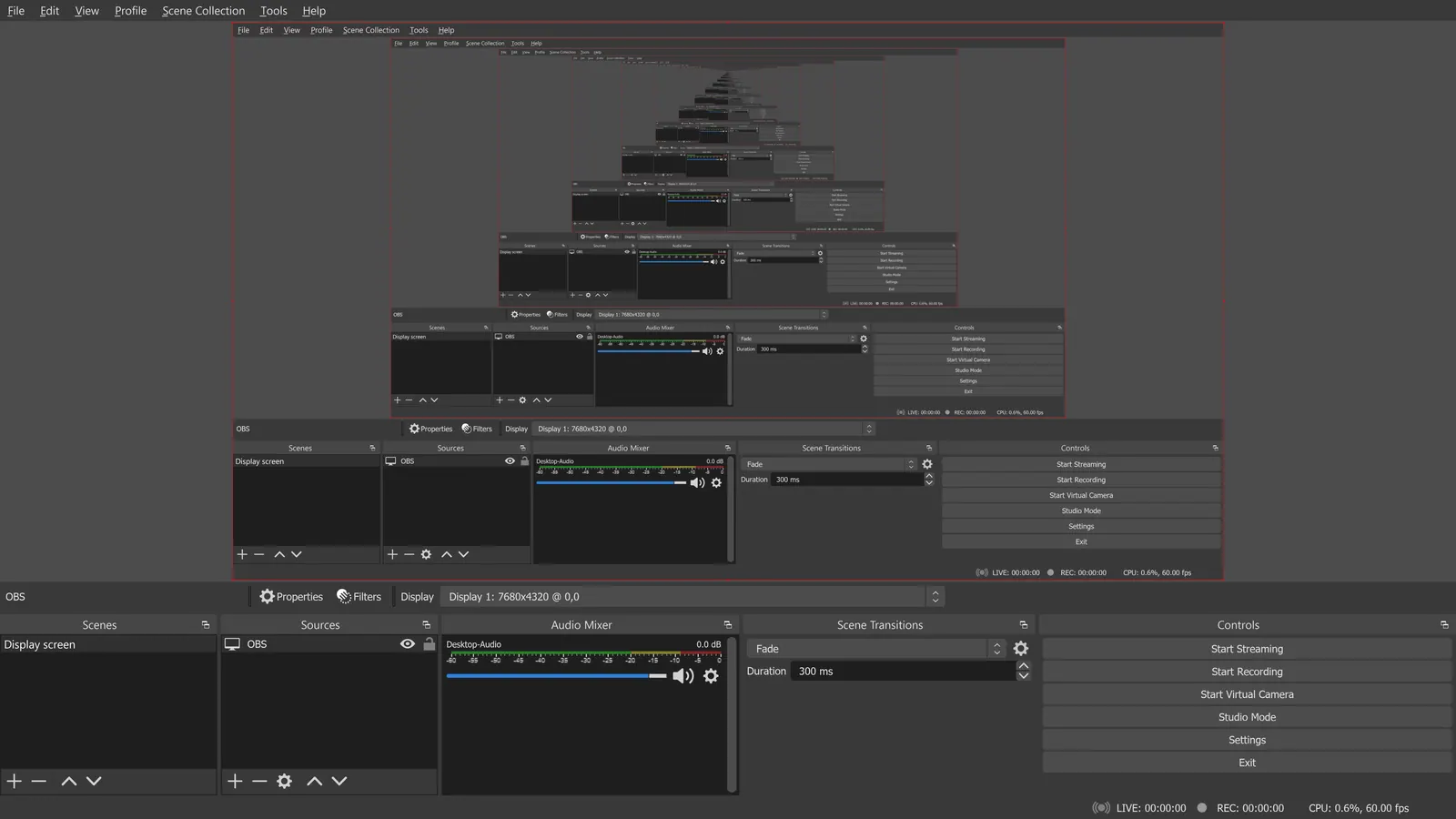
OBS Studio is a scene-based mixer: you assemble sources, per-source audio filters, hotkeys and Studio Mode yourself, and extend it through an API for plugins and scripts in Lua and Python. The site lists no guest invitations, remote recording or cloud features, so those are not part of the core app. It runs on Windows 10 and 11, macOS 13 or newer, and Linux.
Streamlabs
Compared with OBS Studio: Free GPL-3.0 Streamlabs Desktop is built on OBS with a friendlier setup and built-in alerts and themes; Ultra is $27 a month. You swap OBS's plugin ecosystem for a bundled, more guided app.
Price: Free (Streamlabs Desktop is free and open source); paid from $15.75 per month (Ultra, listed as 'starts at') (Streamlabs pricing, checked 2026-10-25).
Platforms and license: Windows, macOS. GPL-3.0 (Streamlabs Desktop); Ultra is a paid subscription (open source).
Project activity: 4.9k GitHub stars · last commit Oct 27, 2026
Best for: Easier setup with built-in widgets.
Meld Studio
Compared with OBS Studio: Free per its FAQ with no watermark, includes free cloud multistreaming, on Windows and macOS. A more guided layout than OBS, with fewer plugin options.
Price: Free (Described on its FAQ as free with no watermarks, time limits or hidden fees; cloud multistreaming (Meld Multi) also free) (Meld Studio pricing, checked 2026-10-22).
Platforms and license: Windows, macOS. Proprietary (license not stated on the page).
Best for: Guided streaming setup on Windows or Mac.
PRISM Live Studio
Compared with OBS Studio: Free-to-start streaming and recording app on Windows 10/11 and Apple Silicon Macs, with multistreaming and video effects. It lacks OBS's plugin community; some AI features need purchased credits.
Price: Free (Free live streaming and recording software) (PRISM Live Studio pricing, checked 2026-10-22).
Platforms and license: Windows, macOS. Proprietary (license not stated on the page).
Best for: Free app with effects and multistream.
StreamYard
Compared with OBS Studio: Free plan runs in a browser, with a StreamYard logo, 6 on-screen participants and 2 hours of local recordings a month. No install, but far less control than OBS.
Price: Free (StreamYard logo on streams, 2 hours of local recordings a month and 6 on-screen participants); paid from $14.99 per month, billed yearly (Essential; $18.99 billed monthly) (StreamYard pricing, checked 2026-10-22).
Platforms and license: Web. Proprietary.
Best for: Guest interviews in the browser.
Restream
Compared with OBS Studio: Free plan streams to 2 channels at once and has a browser studio with branding; Standard is $19 a month. Replaces OBS's job of sending, not its local scene control.
Price: Free (stream to 2 channels at once, 6 on-screen participants in Restream Studio, Restream branding); paid from $19 per month, billed monthly (Standard) (Restream pricing, checked 2026-10-22).
Platforms and license: Web. Proprietary.
Best for: Sending one stream to several sites.
Other popular options (paid)
XSplit Broadcaster
Compared with OBS Studio: Free tier streams up to 720p with 4 scenes for personal use, and higher resolution is watermarked. Premium is $14.99 monthly, $59.99 yearly or $119.99 lifetime and unlocks unlimited scenes and multi-service broadcasting.
Price: Free (Free: streaming up to 720p without watermark, 4 scenes, personal use only; higher resolution and frame rates carry a watermark); paid from $59.99 per year (Premium yearly; $14.99 monthly, $119.99 lifetime) (XSplit Broadcaster pricing, checked 2026-10-25).
Which one to pick
- You want built-in alerts and easier setup: Streamlabs
- You want a free guided app with multistreaming: Meld Studio
- You interview guests remotely: StreamYard
- You want to send one stream to several platforms: Restream
- You want a free app with effects to try: PRISM Live Studio
Limits of this review
Docs-only for Streamlabs, Meld Studio, PRISM Live Studio, StreamYard, Restream: we did not install or run them, so feature claims come from vendor pages and we did not test import from OBS Studio. Vendor prices and free limits change; confirm on the linked pricing page before you buy or migrate.
Related guides
More in Screen Recording & Streaming
All Screen Recording & Streaming alternatives →Sources
Kevin Fan
Kevin Fan is a SaaS founder. He runs Free Instead Of, which tracks free and open-source alternatives to paid software and checks each price and free-plan limit against the vendor's own pages.
Methodology
Based on official pricing and product pages checked between 2026-10-22 and 2026-10-25: OBS Studio, Streamlabs, Meld Studio, PRISM Live Studio, StreamYard, Restream, XSplit Broadcaster. Prices, free limits and licenses are the figures shown on those pages on those dates. No tool on this page was installed or run. No accounts were created.