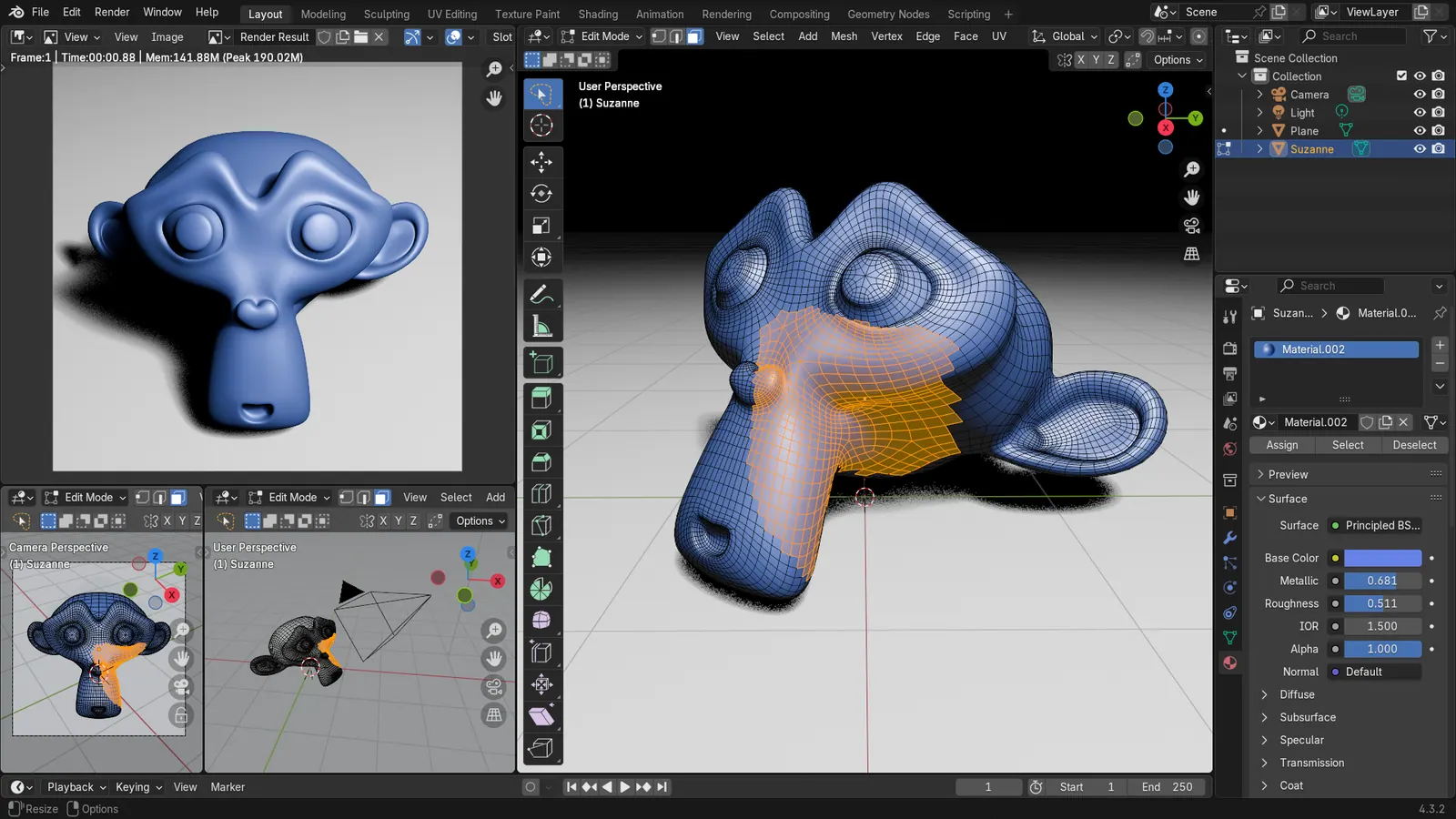
Blender 5.2 LTS - Showcase Reel
By Blender ·
Playing loads YouTube. YouTube will receive your IP address and device information.
Best open-source Floor Plan Software compared: Sweet Home 3D, LibreCAD, QCAD, FreeCAD and 2 more, with licenses, platforms and prices from official pages checked October 23, 2026.
•3 min read•3D & CAD
| Tool | Price | Platforms | Best for | Tested |
|---|---|---|---|---|
| Sweet Home 3D | Free (Free download; also usable in a browser per search coverage) | Windows, macOS, Linux | Home layouts and furniture planning | Docs only |
| LibreCAD | Free (Free, no trial or subscription) | Windows, macOS, Linux | Scaled DXF plans | Docs only |
| QCAD | Free (Community Edition is free (source on GitHub)) | Desktop | 2D drawings with classic CAD tools | Docs only |
| FreeCAD | Free (Free, no sign-up) | Windows, macOS, Linux | Plans as building models | Docs only |
| Bonsai BIM | Free (Free and open source) | Windows, macOS, Linux (runs inside Blender) | IFC floor plans | Docs only |
| Blender | Free (Free for any purpose, including commercial work) | Windows, macOS, Linux | Rendered views of a space | Docs only |
Independent comparison. Paid placements are labelled separately; editorial links earn no affiliate commissions. Learn more.
Images from the linked documentation. Versions and features may differ from current plans.
By Blender ·
Playing loads YouTube. YouTube will receive your IP address and device information.
Open-source floor plan tools are fewer than the browser planners that dominate Google, but they have one clear advantage: your plan lives in a file you control, in a format that will still open later. Sweet Home 3D is the closest match to what most people expect, a program where you draw walls, place doors and furniture, and look around in 3D. LibreCAD and QCAD Community are 2D CAD programs that give you scaled, dimensioned plans and DXF files, which is the format a surveyor or contractor can accept. FreeCAD and Bonsai build floor plans as real building models in the open IFC format, so rooms and walls carry data, but both take far longer to learn than the others. Blender is on the list only as a rendering companion, since it makes polished images of a space after you have built it elsewhere. The trade-off is effort for control. A browser planner hands you a nice picture in ten minutes; these tools ask for an afternoon and give you files with no expiry, no watermark and no account. If you need the picture fast, use a hosted tool. If you need the file to last, use one of these.
GPL-2.0-or-later program for drawing a house plan, arranging furniture and viewing it in 3D. The most approachable open option, with a plain interface.
Price: Free (Free download; also usable in a browser per search coverage) (Sweet Home 3D pricing, checked 2026-10-23).
Platforms and license: Windows, macOS, Linux. GPL-2.0-or-later (open source) (license source).
Best for: Home layouts and furniture planning.
GPL-2.0 2D CAD with no trial or subscription. Gives scaled drawings and DXF output, with no building objects such as walls or rooms.
Price: Free (Free, no trial or subscription) (LibreCAD pricing, checked 2026-10-22).
Platforms and license: Windows, macOS, Linux. GPL-2.0 (open source) (license source).
Project activity: 6.5k GitHub stars · latest release v2.2.1.6 (Oct 17, 2026) · last commit Oct 27, 2026
Best for: Scaled DXF plans.
Worth knowing: 2D only.
Community Edition (GPL-3.0 with exceptions) 2D CAD. A conventional CAD layout; the Professional edition is sold separately.
Price: Free (Community Edition is free (source on GitHub)) (QCAD pricing, checked 2026-10-22).
Platforms and license: Desktop. GPL-3.0 with exceptions (Community Edition) (open source) (license source).
Project activity: 1.9k GitHub stars · last commit Oct 27, 2026
Best for: 2D drawings with classic CAD tools.
LGPL-2.1 parametric modeler with architecture tools for walls and spaces. Powerful but harder to learn, and 2D drafting is weak.
Price: Free (Free, no sign-up) (FreeCAD pricing, checked 2026-10-22).
Platforms and license: Windows, macOS, Linux. LGPL-2.1 (open source) (license source).
Project activity: 34.9k GitHub stars · latest release 1.1.4 (Sep 28, 2026) · last commit Oct 27, 2026
Best for: Plans as building models.
Worth knowing: Mainly parametric 3D; 2D drafting is not its strength.
GPL-3.0-or-later IFC authoring inside Blender. Rooms and walls become building data in an open format, at the price of a steep start.
Price: Free (Free and open source) (Bonsai BIM pricing, checked 2026-10-23).
Platforms and license: Windows, macOS, Linux (runs inside Blender). GPL-3.0-or-later (Bonsai add-on, per IfcOpenShell repository) (open source) (license source).
Project activity: 2.9k GitHub stars · latest release bonsai-0.9.1-alpha2610271050 (Oct 27, 2026) · last commit Oct 27, 2026
Best for: IFC floor plans.
GPL-3.0 3D suite useful for presenting a finished plan as a rendered space. Not a plan-drawing tool by itself.
Price: Free (Free for any purpose, including commercial work) (Blender pricing, checked 2026-10-22).
Platforms and license: Windows, macOS, Linux. GPL-3.0-or-later (open source) (license source).
Best for: Rendered views of a space.
Worth knowing: Texture painting and baking are built in, with node-based shading; no layer stack with smart materials like Painter.
Compare: Blender alternatives
Docs-only for Sweet Home 3D, LibreCAD, QCAD, FreeCAD, Bonsai BIM, Blender: we did not install or run them, so feature claims come from vendor pages. Vendor prices and free limits change; confirm on the linked pricing page before you commit.
Kevin Fan is a SaaS founder. He runs Free Instead Of, which tracks free and open-source alternatives to paid software and checks each price and free-plan limit against the vendor's own pages.
Based on official pricing, license and product pages checked between 2026-10-22 and 2026-10-23: Sweet Home 3D, LibreCAD, QCAD, FreeCAD, Bonsai BIM, Blender. Prices, free limits and licenses are the figures shown on those pages on those dates. No tool on this page was installed or run. No accounts were created.