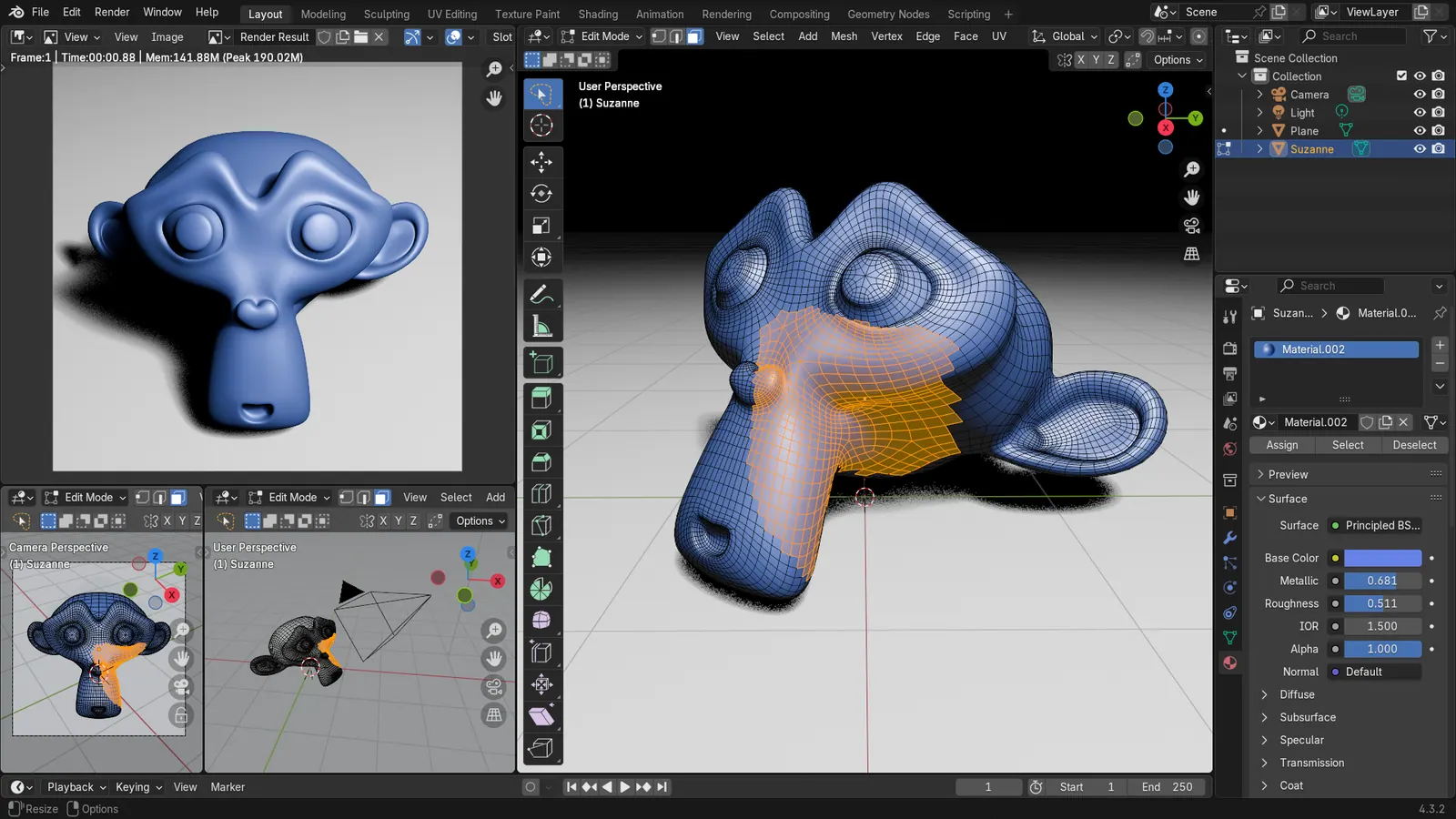
Blender 5.2 LTS - Showcase Reel
By Blender ·
Playing loads YouTube. YouTube will receive your IP address and device information.
Best open-source Architecture Software compared: Bonsai BIM, FreeCAD, Sweet Home 3D, LibreCAD and 2 more, with licenses, platforms and prices from official pages checked October 23, 2026.
•3 min read•3D & CAD
| Tool | Price | Platforms | Best for | Tested |
|---|---|---|---|---|
| Bonsai BIM | Free (Free and open source) | Windows, macOS, Linux (runs inside Blender) | IFC building models | Docs only |
| FreeCAD | Free (Free, no sign-up) | Windows, macOS, Linux | Parametric building and parts | Docs only |
| Sweet Home 3D | Free (Free download; also usable in a browser per search coverage) | Windows, macOS, Linux | Fast house layouts | Docs only |
| LibreCAD | Free (Free, no trial or subscription) | Windows, macOS, Linux | 2D plan drawings | Docs only |
| QCAD | Free (Community Edition is free (source on GitHub)) | Desktop | 2D drafting with a classic interface | Docs only |
| Blender | Free (Free for any purpose, including commercial work) | Windows, macOS, Linux | Presentation renderings | Docs only |
Independent comparison. Paid placements are labelled separately; editorial links earn no affiliate commissions. Learn more.
Images from the linked documentation. Versions and features may differ from current plans.
By Blender ·
Playing loads YouTube. YouTube will receive your IP address and device information.
Open-source architecture software is smaller than the commercial field, but it has one real strength: the IFC format. IFC is the open standard for building data, and FreeCAD and Bonsai both read and write it, which means a model you build can be opened by other teams without a vendor license. Bonsai, an add-on that runs inside Blender, is the more building-focused of the two; FreeCAD is a general parametric modeler with architecture tools added. For drawing plans, sections and details, LibreCAD and QCAD Community give you reliable 2D CAD with DXF exchange. Sweet Home 3D is a different thing again: a quick way to draw a house plan and view it in 3D, with no building data behind it. Blender sits underneath Bonsai and also does the presentation work, from lighting to still images. What you give up is the polish and the coordinated drawing sets of Revit or ArchiCAD. Expect to assemble a workflow from two or three tools instead of using one. If you are a student, a small practice with simple buildings or someone who wants your files readable decades from now, that trade is often worth making. If you must exchange native Revit files, it is not.
Native IFC authoring built on Blender and IfcOpenShell, GPL-3.0-or-later. The best open route to real building data, with licensing documented in the IfcOpenShell repository.
Price: Free (Free and open source) (Bonsai BIM pricing, checked 2026-10-23).
Platforms and license: Windows, macOS, Linux (runs inside Blender). GPL-3.0-or-later (Bonsai add-on, per IfcOpenShell repository) (open source) (license source).
Project activity: 2.9k GitHub stars · latest release bonsai-0.9.1-alpha2610271050 (Oct 27, 2026) · last commit Oct 27, 2026
Best for: IFC building models.
LGPL-2.1 parametric modeler with architecture tools. Broad and scriptable, but it asks you to think in sketches and constraints, and its 2D drafting is weak.
Price: Free (Free, no sign-up) (FreeCAD pricing, checked 2026-10-22).
Platforms and license: Windows, macOS, Linux. LGPL-2.1 (open source) (license source).
Project activity: 34.9k GitHub stars · latest release 1.1.4 (Sep 28, 2026) · last commit Oct 27, 2026
Best for: Parametric building and parts.
Worth knowing: Mainly parametric 3D; 2D drafting is not its strength.
GPL-2.0-or-later home planner for drawing plans and furniture with 3D views. No building data model, so it suits layouts rather than documentation.
Price: Free (Free download; also usable in a browser per search coverage) (Sweet Home 3D pricing, checked 2026-10-23).
Platforms and license: Windows, macOS, Linux. GPL-2.0-or-later (open source) (license source).
Best for: Fast house layouts.
GPL-2.0 2D CAD for plans, sections and details with DXF support. Strictly 2D, with no 3D model or building data behind the drawings.
Price: Free (Free, no trial or subscription) (LibreCAD pricing, checked 2026-10-22).
Platforms and license: Windows, macOS, Linux. GPL-2.0 (open source) (license source).
Project activity: 6.5k GitHub stars · latest release v2.2.1.6 (Oct 17, 2026) · last commit Oct 27, 2026
Best for: 2D plan drawings.
Worth knowing: 2D only.
Community Edition (GPL-3.0 with exceptions) 2D CAD. The Professional edition is paid; check the vendor for its price.
Price: Free (Community Edition is free (source on GitHub)) (QCAD pricing, checked 2026-10-22).
Platforms and license: Desktop. GPL-3.0 with exceptions (Community Edition) (open source) (license source).
Project activity: 1.9k GitHub stars · last commit Oct 27, 2026
Best for: 2D drafting with a classic interface.
GPL-3.0 3D suite that hosts Bonsai and handles lighting and presentation images. On its own it has no building tools.
Price: Free (Free for any purpose, including commercial work) (Blender pricing, checked 2026-10-22).
Platforms and license: Windows, macOS, Linux. GPL-3.0-or-later (open source) (license source).
Best for: Presentation renderings.
Worth knowing: Texture painting and baking are built in, with node-based shading; no layer stack with smart materials like Painter.
Compare: Blender alternatives
Docs-only for Bonsai BIM, FreeCAD, Sweet Home 3D, LibreCAD, QCAD, Blender: we did not install or run them, so feature claims come from vendor pages. Vendor prices and free limits change; confirm on the linked pricing page before you commit.
Kevin Fan is a SaaS founder. He runs Free Instead Of, which tracks free and open-source alternatives to paid software and checks each price and free-plan limit against the vendor's own pages.
Based on official pricing, license and product pages checked between 2026-10-22 and 2026-10-23: Bonsai BIM, FreeCAD, Sweet Home 3D, LibreCAD, QCAD, Blender. Prices, free limits and licenses are the figures shown on those pages on those dates. No tool on this page was installed or run. No accounts were created.