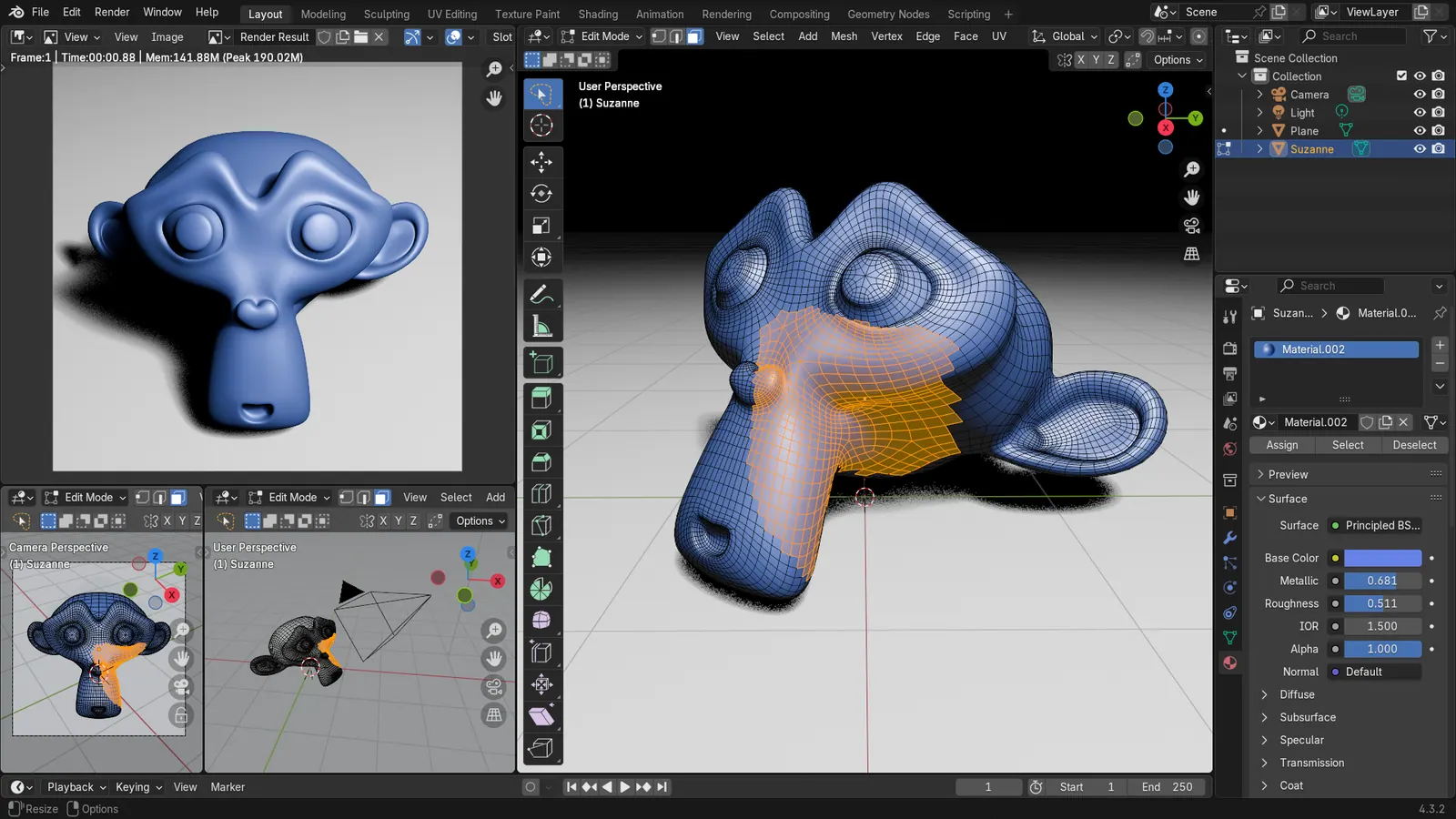
Blender 5.2 LTS - Showcase Reel
By Blender ·
Playing loads YouTube. YouTube will receive your IP address and device information.
Best free Architecture Software compared: FreeCAD, Bonsai BIM, Sweet Home 3D, LibreCAD and 3 more, with free-plan limits, platforms and prices from official pages checked October 23, 2026.
•3 min read•3D & CAD
| Tool | Price | Platforms | Best for | Tested |
|---|---|---|---|---|
| FreeCAD | Free (Free, no sign-up) | Windows, macOS, Linux | Students and small BIM-style models | Docs only |
| Bonsai BIM | Free (Free and open source) | Windows, macOS, Linux (runs inside Blender) | Open IFC building models | Docs only |
| Sweet Home 3D | Free (Free download; also usable in a browser per search coverage) | Windows, macOS, Linux | Home plans and interiors | Docs only |
| LibreCAD | Free (Free, no trial or subscription) | Windows, macOS, Linux | 2D plans and sections | Docs only |
| QCAD | Free (Community Edition is free (source on GitHub)) | Desktop | 2D drawings on any desktop | Docs only |
| nanoCAD | Free (nanoCAD Free v5: non-commercial use only, DWG up to 2013); paid from $289 per year, nanoCAD 26 Platform | Windows | DWG drafting for students | Docs only |
| Blender | Free (Free for any purpose, including commercial work) | Windows, macOS, Linux | Presentation renderings | Docs only |
Independent comparison. Paid placements are labelled separately; editorial links earn no affiliate commissions. Learn more.
Images from the linked documentation. Versions and features may differ from current plans.
By Blender ·
Playing loads YouTube. YouTube will receive your IP address and device information.
Architecture software ranges from simple drawing programs to full building models, and the free options sit mostly at the two ends. For drawings of plans, sections and elevations, 2D tools such as LibreCAD, QCAD Community and nanoCAD Free do the job and open DXF or DWG files. For a model that carries real building data, FreeCAD and Bonsai (a native IFC tool built inside Blender) work in the open IFC format, which is what a project team can pass between programs. Sweet Home 3D and Blender fill the middle: they draw a plan quickly and produce good-looking views, but they do not produce documents a permit office expects. Be honest about what you need. A student designing a small house can finish an entire project in these tools. A professional who must exchange Revit files with consultants cannot, because free tools do not read or write Revit natively. The main trade-off is the learning curve of the BIM-capable options, since FreeCAD and Bonsai ask you to think like a database. Every pick below states its limit, including the non-commercial restrictions on nanoCAD Free, so you can see where the free ride ends before you start a client job.
LGPL-2.1 modeler used for building models through its architecture tools; no sign-up. Parametric and powerful for parts, but its 2D drafting is the weaker side.
Price: Free (Free, no sign-up) (FreeCAD pricing, checked 2026-10-22).
Platforms and license: Windows, macOS, Linux. LGPL-2.1 (open source).
Project activity: 34.9k GitHub stars · latest release 1.1.4 (Sep 28, 2026) · last commit Oct 27, 2026
Best for: Students and small BIM-style models.
Worth knowing: Mainly parametric 3D; 2D drafting is not its strength.
Native IFC authoring inside Blender, GPL-3.0-or-later and free. The Bonsai site names no license, so the license comes from the IfcOpenShell repository.
Price: Free (Free and open source) (Bonsai BIM pricing, checked 2026-10-23).
Platforms and license: Windows, macOS, Linux (runs inside Blender). GPL-3.0-or-later (Bonsai add-on, per IfcOpenShell repository) (open source).
Project activity: 2.9k GitHub stars · latest release bonsai-0.9.1-alpha2610271050 (Oct 27, 2026) · last commit Oct 27, 2026
Best for: Open IFC building models.
GPL-2.0-or-later program for drawing a house plan, placing furniture and viewing it in 3D. Produces views for planning, not construction documents.
Price: Free (Free download; also usable in a browser per search coverage) (Sweet Home 3D pricing, checked 2026-10-23).
Platforms and license: Windows, macOS, Linux. GPL-2.0-or-later (open source).
Best for: Home plans and interiors.
GPL-2.0 2D CAD with no trial or subscription. Good for plans and sections as DXF; there is no 3D or BIM data.
Price: Free (Free, no trial or subscription) (LibreCAD pricing, checked 2026-10-22).
Platforms and license: Windows, macOS, Linux. GPL-2.0 (open source).
Project activity: 6.5k GitHub stars · latest release v2.2.1.6 (Oct 17, 2026) · last commit Oct 27, 2026
Best for: 2D plans and sections.
Worth knowing: 2D only.
Community Edition is free and open source 2D CAD. The Professional edition is a separate paid product, so check the vendor site for its price.
Price: Free (Community Edition is free (source on GitHub)) (QCAD pricing, checked 2026-10-22).
Platforms and license: Desktop. GPL-3.0 with exceptions (Community Edition) (open source).
Project activity: 1.9k GitHub stars · last commit Oct 27, 2026
Best for: 2D drawings on any desktop.
nanoCAD Free v5 is for non-commercial use only and edits DWG up to 2013. The free build lacks 3D solid modeling.
Price: Free (nanoCAD Free v5: non-commercial use only, DWG up to 2013); paid from $289 per year, nanoCAD 26 Platform (nanoCAD pricing, checked 2026-10-22).
Platforms and license: Windows. Proprietary.
Best for: DWG drafting for students.
Free for any purpose including commercial work. Not an architecture tool by itself, but Bonsai adds IFC building authoring and it renders presentation views.
Price: Free (Free for any purpose, including commercial work) (Blender pricing, checked 2026-10-22).
Platforms and license: Windows, macOS, Linux. GPL-3.0-or-later (open source).
Best for: Presentation renderings.
Worth knowing: Texture painting and baking are built in, with node-based shading; no layer stack with smart materials like Painter.
Compare: Blender alternatives
Docs-only for FreeCAD, Bonsai BIM, Sweet Home 3D, LibreCAD, QCAD, nanoCAD, Blender: we did not install or run them, so feature claims come from vendor pages. Vendor prices and free limits change; confirm on the linked pricing page before you commit.
Kevin Fan is a SaaS founder. He runs Free Instead Of, which tracks free and open-source alternatives to paid software and checks each price and free-plan limit against the vendor's own pages.
Based on official pricing, license and product pages checked between 2026-10-22 and 2026-10-23: FreeCAD, Bonsai BIM, Sweet Home 3D, LibreCAD, QCAD, nanoCAD, Blender. Prices, free limits and licenses are the figures shown on those pages on those dates. No tool on this page was installed or run. No accounts were created.