OneDrive Alternatives for Linux: Clients and Replacements
Linux has no official OneDrive client. Compare abraunegg's client, onedriver and rclone, plus Nextcloud, Syncthing and Seafile if you want out.
•4 min read•Cloud Storage & Backup
Verdict:Microsoft ships no Linux OneDrive client. To keep OneDrive, use abraunegg's open-source sync client, onedriver for on-demand mounting, or rclone for scripting. To leave it, Nextcloud, Syncthing and Seafile all run on Linux.
Quick comparison
| Tool | Price | Platforms | Best for | Tested |
|---|---|---|---|---|
| OneDrive Client for Linux (abraunegg) | Free (open source, GPL-3.0) | Linux, FreeBSD, OpenBSD | Linux users who want a free two-way OneDrive sync, including Business and SharePoint | Docs only |
| onedriver | Free (open source, GPL-3.0) | Linux | Linux users who want OneDrive mounted as a folder that downloads files only when opened | Docs only |
| rclone | Free (open source) | Linux, macOS, Windows | Scripted OneDrive copies, backups and mounts for command-line users | Docs only |
| Nextcloud | Free server software (AGPL-3.0); you pay for hosting | Self-hosted, Linux | Leaving OneDrive for a self-hosted file sync and share server | Docs only |
| Syncthing | Free (open source, MPL-2.0) | Linux | Syncing folders between your own devices with no central server | Docs only |
| Seafile | Community Edition free; Professional free up to 3 users | Self-hosted, Linux | A small team that wants self-hosted sync with online Office editing | Docs only |
Independent comparison. Paid placements are labelled separately; editorial links earn no affiliate commissions. Learn more.
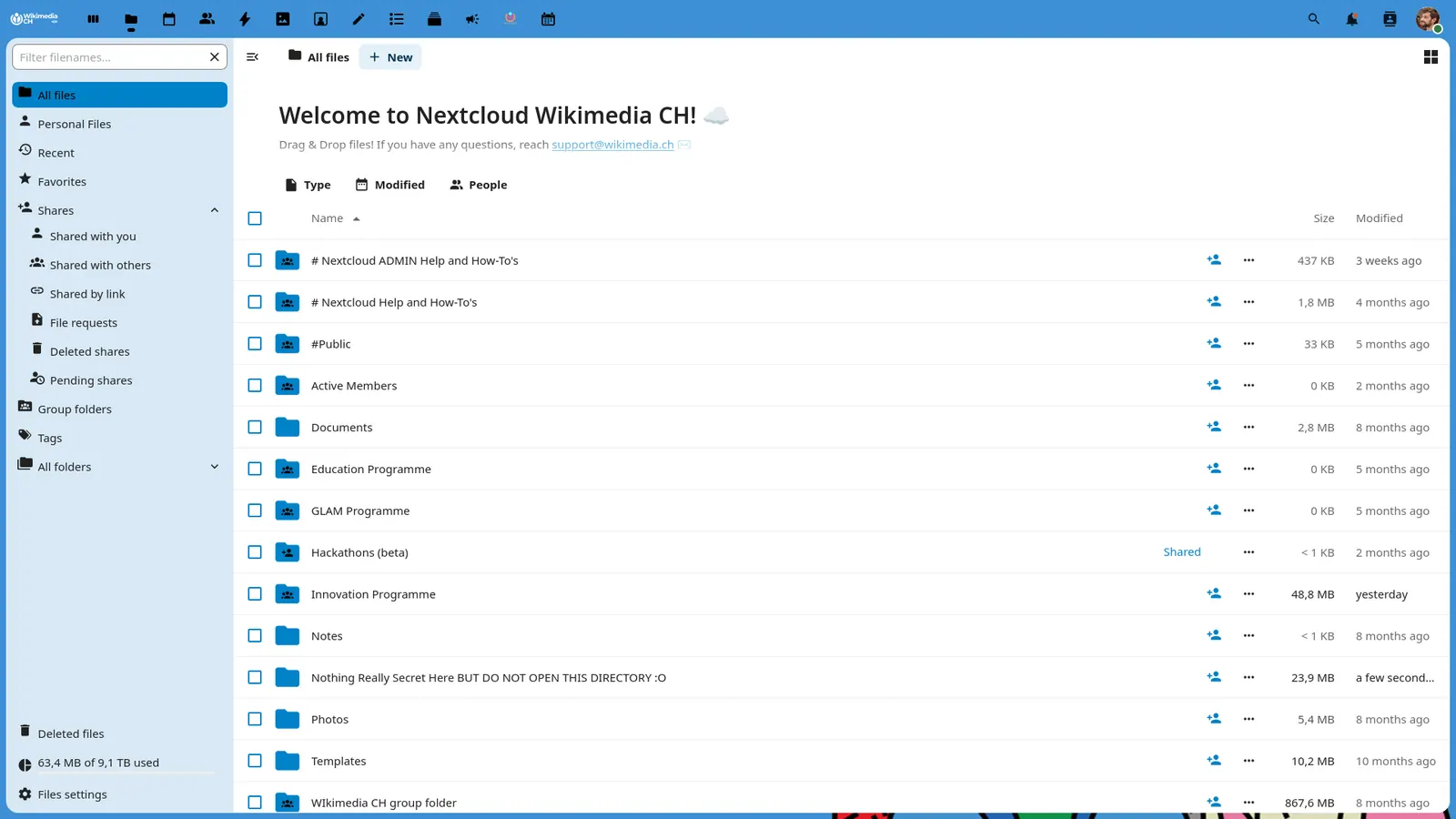
See the tools in action
Images from the linked documentation. Versions and features may differ from current plans.
Good fit if
- You use Linux and need your OneDrive files on the desktop
- You are comfortable with a command-line setup, or can follow a README
- You are willing to self-host if you leave OneDrive
Not ideal if
- You need Windows-style Files On-Demand with a polished GUI from a vendor
- You want zero setup and zero maintenance
Short answer: Linux has no official OneDrive client, so you have two paths. To keep OneDrive, use the open-source abraunegg client for two-way sync, onedriver for a mount that downloads files when you open them, or rclone for scripts. To leave OneDrive, Nextcloud, Syncthing and Seafile all run on Linux, at the cost of hosting or managing something yourself.
What matters for OneDrive on Linux
Four things decide this. First, sync or mount: sync keeps a local copy and uses disk space, while a mount fetches files on demand and needs a connection. Second, which account you have: Personal, Business or SharePoint libraries. Third, setup effort: command line or GUI. Fourth, whether you are staying on OneDrive at all.
A University of Washington iSchool help article says Linux has no official OneDrive client and points to the abraunegg project. A 2023 ExpanDrive post frames the choice as sync versus mount. It is a vendor article, so treat its product comparisons with care.
In a November 2024 Tildes thread, someone asked about moving a partner off Windows while keeping OneDrive sync reliable. Replies suggested rclone mounts, the abraunegg client and a paid client, and most advised staying on Windows with native OneDrive if the setup has to just work.
OneDrive Client for Linux (abraunegg)
This is a free, open-source command-line OneDrive client. According to its README, it supports OneDrive Personal, OneDrive for Business, Microsoft 365 and SharePoint document libraries, and is licensed GPL-3.0. Two-way sync is the default.
It is independently maintained, not by Microsoft. It does not support Windows-style Files On-Demand and has no on-the-fly file encryption. A GUI is needed only for Intune single sign-on, desktop notifications and file manager sidebar integration.
Pick it if you want a local copy that syncs in both directions. Skip it if your disk cannot hold the files you sync.
onedriver
onedriver is a native Linux filesystem for OneDrive. According to its README, files download only when a program uses them, previously opened files stay readable offline, and the mount turns read-only when you are offline. It is GPL-3.0 and lets you add accounts through a GUI.
The README also lists limits: no symbolic links, very large files load into memory (the README suggests rclone for multi-gigabyte files), and it advises against using it as a backup target. It does not state support for Business or SharePoint.
Pick it for personal accounts when you want OneDrive to behave like a folder without a full sync.
rclone
rclone is a command-line tool that copies, syncs and mounts many cloud services, with a dedicated OneDrive backend. According to rclone's OneDrive page, it covers Personal, Business and SharePoint document libraries, with a maximum file size of 250 GiB and full paths under 400 characters.
The same page lists caveats: refresh tokens expire after 90 days of non-use, every change creates a file version, and Microsoft provides no API to permanently delete files unless you set hard_delete.
Pick rclone for scripted backups and mounts. Skip it if you want a point-and-click setup.
Nextcloud
Nextcloud is a self-hosted file sync and share server, so it replaces OneDrive rather than connecting to it. According to Nextcloud's install page, you can run the server from an All-in-One Docker image, a VM image, a web installer or a Snap package, and the Linux desktop client is offered as an AppImage, with distribution packages community-maintained. The server is AGPL-3.0.
The install page lists no price for the Community edition, and you pay for the server or hosting. Pick it if you want full control and will maintain it.
Syncthing
Syncthing keeps folders in sync between your own computers with no central server. According to its site, it syncs files between computers with no central server and works on Linux. The code is MPL-2.0.
It syncs between your own computers rather than acting as a hosted drive. A commenter in the Tildes thread named it as an option. Pick it for private device-to-device sync.
Seafile
Seafile is open-source file sync and share software. According to its pricing page, Community Edition is free and open source, and Professional Edition needs no license for up to 3 users. Professional costs $48 per user per year at 10 to 249 users.
The Seafile site mentions online Office editing, and its download page lists a server for generic Linux and a desktop client that runs on Ubuntu, Debian and Fedora. Pick it for a small team that wants self-hosted sync with Office editing.
Comparison
| Tool | Stays on OneDrive? | Sync or mount | Business / SharePoint | Price |
|---|---|---|---|---|
| abraunegg client | Yes | Two-way sync | Yes | Free, GPL-3.0 |
| onedriver | Yes | On-demand mount | Not stated | Free, GPL-3.0 |
| rclone | Yes | Copy, sync or mount | Yes | Free |
| Nextcloud | No | Server plus clients | n/a | Free software, you host |
| Syncthing | No | Device-to-device sync | n/a | Free, MPL-2.0 |
| Seafile | No | Server plus clients | n/a | Free Community; Pro free to 3 users |
How to choose
You just need your OneDrive files on Linux. Start with the abraunegg client if you want a local copy, or onedriver if you want files downloaded only when opened.
You use Business or SharePoint. The abraunegg client and rclone list support for both. Test a small library first.
You want to stop using OneDrive. Syncthing is the lightest option, Nextcloud is the broadest, and Seafile suits a small team. Our open-source cloud storage and free cloud storage pages compare more, and the Dropbox alternatives and Google Drive alternatives guides cover hosted choices.
Limits of this review
Nothing was installed, so sync speed, reliability and conflict handling were not tested on any distribution. The ExpanDrive post is a vendor article. Nextcloud and Syncthing pages did not give a price, and Seafile's Linux client details were not confirmed. Community opinions are one thread from 2024.
FAQ
Is there an official OneDrive client for Linux?
No. A University of Washington iSchool help article and a 2023 ExpanDrive post both state Linux has no official client. Microsoft's own clients cover Windows and macOS, so Linux users rely on independent projects such as the abraunegg client, onedriver or rclone.
What is the best OneDrive client for Linux?
For two-way sync, the abraunegg client: its README lists support for Personal, Business, Microsoft 365 and SharePoint under GPL-3.0. For on-demand access, onedriver mounts OneDrive as a folder. For scripts and mounts, rclone. Choose by whether you want a local copy or a mount.
Does the Linux OneDrive client support Files On-Demand?
The abraunegg client does not. Its README lists Windows-style on-demand download as unsupported, so it needs disk space for what you sync. onedriver downloads files when a program opens them, which is closer to on-demand behavior, with caveats for very large files.
Does onedriver work with OneDrive for Business and SharePoint?
Its README does not state support for either, and a 2023 ExpanDrive post, a vendor article, describes its SharePoint support as limited. The abraunegg client and rclone both list Business and SharePoint support in their documentation. Test with a small folder before moving real work over.
What should I use if I want to leave OneDrive on Linux?
Nextcloud is the full file sync and share server and is AGPL-3.0. Syncthing syncs between your own devices with no central server. Seafile Community Edition is free, and its Professional edition is free for up to 3 users. All three need you to host or manage something.
Can I use Dropbox or Proton Drive instead?
Commenters in a November 2024 Tildes thread mentioned both Dropbox and Proton Drive as options for a Linux user. Their pricing and Linux clients were not reviewed for this page, so check each vendor's own page. Our Dropbox alternatives guide covers hosted options if you want to compare prices.
Related guides
More in Cloud Storage & Backup
All Cloud Storage & Backup alternatives →Sources
Kevin Fan
Kevin Fan is a SaaS founder. He runs Free Instead Of, which tracks free and open-source alternatives to paid software and checks each price and free-plan limit against the vendor's own pages.
Methodology
Project pages for the abraunegg OneDrive client, onedriver, rclone, Nextcloud, Syncthing and Seafile were read on 2026-10-26, together with a university help article, a 2023 ExpanDrive blog post and a November 2024 Tildes thread for user pain points. No tool was installed or run, and no accounts were created.