Best Free Screen Capture Tools 2026: 7 Options Compared
Best free Screen Capture Tools compared: ShareX, Greenshot, Flameshot, Screenity and 3 more, with free-plan limits, platforms and prices from official pages checked October 23, 2026.
•3 min read•Video Editing & AI Video
Quick comparison
| Tool | Price | Platforms | Best for | Tested |
|---|---|---|---|---|
| ShareX | Free | Windows | Windows users who want everything | Docs only |
| Greenshot | Free | Windows | Simple annotated screenshots | Docs only |
| Flameshot | Free | Linux, Windows, macOS | Cross-platform screenshots | Docs only |
| Screenity | Free (the Chrome extension, which its FAQ says stays free); paid from $10 per month (paid editor, with up to 1 hour per recording; $120 billed yearly) | Chrome | Browser-based recordings | Docs only |
| Cap | Free (local recordings with no time limit; shareable cloud links up to 5 minutes); paid from $8.16 per user/month, billed annually ($12 billed monthly, Cap Pro) | macOS, Windows, Self-hosted | Open-source Loom-style recordings | Docs only |
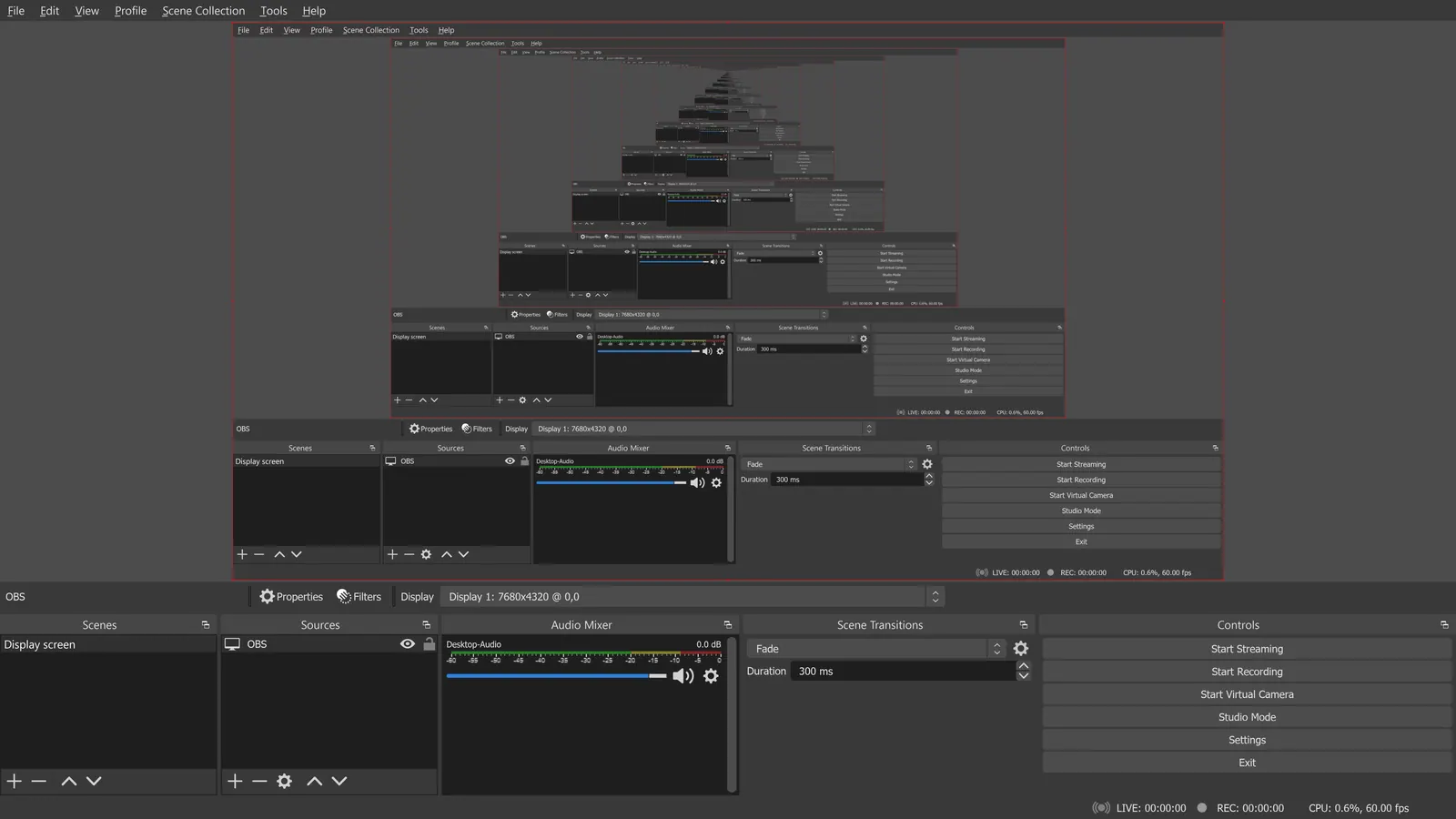
| OBS Studio | Free (open source, with no paid tier listed on its site) | Windows, macOS, Linux | Long, high-quality recordings | Docs only |
| Zight | Free (Share plan with 5 video requests a month, 5-minute recordings, up to 720p, 1 GB of storage and 1 user); paid from $9.95 per user/month, billed annually (Create) | Web, Desktop app | Quick shareable captures | Docs only |
Independent comparison. Paid placements are labelled separately; editorial links earn no affiliate commissions. Learn more.
See the tools in action
Images from the linked documentation. Versions and features may differ from current plans.
Good fit if
- You are on Windows and want every capture mode (ShareX is the pick)
- You only need clean annotated screenshots (Greenshot is the pick)
- You use Linux or switch between systems (Flameshot is the pick)
- You need a shareable video link (Cap is the pick)
Not ideal if
- You need paid-tier features, uptime guarantees or support that these free plans leave out
Screen capture can mean two things, a still screenshot or a recording, and most free tools do one of them well. For screenshots, Greenshot and Flameshot are small and quick: you grab a region, annotate it, and save or copy it. ShareX is the Windows power tool that does screenshots, scrolling capture, GIF recording and automatic uploads, but its menus are dense. If you also need video, OBS Studio, Cap and Screenity record the screen, with Cap and Screenity aimed at quick shareable recordings and OBS aimed at full control. Zight combines screenshots, recordings and sharing links, though its free plan limits recordings to 5 minutes and 720p. Match the tool to your platform first: Greenshot, ShareX and MPC-style Windows tools are Windows-only, Flameshot runs on Linux, Windows and macOS, and Screenity lives in Chrome. Then decide whether you need annotation, a shareable link, or a local file only. For documentation work, a tool with arrows, blur and numbering saves more time than extra recording features. For support tickets, a link that opens in a browser is better than a file attachment.
ShareX
GPL-3.0 Windows tool covering region, window and scrolling capture, GIF and screen recording, OCR and upload actions, with no account needed. Powerful but dense for a first-time user.
Price: Free (ShareX pricing, checked 2026-10-23).
Platforms and license: Windows. GPL-3.0 (open source).
Project activity: 40.5k GitHub stars · latest release v21.0.0 (Jul 3, 2026) · last commit Oct 27, 2026
Best for: Windows users who want everything.
Greenshot
GPL-3.0 Windows screenshot tool that captures a region, window or full screen and lets you annotate and obscure parts. The repository page does not mention screen recording.
Price: Free (Greenshot pricing, checked 2026-10-23).
Platforms and license: Windows. GPL-3.0 (open source).
Project activity: 5.2k GitHub stars · latest release v1.3.328 (Oct 19, 2026) · last commit Oct 27, 2026
Best for: Simple annotated screenshots.
Flameshot
GPL-3.0-or-later screenshot tool for Linux, Windows and macOS with in-app editing and Imgur upload. Wayland support on Linux is described as experimental.
Price: Free (Flameshot pricing, checked 2026-10-23).
Platforms and license: Linux, Windows, macOS. GPL-3.0 (open source).
Project activity: 31.3k GitHub stars · latest release v14.0.0 (Jun 19, 2026) · last commit Oct 26, 2026
Best for: Cross-platform screenshots.
Screenity
GPL-3.0 Chrome extension that stays free per its FAQ; a paid editor is $10 a month. Records tab or screen without leaving the browser.
Price: Free (the Chrome extension, which its FAQ says stays free); paid from $10 per month (paid editor, with up to 1 hour per recording; $120 billed yearly) (Screenity pricing, checked 2026-10-22).
Platforms and license: Chrome. GPL-3.0 (open source).
Project activity: 18.8k GitHub stars · latest release v4.7.2 (Oct 25, 2026) · last commit Oct 25, 2026
Best for: Browser-based recordings.
Cap
AGPL-3.0 recorder for macOS and Windows: local recordings have no time limit, while shareable cloud links last up to 5 minutes on the free plan. Cap Pro is $8.16 a month billed annually.
Price: Free (local recordings with no time limit; shareable cloud links up to 5 minutes); paid from $8.16 per user/month, billed annually ($12 billed monthly, Cap Pro) (Cap pricing, checked 2026-10-22).
Platforms and license: macOS, Windows, Self-hosted. AGPL-3.0 (open source).
Project activity: 23.9k GitHub stars · latest release cap-v0.6.1 (Oct 20, 2026) · last commit Oct 27, 2026
Best for: Open-source Loom-style recordings.
OBS Studio
Records the full screen or specific windows with no time limit and no watermark, under GPL-2.0-or-later. Not built for quick screenshots, and setup takes longer than the lighter tools.
Price: Free (open source, with no paid tier listed on its site) (OBS Studio pricing, checked 2026-10-22).
Platforms and license: Windows, macOS, Linux. GPL-2.0-or-later (open source).
Project activity: 78.4k GitHub stars · latest release 33.0.0 (Oct 23, 2026) · last commit Oct 27, 2026
Best for: Long, high-quality recordings.
Worth knowing: OBS records on your machine; it has no remote guest recording.
Compare: OBS Studio alternatives
Zight
Free Share plan: 5-minute recordings up to 720p, 1 GB of storage, 5 video requests a month. Fast to share by link, but the limits bite early.
Price: Free (Share plan with 5 video requests a month, 5-minute recordings, up to 720p, 1 GB of storage and 1 user); paid from $9.95 per user/month, billed annually (Create) (Zight pricing, checked 2026-10-22).
Platforms and license: Web, Desktop app. Proprietary.
Best for: Quick shareable captures.
Which one to pick
- You are on Windows and want every capture mode: ShareX
- You only need clean annotated screenshots: Greenshot
- You use Linux or switch between systems: Flameshot
- You need a shareable video link: Cap
Limits of this review
Docs-only for ShareX, Greenshot, Flameshot, Screenity, Cap, OBS Studio, Zight: we did not install or run them, so feature claims come from vendor pages. Vendor prices and free limits change; confirm on the linked pricing page before you commit.
Related guides
Sources
Kevin Fan
Kevin Fan is a SaaS founder. He runs Free Instead Of, which tracks free and open-source alternatives to paid software and checks each price and free-plan limit against the vendor's own pages.
Methodology
Based on official pricing, license and product pages checked between 2026-10-22 and 2026-10-23: ShareX, Greenshot, Flameshot, Screenity, Cap, OBS Studio, Zight. Prices, free limits and licenses are the figures shown on those pages on those dates. No tool on this page was installed or run. No accounts were created.