Blender 5.2 LTS - Showcase Reel
By Blender ·
Playing loads YouTube. YouTube will receive your IP address and device information.
Best free Rendering Software compared: Blender, LuxCoreRender, Mitsuba 3, D5 Render and 2 more, with free-plan limits, platforms and prices from official pages checked October 24, 2026.
•3 min read•3D & CAD

| Tool | Price | Platforms | Best for | Tested |
|---|---|---|---|---|
| Blender | Free (Free for any purpose, including commercial work) | Windows, macOS, Linux | All-round modeling and rendering | Docs only |
| LuxCoreRender | Free (Free and open source) | Windows, macOS, Linux | Physically accurate stills | Docs only |
| Mitsuba 3 | Free (Free and open source research renderer) | Windows, macOS, Linux | Researchers and scripted pipelines | Docs only |
| D5 Render | Free (Community plan is free for non-commercial use: images up to 16K, video up to 4K, 1 project-based tour, limited cloud space) | Desktop | Real-time architecture visuals | Docs only |
| Unreal Engine | Free (Free to download and use; 5% royalty on lifetime gross revenue above $1 million per product) | Desktop | Real-time cinematic images | Docs only |
| Sweet Home 3D | Free (Free download; also usable in a browser per search coverage) | Windows, macOS, Linux | Room mock-ups | Docs only |
Independent comparison. Paid placements are labelled separately; editorial links earn no affiliate commissions. Learn more.
Images from the linked documentation. Versions and features may differ from current plans.
By Blender ·
Playing loads YouTube. YouTube will receive your IP address and device information.
Rendering software turns a 3D scene into an image, and the free options differ most in how much of the job they do for you. Blender is the all-round answer: a complete 3D suite with built-in rendering that is free for any purpose, commercial work included. LuxCoreRender and Mitsuba 3 are open-source render engines, the first focused on physically based images and the second on research, with Python scripting and differentiable rendering. D5 Render is a real-time tool for architecture and design whose Community plan is free for non-commercial use, with images up to 16K and video up to 4K, a limited cloud allowance, and one project-based tour. Unreal Engine can produce high-quality images in real time and is free below a $1 million revenue line. Sweet Home 3D includes photo rendering for home plans, which is enough for a room mock-up. The trade-off is where the work sits. A render engine needs a scene made elsewhere, so LuxCore and Mitsuba make sense only if you already have models and are comfortable with technical setup. D5 is quickest to a good-looking result but its free tier bars commercial use. Choose the engine that matches the files you already have.
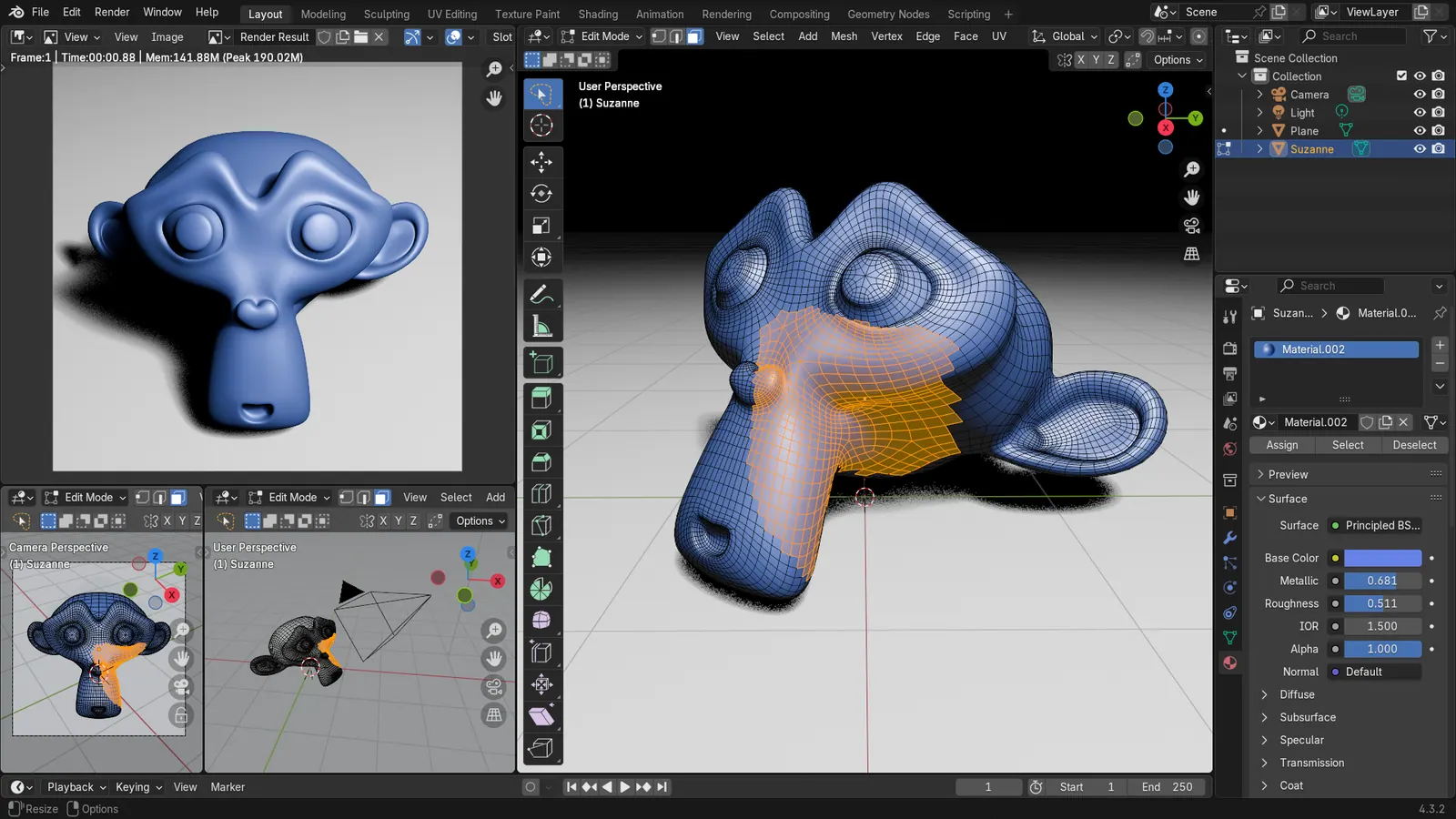
GPL-3.0 3D suite with built-in rendering, free for any purpose including commercial work. Needs time to learn, but you get modeling and rendering in one place.
Price: Free (Free for any purpose, including commercial work) (Blender pricing, checked 2026-10-22).
Platforms and license: Windows, macOS, Linux. GPL-3.0-or-later (open source).
Best for: All-round modeling and rendering.
Worth knowing: Texture painting and baking are built in, with node-based shading; no layer stack with smart materials like Painter.
Compare: Blender alternatives
Apache-2.0 physically based render engine with builds for Windows, Linux and macOS. Needs a scene exported from another app; setup is technical.
Price: Free (Free and open source) (LuxCoreRender pricing, checked 2026-10-24).
Platforms and license: Windows, macOS, Linux. Apache-2.0 (open source).
Project activity: 1.3k GitHub stars · latest release wheels-v2.11.2 (Sep 6, 2026) · last commit Oct 24, 2026
Best for: Physically accurate stills.
BSD-style licensed research renderer, scriptable in Python with differentiable rendering. Not an artist-friendly app, so expect scripting.
Price: Free (Free and open source research renderer) (Mitsuba 3 pricing, checked 2026-10-24).
Platforms and license: Windows, macOS, Linux. BSD-style (see LICENSE) (open source).
Project activity: 3k GitHub stars · latest release v3.9.0 (Aug 7, 2026) · last commit Oct 25, 2026
Best for: Researchers and scripted pipelines.
Worth knowing: Research-oriented, scriptable (Python) renderer with differentiable rendering; not an artist-friendly app.
Community plan is free for non-commercial use: images up to 16K, video up to 4K and one project-based tour. Commercial work needs a paid plan.
Price: Free (Community plan is free for non-commercial use: images up to 16K, video up to 4K, 1 project-based tour, limited cloud space) (D5 Render pricing, checked 2026-10-24).
Platforms and license: Desktop. Proprietary.
Best for: Real-time architecture visuals.
Free to download; 5% royalty on lifetime gross revenue above $1 million per product. It is a real-time engine, so check Epic's license terms before shipping a commercial product.
Price: Free (Free to download and use; 5% royalty on lifetime gross revenue above $1 million per product) (Unreal Engine pricing, checked 2026-10-24).
Platforms and license: Desktop. Epic EULA (source-available).
Best for: Real-time cinematic images.
Free GPL download that includes photo and video rendering for home plans. Output quality is below dedicated render engines.
Price: Free (Free download; also usable in a browser per search coverage) (Sweet Home 3D pricing, checked 2026-10-23).
Platforms and license: Windows, macOS, Linux. GPL-2.0-or-later (open source).
Best for: Room mock-ups.
Docs-only for Blender, LuxCoreRender, Mitsuba 3, D5 Render, Unreal Engine, Sweet Home 3D: we did not install or run them, so feature claims come from vendor pages. Vendor prices and free limits change; confirm on the linked pricing page before you commit.
Kevin Fan is a SaaS founder. He runs Free Instead Of, which tracks free and open-source alternatives to paid software and checks each price and free-plan limit against the vendor's own pages.
Based on official pricing, license and product pages checked between 2026-10-22 and 2026-10-24: Blender, LuxCoreRender, Mitsuba 3, D5 Render, Unreal Engine, Sweet Home 3D. Prices, free limits and licenses are the figures shown on those pages on those dates. No tool on this page was installed or run. No accounts were created.