Audacity Alternative for Chromebook: 4 Ways to Edit Audio
Audacity lists no ChromeOS version. Compare AudioMass, BandLab, TwistedWave Online and Audacity in the Linux container, with limits from official pages.
•4 min read•Audio & Music
Verdict:AudioMass is the closest free, no-account Audacity substitute that runs in a Chromebook browser; BandLab suits music projects, TwistedWave Online suits voice work, and Audacity itself only runs through the Linux container.
Quick comparison
| Tool | Price | Platforms | Best for | Tested |
|---|---|---|---|---|
| AudioMass | Free (open source, MIT) | Web browser, Self-hosted | Chromebook users who want a free browser waveform editor with offline support | Docs only |
| BandLab | Free with ads; Pro $99 first year, then $149 a year | Web browser, iOS, Android | Recording and mixing songs in the browser on a Chromebook | Docs only |
| TwistedWave Online | Separate purchase from the desktop versions; check the site for the online price | Web browser | Voice recording and single-track spoken-word editing in the browser | Docs only |
| Audacity (via Linux) | Free (open source) | Linux | Keeping Audacity itself on a Chromebook that supports Linux apps | Docs only |
Independent comparison. Paid placements are labelled separately; editorial links earn no affiliate commissions. Learn more.
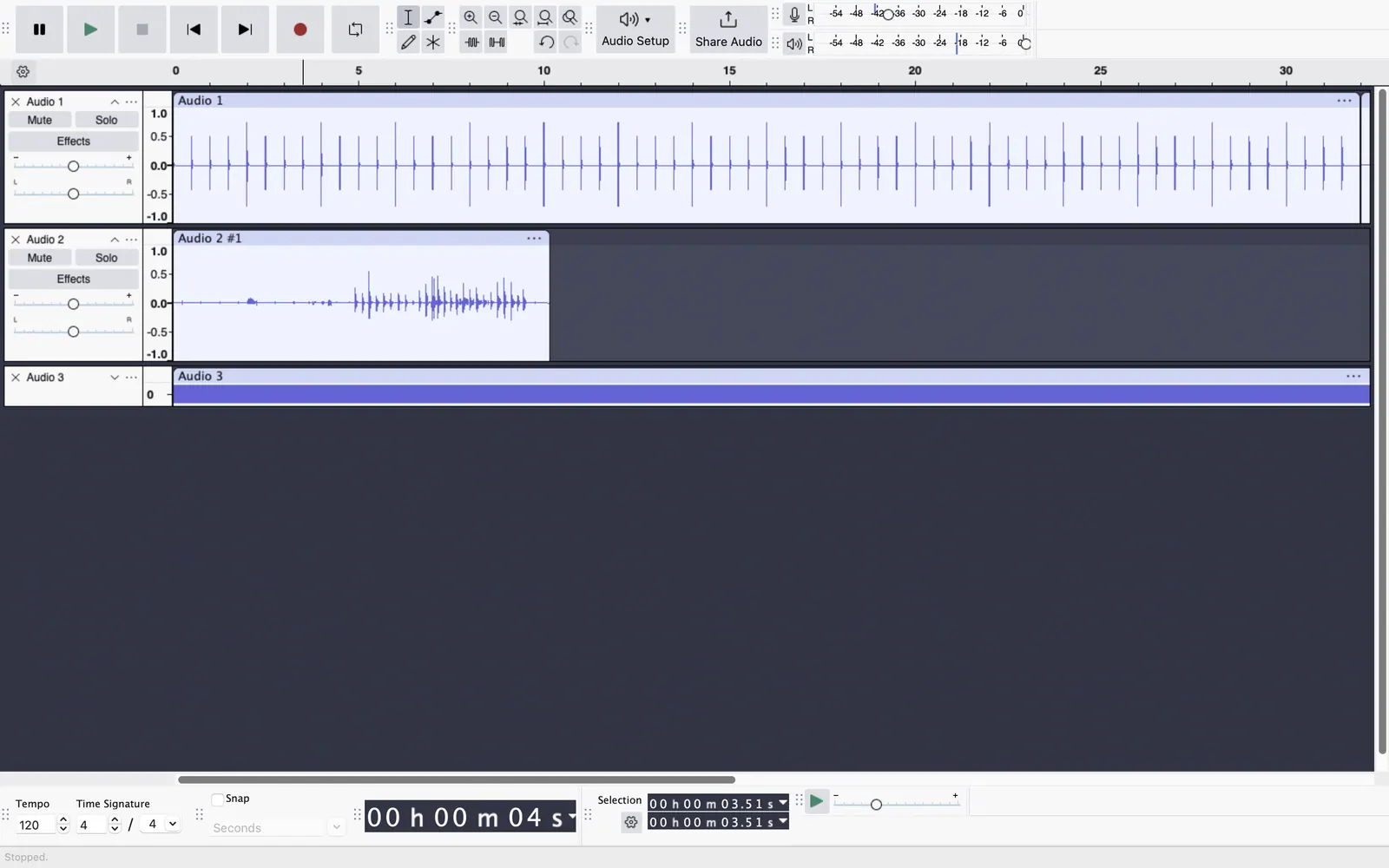
See the tools in action
Images from the linked documentation. Versions and features may differ from current plans.
Good fit if
- You are on a Chromebook and want to record, trim and clean audio without installing anything
- You want a free editor that works in Chrome, ideally offline
- You can turn on Linux and want to keep using Audacity itself
Not ideal if
- Your school or work Chromebook blocks Linux and web apps you have not been approved for
- You need a native ChromeOS Audacity release; none exists on the official download pages
- You need a full multitrack studio for a band recording
Short answer: on a Chromebook, use AudioMass if you want a free editor in a browser tab that works offline, BandLab if you are making songs, or TwistedWave Online for single-track voice work. To keep Audacity itself, you have to turn on Google's Linux environment, which many school and work devices block.
What matters on a Chromebook
Four criteria sort the options:
- No admin rights needed. A browser tab works on a locked-down device; Linux apps often do not.
- Offline use. Some web editors keep working without a connection, others need a server.
- Cost and limits. Free plans differ in ads, track caps and account requirements.
- Recording and basic editing. Trim, fade, noise or hum cleanup and an mp3 export cover most Audacity use.
Audacity has no ChromeOS build. The Linux download page lists AppImages for x86_64 and ARM64, requires FUSE 2, and does not mention ChromeOS. In a January 2023 forum thread, a forum member said Chromebooks are not officially supported, and the person asking stayed on Audacity 2.4.2 from the repository.
AudioMass
AudioMass is an open-source, browser-based audio and waveform editor. According to its about page, it records audio, trims, cuts and pastes, and applies effects such as compression, reverb, delay, normalization, pitch shifting and click or hum repair. It also does multitrack mixdown and exports to mp3.
Two facts matter for a Chromebook. The same page lists offline support and says there is no backend or framework dependency. The repository license is MIT, and the GitHub readme explains how to run it from a local server at localhost:5055 if you want it off the web entirely.
It covers everyday trimming and cleanup. It is not a full music studio. Pick it for podcasts, voice memos and ringtones. For other free choices, see our free audio editor and open-source audio editor lists.
BandLab
BandLab is an online music studio that runs in the browser and has iOS and Android apps. Its home page describes the Studio as free and aimed at recording, mixing and collaborating. According to BandLab's membership page, the free plan has 16 Studio tracks, a 10-effect FX chain and 3 SplitterAI splits a day, with ads. Pro costs $99 for the first year and $149 a year afterwards.
Confirm it opens on your device before relying on it. It is built for songs, not for cleaning a single recording. Pick it if you want loops, instruments and multitrack mixing on a Chromebook. See our free DAW guide for more.
TwistedWave Online
TwistedWave Online is the browser edition of a long-running audio editor. According to TwistedWave's home page, you can run it from your browser with nothing to download, and it records, masters and converts audio including wav, mp3, flac and ogg. The FAQ says it is not a multi-track editor: you work on one track at a time, and mixing music under a voice is done by copy and paste over.
That makes it a good fit for voice-over and spoken-word editing and a poor fit for layered music. The Online edition is a separate purchase from the Mac, Windows and iPhone versions, per the FAQ. Check TwistedWave's site for the Online edition's current price and any free limits before you plan around it.
Audacity through Linux
If you want Audacity itself, Google's setup page says the Chromebook must support Linux, the feature is off by default and is turned on under Settings, About ChromeOS, Developers. It opens a Debian terminal, and you install apps with APT. Linux may be blocked on work or school devices.
Google lists limits too: microphone access must be enabled in the Linux settings, and cameras and hardware acceleration are not supported yet. Audacity's forum shows the rough edges. A user in February 2024 could not set up recording of audio playing on a Chromebook, and the thread closed with no replies.
Pick this route only if you need Audacity's plugin and project workflow. Otherwise a browser tool is less work.
Comparison
| Option | Runs in | Offline | Cost | Best for |
|---|---|---|---|---|
| AudioMass | Browser tab | Yes, per its about page | Free, MIT | Trim, clean, record, mp3 export |
| BandLab | Browser | Check site | Free with ads; Pro $99 first year | Songs and multitrack mixing |
| TwistedWave Online | Browser | Check site | Check site | Single-track voice work |
| Audacity via Linux | Linux container | Yes, local app | Free | Keeping Audacity itself |
How to choose
- Student or teacher on a managed Chromebook: start with AudioMass or TwistedWave Online in a browser tab, since Linux may be blocked by your administrator.
- Podcaster or voice-over on your own Chromebook: AudioMass for quick edits; try Audacity through Linux only if you need its plugins.
- Musician: BandLab for recording and mixing; see the free DAW guide if you outgrow it.
Limits of this review
Nothing was tested on Chromebook hardware. TwistedWave Online's price and free limits were not confirmed from an official page. Soundtrap and Soundation were not checked. Reddit discussions were not read. Audacity's own pages do not mention ChromeOS, so Chromebook support statements come from its forum.
FAQ
Can you run Audacity on a Chromebook?
Not as a ChromeOS app. Audacity's download page covers Linux, and Google's Linux environment on supported Chromebooks is the route available. A forum member said in a January 2023 thread that Chromebooks are not officially supported. School and work devices often block Linux, so check with your administrator first.
What is the best free Audacity alternative for Chromebook?
For plain editing, AudioMass: it is a free, open-source editor that runs in the browser, supports offline use, and handles trimming, effects and mp3 export, per its about page. For songs rather than spoken audio, BandLab's studio runs in the browser too and has a free plan with ads.
Is there an Audacity alternative for Chromebook that works offline?
AudioMass lists offline support on its about page and has no backend dependencies. It can also be run from a local server on your own machine, per its GitHub readme. Browser tools that process audio on a server, or need an account, generally need an internet connection, so check before a trip.
Is there an open-source Audacity alternative for Chromebook?
AudioMass is MIT licensed per its repository license file and runs in a browser tab, which suits a Chromebook. Audacity itself is open source too, but on a Chromebook it only runs through the Linux environment, which Google's help page says may be blocked on work or school devices.
Can I record my Chromebook's own audio playback in Audacity?
It is a known sticking point. A forum user in February 2024 installed Audacity on a Chromebook and could not set it up to record audio playing on the device; the thread had no replies and closed. If you need that, test it in a browser tool first, or ask on the Audacity forum.
Does the Linux route need a microphone setting?
Yes. Google's help page says Linux can use your microphone once it is on, and you enable it in the Linux settings under Developers. Google also lists that hardware acceleration and cameras are not supported yet in the Linux environment, so heavy projects may feel slower than on a laptop.
Related guides
Sources
Kevin Fan
Kevin Fan is a SaaS founder. He runs Free Instead Of, which tracks free and open-source alternatives to paid software and checks each price and free-plan limit against the vendor's own pages.
Methodology
Read on 2026-10-26: Google's Chromebook Linux setup page, Audacity's Linux download page, two Audacity forum threads about Chromebooks, AudioMass's about page, GitHub repository and license file, BandLab's home and membership pages, and TwistedWave's home page and FAQ. No Reddit threads were read. No tool was installed or run on a Chromebook for this page.