Photoroom Alternatives 2026: 6 Free Options
Photoroom alternatives: Canva, Photopea, rembg, GIMP and 2 more. Prices and licenses checked October 25, 2026.
•3 min read•Photo Editing & AI Images
Verdict:Photoroom is built for sellers who need clean product photos fast. Its pricing page lists Pro, Max and Ultra with monthly AI credit and export caps, and a free trial, so the first thing to do is work out how many exports you actually need. If you shoot a few product images a month, Canva's free plan covers cutouts and layouts in one place, and Photopea handles anything that needs layers. If you process hundreds of images, rembg is the strongest move: it is MIT-licensed, runs on your own computer, and has no credit meter, though you must be comfortable with a command line and you give up Photoroom's staging and virtual models. GIMP suits people who want proper retouching and do not mind a slower workflow. Remove.bg is the simplest swap when the only job is a transparent background, but it is not free to rely on at volume. Affinity Photo is a middle path for photographers who want a real editor on a low subscription. The trade-off is time against money: Photoroom compresses a product shoot into a few taps, and every free option here asks you to spend more minutes per image. Leave Photoroom when credits or exports are the bottleneck, and stay if mobile speed matters more than the bill.
Quick comparison
| Tool | Price | Platforms | Best for | Tested |
|---|---|---|---|---|
| Canva | Free (Free plan available; see the pricing page for its current limits) | Web, Windows, macOS, iOS, Android | Product shots plus social graphics | Docs only |
| Photopea | Free (Free in the browser; the homepage says premium features are free and mentions no paid plan or ad-free option) | Web | Layer-based edits without paying | Docs only |
| rembg | Free (Free open source Python tool with a command-line interface; no paid tier) | Windows, macOS, Linux | Bulk cutouts on your own machine | Docs only |
| GIMP | Free (Free; source tarballs offered, donation link only, no paid tier. Store packages are third-party and not from the GIMP team) | Linux, macOS, Windows | Full retouching without a subscription | Docs only |
| remove.bg | Free (Free low-resolution previews (up to 0.25 megapixels) on the website, plus one bonus credit to test a high-resolution download) | Web | Quick one-off cutouts | Docs only |
| Affinity Photo | Free (Free for individuals per affinity.studio; an iPad version is listed as coming soon; optional AI tools need a Canva premium plan) | Windows, macOS | Detailed manual retouching | Docs only |
| Adobe Photoshop | Paid from $22.99 per month, annual plan billed monthly (Photoshop single app) | Windows, macOS, iPad, Web | Image editing | Docs only |
| Pixelcut | Free (Free plan with limited background removal and upscaling; exact caps are not stated); paid from $8 per month, Pro, billed yearly ($10 billed monthly) | Web browser | Photo Editing | Docs only |
Independent comparison. Paid placements are labelled separately; editorial links earn no affiliate commissions. Learn more.
See the tools in action
Images from the linked documentation. Versions and features may differ from current plans.
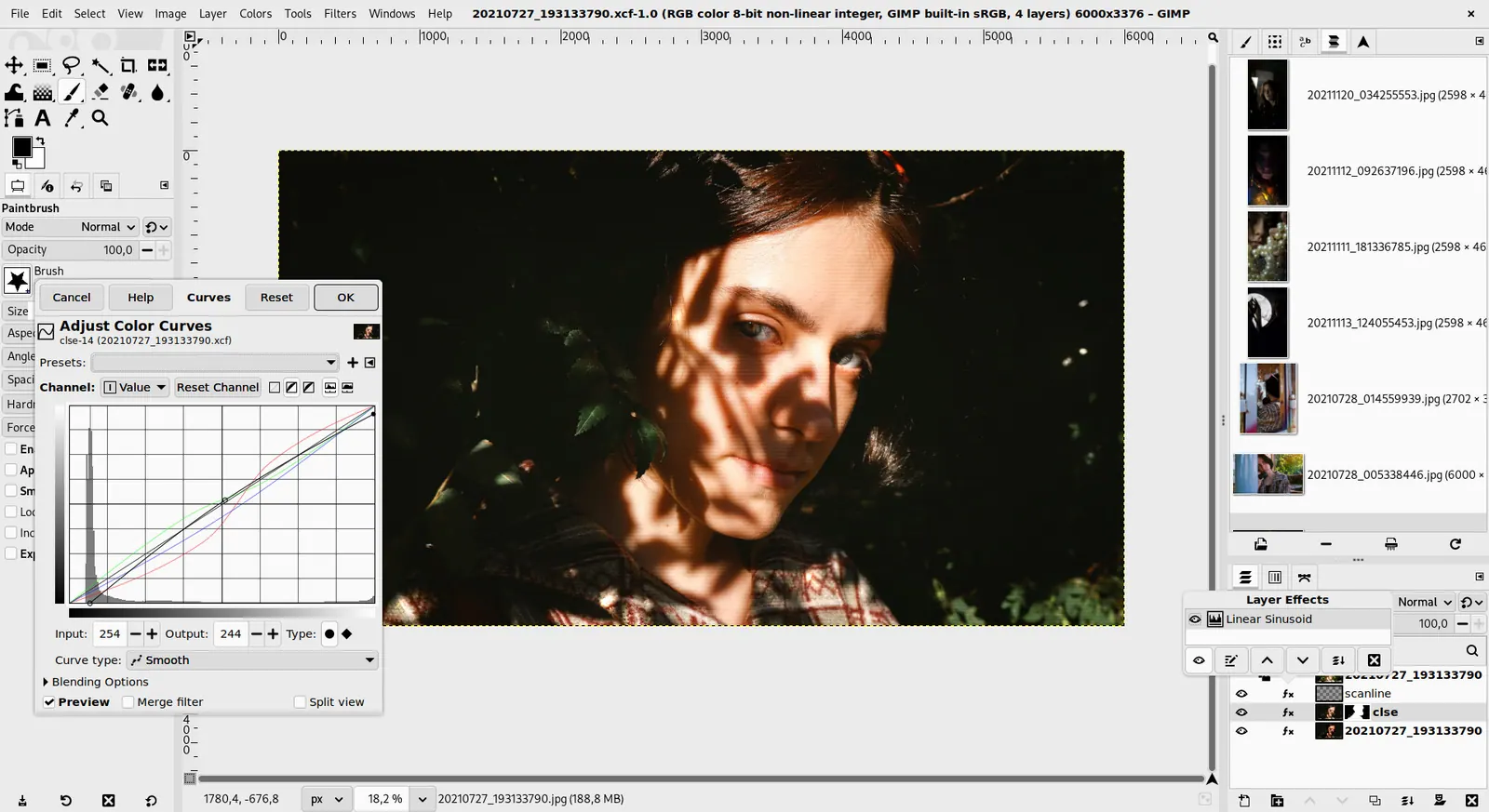
GIMP 3.0 — non-destructive filter workflow
GIMP team / gimp.org · Source · CC BY-SA 4.0
Good fit if
- You cut out hundreds of product photos and want no credit limit (rembg is the pick)
- You need layers and masks in a browser tab (Photopea is the pick)
- You want product photos and social posts in one free tool (Canva is the pick)
- You retouch photos on a desktop and want to pay nothing (GIMP is the pick)
Not ideal if
- You rely on Photoroom features or integrations that these tools do not replicate
Photoroom today: See pricing page (Photoroom pricing, checked 2026-10-23).
Why people look for Photoroom alternatives
Photoroom's plans are allowance-based rather than unlimited: Pro includes 8,000 AI credits and 1,000 exports a month, Max 25,000 credits and 3,000 exports, and Ultra 75,000 and 10,000. Exports pause when you reach the limit until the next billing cycle or an upgrade. The video generator and Shopify integration start at Max, 4K output only at Ultra, and Pro and Max offer a free trial of unstated length instead of a free plan.
Canva
Compared with Photoroom: Free plan with a background remover and templates in the browser and apps. You lose Photoroom's product-photo focus and batch export counts, but gain a general design tool for posts and banners.
Price: Free (Free plan available; see the pricing page for its current limits) (Canva pricing, checked 2026-10-22).
Platforms and license: Web, Windows, macOS, iOS, Android. Proprietary.
Best for: Product shots plus social graphics.
Photopea
Compared with Photoroom: Runs free in the browser and opens PSD files. It has no one-click AI product staging like Photoroom, so cutouts are manual, but you get layers, masks and no subscription.
Price: Free (Free in the browser; the homepage says premium features are free and mentions no paid plan or ad-free option) (Photopea pricing, checked 2026-10-23).
Platforms and license: Web. Proprietary.
Best for: Layer-based edits without paying.
Worth knowing: Browser-based editor that reads PSD files. Runs with no download.
rembg
Compared with Photoroom: MIT-licensed command-line background remover you run locally. No app, no virtual models or staging, but no credit cap either, and you can script batches over a whole catalogue.
Price: Free (Free open source Python tool with a command-line interface; no paid tier) (rembg pricing, checked 2026-10-23).
Platforms and license: Windows, macOS, Linux. MIT (open source).
Project activity: 25.2k GitHub stars · latest release v2.0.86 (Oct 21, 2026) · last commit Oct 21, 2026
Best for: Bulk cutouts on your own machine.
GIMP
Compared with Photoroom: Free desktop editor for Linux, macOS and Windows. Slower than Photoroom for quick e-commerce cutouts and has a learning curve, but there is no export limit and no subscription.
Price: Free (Free; source tarballs offered, donation link only, no paid tier. Store packages are third-party and not from the GIMP team) (GIMP pricing, checked 2026-10-22).
Platforms and license: Linux, macOS, Windows. Open source (license not named on gimp.org/downloads) (open source).
Best for: Full retouching without a subscription.
Worth knowing: Raster image editor for photo retouching and compositing.
remove.bg
Compared with Photoroom: Single-purpose background remover on the web. Photoroom adds staging, resizing and batch tools; remove.bg does the cutout only. Check the pricing page for plans.
Price: Free (Free low-resolution previews (up to 0.25 megapixels) on the website, plus one bonus credit to test a high-resolution download) (remove.bg pricing, checked 2026-10-23).
Platforms and license: Web. Proprietary.
Best for: Quick one-off cutouts.
Affinity Photo
Compared with Photoroom: Full photo editor whose page advertises a subscription from $0.99 a month with three months free. It lacks Photoroom's one-tap product backgrounds but offers deep manual editing.
Price: Free (Free for individuals per affinity.studio; an iPad version is listed as coming soon; optional AI tools need a Canva premium plan) (Affinity Photo pricing, checked 2026-10-23).
Platforms and license: Windows, macOS. Proprietary.
Best for: Detailed manual retouching.
Worth knowing: affinity.studio states Affinity is free for individuals, Mac and Windows downloads, with a Canva premium plan only needed for optional AI tools.
Other popular options (paid)
Adobe Photoshop
Compared with Photoroom: Full layer-based editor with generative fill. $22.99 per month on the annual plan, including 100GB storage and 250 generative credits. You gain pixel-level control and give up Photoroom's quick background and export workflow.
Price: Paid from $22.99 per month, annual plan billed monthly (Photoshop single app) (Adobe Photoshop pricing, checked 2026-10-23).
Pixelcut
Compared with Photoroom: Pro is $8 per month billed yearly ($10 monthly) with unlimited background removal and 1,000 batch exports a month. Unlike Photoroom it also has a free plan with limited background removal.
Price: Free (Free plan with limited background removal and upscaling; exact caps are not stated); paid from $8 per month, Pro, billed yearly ($10 billed monthly) (Pixelcut pricing, checked 2026-10-25).
Which one to pick
- You cut out hundreds of product photos and want no credit limit: rembg
- You need layers and masks in a browser tab: Photopea
- You want product photos and social posts in one free tool: Canva
- You retouch photos on a desktop and want to pay nothing: GIMP
Limits of this review
Docs-only for Canva, Photopea, rembg, GIMP, remove.bg, Affinity Photo: we did not install or run them, so feature claims come from vendor pages and we did not test import from Photoroom. Vendor prices and free limits change; confirm on the linked pricing page before you buy or migrate.
Related guides
More in Photo Editing & AI Images
All Photo Editing & AI Images alternatives →Sources
Kevin Fan
Kevin Fan is a SaaS founder. He runs Free Instead Of, which tracks free and open-source alternatives to paid software and checks each price and free-plan limit against the vendor's own pages.
Methodology
Based on official pricing and product pages checked between 2026-10-22 and 2026-10-25: Photoroom, Canva, Photopea, rembg, GIMP, remove.bg, Affinity Photo, Adobe Photoshop, Pixelcut. Prices, free limits and licenses are the figures shown on those pages on those dates. No tool on this page was installed or run. No accounts were created.