LibreOffice 25.8: New features
By LibreOffice - The Document Foundation ·
Playing loads YouTube. YouTube will receive your IP address and device information.
Free Christmas card maker options compared: Templated, Adobe Express, LibreOffice, Photopea and Inkscape, with download formats, sign-in and print notes.
•4 min read•Graphic Design & Diagramming
Verdict:Templated is the quickest free route to a printable card, since its page says no signup or watermark. Adobe Express adds more editing, and LibreOffice, Photopea and Inkscape suit people who want full control.
| Tool | Price | Platforms | Best for | Tested |
|---|---|---|---|---|
| Templated | Free per its page, no signup or watermark | Web | Filling in a ready template with names and downloading a print-ready PDF without an account | Docs only |
| Adobe Express | Free plan; Premium $9.99 a month billed monthly | Web, Mobile | Editing a card from templates and downloading it as PDF, JPG or PNG, with optional paid printing in four countries | Docs only |
| LibreOffice | Free (MPL 2.0) | Windows, macOS, Linux | A card laid out from scratch in Writer or Draw with no account and no cloud | Docs only |
| Photopea | Free in the browser | Web | Photo cards built on your own picture, editing layers in a browser | Docs only |
| Inkscape | Free (GPLv3) | Windows, macOS, Linux | Illustrated vector cards that print sharply at any size | Docs only |
Independent comparison. Paid placements are labelled separately; editorial links earn no affiliate commissions. Learn more.
Images from the linked documentation. Versions and features may differ from current plans.
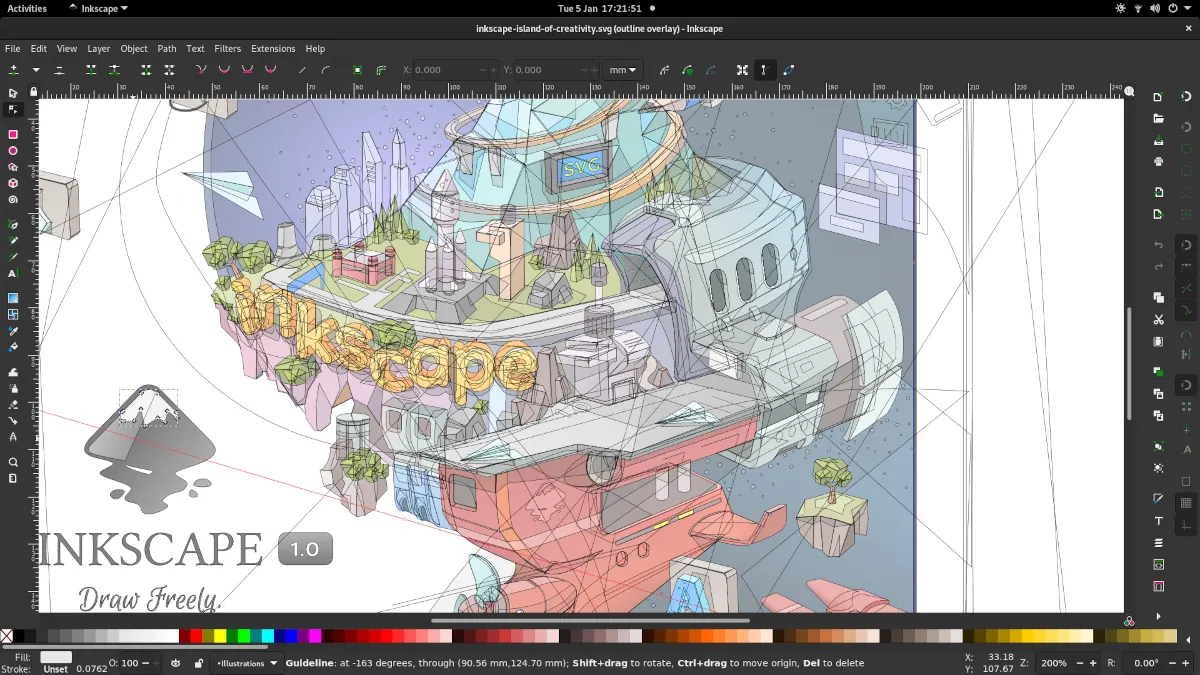
Inkscape 1.1 — outline overlay preview
Moini · Source · CC BY-SA 4.0
By LibreOffice - The Document Foundation ·
Playing loads YouTube. YouTube will receive your IP address and device information.
For a free Christmas card you can print, start with Templated: its page says you choose a template, enter names, and download a PDF with no signup or watermark. Adobe Express gives you more editing on a free plan. LibreOffice, Photopea and Inkscape cost nothing and let you design your own. Terms below were read on October 28, 2026.
Three questions decide whether a "free" card maker works for you. Does the download cost anything or carry a watermark? Is the output a file you can print yourself, such as a PDF? And do you want to fill in a template, or lay out a card from scratch?
Vendor pages answer these unevenly. Templated says plainly that it needs no signup and adds no watermark. Adobe Express's Christmas card page says the card maker is free to use and needs no credit card, but it does not mention watermarks, so look at the preview before you commit to printing.
Templated is a web tool that turns a template into a card for you. According to its Christmas card page, you select a template, enter the recipient's and sender's names, and click Create Card. The card downloads as a high-resolution PDF, and you can also save it as an image.
The page calls the tool free with no limits on usage and says it works without signing up or adding watermarks. A free account is optional and unlocks the drag-and-drop editor. The page was last updated on February 7, 2026.
Who should not pick it: anyone who wants to change layout heavily without making an account.
Adobe Express is a design web app with a Christmas card maker and a free plan. According to Adobe's card page, you click Download in the maker to open the full editor, where the card can be saved as a PDF, JPG or PNG and printed yourself. The page is silent on whether download needs an account.
Adobe's pricing page says premium editing features such as remove background and bulk resize require an upgrade. The page says it works on desktop browsers and mobile phones.
Who should not pick it: people who want a guarantee that every template is free, since the pages do not list which are.
LibreOffice is free office software. Its overview page lists Writer for documents and Draw for diagrams and illustrations, says you can use it at no cost, and states that the source code is under the Mozilla Public License v2.0. It installs on your computer, so nothing about your card goes through a website.
Writer or Draw suits a folded card or a letter-style card you lay out yourself. The page does not list card templates, so expect to build the layout.
Who should not pick it: someone who wants a finished design in two clicks.
Photopea is a browser photo editor. Its homepage says it opens and edits PNG, JPG, GIF, SVG, PDF, PSD and many other formats, offers cropping, layers, masking and blending, and says there are no uploads, so files stay on your device.
That makes it a sound choice for a photo card: put a family picture on a background, add text and a border. The page does not mention ads or an account, and it does not provide Christmas templates.
Who should not pick it: people who want ready-made card layouts.
Inkscape is a vector drawing program for Windows, macOS and Linux, free under GPLv3 per its site as recorded in our tool data on October 22, 2026. Vector artwork stays sharp at any print size, which suits an illustrated card with a tree, ornaments or a border.
Its site does not offer card templates. Pair it with the template-style options if you just need names changed.
Who should not pick it: first-time designers who need a card tonight.
Pay only if you need something the free routes do not give. According to Adobe's pricing page, read on October 28, 2026, Premium is $9.99 a month, billed monthly with no annual commitment, and has a 30-day trial. Its FAQ names remove background and bulk resize among the features that need an upgrade.
Ordering printed cards through Adobe Express is available only to users in the US, UK, Australia and Canada, per its page. If you live elsewhere or already own a printer, the free PDF routes above cover the job.
| Templated | Adobe Express | LibreOffice | Photopea | Inkscape | |
|---|---|---|---|---|---|
| Runs in | Browser | Browser, mobile | Windows, macOS, Linux | Browser | Windows, macOS, Linux |
| Starting point | Ready template | Templates | Blank page | Blank canvas or your photo | Blank canvas |
| Output | PDF, image | PDF, JPG, PNG | Not checked | Not checked | Not checked |
| Watermark | Stated none | Not stated | None added by software | Not stated | None added by software |
| Account | Not required | Not stated | None for desktop install | Not stated | None for desktop install |
Making other printed pieces this season? See our free guides to certificates, posters, flyers, invitations, business cards and banners, plus the broader lists of Canva alternatives, free Canva alternatives, free graphic design software, best free photo editors, open-source graphic design software and Photopea alternatives.
No card was made or printed, so output quality, template count and watermark behavior beyond what each vendor states are not checked. Canva was not checked today.
For speed, Templated: its page says you pick a template, enter names and download a PDF without signing up. For more editing, Adobe Express has a free plan and downloads PDF, JPG or PNG. For full control with no account, LibreOffice and Inkscape are free desktop software.
Templated's page says cards are made without signing up or adding watermarks. Adobe Express's page does not mention watermarks either way, so check the preview before you print. Free software such as LibreOffice and Inkscape adds nothing to your files.
Yes, if you download a file. Templated gives a high-resolution PDF, and Adobe Express lets you download PDF, JPG or PNG. Adobe's page says ordering professionally printed cards is limited to users in the US, UK, Australia and Canada, so elsewhere you print the file yourself.
Yes. Photopea is a free browser editor that opens PNG, JPG, PSD, PDF and SVG files and says there are no uploads, so files stay on your device. Adobe Express and LibreOffice Writer or Draw can also place a photo, but their pages do not detail photo-card templates.
Not always. Templated says no account is needed to create cards, and an optional free account unlocks its drag-and-drop editor. Adobe Express's page is silent on whether download needs an account. LibreOffice and Inkscape are desktop installs that need none.
Templated calls itself free with no limits on usage. Adobe Express has a free plan, and premium features such as remove background need an upgrade. LibreOffice is free under the Mozilla Public License, and Inkscape is free software under GPLv3. Check each page's terms on the day you use it.
Kevin Fan is a SaaS founder. He runs Free Instead Of, which tracks free and open-source alternatives to paid software and checks each price and free-plan limit against the vendor's own pages.
Templated's Christmas card page, Adobe Express's Christmas card and pricing pages, LibreOffice's overview and download pages and Photopea's homepage were read on 2026-10-28. Inkscape's site returned an error on that day, so its licence and platforms come from our tool data checked on 2026-10-22. Canva's pages and several other card makers returned errors and are not used. A Hacker News search and a web search for community threads found no useful discussion of card makers, so no user threads are cited. No tool was installed or tested.