Let's Animate - Krita: Rocket Mechanic (10 days)
By Ed Tadeo ·
Playing loads YouTube. YouTube will receive your IP address and device information.
Best open-source Photo Editors compared: darktable, RawTherapee, GIMP, digiKam and 2 more, with licenses, platforms and prices from official pages checked October 23, 2026.
•3 min read•Photo Editing & AI Images
| Tool | Price | Platforms | Best for | Tested |
|---|---|---|---|---|
| darktable | Free (Free and open source under GPLv3; no paid tier on the site) | Linux, macOS, Windows | Raw development with library management | Docs only |
| RawTherapee | Free (Free of charge and free software under GPLv3; no paid tier) | Linux, macOS, Windows | Detailed raw processing | Docs only |
| GIMP | Free (Free; source tarballs offered, donation link only, no paid tier. Store packages are third-party and not from the GIMP team) | Linux, macOS, Windows | Pixel-level retouching | Docs only |
| digiKam | Free (Free and open source; the site has a Donate link and no paid tier) | Linux, Windows, macOS | Managing a large library with basic edits | Docs only |
| Pinta | Free (Free, open-source program for drawing and image editing; no price listed) | Linux, macOS, Windows, BSD | Quick adjustments to jpegs | Docs only |
| Krita | Free (Free and open source; optional donations, no paid tier) | Windows, macOS, Linux, Android | Creative photo manipulation | Docs only |
Independent comparison. Paid placements are labelled separately; editorial links earn no affiliate commissions. Learn more.
Images from the linked documentation. Versions and features may differ from current plans.
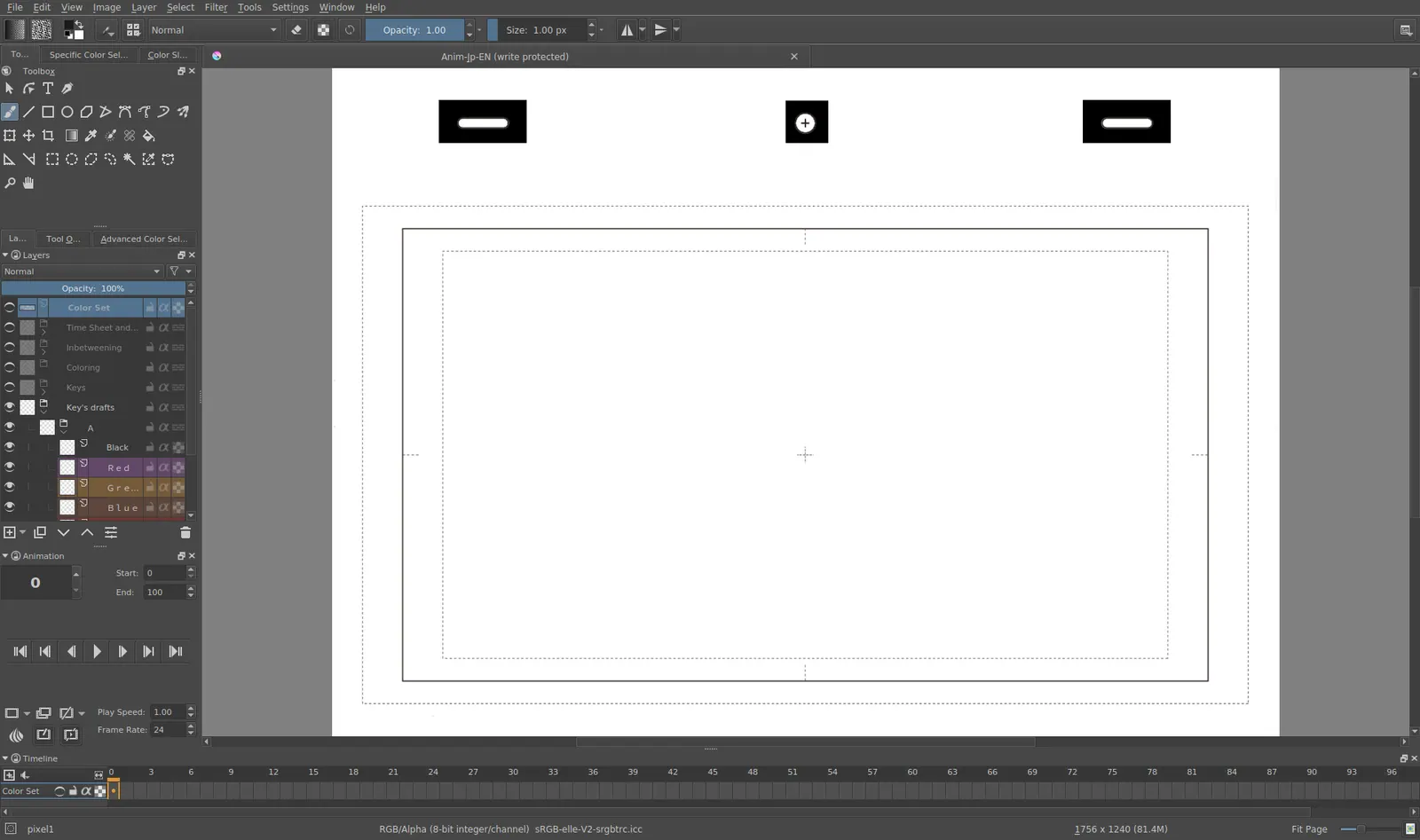
Krita 4.0 animation interface
Tyson Tan · Source · CC BY-SA 4.0
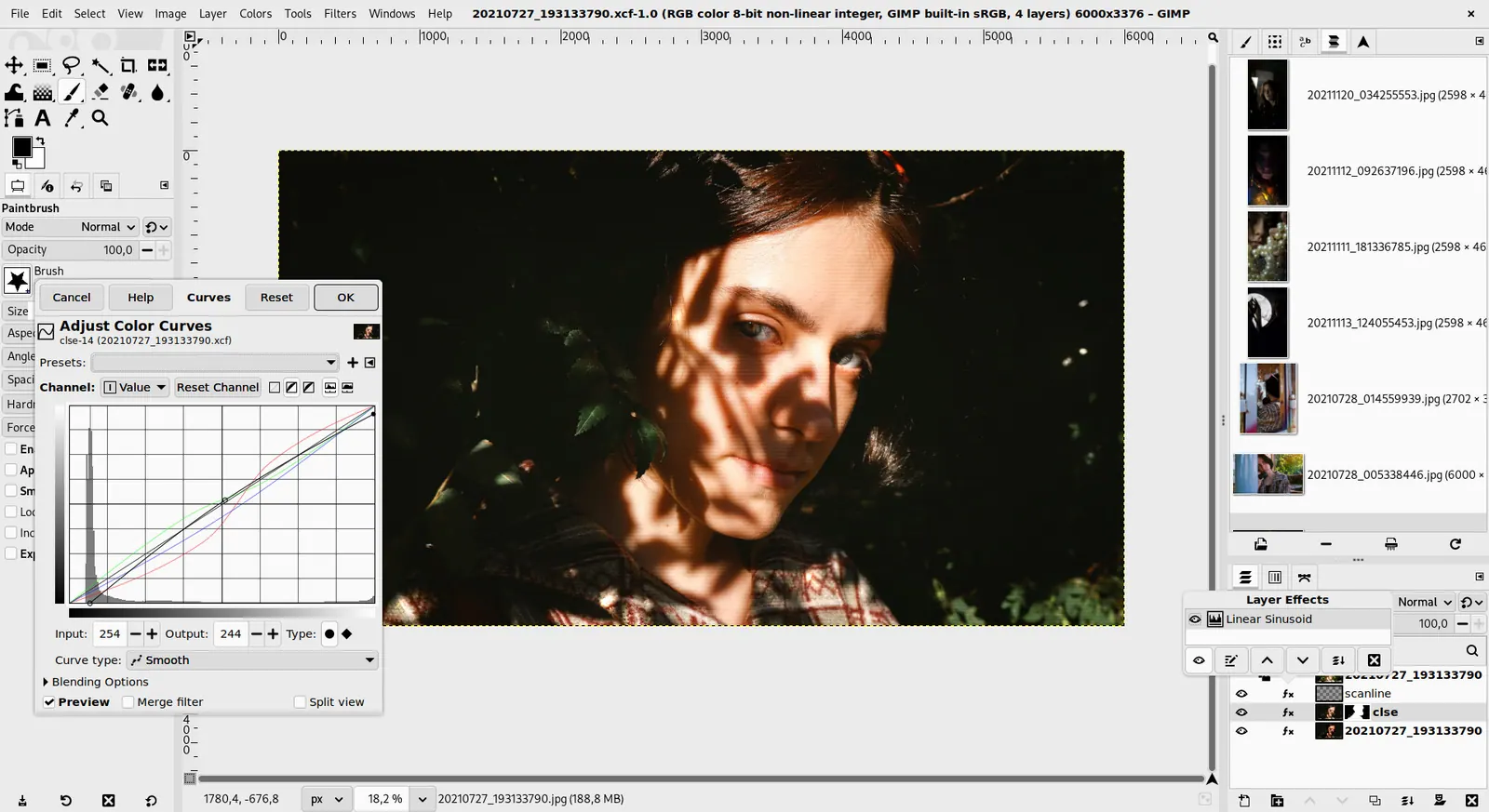
GIMP 3.0 — non-destructive filter workflow
GIMP team / gimp.org · Source · CC BY-SA 4.0
By Ed Tadeo ·
Playing loads YouTube. YouTube will receive your IP address and device information.
Photographers choosing open-source tools usually need two things: a way to develop raw files and a way to retouch pixels. Darktable and RawTherapee both do the first, working non-destructively on raw files from cameras, and both are GPL-3.0 programs for Linux, macOS and Windows. Darktable has a lighttable for managing a library as well, while RawTherapee focuses on processing control. GIMP does the second, with layers and masks for retouching and compositing. digiKam covers the library side, with editing tools alongside its photo management. Pinta and Krita are lighter and more illustration-oriented, useful for resizing, cropping or painting over a photo. A common workflow is to develop raws in darktable or RawTherapee, then send the result to GIMP for retouching. The trade-off is speed and polish: mobile-style one-tap filters are rare here, and every program takes some learning. If you shoot jpegs and only need basic corrections, Pinta may be enough. If you shoot raw and care about colour, spend your time in darktable or RawTherapee. Both offer sidecar files so your original is never altered, which matters for a long-term archive.
GPL-3.0, free for Linux, macOS and Windows. Non-destructive raw development plus a lighttable for libraries; heavy modules mean a learning curve.
Price: Free (Free and open source under GPLv3; no paid tier on the site) (darktable pricing, checked 2026-10-22).
Platforms and license: Linux, macOS, Windows. GPL-3.0 (open source) (license source).
Project activity: 13.3k GitHub stars · latest release release-5.6.2 (Oct 4, 2026) · last commit Oct 27, 2026
Best for: Raw development with library management.
Worth knowing: Photo workflow with a library and culling views, closest to PhotoMechanic's ingest and sort role. Platforms are from the install and download links; the homepage did not list them explicitly.
GPL-3.0 raw processor for Linux, macOS and Windows with no paid tier. Offers deep control over processing but is not a library manager.
Price: Free (Free of charge and free software under GPLv3; no paid tier) (RawTherapee pricing, checked 2026-10-23).
Platforms and license: Linux, macOS, Windows. GPL-3.0 (open source) (license source).
Project activity: 4.3k GitHub stars · latest release 5.13 (Jul 26, 2026) · last commit Oct 20, 2026
Best for: Detailed raw processing.
Worth knowing: Raw converter with detailed development controls.
Free for Linux, macOS and Windows. Layer-based retouching and compositing after you have developed the raw file.
Price: Free (Free; source tarballs offered, donation link only, no paid tier. Store packages are third-party and not from the GIMP team) (GIMP pricing, checked 2026-10-22).
Platforms and license: Linux, macOS, Windows. Open source (license not named on gimp.org/downloads) (open source) (license source).
Best for: Pixel-level retouching.
Worth knowing: Raster image editor for photo retouching and compositing.
Free and open source photo manager with editing tools, for Linux, Windows and macOS. Its site does not name the license, so check the repository if that matters.
Price: Free (Free and open source; the site has a Donate link and no paid tier) (digiKam pricing, checked 2026-10-23).
Platforms and license: Linux, Windows, macOS. Open source (license not named on digikam.org) (open source) (license source).
Best for: Managing a large library with basic edits.
Worth knowing: Photo library manager with tagging and rating. The site does not list supported operating systems; the platform list is from general knowledge and should be checked.
MIT-licensed, for Linux, macOS, Windows and BSD. Handles crops, resizes and simple adjustments without the complexity of larger editors.
Price: Free (Free, open-source program for drawing and image editing; no price listed) (Pinta pricing, checked 2026-10-23).
Platforms and license: Linux, macOS, Windows, BSD. MIT (open source) (license source).
Project activity: 4.1k GitHub stars · latest release 3.1.2 (Apr 2, 2026) · last commit Oct 26, 2026
Best for: Quick adjustments to jpegs.
Worth knowing: Site does not name the license; MIT comes from license-mit.txt in the GitHub repository.
GPL painting program for desktop and Android. Useful for painting over photos or building composites, less so for raw work.
Price: Free (Free and open source; optional donations, no paid tier) (Krita pricing, checked 2026-10-22).
Platforms and license: Windows, macOS, Linux, Android. GPL (open source) (license source).
Best for: Creative photo manipulation.
Docs-only for darktable, RawTherapee, GIMP, digiKam, Pinta, Krita: we did not install or run them, so feature claims come from vendor pages. Vendor prices and free limits change; confirm on the linked pricing page before you commit.
Kevin Fan is a SaaS founder. He runs Free Instead Of, which tracks free and open-source alternatives to paid software and checks each price and free-plan limit against the vendor's own pages.
Based on official pricing, license and product pages checked between 2026-10-22 and 2026-10-23: darktable, RawTherapee, GIMP, digiKam, Pinta, Krita. Prices, free limits and licenses are the figures shown on those pages on those dates. No tool on this page was installed or run. No accounts were created.