Streamlabs Alternatives 2026: 5 Free Options
Streamlabs alternatives: OBS Studio, Meld Studio, PRISM Live Studio, StreamYard and 1 more. Prices and licenses checked October 25, 2026.
•3 min read•Screen Recording & Streaming
Verdict:Leave Streamlabs when its free Desktop app is no longer enough and the next step is Ultra at $27 a month. Check the Streamlabs plans page for current prices before you decide. Streamlabs Desktop itself is GPL-3.0 on GitHub and runs on 64-bit Windows and macOS. OBS Studio is the cleanest replacement: free, open source, no upsell. You will need to build alerts and chat boxes yourself. Meld Studio is a newer free option whose FAQ says there are no watermarks or time limits and that cloud multistreaming is free, on Windows and macOS only. PRISM Live Studio is also free to start and lists multistreaming. If your problem is guests and a polished show, StreamYard runs in the browser, with a logo and six-person limit on the free plan. Restream covers sending one stream to several sites, with two channels free. The trade-off is setup time versus subscription cost. Streamlabs bundles widgets and themes; the free alternatives usually mean more manual configuration. Stay if you actually use Ultra's extras. Leave if you only wanted free streaming software.
Quick comparison
| Tool | Price | Platforms | Best for | Tested |
|---|---|---|---|---|
| OBS Studio | Free (open source, with no paid tier listed on its site) | Windows, macOS, Linux | Free streaming with full control | Docs only |
| Meld Studio | Free (Described on its FAQ as free with no watermarks, time limits or hidden fees; cloud multistreaming (Meld Multi) also free) | Windows, macOS | Free multistreaming on Windows or Mac | Docs only |
| PRISM Live Studio | Free (Free live streaming and recording software) | Windows, macOS | Free app with multistream support | Docs only |
| StreamYard | Free (StreamYard logo on streams, 2 hours of local recordings a month and 6 on-screen participants); paid from $14.99 per month, billed yearly (Essential; $18.99 billed monthly) | Web | Interviews and guests in the browser | Docs only |
| Restream | Free (stream to 2 channels at once, 6 on-screen participants in Restream Studio, Restream branding); paid from $19 per month, billed monthly (Standard) | Web | Sending one stream to several sites | Docs only |
| Riverside | Paid from $24 per month, billed yearly (Pro; $35 billed monthly) | Web | Recording | Docs only |
Independent comparison. Paid placements are labelled separately; editorial links earn no affiliate commissions. Learn more.
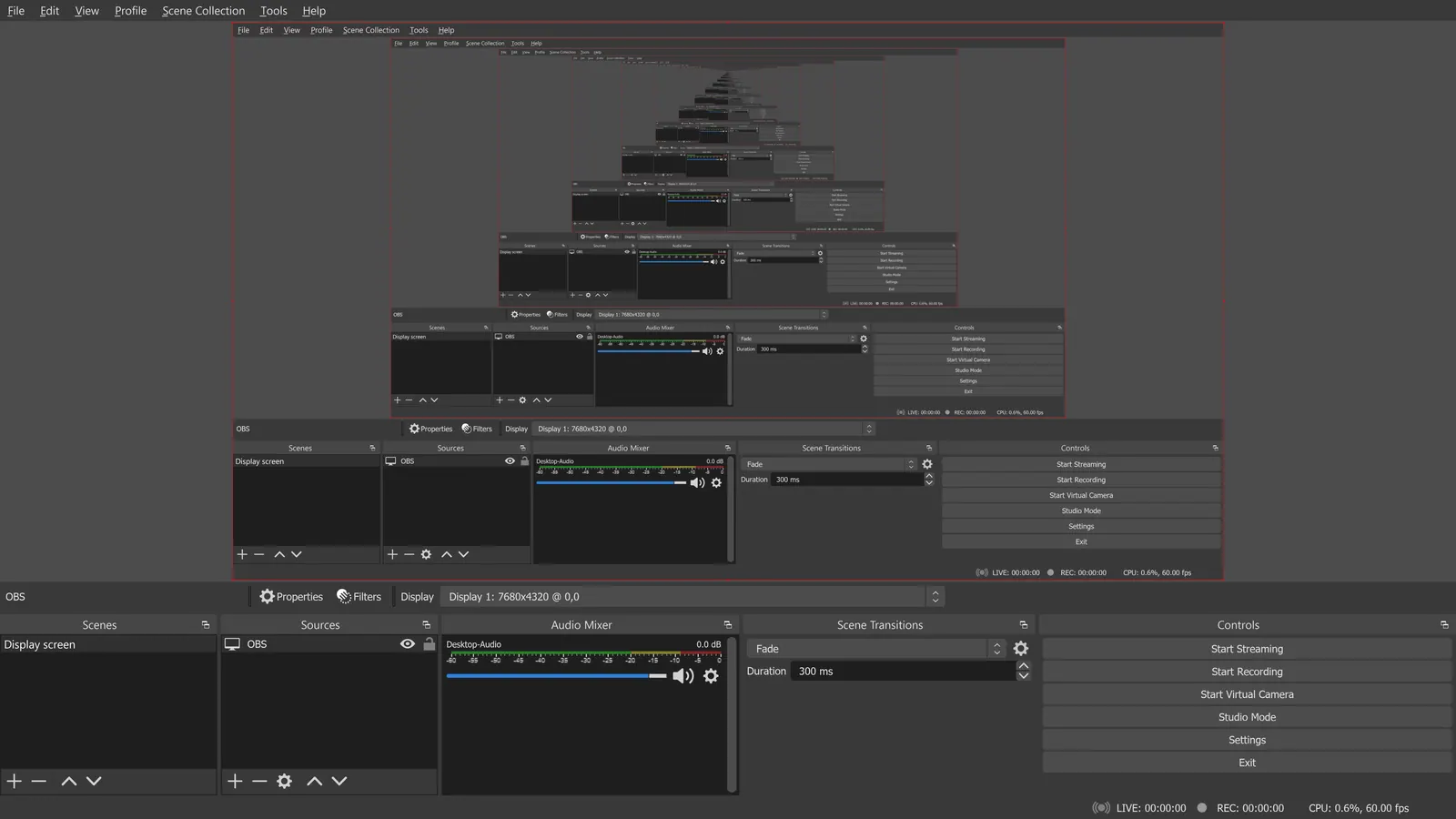
See the tools in action
Images from the linked documentation. Versions and features may differ from current plans.
Good fit if
- You want free, open-source streaming with no upsell (OBS Studio is the pick)
- You want free multistreaming from the desktop (Meld Studio is the pick)
- You host remote guests in a browser studio (StreamYard is the pick)
- You need one stream sent to several platforms (Restream is the pick)
- You want another free desktop app to compare (PRISM Live Studio is the pick)
Not ideal if
- You rely on Streamlabs features or integrations that these tools do not replicate
Streamlabs today: Free (Streamlabs Desktop is free and open source); paid from $15.75 per month (Ultra, listed as 'starts at') (Streamlabs pricing, checked 2026-10-25).
Why people look for Streamlabs alternatives
Streamlabs Desktop is free, but multistreaming, the full overlay and theme library, 10GB of cloud storage and Collab Cam for up to 11 guests sit behind Ultra, listed from $15.75 a month. Its Talk Studio product is billed separately: Standard is $9 a month with one stream destination at 720p, Pro is $17 for 1080p, and recordings are kept 15 or 30 days.
OBS Studio
Compared with Streamlabs: Free and open source with no paid tier. Streamlabs Desktop is built on the same base, but OBS has no Ultra upsell; you set up alerts and overlays yourself or through plugins.
Price: Free (open source, with no paid tier listed on its site) (OBS Studio pricing, checked 2026-10-22).
Platforms and license: Windows, macOS, Linux. GPL-2.0-or-later (open source).
Project activity: 78.4k GitHub stars · latest release 33.0.0 (Oct 23, 2026) · last commit Oct 27, 2026
Best for: Free streaming with full control.
Worth knowing: OBS records on your machine; it has no remote guest recording.
Meld Studio
Compared with Streamlabs: Free per its FAQ, with no watermark or time limits, and cloud multistreaming is also free. Windows and macOS only, whereas Streamlabs Ultra is $27 a month for extras.
Price: Free (Described on its FAQ as free with no watermarks, time limits or hidden fees; cloud multistreaming (Meld Multi) also free) (Meld Studio pricing, checked 2026-10-22).
Platforms and license: Windows, macOS. Proprietary (license not stated on the page).
Best for: Free multistreaming on Windows or Mac.
PRISM Live Studio
Compared with Streamlabs: Free live streaming and recording software for Windows 10/11 and Apple Silicon Macs, with multistreaming listed. Extra AI features need credits bought in the mobile app, so check what is free.
Price: Free (Free live streaming and recording software) (PRISM Live Studio pricing, checked 2026-10-22).
Platforms and license: Windows, macOS. Proprietary (license not stated on the page).
Best for: Free app with multistream support.
StreamYard
Compared with Streamlabs: Free plan keeps a StreamYard logo, limits you to 6 on-screen participants and 2 hours of local recordings a month. Browser-based with guests, unlike Streamlabs Desktop on your machine.
Price: Free (StreamYard logo on streams, 2 hours of local recordings a month and 6 on-screen participants); paid from $14.99 per month, billed yearly (Essential; $18.99 billed monthly) (StreamYard pricing, checked 2026-10-22).
Platforms and license: Web. Proprietary.
Best for: Interviews and guests in the browser.
Restream
Compared with Streamlabs: Free plan streams to 2 channels at once; Standard is $19 a month. You give up Streamlabs Desktop's local scene editor for a hosted studio and multistream service.
Price: Free (stream to 2 channels at once, 6 on-screen participants in Restream Studio, Restream branding); paid from $19 per month, billed monthly (Standard) (Restream pricing, checked 2026-10-22).
Platforms and license: Web. Proprietary.
Best for: Sending one stream to several sites.
Other popular options (paid)
Riverside
Compared with Streamlabs: Pro is $24 per month billed yearly ($35 monthly) with a 14-day trial instead of a free plan. It is a browser studio for recording and guest interviews, not a desktop scene mixer like Streamlabs Desktop.
Price: Paid from $24 per month, billed yearly (Pro; $35 billed monthly) (Riverside pricing, checked 2026-10-22).
Which one to pick
- You want free, open-source streaming with no upsell: OBS Studio
- You want free multistreaming from the desktop: Meld Studio
- You host remote guests in a browser studio: StreamYard
- You need one stream sent to several platforms: Restream
- You want another free desktop app to compare: PRISM Live Studio
Limits of this review
Docs-only for OBS Studio, Meld Studio, PRISM Live Studio, StreamYard, Restream: we did not install or run them, so feature claims come from vendor pages and we did not test import from Streamlabs. Vendor prices and free limits change; confirm on the linked pricing page before you buy or migrate.
More in Screen Recording & Streaming
All Screen Recording & Streaming alternatives →Sources
Kevin Fan
Kevin Fan is a SaaS founder. He runs Free Instead Of, which tracks free and open-source alternatives to paid software and checks each price and free-plan limit against the vendor's own pages.
Methodology
Based on official pricing and product pages checked between 2026-10-22 and 2026-10-25: Streamlabs, OBS Studio, Meld Studio, PRISM Live Studio, StreamYard, Restream, Riverside. Prices, free limits and licenses are the figures shown on those pages on those dates. No tool on this page was installed or run. No accounts were created.