LibreOffice 25.8: New features
By LibreOffice - The Document Foundation ·
Playing loads YouTube. YouTube will receive your IP address and device information.
Best open-source PDF Converters compared: LibreOffice, Stirling PDF, Pandoc, Gotenberg and 2 more, with licenses, platforms and prices from official pages checked October 24, 2026.
•4 min read•Office, Docs & Presentations
| Tool | Price | Platforms | Best for | Tested |
|---|---|---|---|---|
| LibreOffice | Free (download and use at no cost per its site) | Windows, macOS, Linux | Office files to PDF | Docs only |
| Stirling PDF | Free (Free plan at $0 with no card: web, desktop and self-hosted use, 60+ PDF tools and 1,000 monthly credits); paid from $99 per month (Team, 100 users) | Web browser, Desktop app, Self-hosted (Docker) | One interface for many PDF tasks | Docs only |
| Pandoc | Free (Free and open source markup converter) | Command line | Markdown and HTML to PDF | Docs only |
| Gotenberg | Free (Free and open source Docker-based API) | Docker (HTTP API) | Developers automating PDF output | Docs only |
| calibre | Free (Free and open source e-book manager and converter) | Desktop | E-book format conversion | Docs only |
| OCRmyPDF | Free (Free; adds a searchable text layer to scanned PDFs, needs Tesseract and Ghostscript installed) | Linux, Windows, macOS, FreeBSD | Making scans searchable | Docs only |
Independent comparison. Paid placements are labelled separately; editorial links earn no affiliate commissions. Learn more.
Images from the linked documentation. Versions and features may differ from current plans.
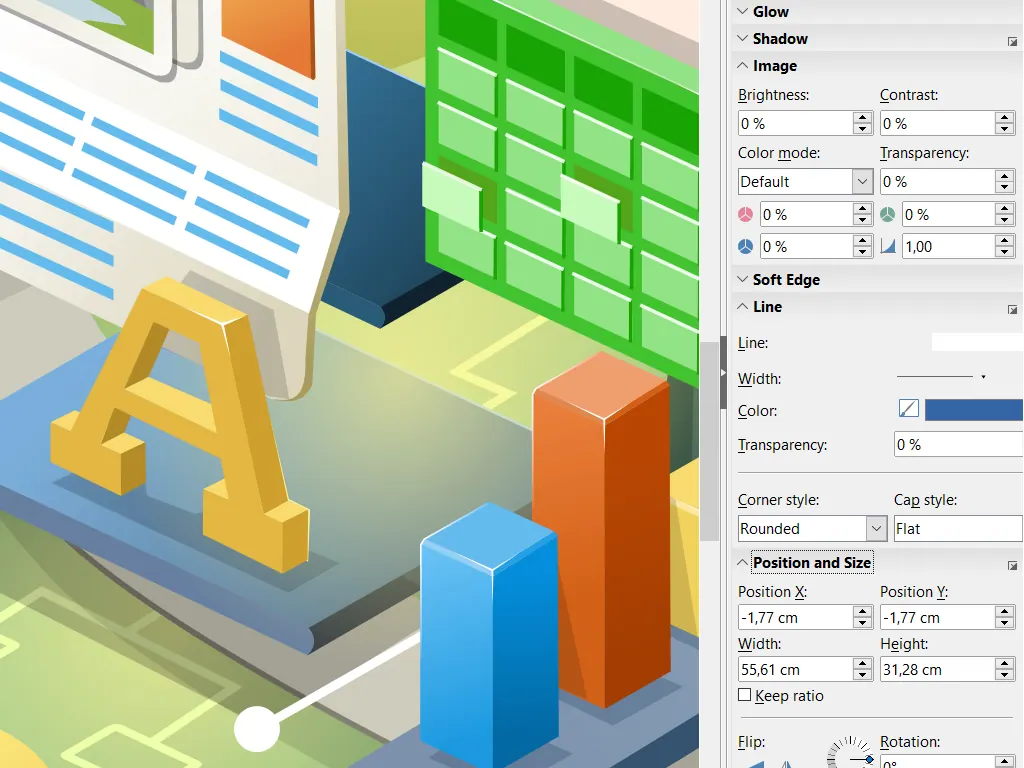
LibreOffice Draw — official interface example
The Document Foundation · Source · CC BY-SA 3.0
By LibreOffice - The Document Foundation ·
Playing loads YouTube. YouTube will receive your IP address and device information.
PDF conversion is really several jobs, and open-source tools are good at different ones. Turning Word, Excel and PowerPoint files into PDF is a job for LibreOffice or, if you need it as a web service inside your own system, Gotenberg, a Docker API that converts documents to PDF. Converting Markdown, HTML and similar markup into other formats, including PDF output, is what Pandoc does best. Calibre converts between e-book formats and handles PDF as part of that work. Stirling PDF packs conversion, editing, merging and OCR into one interface and runs in a browser, on the desktop or on your own server. OCRmyPDF is the right tool when the PDF is a scan and you want searchable text rather than a new file format. Pick LibreOffice for occasional desktop conversions, Gotenberg for software that must generate PDFs automatically, and Pandoc if your content starts as Markdown. Output quality depends on the source: fonts, complex tables and layouts may shift between formats, so check a sample before you convert in bulk. Conversion from a PDF back to an editable Word file is the hardest direction for every tool listed. Licences below are from each project's pages as of the check date.
MPL-2.0 desktop suite that exports documents, sheets and slides to PDF with no account. Reliable for office files; PDF import is limited.
Price: Free (download and use at no cost per its site) (LibreOffice pricing, checked 2026-10-22).
Platforms and license: Windows, macOS, Linux. MPL-2.0 (open source) (license source).
Best for: Office files to PDF.
Worth knowing: Desktop suite of Writer, Calc, Impress, Draw, Base and Math; it has no built-in cloud storage or email.
MIT with some directories under separate licences. Free plan covers web, desktop and self-hosted use of 60+ tools, with 1,000 monthly credits.
Price: Free (Free plan at $0 with no card: web, desktop and self-hosted use, 60+ PDF tools and 1,000 monthly credits); paid from $99 per month (Team, 100 users) (Stirling PDF pricing, checked 2026-10-23).
Platforms and license: Web browser, Desktop app, Self-hosted (Docker). MIT, with some directories under separate licenses (open source) (license source).
Project activity: 95.2k GitHub stars · latest release v3.2.2 (Oct 24, 2026) · last commit Oct 27, 2026
Best for: One interface for many PDF tasks.
Worth knowing: LICENSE file says MIT except app/proprietary and other directories with their own licenses. Repository README lists edit, merge, split, sign, redact, convert, OCR and compress.
GPL-2.0 command-line converter for markup formats, including writing PDF output. It does not read PDFs as input.
Price: Free (Free and open source markup converter) (Pandoc pricing, checked 2026-10-24).
Platforms and license: Command line. GPL-2.0 (open source) (license source).
Project activity: 46.7k GitHub stars · latest release 3.13 (Oct 26, 2026) · last commit Oct 27, 2026
Best for: Markdown and HTML to PDF.
Worth knowing: GitHub describes it as a universal markup converter. License taken from the repository metadata and LICENSE file; description from the project README. No paid plan was checked.
MIT Docker API for converting documents to PDF, meant to be called from your own software. No graphical interface.
Price: Free (Free and open source Docker-based API) (Gotenberg pricing, checked 2026-10-24).
Platforms and license: Docker (HTTP API). MIT (open source) (license source).
Project activity: 13.5k GitHub stars · latest release v8.39.0 (Oct 27, 2026) · last commit Oct 27, 2026
Best for: Developers automating PDF output.
Worth knowing: README: a Docker-based API for converting documents to PDF. License taken from the repository metadata and LICENSE file; description from the project README. No paid plan was checked.
GPL-3.0 e-book manager and converter. Useful if your PDF starts or ends as an EPUB or MOBI file; PDF handling was not tested here.
Price: Free (Free and open source e-book manager and converter) (calibre pricing, checked 2026-10-24).
Platforms and license: Desktop. GPL-3.0 (open source) (license source).
Project activity: 26.3k GitHub stars · latest release v9.17.0 (Oct 23, 2026) · last commit Oct 27, 2026
Best for: E-book format conversion.
Worth knowing: Whether a given PDF converts cleanly was not tested. License taken from the repository metadata and LICENSE file; description from the project README. No paid plan was checked.
MPL-2.0 tool that adds a text layer to scanned PDFs rather than changing format. Command-line only.
Price: Free (Free; adds a searchable text layer to scanned PDFs, needs Tesseract and Ghostscript installed) (OCRmyPDF pricing, checked 2026-10-24).
Platforms and license: Linux, Windows, macOS, FreeBSD. MPL-2.0 (open source) (license source).
Project activity: 35.2k GitHub stars · latest release v17.13.0 (Sep 28, 2026) · last commit Oct 25, 2026
Best for: Making scans searchable.
Worth knowing: Scriptable command-line tool; Docker images for x64 and ARM.
Docs-only for LibreOffice, Stirling PDF, Pandoc, Gotenberg, calibre, OCRmyPDF: we did not install or run them, so feature claims come from vendor pages. Vendor prices and free limits change; confirm on the linked pricing page before you commit.
Kevin Fan is a SaaS founder. He runs Free Instead Of, which tracks free and open-source alternatives to paid software and checks each price and free-plan limit against the vendor's own pages.
Based on official pricing, license and product pages checked between 2026-10-22 and 2026-10-24: LibreOffice, Stirling PDF, Pandoc, Gotenberg, calibre, OCRmyPDF. Prices, free limits and licenses are the figures shown on those pages on those dates. No tool on this page was installed or run. No accounts were created.