Best Free Image Compressors 2026: 7 Options Compared
Best free Image Compressors compared: Squoosh, TinyPNG, Caesium Image Compressor, ImageOptim and 3 more, with free-plan limits, platforms and prices from official pages checked October 23, 2026.
•4 min read•Photo Editing & AI Images
Try one now
Quick comparison
| Tool | Price | Platforms | Best for | Tested |
|---|---|---|---|---|
| Squoosh | Free (Free web app; compression runs locally in the browser, images are not sent to a server) | Web | One-off tuning of a single image | Docs only |
| TinyPNG | Free (Free web use: up to 20 images per upload, 5 MB each) | Web | Quick batches of small images | Docs only |
| Caesium Image Compressor | Free (Free software; the site has a donate page and lists no paid tier) | Windows, macOS | Batch compression on desktop | Docs only |
| ImageOptim | Free (Free Mac download; the site calls it free and open source, donations optional) | macOS | Mac users handling image folders | Docs only |
| ImageMagick | Free (Free open-source command-line toolkit for converting and editing images) | Windows, macOS, Linux | Scripts and build pipelines | Docs only |
| XnConvert | Free (Freeware for private or educational use, including non-profits; company use needs a license); paid from EUR 15 per per license, one-time (1 license) | Windows, macOS, Linux | Mixed-format batch jobs | Docs only |
| GIMP | Free (Free; source tarballs offered, donation link only, no paid tier. Store packages are third-party and not from the GIMP team) | Linux, macOS, Windows | Compressing while editing | Docs only |
Independent comparison. Paid placements are labelled separately; editorial links earn no affiliate commissions. Learn more.
See the tools in action
Images from the linked documentation. Versions and features may differ from current plans.
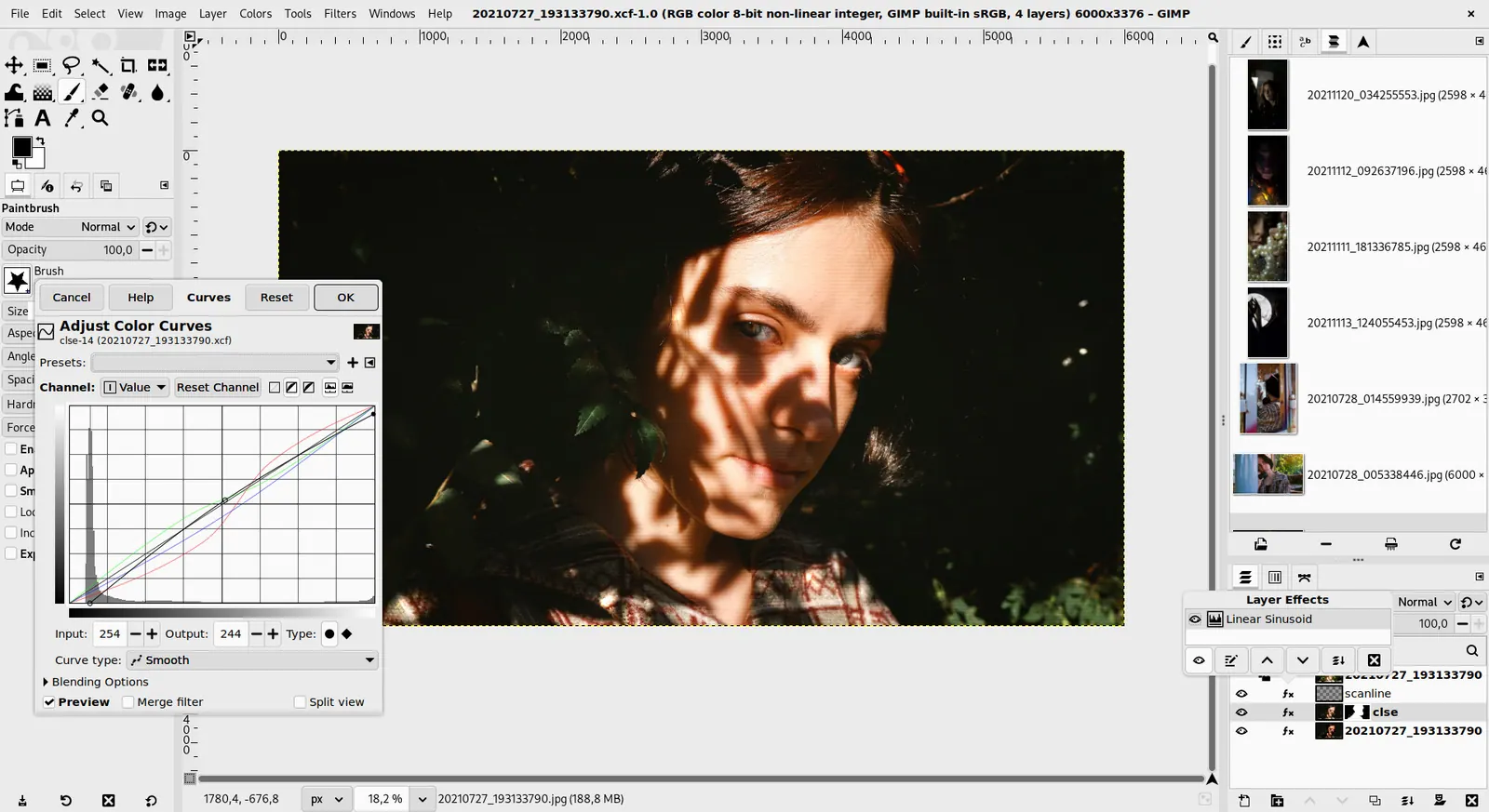
GIMP 3.0 — non-destructive filter workflow
GIMP team / gimp.org · Source · CC BY-SA 4.0
Good fit if
- You tune one hero image and want it private (Squoosh is the pick)
- You compress a folder on a Mac (ImageOptim is the pick)
- You compress a folder on Windows (Caesium Image Compressor is the pick)
- You compress images inside a build script (ImageMagick is the pick)
Not ideal if
- You need paid-tier features, uptime guarantees or support that these free plans leave out
A free image compressor should shrink files without making them look worse, and the right one depends on whether you work one image at a time or a folder at once. Browser tools such as Squoosh process the file locally, so nothing is uploaded, and let you compare codecs side by side, which is ideal for tuning a single hero image. TinyPNG is quicker for a handful of files but works on its servers and limits free web use to 20 images per upload at 5 MB each. For folders, desktop tools win: Caesium on Windows and macOS, ImageOptim on Mac, and the command-line ImageMagick for scripts and build pipelines. XnConvert is a batch tool that also resizes and converts. Two things decide the result. First, lossy versus lossless: lossy formats such as WebP and AVIF give far smaller files but change pixels, so check quality at the size you will show. Second, privacy: if the images are unreleased or client work, prefer a local tool over an upload site. The trade-off is convenience against control, since web tools need no install but command-line tools can be automated. Seven options follow, with each free limit or license.
Squoosh
Open-source web app from Google Chrome Labs that compresses in the browser with no upload. Compare codecs side by side, but it works on one image at a time.
Price: Free (Free web app; compression runs locally in the browser, images are not sent to a server) (Squoosh pricing, checked 2026-10-23).
Platforms and license: Web. Apache-2.0 (open source).
Project activity: 26.1k GitHub stars · last commit Oct 22, 2026
Best for: One-off tuning of a single image.
TinyPNG
Fast web compressor for PNG and JPEG. Free use covers up to 20 images per upload at 5 MB each; larger files need a paid plan; check the site for current paid plans.
Price: Free (Free web use: up to 20 images per upload, 5 MB each) (TinyPNG pricing, checked 2026-10-23).
Platforms and license: Web. Proprietary.
Best for: Quick batches of small images.
Caesium Image Compressor
Free GPLv3 desktop compressor for Windows and macOS with batch processing and a command-line version available. Good for folders without scripting.
Price: Free (Free software; the site has a donate page and lists no paid tier) (Caesium Image Compressor pricing, checked 2026-10-23).
Platforms and license: Windows, macOS. GPL-3.0 (open source).
Project activity: 6.4k GitHub stars · latest release v2.8.5 (May 17, 2025) · last commit Oct 5, 2026
Best for: Batch compression on desktop.
Worth knowing: Site also mentions a command-line tool and an online compressor at caesium.app. License from the repository LICENSE file (GPLv3).
ImageOptim
Free open-source Mac app under the GPL that strips metadata and recompresses images losslessly or lossy. Mac only; the bundled PNGOUT tool is outside the GPL.
Price: Free (Free Mac download; the site calls it free and open source, donations optional) (ImageOptim pricing, checked 2026-10-23).
Platforms and license: macOS. GPL-2.0-or-later (open source).
Project activity: 10k GitHub stars · last commit Jul 13, 2026
Best for: Mac users handling image folders.
Worth knowing: Requires macOS 11 or later per the site. The bundled PNGOUT tool is not under the GPL.
ImageMagick
Open-source command-line toolkit under the ImageMagick License. It automates resizing and compression in scripts, but offers no graphical interface.
Price: Free (Free open-source command-line toolkit for converting and editing images) (ImageMagick pricing, checked 2026-10-23).
Platforms and license: Windows, macOS, Linux. ImageMagick License (open source).
Project activity: 17.8k GitHub stars · latest release 7.1.2-34 (Oct 14, 2026) · last commit Oct 27, 2026
Best for: Scripts and build pipelines.
XnConvert
Batch converter and resizer that is freeware for private or educational use; company use needs a license from 15 EUR. Reads over 500 formats.
Price: Free (Freeware for private or educational use, including non-profits; company use needs a license); paid from EUR 15 per per license, one-time (1 license) (XnConvert pricing, checked 2026-10-23).
Platforms and license: Windows, macOS, Linux. Freeware.
Best for: Mixed-format batch jobs.
Worth knowing: Reads more than 500 formats and exports to about 70 per the site. License price tiers drop with volume.
GIMP
Free editor with an export dialog that lets you tune JPEG, PNG and WebP quality per file. Heavy for pure compression, but useful if you also edit.
Price: Free (Free; source tarballs offered, donation link only, no paid tier. Store packages are third-party and not from the GIMP team) (GIMP pricing, checked 2026-10-22).
Platforms and license: Linux, macOS, Windows. Open source (license not named on gimp.org/downloads) (open source).
Best for: Compressing while editing.
Worth knowing: Raster image editor for photo retouching and compositing.
Which one to pick
- You tune one hero image and want it private: Squoosh
- You compress a folder on a Mac: ImageOptim
- You compress a folder on Windows: Caesium Image Compressor
- You compress images inside a build script: ImageMagick
Limits of this review
Docs-only for Squoosh, TinyPNG, Caesium Image Compressor, ImageOptim, ImageMagick, XnConvert, GIMP: we did not install or run them, so feature claims come from vendor pages. Vendor prices and free limits change; confirm on the linked pricing page before you commit.
Related guides
Sources
Kevin Fan
Kevin Fan is a SaaS founder. He runs Free Instead Of, which tracks free and open-source alternatives to paid software and checks each price and free-plan limit against the vendor's own pages.
Methodology
Based on official pricing, license and product pages checked between 2026-10-22 and 2026-10-23: Squoosh, TinyPNG, Caesium Image Compressor, ImageOptim, ImageMagick, XnConvert, GIMP. Prices, free limits and licenses are the figures shown on those pages on those dates. No tool on this page was installed or run. No accounts were created.