Google Photos Alternatives 2026: 6 Free Options
Google Photos alternatives: Immich, PhotoPrism, Nextcloud, digiKam and 2 more. Prices and licenses checked October 23, 2026.
•4 min read•Learning & Everyday Apps

Verdict:Google Photos gives every account 15 GB shared with Drive and Gmail, and the cheapest paid step is Basic at $1.99 a month for 100 GB. People leave when that shared space runs out, or when they do not want a private photo archive tied to one company's account. The honest trade-off is effort versus control. Immich is the strongest self-hosted pick here: AGPL-3.0, a mobile app and a web interface, and the project itself tells you to keep a 3-2-1 backup, which is the real cost, because you now own the disks and the restore plan. PhotoPrism suits people who mostly browse and search a library from a browser; it lacks a native phone app, so background upload needs a third-party tool. Nextcloud makes sense if you also want file sync and sharing in one server. digiKam is for people who edit and tag on a desktop and never needed the cloud part. If you would rather pay than maintain a server, iCloud is the simple route: 5 GB free, 200 GB for $2.99 a month. Anyone moving off Google should export first and test restores before deleting the original library, because every self-hosted option shifts the backup duty to you.
Quick comparison
| Tool | Price | Platforms | Best for | Tested |
|---|---|---|---|---|
| Immich | Free (Free self-hosted; you supply the server and storage) | Self-hosted server, Web, Mobile app | Self-hosted phone backup | Docs only |
| PhotoPrism | Free (Free community edition run via Docker; paid memberships add extra features such as interactive world maps) | Self-hosted (Docker on Mac, Linux, Windows), Web (PWA) | Browsing a large library on your own server | Docs only |
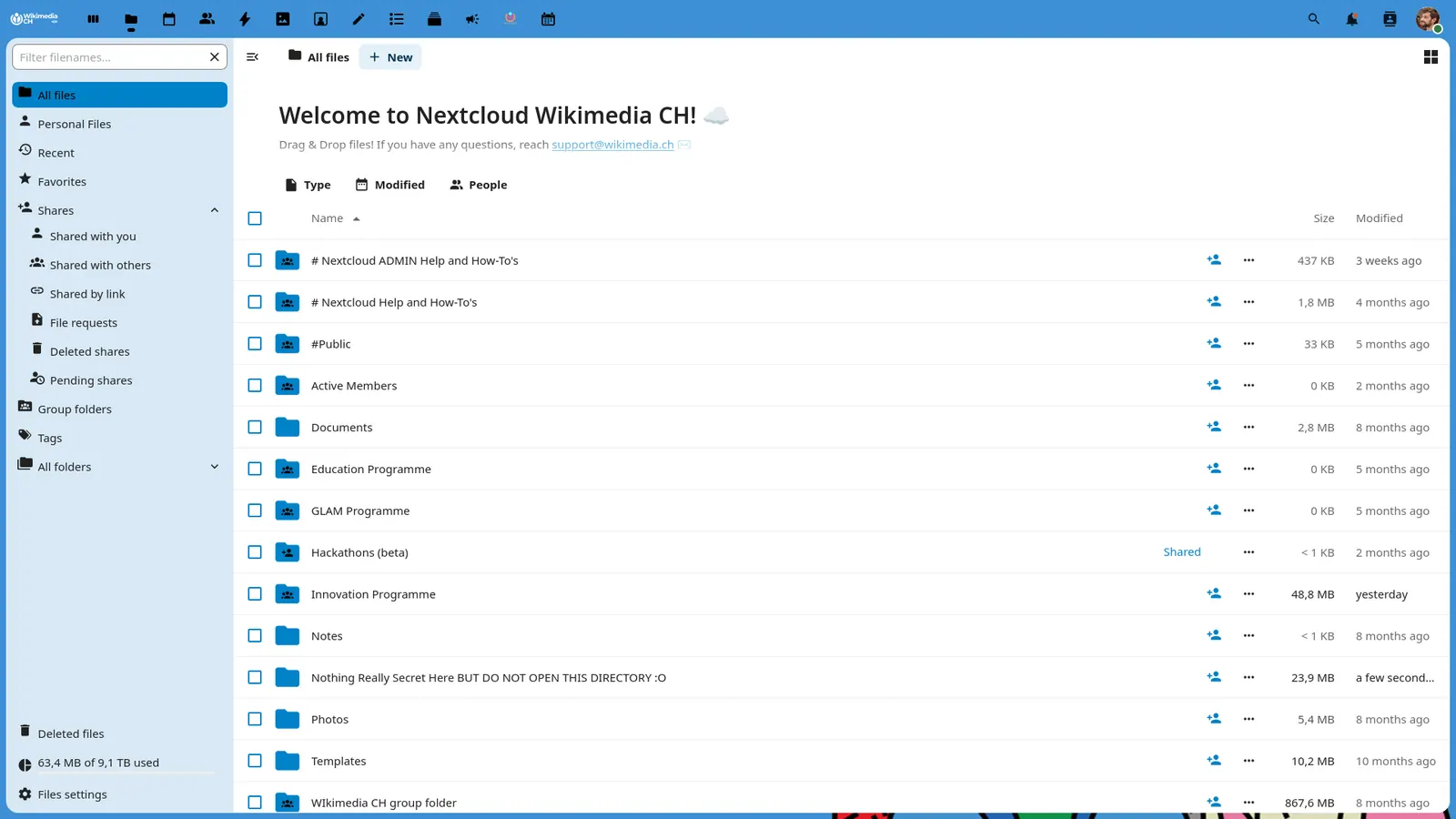
| Nextcloud | Free (Community server is free to self-host and the Nextcloud-branded desktop and mobile apps are free); paid from EUR 71.29 per user/year (Enterprise Standard at 100 users, 100-user minimum) | Web, Self-hosted, Desktop app, Mobile app | One self-hosted home for files and photos | Docs only |
| digiKam | Free (Free and open source; the site has a Donate link and no paid tier) | Linux, Windows, macOS | Organising photos on a desktop | Docs only |
| iCloud | Free (5 GB free); paid from $0.99 per per month, iCloud+ 50 GB plan (200 GB $2.99, 2 TB $9.99) | iOS, macOS, Windows, Web | iPhone and Mac users | Docs only |
| OneDrive | Free | Web, Windows, macOS, iOS, Android | Windows users already on Microsoft 365 | Docs only |
| Dropbox | Free (Basic plan with 2 GB of storage); paid from $9.99 per month for 1 person, 2 TB (Plus, billed monthly) | Web, Windows, macOS, Linux, iOS, Android | File storage | Docs only |
Independent comparison. Paid placements are labelled separately; editorial links earn no affiliate commissions. Learn more.
See the tools in action
Images from the linked documentation. Versions and features may differ from current plans.
Good fit if
- You want phone auto-backup on a server you run (Immich is the pick)
- You mainly browse and search an existing library in a browser (PhotoPrism is the pick)
- You also want file sync and sharing in one place (Nextcloud is the pick)
- You edit and tag photos on a desktop (digiKam is the pick)
- You use an iPhone and prefer to pay a few dollars for hosting (iCloud is the pick)
Not ideal if
- You rely on Google Photos features or integrations that these tools do not replicate
Google Photos today: Free (15 GB per Google account, shared with Drive and Gmail); paid from $1.99 per month (Basic, 100 GB, billed monthly; 2 TB is $9.99) (Google Photos pricing, checked 2026-10-23).
Why people look for Google Photos alternatives
Each Google account includes up to 15 GB of storage, shared across Photos, Drive and Gmail, and photos backed up in Original quality count against it. Only items backed up in High quality before June 1, 2021 are exempt. More space is paid: Google One lists 100 GB at $1.99 a month and 2 TB at $9.99. Google also warns that if you are inactive in Google Photos for 2 years or more, your content may be deleted.
Immich
Compared with Google Photos: Open source under AGPL-3.0 and self-hosted, with a mobile app and web interface. You lose Google's hosted convenience and must run and back up your own server; you gain storage limited only by your disks and no Google account.
Price: Free (Free self-hosted; you supply the server and storage) (Immich pricing, checked 2026-10-23).
Platforms and license: Self-hosted server, Web, Mobile app. AGPL-3.0 (open source).
Project activity: 117.4k GitHub stars · latest release v3.3.5 (Oct 21, 2026) · last commit Oct 27, 2026
Best for: Self-hosted phone backup.
PhotoPrism
Compared with Google Photos: Free community edition you run through Docker, with search filters, labels and face recognition. It has no native phone app, only a web app, so you lose Google's automatic phone upload unless you add a third-party app.
Price: Free (Free community edition run via Docker; paid memberships add extra features such as interactive world maps) (PhotoPrism pricing, checked 2026-10-23).
Platforms and license: Self-hosted (Docker on Mac, Linux, Windows), Web (PWA). AGPL-3.0 (open source).
Project activity: 40.4k GitHub stars · latest release 261007-65faaae5d (Oct 7, 2026) · last commit Oct 27, 2026
Best for: Browsing a large library on your own server.
Nextcloud
Compared with Google Photos: Free to self-host, and its desktop and mobile apps are free. It is a general file sync server rather than a photo product, so you give up Google's photo-first search and gain one place for files, photos and sharing.
Price: Free (Community server is free to self-host and the Nextcloud-branded desktop and mobile apps are free); paid from EUR 71.29 per user/year (Enterprise Standard at 100 users, 100-user minimum) (Nextcloud pricing, checked 2026-10-22).
Platforms and license: Web, Self-hosted, Desktop app, Mobile app. AGPL-3.0 (open source).
Project activity: 37.3k GitHub stars · latest release v33.0.10 (Oct 15, 2026) · last commit Oct 27, 2026
Best for: One self-hosted home for files and photos.
digiKam
Compared with Google Photos: Free and open source desktop photo manager with tagging and rating. You lose Google's phone sync and cloud sharing, and gain a local library you control; its site mentions no phone backup.
Price: Free (Free and open source; the site has a Donate link and no paid tier) (digiKam pricing, checked 2026-10-23).
Platforms and license: Linux, Windows, macOS. Open source (license not named on digikam.org) (open source).
Best for: Organising photos on a desktop.
Worth knowing: Photo library manager with tagging and rating. The site does not list supported operating systems; the platform list is from general knowledge and should be checked.
iCloud
Compared with Google Photos: The closest hosted swap: 5 GB free, then $0.99 a month for 50 GB and $2.99 for 200 GB. Google gives 15 GB free shared with Drive and Gmail, so you get less free space but stay inside Apple's ecosystem.
Price: Free (5 GB free); paid from $0.99 per per month, iCloud+ 50 GB plan (200 GB $2.99, 2 TB $9.99) (iCloud pricing, checked 2026-10-23).
Platforms and license: iOS, macOS, Windows, Web. Proprietary.
Best for: iPhone and Mac users.
OneDrive
Compared with Google Photos: Hosted storage from Microsoft with web, desktop and phone apps. It has a free tier; check Microsoft's pricing page for the free amount and paid prices before moving a library.
Price: Free (OneDrive pricing, checked 2026-10-23).
Platforms and license: Web, Windows, macOS, iOS, Android. Proprietary.
Best for: Windows users already on Microsoft 365.
Other popular options (paid)
Dropbox
Compared with Google Photos: Dropbox is general file sync rather than a photo-library app, so expect fewer photo-specific features. The free Basic plan has 2 GB, and Plus gives 2 TB for $9.99 a month billed monthly.
Price: Free (Basic plan with 2 GB of storage); paid from $9.99 per month for 1 person, 2 TB (Plus, billed monthly) (Dropbox pricing, checked 2026-10-22).
Which one to pick
- You want phone auto-backup on a server you run: Immich
- You mainly browse and search an existing library in a browser: PhotoPrism
- You also want file sync and sharing in one place: Nextcloud
- You edit and tag photos on a desktop: digiKam
- You use an iPhone and prefer to pay a few dollars for hosting: iCloud
Limits of this review
Docs-only for Immich, PhotoPrism, Nextcloud, digiKam, iCloud, OneDrive: we did not install or run them, so feature claims come from vendor pages and we did not test import from Google Photos. Vendor prices and free limits change; confirm on the linked pricing page before you buy or migrate.
Related guides
Sources
Kevin Fan
Kevin Fan is a SaaS founder. He runs Free Instead Of, which tracks free and open-source alternatives to paid software and checks each price and free-plan limit against the vendor's own pages.
Methodology
Based on official pricing and product pages checked between 2026-10-22 and 2026-10-23: Google Photos, Immich, PhotoPrism, Nextcloud, digiKam, iCloud, OneDrive, Dropbox. Prices, free limits and licenses are the figures shown on those pages on those dates. No tool on this page was installed or run. No accounts were created.