Best Free Video-to-MP3 Converters 2026: 6 Options Compared
Best free Video-to-MP3 Converters compared: FFmpeg, VLC media player, Audacity, Shutter Encoder and 2 more, with free-plan limits, platforms and prices from official pages checked October 24, 2026.
•3 min read•Video Editing & AI Video
Try one now
Quick comparison
| Tool | Price | Platforms | Best for | Tested |
|---|---|---|---|---|
| FFmpeg | Free | Windows, macOS, Linux | Fast, scriptable extraction | Docs only |
| VLC media player | Free | Windows, macOS, Linux, Android, iOS | One-off conversions with a tool you have | Docs only |
| Audacity | Free (Free and open source; the site says it will always remain free and lists no paid version) | Windows, macOS, Linux | Extracting and editing audio | Docs only |
| Shutter Encoder | Free | Windows, macOS, Linux | A graphical converter | Docs only |
| Kapwing | Free (Free: 10 credits, watermarked exports, 720p, up to 4 minutes per video, 30 minutes of export a month, 2 GB uploads, 5 GB storage kept for 3 days); paid from $16 per month (Pro, 1,000 credits; the page has a monthly/annual toggle with 33% off annual but does not state which the $16 is) | Web | No-install conversion | Docs only |
| LosslessCut | Free (Free and open source; app-store builds exist for Mac, Windows and Snap) | Windows, macOS, Linux | Keeping original quality | Docs only |
Independent comparison. Paid placements are labelled separately; editorial links earn no affiliate commissions. Learn more.
See the tools in action
Images from the linked documentation. Versions and features may differ from current plans.
Good fit if
- You want a single command (FFmpeg is the pick)
- You want to clean the audio too (Audacity is the pick)
- You have VLC already (VLC media player is the pick)
- You cannot install anything (Kapwing is the pick)
Not ideal if
- You need paid-tier features, uptime guarantees or support that these free plans leave out
Extracting audio from a video is a one-step job, but tools differ in how much they ask of you. FFmpeg does it with a single command and is the most reliable if you are comfortable in a terminal, and it ends up underneath many other converters. VLC has a convert option and may already be on your computer. Shutter Encoder gives a graphical front end on FFmpeg and lists WAV, MP3 and FLAC among its audio outputs. Audacity can open video files for editing once FFmpeg support is available and is useful when you also want to trim or clean the audio before saving as MP3. LosslessCut extracts audio tracks without re-encoding, which keeps quality but returns the original format, often AAC, not MP3. Kapwing is the browser route: its video converter lists MP3 as an output, so you can convert without installing anything, at the cost of uploading the file. Only convert videos you have the right to use. A converter cannot improve audio that was low quality, and re-encoding a lossy track into MP3 loses a little more. If you need the original audio unchanged, extract the track instead of converting it.
FFmpeg
LGPL-2.1-or-later command-line tool that extracts audio and encodes MP3 in one command. No interface; Windows and macOS builds come from third-party sites.
Price: Free (FFmpeg pricing, checked 2026-10-23).
Platforms and license: Windows, macOS, Linux. LGPL with optional GPL components (open source).
Project activity: 65.9k GitHub stars · last commit Oct 27, 2026
Best for: Fast, scriptable extraction.
VLC media player
GPL media player with a convert and save option, installed on many computers already. VideoLAN's product page does not describe the conversion feature, so options are basic.
Price: Free (VLC media player pricing, checked 2026-10-23).
Platforms and license: Windows, macOS, Linux, Android, iOS. GPL-2.0 and LGPL-2.1 (open source).
Project activity: 20.3k GitHub stars · last commit Oct 27, 2026
Best for: One-off conversions with a tool you have.
Audacity
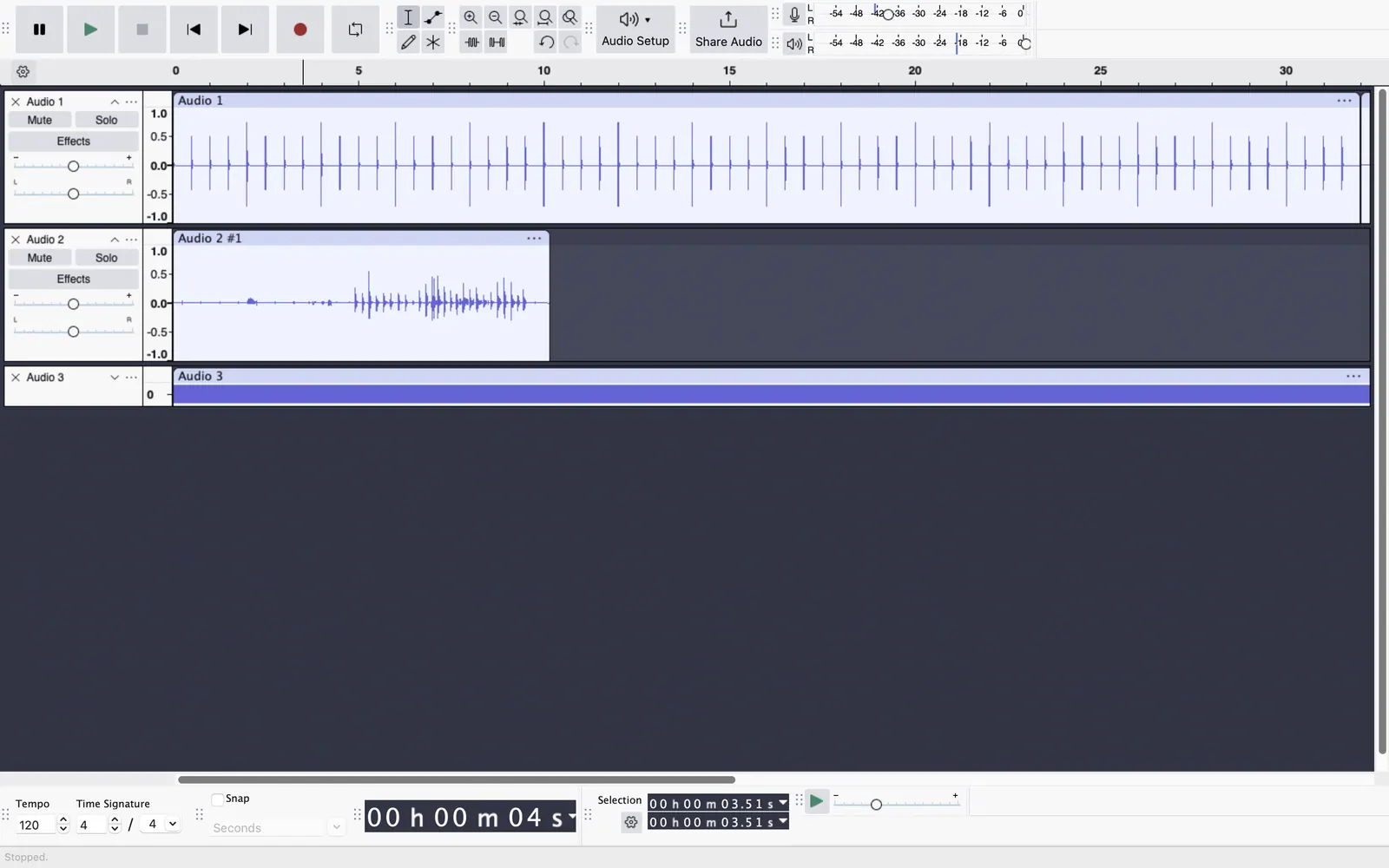
Free and open-source audio editor for Windows, macOS and Linux. Use it when you also want to trim, normalise or clean the audio before exporting.
Price: Free (Free and open source; the site says it will always remain free and lists no paid version) (Audacity pricing, checked 2026-10-22).
Platforms and license: Windows, macOS, Linux. GPL-3.0 (open source).
Project activity: 18.9k GitHub stars · latest release Audacity-4.0.1 (Sep 30, 2026) · last commit Oct 27, 2026
Best for: Extracting and editing audio.
Worth knowing: Desktop multitrack audio editor. Audio.com cloud service and MuseHub plugins are mentioned on the site without prices.
Compare: Audacity alternatives
Shutter Encoder
GPL-3.0 FFmpeg-based GUI that converts to audio formats including WAV, MP3 and FLAC. Free with no limitations, according to its site.
Price: Free (Shutter Encoder pricing, checked 2026-10-23).
Platforms and license: Windows, macOS, Linux. GPL-3.0 (open source).
Project activity: 2.9k GitHub stars · latest release 20.4 (Sep 28, 2026) · last commit Oct 23, 2026
Best for: A graphical converter.
Kapwing
Browser converter that lists MP3 among its outputs and says it is free to use. Files are uploaded, which is slow for long videos.
Price: Free (Free: 10 credits, watermarked exports, 720p, up to 4 minutes per video, 30 minutes of export a month, 2 GB uploads, 5 GB storage kept for 3 days); paid from $16 per month (Pro, 1,000 credits; the page has a monthly/annual toggle with 33% off annual but does not state which the $16 is) (Kapwing pricing, checked 2026-10-24).
Platforms and license: Web. Proprietary.
Best for: No-install conversion.
Compare: Kapwing alternatives
LosslessCut
GPL-2.0 FFmpeg GUI that extracts audio and other tracks without re-encoding. Output keeps the original codec rather than becoming MP3.
Price: Free (Free and open source; app-store builds exist for Mac, Windows and Snap) (LosslessCut pricing, checked 2026-10-23).
Platforms and license: Windows, macOS, Linux. GPL-2.0 (open source).
Project activity: 45.3k GitHub stars · latest release v3.70.1 (Oct 19, 2026) · last commit Oct 27, 2026
Best for: Keeping original quality.
Worth knowing: Cross-platform FFmpeg GUI for lossless trimming, merging and remuxing without re-encoding, and for extracting audio and subtitle tracks.
Which one to pick
- You want a single command: FFmpeg
- You want to clean the audio too: Audacity
- You have VLC already: VLC media player
- You cannot install anything: Kapwing
Limits of this review
Docs-only for FFmpeg, VLC media player, Audacity, Shutter Encoder, Kapwing, LosslessCut: we did not install or run them, so feature claims come from vendor pages. Vendor prices and free limits change; confirm on the linked pricing page before you commit.
Related guides
Sources
Kevin Fan
Kevin Fan is a SaaS founder. He runs Free Instead Of, which tracks free and open-source alternatives to paid software and checks each price and free-plan limit against the vendor's own pages.
Methodology
Based on official pricing, license and product pages checked between 2026-10-22 and 2026-10-24: FFmpeg, VLC media player, Audacity, Shutter Encoder, Kapwing, LosslessCut. Prices, free limits and licenses are the figures shown on those pages on those dates. No tool on this page was installed or run. No accounts were created.