LibreOffice 25.8: New features
By LibreOffice - The Document Foundation ·
Playing loads YouTube. YouTube will receive your IP address and device information.
Best free PDF Readers compared: SumatraPDF, Adobe Acrobat Reader, Foxit PDF Reader, Okular and 2 more, with free-plan limits, platforms and prices from official pages checked October 23, 2026.
•3 min read•Office, Docs & Presentations
| Tool | Price | Platforms | Best for | Tested |
|---|---|---|---|---|
| SumatraPDF | Free (Free with no ads, bundled software or subscription; a portable version runs without installing) | Windows | Fast reading and ebooks on Windows | Docs only |
| Adobe Acrobat Reader | Free (Free to download; view, comment, and Fill & Sign. Editing PDF text or images needs a paid Acrobat plan, and free signature requests are capped) | Windows, macOS, iOS, Android | Forms and signing that match what others expect | Docs only |
| Foxit PDF Reader | Free (Free reader: comments and annotations, AcroForm and XFA form filling, signing with a drawn or image signature) | Windows, macOS, iOS, Android, Web browser | A lighter alternative to Acrobat | Docs only |
| Okular | Free (Free software; no paid tier) | Linux, Windows (Microsoft Store), macOS (nightly builds only) | Linux users and annotation on open formats | Docs only |
| PDFgear | Free (Page says completely free with no sign-up; it states no usage limits, watermark or paid plan) | Windows, macOS, iOS, Android, Web browser | One free app that also edits | Docs only |
| LibreOffice | Free (download and use at no cost per its site) | Windows, macOS, Linux | Occasional reading plus quick edits | Docs only |
Independent comparison. Paid placements are labelled separately; editorial links earn no affiliate commissions. Learn more.
Images from the linked documentation. Versions and features may differ from current plans.
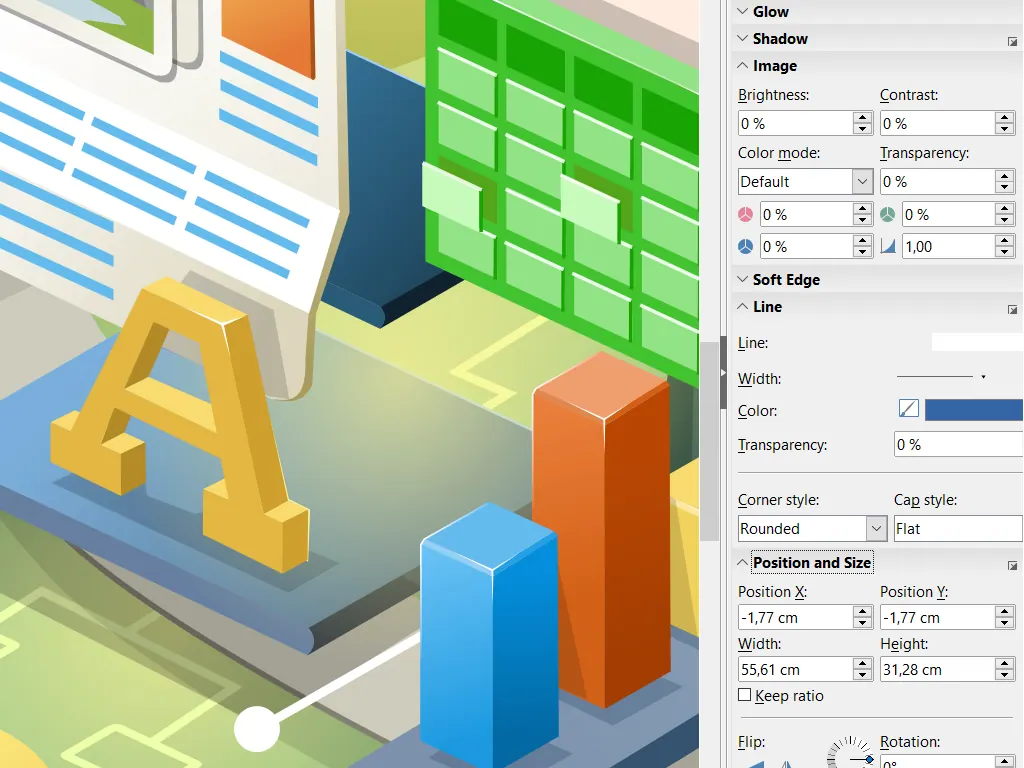
LibreOffice Draw — official interface example
The Document Foundation · Source · CC BY-SA 3.0
By LibreOffice - The Document Foundation ·
Playing loads YouTube. YouTube will receive your IP address and device information.
Every browser opens PDFs, so a dedicated reader is worth installing only when you want something the browser lacks: speed on large files, annotation, form filling or signatures. Free readers differ on that last point. Adobe Acrobat Reader and Foxit PDF Reader both comment, fill forms and sign, but Adobe states you cannot edit text or images, and free signature requests are capped. SumatraPDF is the opposite approach, a tiny, ad-free Windows reader that opens PDF, EPUB, MOBI, CBZ and DjVu quickly but does not annotate. Okular, from KDE, is open source, annotates and reads many formats, and runs on Linux and Windows, with macOS limited to untested nightly builds. PDFgear reads on Windows, Mac, iOS and Android and adds editing and conversion for free. If you read scanned books or comics, format support matters more than annotation. If you mostly sign forms from employers, Acrobat Reader or Foxit is what the other side expects. Avoid readers that bundle toolbars or ask for payment before saving a signed copy. The six readers below cost nothing and are listed with their platform limits.
Ad-free, open-source Windows reader that starts almost instantly and opens PDF, EPUB, MOBI, CBZ, CBR and DjVu. It does not run on Mac or Linux and offers no annotation tools.
Price: Free (Free with no ads, bundled software or subscription; a portable version runs without installing) (SumatraPDF pricing, checked 2026-10-23).
Platforms and license: Windows. Open source (license not named on the page) (open source).
Project activity: 17.9k GitHub stars · latest release 3.6.1rel (Apr 6, 2026) · last commit Oct 28, 2026
Best for: Fast reading and ebooks on Windows.
Worth knowing: Windows only (7 to 11, 32-bit, 64-bit and ARM64). Reads PDF, EPUB, MOBI, CBZ, CBR, DjVu, XPS, CHM and images. No paid tier mentioned.
Free to download for Windows, macOS, iOS and Android with commenting, form filling and Fill & Sign. Adobe says it cannot edit text or images, and free signature requests are capped.
Price: Free (Free to download; view, comment, and Fill & Sign. Editing PDF text or images needs a paid Acrobat plan, and free signature requests are capped) (Adobe Acrobat Reader pricing, checked 2026-10-23).
Platforms and license: Windows, macOS, iOS, Android. Proprietary freeware.
Best for: Forms and signing that match what others expect.
Free reader on Windows, Mac, iOS, Android and the web with comments, AcroForm and XFA forms and handwritten or image signatures. It also promotes a paid Foxit PDF Editor.
Price: Free (Free reader: comments and annotations, AcroForm and XFA form filling, signing with a drawn or image signature) (Foxit PDF Reader pricing, checked 2026-10-23).
Platforms and license: Windows, macOS, iOS, Android, Web browser. Proprietary freeware.
Best for: A lighter alternative to Acrobat.
GPLv2+ reader from KDE that opens PDF, EPUB, DjVu, Markdown and comics, and annotates. Windows comes from the Microsoft Store; macOS builds are nightly only.
Price: Free (Free software; no paid tier) (Okular pricing, checked 2026-10-23).
Platforms and license: Linux, Windows (Microsoft Store), macOS (nightly builds only). GPLv2+ (open source).
Best for: Linux users and annotation on open formats.
Free on desktop and mobile, combining reading with editing text, annotation, OCR and conversion. No limits or watermark are stated on the page.
Price: Free (Page says completely free with no sign-up; it states no usage limits, watermark or paid plan) (PDFgear pricing, checked 2026-10-23).
Platforms and license: Windows, macOS, iOS, Android, Web browser. Proprietary freeware.
Best for: One free app that also edits.
Draw opens PDFs for light edits, and the whole suite is free under MPL-2.0. It is a poor choice for long reading but handy when you must change a line.
Price: Free (download and use at no cost per its site) (LibreOffice pricing, checked 2026-10-22).
Platforms and license: Windows, macOS, Linux. MPL-2.0 (open source).
Best for: Occasional reading plus quick edits.
Worth knowing: Desktop suite of Writer, Calc, Impress, Draw, Base and Math; it has no built-in cloud storage or email.
Docs-only for SumatraPDF, Adobe Acrobat Reader, Foxit PDF Reader, Okular, PDFgear, LibreOffice: we did not install or run them, so feature claims come from vendor pages. Vendor prices and free limits change; confirm on the linked pricing page before you commit.
Kevin Fan is a SaaS founder. He runs Free Instead Of, which tracks free and open-source alternatives to paid software and checks each price and free-plan limit against the vendor's own pages.
Based on official pricing, license and product pages checked between 2026-10-22 and 2026-10-23: SumatraPDF, Adobe Acrobat Reader, Foxit PDF Reader, Okular, PDFgear, LibreOffice. Prices, free limits and licenses are the figures shown on those pages on those dates. No tool on this page was installed or run. No accounts were created.