Best Free MP3 Converters 2026: 6 Options Compared
Best free MP3 Converters compared: fre:ac, MediaHuman Audio Converter, FFmpeg, VLC media player and 2 more, with free-plan limits, platforms and prices from official pages checked October 24, 2026.
•3 min read•Audio & Music
Try one now
Quick comparison
| Tool | Price | Platforms | Best for | Tested |
|---|---|---|---|---|
| fre:ac | Free (Free and open source; the site says it is completely free without a catch) | Windows, macOS, Linux, FreeBSD, Haiku | CD ripping and library conversion | Docs only |
| MediaHuman Audio Converter | Free (Free application; a paid permanent license unlocks a renaming feature, price not read) | Windows, macOS, Linux | Drag-and-drop batches | Docs only |
| FFmpeg | Free | Windows, macOS, Linux | Extracting MP3 from video | Docs only |
| VLC media player | Free | Windows, macOS, Linux, Android, iOS | Quick conversion in a player you have | Docs only |
| Audacity | Free (Free and open source; the site says it will always remain free and lists no paid version) | Windows, macOS, Linux | Trim, then save as MP3 | Docs only |
| CloudConvert | Free (10 conversions per day, up to 5 minutes processing time each) | Web | One-off online conversion | Docs only |
Independent comparison. Paid placements are labelled separately; editorial links earn no affiliate commissions. Learn more.
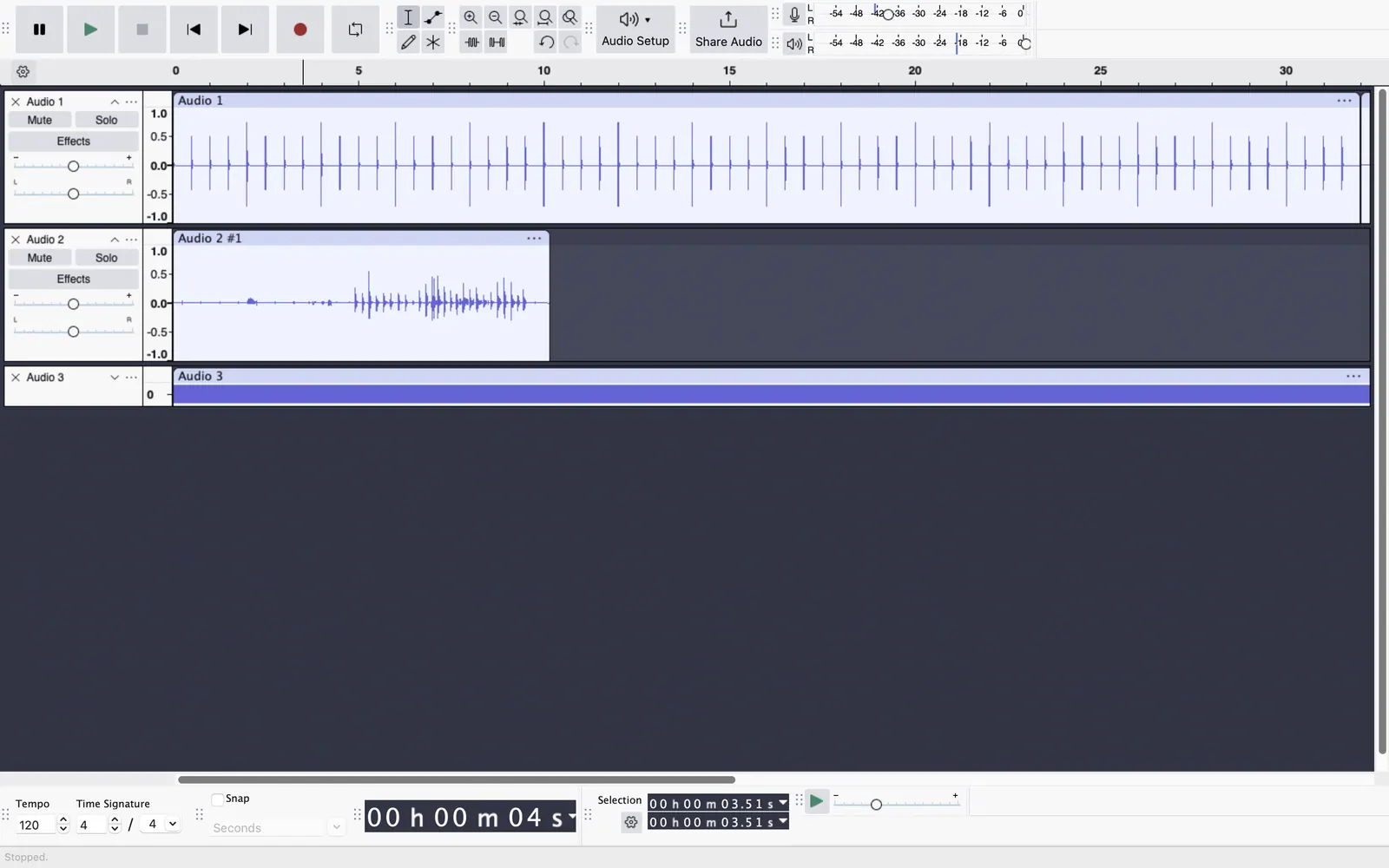
See the tools in action
Images from the linked documentation. Versions and features may differ from current plans.
Good fit if
- I am ripping a CD collection (fre:ac is the pick)
- I need MP3 from a video file (FFmpeg is the pick)
- I want to trim and save one file (Audacity is the pick)
- I have one file and no install rights (CloudConvert is the pick)
Not ideal if
- You need paid-tier features, uptime guarantees or support that these free plans leave out
MP3 conversion is a narrow job with a few pitfalls, and the right free tool depends on whether you start from a CD, a lossless file or a video. For lossless sources such as FLAC or WAV, fre:ac and MediaHuman Audio Converter turn whole folders into MP3 with tags kept, and both are free for desktop use. fre:ac also rips audio CDs. FFmpeg can create MP3 from nearly any audio or video file with one command, and VLC offers the same through a convert menu if you do not like the command line. Audacity is useful when the MP3 needs trimming or volume changes as well. For a single file without installing anything, CloudConvert handles it in a browser, though the free tier is 10 conversions a day with a 5-minute processing limit. Bitrate is the setting that matters most: 128 kbps is fine for speech, 192 to 320 kbps is typical for music, and a higher setting will not repair a file that was already low quality. Converting from one lossy format to MP3 loses more quality again, so start from the original when you can. If you only want audio from a video, FFmpeg and VLC can extract it directly.
fre:ac
GPL-2.0 desktop converter and CD ripper, free with no catch per its site. Good for turning a lossless library into MP3.
Price: Free (Free and open source; the site says it is completely free without a catch) (fre:ac pricing, checked 2026-10-24).
Platforms and license: Windows, macOS, Linux, FreeBSD, Haiku. GPL-2.0 (open source).
Project activity: 2k GitHub stars · latest release v1.1.7 (Mar 5, 2023) · last commit Oct 25, 2026
Best for: CD ripping and library conversion.
MediaHuman Audio Converter
Freeware for Windows, macOS and Linux that converts in batches and can keep tags. The paid license only covers the renaming feature.
Price: Free (Free application; a paid permanent license unlocks a renaming feature, price not read) (MediaHuman Audio Converter pricing, checked 2026-10-24).
Platforms and license: Windows, macOS, Linux. Freeware (proprietary).
Best for: Drag-and-drop batches.
FFmpeg
Open-source tool that makes MP3 from almost any audio or video file in one command. Fast and scriptable, with a learning curve for first-timers.
Price: Free (FFmpeg pricing, checked 2026-10-23).
Platforms and license: Windows, macOS, Linux. LGPL with optional GPL components (open source).
Project activity: 65.9k GitHub stars · last commit Oct 27, 2026
Best for: Extracting MP3 from video.
VLC media player
The free media player has a convert option that can save audio as MP3. Fewer settings than a dedicated tool, but nothing extra to install if you have VLC.
Price: Free (VLC media player pricing, checked 2026-10-23).
Platforms and license: Windows, macOS, Linux, Android, iOS. GPL-2.0 and LGPL-2.1 (open source).
Project activity: 20.3k GitHub stars · last commit Oct 27, 2026
Best for: Quick conversion in a player you have.
Audacity
Exports MP3 after editing, so you can trim or normalise first. Not designed for bulk conversion of many files.
Price: Free (Free and open source; the site says it will always remain free and lists no paid version) (Audacity pricing, checked 2026-10-22).
Platforms and license: Windows, macOS, Linux. GPL-3.0 (open source).
Project activity: 18.9k GitHub stars · latest release Audacity-4.0.1 (Sep 30, 2026) · last commit Oct 27, 2026
Best for: Trim, then save as MP3.
Worth knowing: Desktop multitrack audio editor. Audio.com cloud service and MuseHub plugins are mentioned on the site without prices.
Compare: Audacity alternatives
CloudConvert
Browser converter with a free tier of 10 conversions a day and a 5-minute processing limit. Uploads your file, so avoid it for private audio.
Price: Free (10 conversions per day, up to 5 minutes processing time each) (CloudConvert pricing, checked 2026-10-23).
Platforms and license: Web. Proprietary.
Best for: One-off online conversion.
Which one to pick
- I am ripping a CD collection: fre:ac
- I need MP3 from a video file: FFmpeg
- I want to trim and save one file: Audacity
- I have one file and no install rights: CloudConvert
Limits of this review
Docs-only for fre:ac, MediaHuman Audio Converter, FFmpeg, VLC media player, Audacity, CloudConvert: we did not install or run them, so feature claims come from vendor pages. Vendor prices and free limits change; confirm on the linked pricing page before you commit.
Related guides
Sources
Kevin Fan
Kevin Fan is a SaaS founder. He runs Free Instead Of, which tracks free and open-source alternatives to paid software and checks each price and free-plan limit against the vendor's own pages.
Methodology
Based on official pricing, license and product pages checked between 2026-10-22 and 2026-10-24: fre:ac, MediaHuman Audio Converter, FFmpeg, VLC media player, Audacity, CloudConvert. Prices, free limits and licenses are the figures shown on those pages on those dates. No tool on this page was installed or run. No accounts were created.