Google Calendar Alternatives 2026: 5 Options, 4 Free
Google Calendar alternatives: Proton, Tuta, Nextcloud, Fastmail and 1 more. Prices and licenses checked October 23, 2026.
•3 min read•Email, Calendar & Scheduling

Verdict:Leave Google Calendar when you want your schedule outside an ad company's account, or when the calendar is the last reason you still use Gmail. Proton Calendar is the simplest private swap: the free plan gives three personal calendars, and it uses a Proton account you may already have. Tuta is encrypted too, but its free plan has one calendar, which rules it out if you juggle work, family and shared calendars. Nextcloud is the choice when you want to own the data; the server is AGPL-3.0 and free, but you have to run it and keep it patched. Fastmail costs $5 a month billed annually with a trial of up to 30 days, so it is for people who want to pay for a calendar and mail that are not ad-funded. Thunderbird is a free desktop client, and its site has a Calendar page, but there is no phone app from the project, so check how you would sync before committing. The trade-off is ecosystem: Google Calendar ties to Meet, Gmail invites, and Android, and invitations from other people still arrive as Google events. Export your calendar as an ICS file, import it into the new service, and test an invite from a Gmail user before you delete anything.
Quick comparison
| Tool | Price | Platforms | Best for | Tested |
|---|---|---|---|---|
| Proton | Free (Free plan with 1 GB of Mail, up to 5 GB of Drive, 1 encrypted email address and 3 personal calendars); paid from $3.99 per month, billed annually (Mail Plus) | Web, iOS, Android | Private calendars with a free plan | Docs only |
| Tuta | Free (1 GB storage, 1 calendar, 3 labels, no custom domain) | Web, iOS, Android | Encrypted mail and one calendar | Docs only |
| Nextcloud | Free (Community server is free to self-host and the Nextcloud-branded desktop and mobile apps are free); paid from EUR 71.29 per user/year (Enterprise Standard at 100 users, 100-user minimum) | Web, Self-hosted, Desktop app, Mobile app | Self-hosting all your data | Docs only |
| Fastmail | Paid from $3 per user/month, 12-month prepay (Basic business plan; Individual $5, monthly billing $4 to $6) | Web, iOS, Android | Paying for privacy, mail and calendar together | Docs only |
| Thunderbird | Free (Free and open-source desktop mail client; no paid plan stated on the about page) | Windows, macOS, Linux | A free desktop calendar and mail client | Docs only |
| Microsoft Outlook | Free (Free Outlook.com mailbox and web app; the desktop client comes with Microsoft 365 plans) | Windows, macOS, iOS, Android, Web | Docs only |
Independent comparison. Paid placements are labelled separately; editorial links earn no affiliate commissions. Learn more.
See the tools in action
Images from the linked documentation. Versions and features may differ from current plans.
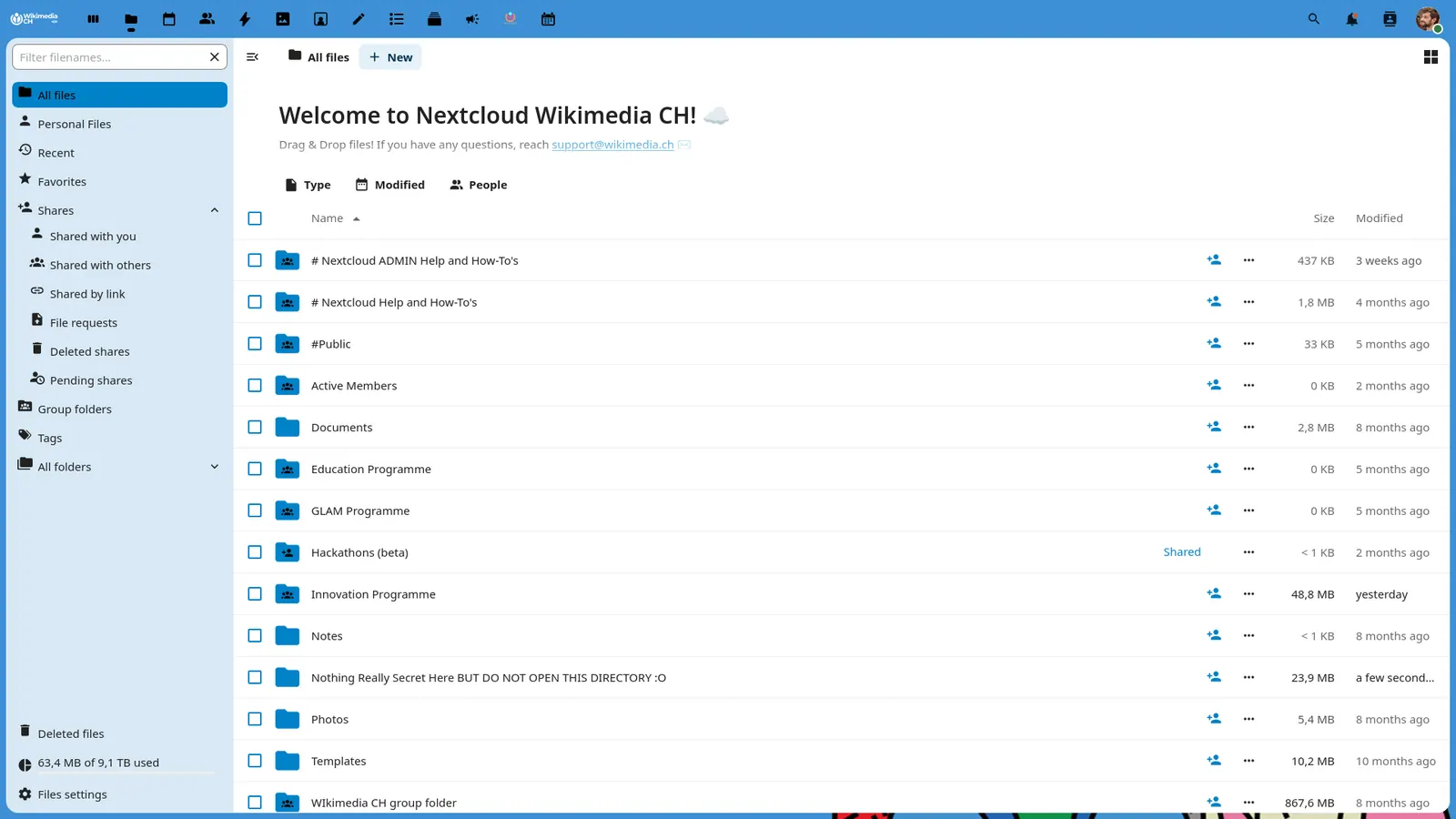
Good fit if
- You want a private calendar on a free plan (Proton is the pick)
- You want to host your own calendar (Nextcloud is the pick)
- You will pay for mail and calendar with no ads (Fastmail is the pick)
- You prefer a free desktop client (Thunderbird is the pick)
Not ideal if
- You rely on Google Calendar features or integrations that these tools do not replicate
Google Calendar today: Free (Free with a personal Google Account, which can create one appointment booking page; more booking pages need a paid plan) (Google Calendar pricing, checked 2026-10-23).
Why people look for Google Calendar alternatives
Google Calendar is free with a personal account, but booking tools are gated. Appointment schedules cannot be created in the iPhone or Android apps, only in a computer browser, and Google says some features require an eligible Google Workspace or Google One subscription. On Workspace, appointment booking is not supported on Starter; Standard is the cheapest plan with it, at $14 per user a month on monthly billing.
Proton
Compared with Google Calendar: Free plan includes 3 personal calendars alongside 1 GB of Mail and up to 5 GB of Drive. Gains end-to-end privacy that Google Calendar does not offer; loses Google's tight Gmail and Meet links.
Price: Free (Free plan with 1 GB of Mail, up to 5 GB of Drive, 1 encrypted email address and 3 personal calendars); paid from $3.99 per month, billed annually (Mail Plus) (Proton pricing, checked 2026-10-22).
Platforms and license: Web, iOS, Android. Proprietary hosted service.
Best for: Private calendars with a free plan.
Tuta
Compared with Google Calendar: Encrypted calendar and mail, free with 1 GB storage and 1 calendar. A single calendar is the main limit against Google Calendar, which lets you add many; check the pricing page for paid plans.
Price: Free (1 GB storage, 1 calendar, 3 labels, no custom domain) (Tuta pricing, checked 2026-10-23).
Platforms and license: Web, iOS, Android. Proprietary.
Best for: Encrypted mail and one calendar.
Nextcloud
Compared with Google Calendar: AGPL-3.0 server with calendar you host yourself, so your events sit on your own box. It takes setup that Google Calendar never asks for; the community server is free.
Price: Free (Community server is free to self-host and the Nextcloud-branded desktop and mobile apps are free); paid from EUR 71.29 per user/year (Enterprise Standard at 100 users, 100-user minimum) (Nextcloud pricing, checked 2026-10-22).
Platforms and license: Web, Self-hosted, Desktop app, Mobile app. AGPL-3.0 (open source).
Project activity: 37.3k GitHub stars · latest release v33.0.10 (Oct 15, 2026) · last commit Oct 27, 2026
Best for: Self-hosting all your data.
Fastmail
Compared with Google Calendar: Paid mail and calendar from $5 a month billed annually, with no free plan and a trial of up to 30 days. You pay to leave Google, and get a calendar and mail with no ad business behind them.
Price: Paid from $3 per user/month, 12-month prepay (Basic business plan; Individual $5, monthly billing $4 to $6) (Fastmail pricing, checked 2026-10-23).
Platforms and license: Web, iOS, Android. Proprietary.
Best for: Paying for privacy, mail and calendar together.
Thunderbird
Compared with Google Calendar: Free MPL-2.0 desktop mail client; its site has a Calendar page. Runs on Windows, macOS and Linux only, so no phone app comes with it.
Price: Free (Free and open-source desktop mail client; no paid plan stated on the about page) (Thunderbird pricing, checked 2026-10-23).
Platforms and license: Windows, macOS, Linux. MPL-2.0 (open source).
Best for: A free desktop calendar and mail client.
Other popular options (paid)
Microsoft Outlook
Compared with Google Calendar: Outlook.com is free with a mailbox and web app, and the desktop client comes with Microsoft 365 plans. It suits teams already in Microsoft 365; paid tiers are priced separately.
Price: Free (Free Outlook.com mailbox and web app; the desktop client comes with Microsoft 365 plans) (Microsoft Outlook pricing, checked 2026-10-23).
Which one to pick
- You want a private calendar on a free plan: Proton
- You want to host your own calendar: Nextcloud
- You will pay for mail and calendar with no ads: Fastmail
- You prefer a free desktop client: Thunderbird
Limits of this review
Docs-only for Proton, Tuta, Nextcloud, Fastmail, Thunderbird: we did not install or run them, so feature claims come from vendor pages and we did not test import from Google Calendar. Vendor prices and free limits change; confirm on the linked pricing page before you buy or migrate.
Related guides
More in Email, Calendar & Scheduling
All Email, Calendar & Scheduling alternatives →Sources
Kevin Fan
Kevin Fan is a SaaS founder. He runs Free Instead Of, which tracks free and open-source alternatives to paid software and checks each price and free-plan limit against the vendor's own pages.
Methodology
Based on official pricing and product pages checked between 2026-10-22 and 2026-10-23: Google Calendar, Proton, Tuta, Nextcloud, Fastmail, Thunderbird, Microsoft Outlook. Prices, free limits and licenses are the figures shown on those pages on those dates. No tool on this page was installed or run. No accounts were created.